AI Image Prompts: The Complete Prompt Engineering Guide for Stunning Results
Master ai image prompts with proven formulas, real examples, and techniques that transform vague ideas into professional visuals. Includes before/after comparisons.
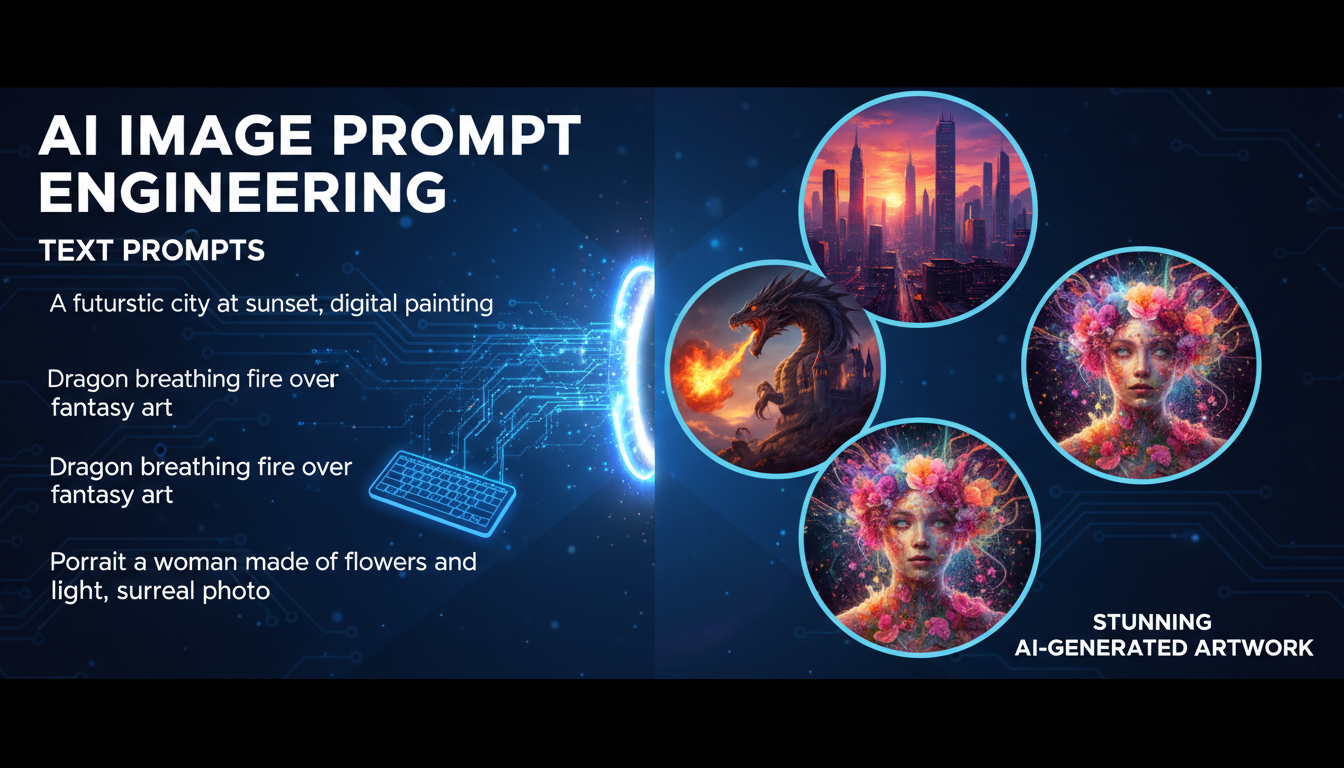
Make AI images and video in your browser
Characters, video, photo packs. No GPU, no setup. Your first generation is free.
I spent the first three months of my AI image generation journey writing terrible prompts. Not because I lacked creativity, but because nobody taught me the actual mechanics of how these models interpret language. I would type something like "cool dragon" and wonder why the output looked like a rejected fantasy novel cover from 1987. The turning point came when I started treating prompts like recipes rather than wishes.
After generating well over 60,000 images across Stable Diffusion, Midjourney, Flux, and a half dozen other models, I can tell you this with confidence: ai image prompts are 80% of the equation. The model you pick, the settings you tweak, the hardware you run, all of that matters. But the prompt is what separates a forgettable image from one that makes people stop scrolling.
Quick Answer: Great ai image prompts follow a consistent structure. Start with the medium and style, describe your subject with precision, define the composition and lighting, and add technical quality terms. A strong prompt reads like a creative brief for a photographer or painter, not like a caption you would put under a photo. The formula is: [Medium/Style] + [Subject with details] + [Environment/Setting] + [Lighting/Mood] + [Technical/Quality terms]. Master this formula and you will produce professional-quality images on your first or second attempt rather than your fifteenth.
- Prompt structure matters more than prompt length. A focused 30-word prompt beats a rambling 100-word one
- Every AI model interprets prompts differently. Midjourney favors vibes, Stable Diffusion rewards precision, Flux responds to natural language
- Negative prompts are just as important as positive prompts for Stable Diffusion workflows
- The best prompt engineers iterate. Expect to refine 3-5 times before landing the final image
- Word order in your prompt influences emphasis. Front-loaded terms carry more weight in most models
- Learning prompt engineering is the single highest-ROI skill in AI image generation
Why Your AI Image Prompts Are Not Working
Most people approach AI image generation the way they approach a Google search. They type a few words, hit enter, and hope for the best. That approach might surface a decent web result, but it produces awful images. The reason is that AI image models are not search engines. They are generative systems that build images from scratch based on your textual instructions, and they need specificity to do that well.
I remember the exact moment this clicked for me. I was trying to generate a portrait for a blog header and typed "professional headshot of a woman." The result was a bland, center-framed, flat-lit face with no personality. Then I rewrote it as "editorial portrait of a confident businesswoman in her 40s, warm side lighting from a large window, shallow depth of field, earth-toned blazer, genuine smile, shot on Canon EOS R5 with 85mm f/1.4 lens, soft bokeh background of a modern office." Night and day difference. Same model, same settings, completely different output.
The lesson? Vague prompts produce generic images. Specific prompts produce images with character and intention.
Here are the three most common mistakes I see people make with their ai image prompts.
Mistake 1: Being too abstract. "A beautiful landscape" gives the model almost nothing to work with. Beautiful how? What kind of landscape? What time of day? What season? What mood? The model has to fill in every gap with its training data average, and averages are boring by definition.
Mistake 2: Ignoring composition. You might describe the subject perfectly but say nothing about framing, angle, or spatial relationships. The result is a technically accurate subject floating in a random arrangement. Adding terms like "close-up," "bird's eye view," "rule of thirds composition," or "leading lines" dramatically improves output quality.
Mistake 3: Forgetting the technical layer. Professional photographers think about lens choice, aperture, film stock, and post-processing. AI models trained on captioned photography data respond to these same terms. Adding "shot on Hasselblad," "Kodak Portra 400," or "f/2.8 bokeh" does not just add metadata. It actually shifts the visual style toward images associated with that equipment and technique.
The Prompt Formula That Changed Everything
After months of trial and error across different models, I developed a formula that works reliably across Stable Diffusion, Midjourney, Flux, and most other modern generators. I use this on Apatero for the majority of my professional work, and it consistently delivers results that require minimal iteration.
Here is the formula broken down into layers.
Layer 1: Medium and Style (What kind of image is this?)
This is your opening statement. It tells the model what artistic universe to operate in before it processes anything else. Because most models weigh early tokens more heavily, this layer sets the foundation for everything that follows.
Examples of strong openers:
Oil painting in the style of the Dutch Golden AgeCinematic film still, anamorphic lensProfessional food photography, magazine qualityIsometric 3D render, clean minimal styleWatercolor illustration, loose brushworkPhotorealistic digital art, hyperdetailed
Layer 2: Subject with Specifics (Who or what is this about?)
This is where most people stop, but it should be just the beginning. Do not just name the subject. Describe it with enough detail that a human artist could sketch it without asking follow-up questions.
Bad: a cat
Good: a fluffy orange tabby cat with bright green eyes, sitting upright on a vintage leather armchair, one paw draped over the armrest, looking directly at the camera with a slightly regal expression
Notice how the good version covers species, color, breed traits, eye color, pose, position, prop interaction, gaze direction, and personality. Each of those details constrains the model's output space and pushes it toward a specific, interesting image instead of a generic one.
Layer 3: Environment and Setting (Where is this happening?)
The background is not an afterthought. It establishes context, mood, and visual depth. Even for portraits, the environment carries significant weight. I have written about this in more detail in my guide on creating AI images like a professional.
Bad: in a room
Good: inside a sunlit Parisian apartment, tall windows with sheer white curtains, aged hardwood floors, a vase of wilting sunflowers on a side table, afternoon light casting long shadows
Layer 4: Lighting and Mood (How does this feel?)
Lighting is the unsung hero of prompt engineering for images. Professional photographers obsess over lighting for a reason. It transforms identical subjects into completely different emotional experiences. The same woman in the same dress looks glamorous under golden hour rim lighting and moody under harsh overhead fluorescent.
Strong lighting terms to memorize:
Golden hour, warm backlight(romantic, warm)Dramatic chiaroscuro, deep shadows(intense, cinematic)Soft diffused overcast light(gentle, editorial)Neon-lit, cyberpunk atmosphere(futuristic, energetic)Studio Rembrandt lighting, single key light(classic portrait)Volumetric fog, god rays through windows(atmospheric, ethereal)
Layer 5: Technical and Quality Boosters (Make it look polished)
This final layer is your finishing coat. These terms push the output toward higher visual quality and more refined aesthetics. Think of them as post-production instructions baked into the prompt.
Reliable quality boosters I use regularly:
8K resolution, highly detailedShot on Hasselblad X2Dorshot on Sony A7R V85mm portrait lens, f/1.4Award-winning photographyTrending on ArtStation(for digital art styles)Masterpiece, best quality(especially effective in anime-trained models)
The Complete Formula in Action
Let me put all five layers together with a before and after comparison.
Before (typical prompt):
a wizard in a forest
After (formula applied):
Digital fantasy painting, highly detailed. A weathered elderly wizard with a long silver beard and deep-set blue eyes, wearing layered robes of midnight blue and dark green, holding a gnarled oak staff topped with a faintly glowing amber crystal. Standing at the edge of an ancient forest, massive moss-covered trees with twisted roots, soft mist rolling between the trunks, bioluminescent mushrooms dotting the forest floor. Golden hour light filtering through the canopy, volumetric light rays, warm highlights on the wizard's face contrasting with cool forest shadows. 8K, intricate detail, fantasy art, trending on ArtStation
The second prompt is not just longer. Every word is doing specific work. There is no filler, no redundancy, just layered detail that gives the model a comprehensive creative brief.
Best AI Image Prompts for Every Style
One thing I have learned from running thousands of generations through Apatero is that different visual styles require different prompting strategies. What works for photorealistic portraits will fail for anime illustrations, and vice versa. Here are the best ai image prompts I have refined for the most popular styles, along with the reasoning behind each choice.
Photorealistic Portraits
Photorealism is where technical camera terms shine. The model has seen millions of captioned photographs, so speaking the language of photography triggers the right neural pathways.
Prompt example:
Editorial portrait photograph of a man in his late 30s with short dark hair and a neatly trimmed beard, wearing a charcoal wool turtleneck sweater. Shot in a naturally lit coffee shop, warm ambient light from large storefront windows, shallow depth of field with soft bokeh of blurred patrons and warm lights in background. Captured on Canon EOS R5 with RF 85mm f/1.2 L lens, natural skin texture, subtle film grain, color graded with warm tones, professional retouching
Why it works: Camera body and lens names, aperture values, and post-processing terms all push the model toward its photographic training data. The environmental details create believable context.
Anime and Manga
Anime models respond to a completely different vocabulary. Terms like "masterpiece" and "best quality" are practically required for checkpoint-based anime generators, and character description conventions differ from realistic prompts.
Prompt example:
masterpiece, best quality, 1girl, long flowing silver hair, crimson eyes, detailed face, gentle expression, wearing a dark academia uniform with gold trim, standing in a vast library with towering bookshelves, warm lamplight, dust particles floating in light beams, dynamic angle from below, detailed hands, intricate clothing folds, studio ghibli color palette, soft cel shading
Why it works: Anime models are trained on tagged datasets (like Danbooru) that use comma-separated descriptors rather than natural sentences. Terms like "1girl" and "detailed face" are part of this tagging convention.
Concept Art and Fantasy
For concept art, you want to channel the language of professional concept artists and art directors. These prompts benefit from referencing specific artists, art movements, or established visual styles.
Prompt example:
Epic fantasy concept art, a colossal ancient dragon perched atop a crumbling gothic cathedral, massive wingspan spread against a turbulent storm sky, lightning illuminating its obsidian scales, the ruined city below shrouded in smoke and ash, tiny silhouettes of fleeing villagers for scale, matte painting style, cinematic composition, detailed environment design, dark atmosphere with warm fire accents, inspired by the visual language of classic fantasy illustration, 4K, environment concept art
Why it works: Scale references ("tiny silhouettes for scale"), art industry terminology ("matte painting style," "environment concept art"), and atmospheric details create the dramatic, detailed output that concept art demands.
Product Photography
This is an area where prompt engineering genuinely replaces expensive studio shoots for many use cases. I started using AI-generated product shots for mockups about a year ago and was surprised by how quickly the quality became production-ready.
Prompt example:
Professional product photography, luxury perfume bottle with amber liquid, geometric crystal-cut glass design, sitting on a polished black marble surface. Single product hero shot, soft studio lighting with one large softbox at 45 degrees, subtle reflection on marble, clean white background transitioning to soft gray gradient, no text, no labels. Shot with a medium format camera, 100mm macro lens, f/8, focus stacked for complete sharpness, commercial advertising quality
Why it works: Product photography has strict conventions (clean backgrounds, controlled lighting, sharp focus throughout) and using terms from that discipline guides the model precisely.
How to Write AI Image Prompts for Stable Diffusion
Stable Diffusion deserves its own section because it handles prompts differently from API-based services like Midjourney. If you are running ComfyUI or Automatic1111, you have access to prompt weighting, negative prompts, and other syntax features that dramatically expand your control. I covered the broader workflow in my piece on text-to-image AI generation, but here I want to focus specifically on the prompting side.
Prompt Weighting
Stable Diffusion allows you to emphasize or de-emphasize specific terms using parentheses and numerical weights. This is incredibly powerful once you understand it.
(word:1.3)increases emphasis by 30%(word:0.7)decreases emphasis by 30%((word))is shorthand for approximately 1.21x emphasis(((word)))is shorthand for approximately 1.33x emphasis
Practical example:
A portrait of a woman, (freckles:1.4), (red curly hair:1.2), green eyes, wearing a (vintage floral dress:0.9), standing in a sunlit meadow
In this prompt, freckles are strongly emphasized so they appear prominently, the red curly hair is moderately emphasized, and the vintage floral dress is slightly de-emphasized so it does not dominate the composition. This kind of fine-grained control is something you simply cannot get with Midjourney or DALL-E.
The BREAK Keyword
When your prompt is long, Stable Diffusion processes it in chunks of 77 tokens. The BREAK keyword forces a new chunk boundary, which can help when important details at the end of a long prompt get ignored.
Free ComfyUI Workflows
Find free, open-source ComfyUI workflows for techniques in this article. Open source is strong.
Example:
Detailed fantasy landscape, ancient elven city built into a mountainside, waterfalls cascading down crystal bridges, bioluminescent gardens BREAK golden hour sunlight, dramatic cloud formations, volumetric lighting through mist, highly detailed, 8K resolution, matte painting
This ensures the lighting and quality terms start a new processing chunk and receive full attention rather than being diluted by earlier content.
The Negative Prompts Guide You Actually Need
Here is my hot take on negative prompts: most people overcomplicate them. I have seen negative prompts that are longer than the actual prompt, stuffed with dozens of terms the person copied from a Reddit thread without understanding what they do. In my experience, a focused negative prompt of 10-20 terms works better than a bloated one with 50+ terms.
Hot take number one: Massive negative prompt lists are a crutch for weak positive prompts. If you need to tell the model 80 things NOT to do, your positive prompt is probably not specific enough. Fix the positive prompt first, then use negative prompts to handle the remaining edge cases.
That said, negative prompts are genuinely useful for specific problems. Here is my go-to negative prompt template for different scenarios.
For photorealistic images:
deformed, blurry, bad anatomy, extra limbs, poorly drawn face, mutation, disfigured, watermark, text, logo, low quality, jpeg artifacts, ugly, duplicate
For anime/illustration:
worst quality, low quality, normal quality, lowres, bad anatomy, bad hands, extra fingers, fewer fingers, text, watermark, signature, blurry, cropped
For product photography:
text, watermark, logo, blurry, distorted, deformed, low resolution, busy background, cluttered, shadows on product, overexposed, underexposed
The key insight is that negative prompts should address specific failure modes you have actually observed. If your model keeps generating watermarks, add "watermark" to the negative prompt. If it keeps producing extra fingers, add "extra fingers." But do not blindly paste 50 terms you found online. Each unnecessary negative term slightly dilutes the impact of the important ones.
AI Art Prompts Ideas: 10 Creative Concepts to Try
I find that one of the biggest barriers for beginners is simply not knowing what to generate. You have this powerful tool and a blank text box, and the paradox of choice sets in. Here are ten creative ai prompts concepts I have had great results with, complete with starting prompts you can modify.
1. Impossible Architecture
Architectural photograph of an impossible building, MC Escher inspired, staircases that loop back on themselves, gravity-defying walkways, brutalist concrete and glass construction, overcast sky, shot with tilt-shift lens, professional architectural photography
This category works beautifully because AI models can create structures that could never exist physically, and the results are consistently fascinating.
2. Historical Figure in Modern Setting
Candid street photography, Leonardo da Vinci wearing a modern tailored suit, sitting at a sidewalk cafe in Tokyo, examining a smartphone with intense curiosity, natural street lighting, passersby in background, documentary photography style
3. Microscopic Worlds
Extreme macro photography, a miniature fantasy city built inside a dewdrop on a blade of grass, tiny glowing windows, cobblestone streets visible through the water surface, early morning light refracting through the droplet, focus stacked, scientific photography quality
4. Emotion as Landscape
Surreal landscape representing the feeling of nostalgia, a winding road through golden wheat fields leading to a distant childhood home, warm sunset colors fading to cool twilight at the edges, scattered polaroid photographs floating in the breeze, dreamlike atmosphere, soft focus, painterly quality
5. Culinary Still Life
Dutch Golden Age still life painting, modern fast food arranged in classical composition, a Big Mac where the roast pheasant would be, fries in a silver chalice, dramatic window light, dark background, oil painting texture, rich warm color palette
6. Animals in Professions
Corporate headshot photograph, a golden retriever in a perfectly tailored navy business suit, confident and professional expression, studio lighting with gray backdrop, shallow depth of field, LinkedIn profile style, photorealistic, humorous but dignified
7. Climate Futures
Photojournalistic image of a futuristic coastal city, half submerged in rising seas, buildings adapted with floating platforms and water-level walkways, people going about daily life, afternoon light, documentary photography style, realistic and grounded
8. Fusion Cuisine Plating
Professional food photography, a sushi roll made entirely of Mexican ingredients, avocado wrapped in thin tortilla, salsa where the soy sauce would be, cilantro garnish arranged with Japanese precision, clean white plate, soft directional studio light
9. Music Visualized
Abstract digital art representing a jazz improvisation, flowing organic shapes in midnight blue and warm gold, scattered rhythm patterns like rain, a central swirling form suggesting a saxophone melody, dynamic composition with movement and energy, dark background, high contrast
Want to skip the complexity? Apatero gives you professional AI results instantly with no technical setup required.
10. Abandoned Technology
Post-apocalyptic photography, a giant retro 1960s mainframe computer overgrown with vines and moss, sitting in an abandoned office with broken windows, forest growing through the floor, dappled sunlight, contrast between organic nature and angular technology, melancholy atmosphere
Each of these concepts works as a starting point. The magic happens when you start modifying them with your own details, changing the lighting, swapping the setting, or blending two concepts together.
Midjourney Prompts Guide: What Works Differently
I need to address Midjourney specifically because it processes prompts quite differently from Stable Diffusion models, and many people use both. Midjourney responds more to mood and vibe language and less to technical camera specifications (though it still understands them).
Hot take number two: Midjourney's strength is not in following precise instructions. It is in interpreting artistic intent. If you want pixel-perfect control over every element, Stable Diffusion with ControlNet is the better choice. But if you want the model to collaborate with you creatively, Midjourney's "looseness" is actually an advantage.
Here is the same concept prompted for each platform.
Stable Diffusion version:
professional portrait photograph of a young woman, (heterochromia:1.3), one blue eye and one green eye, auburn hair in a messy bun, light freckles across nose, wearing an oversized cream knit sweater, sitting on a windowsill, rain on the window glass, soft natural light from overcast sky, shallow DOF, shot on Sony A7III with 85mm f/1.8 lens, film emulation, warm color grade
Midjourney version:
portrait of a woman with heterochromia, one blue eye one green, auburn hair loosely pinned up, freckled, cozy knit sweater, rainy window light, contemplative mood, intimate and warm, editorial photography --ar 2:3 --style raw
Notice how the Midjourney version is shorter and more evocative. It focuses on feeling and atmosphere rather than technical specifications. Midjourney's --style raw parameter gives you more photographic results, while --stylize (default) adds more of Midjourney's characteristic aesthetic.
Key Midjourney Parameters
--ar 16:9or--ar 2:3for aspect ratio--style rawfor more literal prompt interpretation--stylize 50(low) to--stylize 750(high) for artistic interpretation level--chaos 0-100for variation between generated images--nofollowed by terms acts as a negative prompt
Advanced Prompt Engineering Techniques
Once you have the fundamentals down, there are several advanced techniques that can push your results further. These are the tricks I use daily on Apatero for client work, and they separate intermediate prompt engineers from advanced ones.
Technique 1: Style Mixing
Combine two or more distinct visual styles in a single prompt to create something genuinely novel. The model interpolates between the styles and produces results that feel fresh and original.
Example:
Portrait in the style of a Renaissance oil painting combined with cyberpunk aesthetics, a noble woman in elaborate 16th century dress with neon circuitry patterns woven into the fabric, traditional ruff collar that glows with holographic light, classical pose and composition, dramatic chiaroscuro lighting mixed with neon accent lights, oil painting brush texture with digital glitch artifacts
This works because the model can blend training data from both domains. The tension between classical and futuristic elements creates visual interest that neither style alone could achieve.
Technique 2: Camera Direction Language
Instead of describing the image statically, describe it as if you are directing a camera operator. This approach works surprisingly well for dynamic compositions.
Example:
Camera slowly pushing in on a detective standing at the end of a rain-soaked alley, shot from low angle emphasizing his silhouette against the neon signs behind him, rack focus from the foreground puddle reflecting city lights to his face, anamorphic lens flares, 35mm film grain, neo-noir cinematography
The motion language ("pushing in," "rack focus") does not create actual motion, but it primes the model to produce images with cinematic depth and intention.
Technique 3: Contextual Anchoring
Reference a specific real-world context that the model has strong training data for. This grounds your image in a recognizable visual language while letting you customize the details.
Example:
National Geographic cover photograph, an Arctic fox mid-leap through fresh powder snow, captured at 1/2000 shutter speed freezing the motion, snow crystals suspended in air, harsh winter sunlight creating rim lighting on the fox's white fur, pure white environment, wildlife photography, Canon EOS R3 with 400mm telephoto lens
By anchoring to "National Geographic cover photograph," you activate a specific cluster of high-quality, professionally shot wildlife imagery in the model's training data. The result immediately has the gravitas and technical polish associated with that publication.
Technique 4: Emotional Temperature
This is something I stumbled on accidentally and now use constantly. Describing the emotional "temperature" of a scene using sensory language produces more evocative results than purely visual descriptions.
Example:
The quiet stillness of a bookshop just before closing time, warm pools of lamplight on dark wooden shelves, the weight of thousands of stories hanging in the air, a single reader absorbed in a book by the window, the outside world blurred and forgotten, intimate and meditative atmosphere, the comfortable solitude of being alone by choice
Earn Up To $1,250+/Month Creating Content
Join our exclusive creator affiliate program. Get paid per viral video based on performance. Create content in your style with full creative freedom.
Not every word in this prompt maps to a visual element, but the emotional language influences the model's choices about color temperature, composition, and spatial relationships in ways that purely technical prompts cannot replicate.
Common Prompt Mistakes with Before and After Fixes
I want to give you some concrete before-and-after examples because seeing the actual corrections in context is more useful than abstract advice. For a deeper look at choosing the right tool for your images, check out my comparison of the best AI image generators in 2026.
Mistake: No Composition Direction
Before: a knight on a horse in a field
After: Epic wide-angle shot, a lone medieval knight in full plate armor mounted on a black warhorse, positioned in the right third of the frame, vast open field stretching to distant mountains, dramatic storm clouds building overhead, late afternoon side lighting casting long shadows, grass bending in the wind, cinematic composition with strong leading lines from the field toward the rider
Mistake: Contradictory Terms
Before: bright sunny dark moody portrait, happy sad expression, colorful monochrome
After: Moody low-key portrait, dramatic side lighting with deep shadows, desaturated color palette leaning toward cool blues and grays, contemplative expression with a slight tension in the jaw, dark studio background
Contradictory prompts confuse the model and produce incoherent results. Pick a direction and commit to it.
Mistake: Too Many Subjects
Before: a dragon and a knight and a wizard and a princess and a castle and a forest and a river and mountains and stars
After: Fantasy illustration, a dragon and a knight locked in combat on a stone bridge over a misty chasm, the knight's shield raised against a blast of blue dragonfire, dramatic low angle, focus on the moment of impact, dark fantasy atmosphere, detailed armor and scale textures
Every additional subject dilutes the model's attention. Fewer subjects with more detail beats many subjects with no detail, every time.
Building Your Own AI Image Prompt Generator
Hot take number three: AI prompt generator tools are mostly unnecessary if you understand the formula. Most of them just randomize a list of terms from a database, and the results feel random because they are. You are better off building a personal library of prompt segments that you know work well with your preferred model.
That said, having a structured template to fill in is genuinely helpful, especially when you are generating images quickly. Here is the template I use for myself. I think of it as a "prompt generator" that runs in my head rather than in an app.
My Personal Prompt Template:
[STYLE]: _________________ (e.g., oil painting, photograph, 3D render)
[SUBJECT]: _________________ (who/what, with 3-5 specific details)
[ACTION/POSE]: _________________ (what are they doing)
[SETTING]: _________________ (where, with 2-3 environmental details)
[LIGHTING]: _________________ (type, direction, mood)
[CAMERA]: _________________ (lens, angle, depth of field)
[QUALITY]: _________________ (resolution, detail level, reference)
[MOOD]: _________________ (one or two emotional descriptors)
Filled in example:
[STYLE]: Cinematic film still, anamorphic widescreen
[SUBJECT]: A weary astronaut with a cracked helmet visor,
           dust-covered white spacesuit, visible condensation inside helmet
[ACTION/POSE]: Kneeling in sand, one hand pressing into the ground
[SETTING]: Surface of Mars, rust-red desert stretching to horizon,
           distant rocky formations, thin atmosphere
[LIGHTING]: Harsh directional sunlight from upper left,
            long dramatic shadow, warm amber tones
[CAMERA]: Wide angle 24mm lens, low angle shot,
          deep depth of field, everything sharp
[QUALITY]: 8K, photorealistic, hyper-detailed,
           sci-fi movie production value
[MOOD]: Isolation, determination
Combined prompt:
Cinematic film still, anamorphic widescreen. A weary astronaut with a cracked helmet visor and dust-covered white spacesuit, visible condensation inside the helmet, kneeling in red sand with one hand pressing into the ground. Surface of Mars, rust-red desert stretching to the horizon, distant rocky formations, thin hazy atmosphere. Harsh directional sunlight from upper left casting a long dramatic shadow, warm amber tones. Wide angle 24mm lens, low angle shot, deep depth of field. 8K, photorealistic, hyper-detailed, sci-fi movie production value. A feeling of isolation and quiet determination.
This template approach gives you the consistency of an ai image prompt generator without the randomness. Once you internalize the categories, you can fill them in mentally in about 30 seconds.
Prompt Tips and Tricks from 60,000+ Generations
I want to close the main tutorial section with a list of hard-won tips. These are the kinds of things I wish someone had told me when I was starting out. Each one comes from a specific frustration I encountered and solved during my work on Apatero and my personal projects.
1. Front-load the most important terms. Most models give higher weight to words that appear earlier in the prompt. If the style is the most important aspect, put it first. If the subject matters most, lead with that.
2. Use concrete nouns over abstract adjectives. "A woman standing beside a 1967 Ford Mustang Fastback" gives the model more to work with than "a woman standing beside a cool vintage car." Specificity is your friend.
3. Reference real-world photography terms even for illustrations. Terms like "golden hour," "rim lighting," and "shallow depth of field" affect illustrated and painted outputs too, not just photorealistic ones. The model has learned these concepts as visual properties, not just photographic techniques.
4. Describe what you want, not what you do not want. Save the negative space for actual negative prompts. Writing "a dog, not a cat, not a bird, no other animals" wastes positive prompt space. Write "a single golden retriever, alone" instead.
5. Test one variable at a time. When a prompt is not working, change one thing between generations. If you change five things at once, you will not know which change fixed the problem or which one broke something else.
6. Keep a prompt journal. I maintain a simple text file where I save prompts that produced excellent results, along with the model and settings used. This prompt library has become one of my most valuable resources. Over time, patterns emerge about what works for you specifically.
7. Study real art and photography. The best prompt engineers I know are not just technically skilled. They understand visual art. They know what makes a strong composition, why certain color palettes evoke certain emotions, and how professional photographers use light. This knowledge directly translates to better prompts.
8. The word "detailed" is overused and under-specified. Instead of saying "detailed," say what kind of detail you want. "Visible wood grain texture," "individual eyelashes," "intricate lacework pattern" all give the model specific detail targets rather than a vague instruction to add more stuff.
For more techniques on generating truly professional-quality output, take a look at my professional AI image generation guide.
Prompt Engineering Across Different Models in 2026
The AI image generation landscape has evolved significantly. Each model has its quirks and strengths, and the same prompt will produce different results depending on where you run it. Here is a quick overview of how to adapt your prompting strategy.
Stable Diffusion XL and SD 3.5: Responds well to comma-separated descriptors and prompt weighting syntax. Negative prompts are essential. Benefits from checkpoint-specific trigger words. Best for users who want maximum control.
Flux (Pro and Dev): Handles natural language prompts exceptionally well. You can write in conversational sentences and it follows instructions accurately. Less dependent on keyword stuffing. The model I reach for most often when I need precise prompt adherence.
Midjourney v6/v7: Artistic interpretation is strong. Shorter, more evocative prompts often work better than extremely long ones. The --style raw flag is essential for reducing the "Midjourney look." Parameter flags handle aspect ratio, stylization, and chaos. According to Midjourney's documentation, v7 has significantly improved prompt following.
DALL-E 3 (via ChatGPT): Unique in that ChatGPT rewrites your prompt before sending it to the model. Works best with natural language descriptions. Less direct control but very accessible for beginners. The OpenAI documentation provides helpful guidance on structuring prompts for best results.
Nano Banana and Fast Models: These speed-optimized models work best with concise, focused prompts. They do not handle extremely long prompts as well as their larger counterparts, but they are perfect for rapid iteration and concept exploration.
Understanding these differences is crucial. A prompt optimized for Stable Diffusion with parenthetical weights will confuse Midjourney, and a short evocative Midjourney prompt might not give Stable Diffusion enough to work with. Match your prompting style to your model. For a broader look at how text becomes images across all these platforms, my article on text-to-image AI covers the fundamentals.
Frequently Asked Questions
What are the best ai image prompts for beginners?
Start with the five-layer formula covered in this guide: medium/style, subject with details, environment, lighting, and quality terms. A strong beginner prompt follows the pattern "a [style] of [detailed subject] in [setting], [lighting description], [quality terms]." Focus on being specific about one thing at a time rather than trying to control everything at once. As you gain experience, you will naturally add more layers of detail to your prompts.
How long should AI image prompts be?
For most models, 30-75 words is the sweet spot. Shorter prompts give the model too much creative freedom (which usually means generic results), while extremely long prompts can cause important details to be diluted or ignored. Stable Diffusion processes prompts in 77-token chunks, so keeping your most important terms within the first chunk ensures they receive full attention. Midjourney generally performs best with prompts under 60 words.
Do negative prompts actually make a difference?
Yes, but less than most people think. A well-constructed positive prompt is far more impactful than a negative prompt. Negative prompts are best used to address specific, recurring issues you have observed, like extra fingers, watermarks, or blurriness. Copying massive negative prompt lists from forums without understanding them can actually degrade your results by over-constraining the model.
What is the difference between prompting for Stable Diffusion vs. Midjourney?
Stable Diffusion responds well to comma-separated keyword lists, prompt weighting with parentheses, and technical photography terms. Midjourney prefers more natural language descriptions focused on mood and artistic intent. Stable Diffusion requires creative negative prompts, while Midjourney uses the --no parameter for a simpler version of the same concept. Both benefit from specific subject descriptions, but Midjourney is more forgiving of vague prompts.
Can I use the same prompt across different AI image models?
You can, but you should not expect identical results. Each model interprets prompts differently based on its training data and architecture. A prompt optimized for one model may produce subpar results on another. The best approach is to learn the core formula and then adapt it for each platform's specific strengths and syntax requirements.
How do I get consistent characters across multiple images?
Character consistency is one of the harder challenges in AI image generation. For Stable Diffusion, training a LoRA on your character is the most reliable approach. For Midjourney, using detailed character descriptions with consistent clothing and feature descriptions helps. Flux's prompt following ability makes it one of the better choices for maintaining consistency through pure prompting alone.
What are the best ai art prompts for selling prints?
Prompts that produce print-worthy art typically include strong composition terms ("rule of thirds," "golden ratio"), high-resolution quality modifiers ("8K," "highly detailed"), and distinctive artistic style descriptions. Abstract art, landscapes, and stylized portraits tend to sell best. Avoid prompts that produce overly generic results. The market rewards unique, visually striking compositions that people want to display in their homes.
How do I avoid the "AI look" in generated images?
The "AI look" typically comes from overly smooth skin textures, perfect symmetry, and a certain glossy quality. Combat this by adding terms like "natural skin texture," "slight asymmetry," "subtle imperfections," "film grain," and "authentic feel." Referencing specific film stocks (like "Kodak Portra 400" or "Fuji Pro 400H") also helps introduce the organic quality that digital perfection lacks.
Why do my prompts keep generating extra fingers or deformed hands?
Hands remain a challenge for most AI image models, though the latest versions have improved significantly. Use negative prompts targeting "extra fingers, deformed hands, bad anatomy" and include positive terms like "perfectly formed hands, five fingers, anatomically correct." When possible, compose your scene so hands are not the focal point, or use inpainting to fix hand issues in post-processing. Models like Flux and SDXL handle hands notably better than older architectures.
Is there an ideal order for words in AI image prompts?
Yes. Most models give higher weight to terms that appear earlier in the prompt. Place your most important descriptors first. The general recommended order is: medium/style, primary subject, key attributes, setting/environment, lighting, mood, and quality modifiers. If a specific element is critical to your vision, move it toward the front of the prompt regardless of this default order.
Final Thoughts
Prompt engineering for AI images is not a dark art. It is a learnable skill with clear principles and patterns. The formula I have shared in this guide, the five-layer approach of medium, subject, setting, lighting, and quality, works because it mirrors how professional creatives have always communicated visual ideas. Art directors write creative briefs. Photographers share shot lists. Concept artists receive design documents. Your AI image prompts are simply a modern version of the same practice.
The biggest shift I can recommend is to stop thinking of prompting as searching and start thinking of it as directing. You are not asking the model to find an image. You are telling it exactly what to create. The more precisely you communicate your vision, the more precisely the model delivers it.
Start with the formula, practice with the examples in this article, and build your personal prompt library over time. Within a few weeks, you will be writing effective ai image prompts instinctively, and the quality gap between your work and the average generated image will be obvious.
Now go make something worth looking at.
Make AI images and video in your browser
Characters, video, photo packs. No GPU, no setup. Your first generation is free.
Related Articles
AI Art for Game Developers: Complete Guide to Asset Creation
Learn how indie game developers use AI for concept art, sprites, backgrounds, and UI. Practical workflows for integrating AI into game asset pipelines.
How to Create Professional Book Covers with AI for Self-Publishing
Design stunning book covers using AI image generators. Complete guide for self-published authors covering every genre from fantasy to romance to thriller.
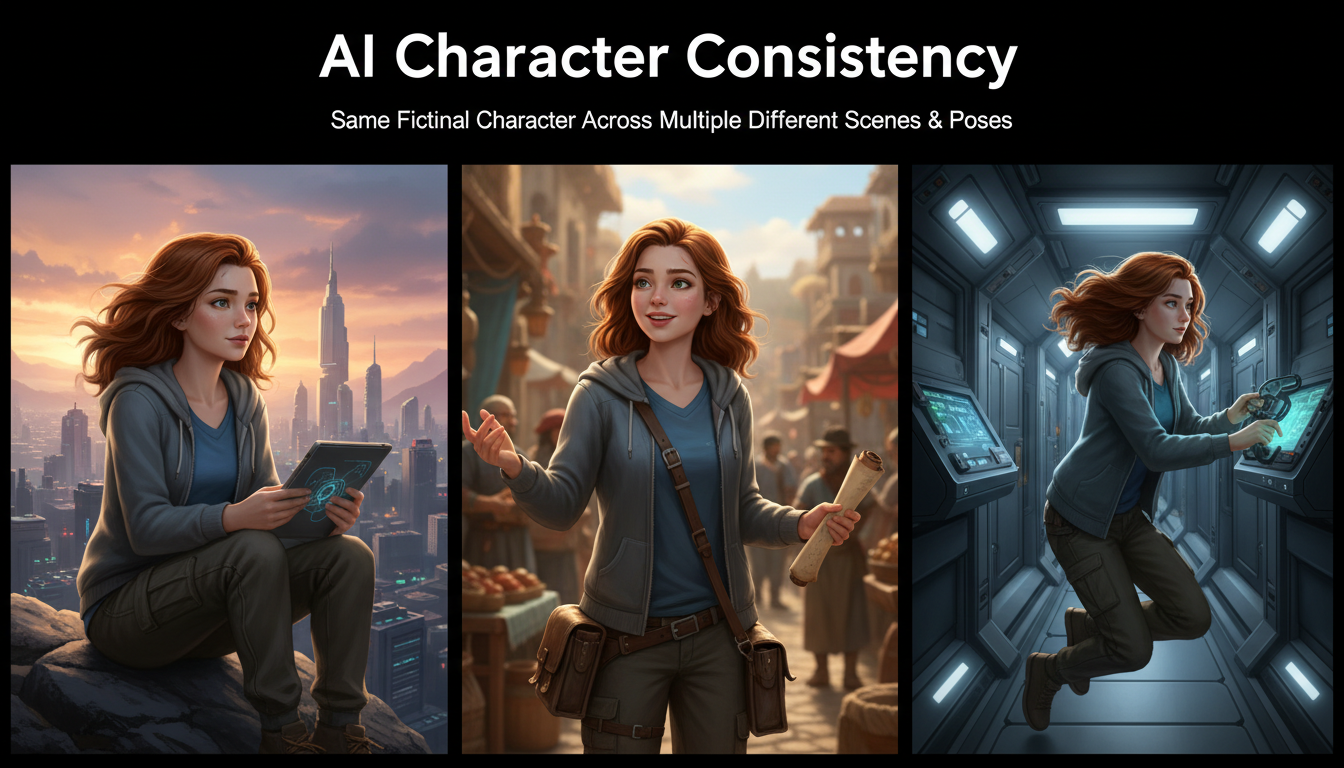
AI Consistent Character Generator: How to Keep the Same Character Across Multiple Images
Learn how to generate the same AI character across multiple scenes using LoRA training, IPAdapter, Midjourney cref, and reference image techniques. Complete 2026 guide.