AI Consistent Character Generator: How to Keep the Same Character Across Multiple Images
Learn how to generate the same AI character across multiple scenes using LoRA training, IPAdapter, Midjourney cref, and reference image techniques. Complete 2026 guide.
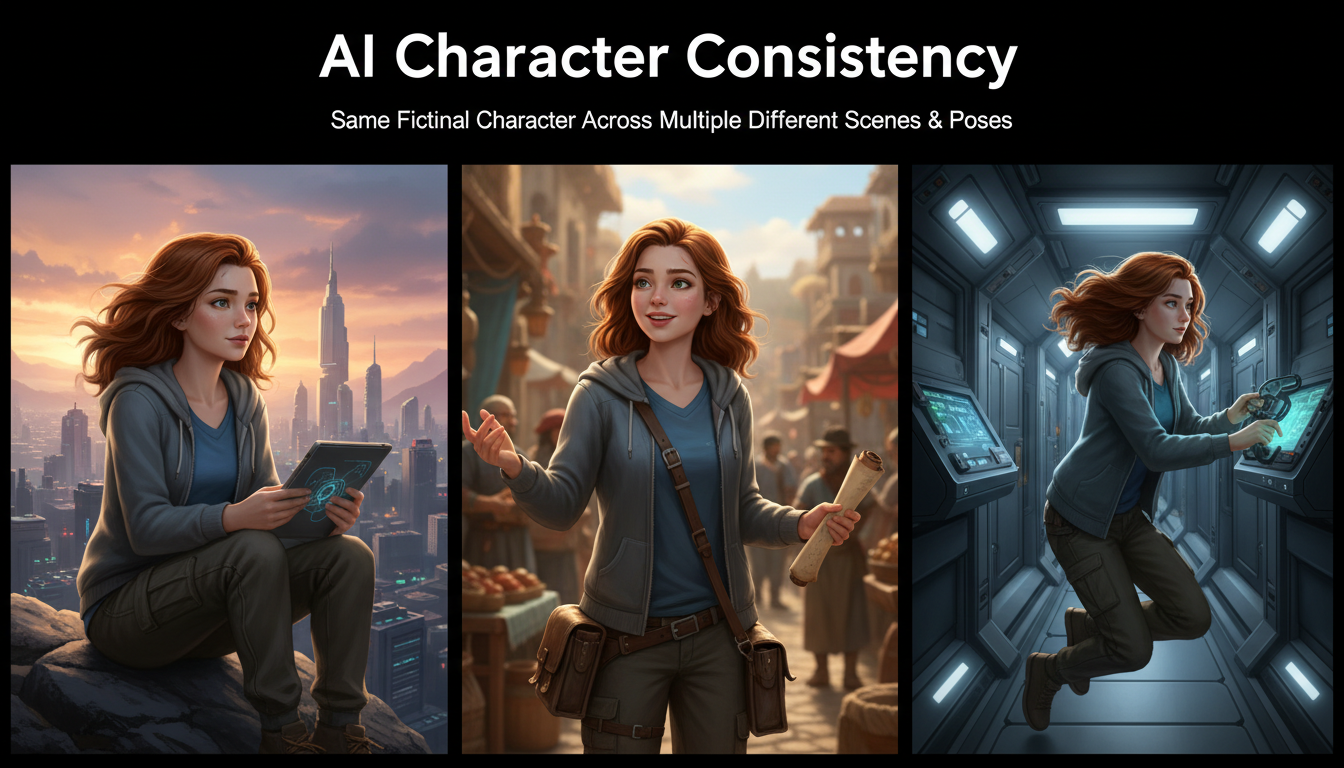
If you have ever tried to tell a visual story with AI-generated images, you already know the pain. You craft a perfect first image of your character, move on to the next scene, and suddenly the AI gives you someone who looks like a distant cousin at best. The hair is different, the face shape changed, and the outfit might as well belong to a completely different person. This is the single biggest frustration for anyone building comics, visual novels, storyboards, or social media content with AI art tools.
Quick Answer: An ai consistent character generator uses techniques like LoRA fine-tuning, IPAdapter face embedding, Midjourney's cref parameter, or structured reference images to maintain the same character identity across multiple generated images. The best results come from combining at least two methods. LoRA training on 15 to 30 reference images delivers the highest consistency (around 90%), while reference-based methods like cref or IPAdapter offer faster setup with slightly lower fidelity (70 to 85%). Your choice depends on whether you need perfect consistency for professional projects or "good enough" for quick creative exploration.
- LoRA training provides the best character consistency but requires upfront time investment (2 to 4 hours of setup and training)
- IPAdapter and InstantID offer a middle ground with no training required, just reference images
- Midjourney's cref parameter is the easiest entry point but gives you the least control
- Combining methods (LoRA plus IPAdapter, for example) produces the most reliable results
- Character sheets and turnaround references dramatically improve consistency regardless of which method you use
- Tools like Apatero handle the technical complexity behind the scenes for creators who want results without building pipelines
Why Character Consistency Is the Hardest Problem in AI Image Generation
Character consistency is fundamentally at odds with how diffusion models work. These models generate images by starting from noise and gradually refining it into something that matches your text description. Every generation starts from a different noise pattern, which means every output is unique. That is great for variety but terrible for maintaining a consistent identity.
I first ran into this problem about two years ago when I tried building a short comic strip using Stable Diffusion. I had a character I really liked from my initial generation: a redheaded woman in a leather jacket with a distinctive scar above her left eyebrow. The very next panel required her in a different pose, and after 80 generations I could not get anyone who looked remotely like her. That project taught me a critical lesson: text prompts alone cannot solve character consistency, no matter how detailed you make them.
The reason is straightforward. When you write "redheaded woman with scar above left eyebrow," the model interprets that description fresh every time. Its internal representation of "redheaded woman" varies across generations because the latent space is enormous. Two images matching the same text prompt can look wildly different while both being technically correct interpretations of your words.
This is why dedicated techniques for AI character consistency have become so important. Whether you are building an AI visual novel character library, creating marketing materials with a brand mascot, or developing concept art for a game, you need tools that go beyond simple prompting.
The Four Main Approaches to Consistent AI Character Generation
Before diving into specific workflows, it helps to understand the landscape. There are four primary approaches to maintaining a consistent AI character across scenes, and each sits at a different point on the effort-versus-quality spectrum.
1. LoRA Fine-Tuning (Highest Quality, Most Effort)
LoRA training teaches the AI model what your specific character looks like at a deep level. You feed it 15 to 30 curated images of your character, and it creates a small adapter file (typically 10 to 150MB) that modifies the model's behavior. When you activate this LoRA during generation, the model "knows" your character and can render them in any pose or scene while maintaining their core identity.
I consider LoRA training non-negotiable for any serious character project. The consistency you get is unmatched by any other method. If you want to understand the fundamentals of how this works, check out our complete beginner's guide to LoRA training.
Best for: Long-term character projects, visual novels, comics, brand mascots, professional content pipelines.
Drawbacks: Requires a dataset of your character (chicken-and-egg problem for new characters), takes 1 to 3 hours of training time, needs a decent GPU or cloud compute.
2. IPAdapter and InstantID (Good Quality, Moderate Effort)
IPAdapter works by extracting facial and stylistic features from a reference image and injecting those features into the generation process. You provide one or more reference photos of your character, and IPAdapter conditions the diffusion process to match those features. InstantID is a similar approach specifically optimized for face identity preservation.
The advantage here is speed. You do not need to train anything. Just provide a reference image and start generating. The trade-off is that consistency drops compared to LoRA, especially for non-facial features like clothing, body type, and accessories.
Best for: Quick prototyping, characters based on real people (with consent), projects where facial consistency matters most.
Drawbacks: Struggles with extreme pose changes, can lose clothing and accessory details, sometimes produces an "uncanny valley" effect where the face is consistent but everything else shifts.
3. Midjourney cref (Easiest, Least Control)
Midjourney's character reference parameter (cref) is the most accessible option for beginners. You simply pass a reference image URL with the --cref flag, and Midjourney attempts to maintain that character's appearance in new generations. The --cw (character weight) parameter lets you control how strongly it adheres to the reference.
Hot take: Midjourney cref is overhyped for serious work. It is fantastic for casual exploration and social media content, but the consistency breaks down significantly when you need your character in complex poses, different lighting conditions, or stylistically different scenes. I have tested it extensively and find that it works about 70% of the time for simple portrait-to-portrait transfers, but drops to around 40% reliability when you change the scene dramatically. For professional visual storytelling, you will hit a wall fast.
Best for: Social media content, casual character exploration, quick concept art, Midjourney users who do not want to learn new tools.
Drawbacks: Locked to Midjourney's ecosystem, limited control over what aspects of the character are preserved, no fine-grained adjustability.
4. Structured Reference Images and Character Sheets (Supplementary)
An AI character turnaround sheet is a single image showing your character from multiple angles: front, side, back, and three-quarter views. These sheets serve as comprehensive references that you can use with any of the above methods to improve consistency. They are not a standalone solution but rather a force multiplier.
Creating a good character sheet involves generating your character in a neutral pose from multiple angles, then compositing those views into a single reference image. This gives whatever consistency method you are using more information to work with.
Step-by-Step: Building a Character LoRA for Maximum Consistency
This is the gold standard workflow for anyone who needs reliable, repeatable character consistency. I will walk through the entire process from dataset creation to deployment.
Step 1: Create Your Character's Initial Design
If your character does not exist yet, you need to generate them first. This is the bootstrapping challenge. Here is my recommended approach.
Start by generating a large batch of images (50 to 100) with a detailed prompt describing your character. Use a high-quality base model like Flux, SDXL, or one of the best AI image generators available in 2026. Review the batch and pick the single image that best represents your vision.
From that chosen image, use img2img or IPAdapter to generate variations in different poses and expressions. The goal is to build a dataset of 15 to 30 images where the character is recognizably the same person but shown in enough variety that the LoRA learns the character's identity rather than memorizing a single pose.
Step 2: Curate and Prepare Your Dataset
Quality matters far more than quantity for LoRA training datasets. I once tried training a LoRA with 200 images of a character and got worse results than a carefully curated set of 20. The large dataset had too many inconsistencies, and the model learned the average of all those variations rather than the "true" character.
Here is what your dataset should include:
- 5 to 8 close-up portraits with varied expressions (neutral, smiling, serious, surprised)
- 5 to 8 medium shots showing the upper body from different angles
- 3 to 5 full body shots with different poses
- 2 to 3 images in different outfits (if you want outfit flexibility)
- All images should have clean backgrounds (solid colors work best)
- Resolution should be at least 512x512, ideally 1024x1024
Tag each image with a consistent trigger word for your character (something unique like "chrNAME" or "sks_character") and accurate descriptions of the pose, expression, and clothing.
Step 3: Configure and Run the Training
For training configuration, these settings work well as a starting point for character LoRAs on Flux or SDXL models:
- Learning rate: 1e-4 for Flux, 5e-5 for SDXL
- Training steps: 1,500 to 3,000 (more is not always better)
- Network rank: 32 to 64 (higher captures more detail but risks overfitting)
- Network alpha: Half your rank value (16 to 32)
- Resolution: 1024x1024
- Batch size: 1 to 2 (limited by VRAM)
- Optimizer: AdamW or Prodigy (Prodigy auto-adjusts learning rate)
I always run a test generation at the halfway mark. If the character is already recognizable at step 1,500, you probably do not need to train to 3,000. Overtraining makes the LoRA rigid, meaning it will reproduce your training images too literally and struggle with new poses. For a deeper dive into this process, our guide to creating AI virtual models covers the training pipeline in detail.
Step 4: Test and Iterate
After training, test your LoRA with prompts that differ significantly from your training data. Generate your character in scenes and poses that were not in the training set. This tells you how well the LoRA generalized versus memorized.
Common issues and fixes:
- Face looks right but body is wrong: Add more full-body images to your dataset and retrain
- Character only works in one pose: Your training data lacked variety, add more diverse poses
- Output looks "burned" or over-saturated: You overtrained, reduce steps or lower the learning rate
- LoRA has no visible effect: Check your trigger word, increase the LoRA weight, or verify the LoRA is compatible with your base model
Step-by-Step: Using IPAdapter for Quick Character Consistency
When you need results fast and do not want to invest hours in LoRA training, IPAdapter is your best friend. This workflow gets you from zero to consistent characters in under 30 minutes.
Setting Up IPAdapter in ComfyUI
IPAdapter requires a specific setup in ComfyUI with the IPAdapter Plus custom nodes installed. You will need the face model specifically for character consistency work.
- Install the ComfyUI-IPAdapter-Plus custom nodes from GitHub
- Download the IPAdapter face model (ip-adapter-faceid-plusv2_sd15.bin for SD 1.5 or the SDXL variant)
- Download the required InsightFace analysis model
- Place models in the correct directories within your ComfyUI installation
The Workflow
Once installed, the workflow is straightforward. You provide a reference image of your character, and IPAdapter extracts facial features that get injected into the diffusion process at specific attention layers.
The key parameters to adjust:
- Weight: Start at 0.7 and adjust. Higher values (0.85+) produce closer face matches but can reduce image quality. Lower values (0.5 to 0.6) give more creative freedom but looser consistency.
- Start/End percentage: Controls when in the diffusion process IPAdapter influence begins and ends. Starting at 0% and ending at 80% usually produces the best results.
- Face ID mode: Use this specifically for face consistency rather than the general IPAdapter mode, which also transfers style and composition.
Hot take: Most people use IPAdapter weight too high. Setting it at 0.9+ because you want "maximum consistency" actually degrades the output. You get face artifacts, weird skin textures, and that distinctive "pasted face" look. A weight of 0.65 to 0.75 gives you 90% of the consistency with none of the artifacts. Trust the model to do its job.
Combining IPAdapter with a LoRA
This is where things get powerful. Use your trained LoRA to handle the character's overall identity (face shape, hair, general proportions) and layer IPAdapter on top to lock in specific facial features for extra consistency. The LoRA provides the "who" while IPAdapter reinforces the "exactly what they look like."
In my testing, this combination pushed consistency from roughly 85% (LoRA alone) to over 95%. The workflow in ComfyUI chains the LoRA loader before the IPAdapter conditioning, so both influence the generation simultaneously.
On Apatero, this kind of multi-layered consistency pipeline runs automatically when you create a character and generate variations. The platform handles the model stacking and parameter tuning behind the scenes, which saves considerable time compared to building the ComfyUI workflow from scratch.
Related, no-code walkthrough: how to lock a character across 50 images with Apatero.
Step-by-Step: Using Midjourney cref for Character References
For Midjourney users who want character consistency without leaving the platform, the cref system is the quickest path.
Basic Usage
The syntax is simple. Generate or provide your character's reference image, then include it in future prompts:
/imagine prompt: [your character description], [scene description] --cref [image URL] --cw 100
The --cw parameter controls character weight:
- 100 (default): Matches face, hair, clothing, and general appearance
- 50 to 75: Matches face and hair but allows clothing variations
- 0 to 25: Matches only general style, loose character reference
Tips for Better cref Results
After spending weeks testing Midjourney's cref with various character types, I found several patterns that consistently improve results.
First, your reference image matters enormously. A clean, well-lit portrait with the character centered in the frame works ten times better than a complex scene where the character is partially obscured. If your best character image has them in an action pose against a busy background, take the time to generate a clean portrait version first and use that as your cref source.
Second, be creative about what should change versus what should stay the same. If you want your character in a new outfit but with the same face, lower the character weight to around 50 and describe the new outfit in your prompt. If you want everything identical except the scene, keep character weight at 100 and only describe the new environment.
Third, Midjourney handles same-style consistency better than cross-style consistency. If your reference is a photorealistic image and you try to generate a cartoon version of that character, consistency drops sharply. Stick to the same general style as your reference for best results.
Creating Effective AI Character Sheets and Turnaround References
A character sheet is your secret weapon regardless of which ai consistent character generator approach you use. Think of it as a visual dictionary for your character that any method can reference.
What Goes on a Character Sheet
A good AI character turnaround sheet includes several essential views.
The front view should be a neutral standing pose, arms slightly away from the body so the full outfit is visible. This is your "default" reference that captures the most recognizable version of your character. Include a close-up face view with a neutral expression, showing distinctive facial features clearly.
Side profiles (left and right) reveal the character's silhouette, hairstyle from another angle, and any profile-specific features like jewelry, scars, or hair ornaments. A back view is essential if your character has distinctive back details like hair length, cape, backpack, or tattoos.
Expression sheets showing the same character with different emotions (happy, sad, angry, surprised, determined) help when you need emotional range in your story scenes. These also provide excellent training data for LoRAs because they teach the model that your character's identity persists across emotional states.
Generating a Character Sheet with AI
Here is a practical approach I use when creating character sheets for new original characters.
Start by generating your definitive character image. Once you have the design locked down, use a combination of your preferred method (LoRA, IPAdapter, or cref) with specific prompting to generate each sheet view. A prompt structure like this works well:
character sheet, multiple views, front view, side view, back view,
three-quarter view, [your character description], white background,
reference sheet, concept art, clean linework
If the single-prompt approach does not produce good results (it often does not), generate each view separately and composite them manually in an image editor. This takes more time but gives you much better control over each view.
I should note that this process has gotten dramatically easier in 2026 compared to even a year ago. Models like Flux and the latest SDXL fine-tunes handle multi-view generation much more reliably than older models did. If you tried this approach in 2024 and gave up, it is worth revisiting.
Comparing All Approaches: Which Method Should You Choose?
Let me be direct about what works and what does not, based on extensive testing across all four methods.
| Method | Consistency Score | Setup Time | Per-Image Speed | Best For |
|---|---|---|---|---|
| LoRA Training | 85-95% | 2-4 hours | Fast (once trained) | Long projects, professional work |
| IPAdapter/InstantID | 70-85% | 30 minutes | Medium | Quick prototyping, real face reference |
| Midjourney cref | 60-80% | 5 minutes | Fast | Casual use, social media content |
| Character Sheets Only | 40-60% | 1 hour | Varies | Supplementary reference material |
Hot take: The "best" method depends entirely on your project scope, and most people choose wrong. Beginners gravitate toward cref because it is easy, then get frustrated when consistency breaks down after 10 images. Experienced users sometimes over-engineer LoRA pipelines for projects that only need five consistent images. Match your method to your actual needs. If you are making a 50-page comic, invest in LoRA training. If you are making a three-image social post, cref or IPAdapter will serve you fine.
For projects involving AI anime characters, consistency requirements are even higher because anime styles have more exaggerated and specific features that are harder to maintain. Small variations in eye size, hair style, or color saturation are more noticeable in anime than in photorealistic styles.
Advanced Tips for Maintaining AI Character Consistency
Beyond the core methods, several advanced techniques can push your consistency even higher. These are the tricks I have learned from hundreds of hours of character generation work.
Use Seed Locking Strategically
Fixing the random seed does not guarantee character consistency (it is not a magic button), but it can help when used alongside other methods. A fixed seed with the same prompt will produce the same image, but changing the prompt even slightly will produce a different result. The trick is to change only the scene-relevant parts of your prompt while keeping character descriptions identical, then lock the seed to minimize the noise-pattern variation.
Build a Prompt Template
Create a standardized prompt structure for your character and use it as a template for every generation. Something like this:
[SCENE DESCRIPTION], [CHARACTER TRIGGER WORD], [fixed character description block],
[pose/action], [camera angle], [lighting]
The character description block should be identical across all prompts. Copy and paste it every time. Inconsistent prompting is one of the biggest sources of character drift, and I have caught myself making this mistake more times than I would like to admit.
Generate in Batches, Not One at a Time
When creating multiple scenes for a story or project, generate batches for each scene and cherry-pick the best results rather than trying to get each image perfect in sequence. This gives you more control over quality and lets you choose the outputs where the character looks most consistent with your established reference.
Leverage Face-Fixing Post-Processing
Sometimes you get an almost-perfect image where the character's face is slightly off. Tools like CodeFormer or GFPGAN can clean up facial details without changing the character's identity. In ComfyUI, you can integrate these as post-processing steps in your workflow so every output gets automatic face refinement.
Use Consistent Lighting and Camera Angles
This is underappreciated. If your scene dramatically changes the lighting (going from daylight to candlelight, for example), the character will naturally look different even with perfect consistency techniques. When testing your setup, keep lighting consistent first to validate that your character method is working, then introduce lighting variations gradually.
Common Pitfalls and How to Avoid Them
Over the past two years of working with AI character consistency, I have seen the same mistakes come up repeatedly. Here is what to watch out for.
Pitfall 1: Over-describing your character in prompts. When people struggle with consistency, their instinct is to add more detail to the prompt. "Blue eyes with gold flecks, button nose with slight upward tilt, heart-shaped face with high cheekbones..." This level of detail actually hurts because the model cannot consistently reproduce that many specific facial features. Keep character descriptions to 3 to 5 key identifying features and let the LoRA or reference system handle the rest.
Pitfall 2: Mixing incompatible methods. Not all consistency techniques play nicely together. Using IPAdapter with a very high weight alongside a strong LoRA can create conflicting signals that produce garbled outputs. When combining methods, start with low weights for both and gradually increase until you find the balance point.
Pitfall 3: Ignoring aspect ratio consistency. Switching between portrait, landscape, and square aspect ratios between scenes introduces more variation than you might expect. Your character was likely generated and trained in a specific aspect ratio, and departing from it changes how the model allocates pixels to the character versus the background.
Pitfall 4: Training LoRAs on inconsistent data. If your training images already show significant variation in the character's appearance, the LoRA will learn that variation. Garbage in, garbage out. Spend the time to curate your dataset ruthlessly. Remove any image where the character's features differ from your intended design.
Pitfall 5: Not saving your working configurations. When you finally get a generation pipeline that produces consistent results, document every setting: the model, LoRA weight, IPAdapter weight, seed, prompt, sampler, steps, CFG scale, everything. Future you will thank present you when you need to generate more images six months later.
Services like Apatero solve many of these pitfalls by standardizing the pipeline and storing your character configurations automatically. If you find yourself spending more time debugging your consistency setup than actually creating content, it might be worth exploring managed solutions.
Real-World Applications of Consistent AI Characters
Understanding why people need an ai consistent character generator helps clarify which approach fits your use case.
Visual Novel and Comic Creation
This is one of the most demanding applications because readers will immediately notice if a character's appearance shifts between panels. A single visual novel can require hundreds of images of the same characters in different scenes, expressions, and outfits. LoRA training is practically mandatory here, often combined with IPAdapter for expression control. The ai story character consistency requirements are the highest in this category.
Social Media AI Influencers
AI influencers need to look like the same person across every post. Followers engage with a personality, and visual consistency is what makes that personality feel real. This is an area where the combination of LoRA training and careful prompt templates shines. For a comprehensive guide to this specific application, check out our AI model generator guide.
Game and Animation Pre-Production
Concept artists use AI character consistency tools to quickly iterate on character designs across multiple environments and scenarios. The consistency does not need to be pixel-perfect here since the AI output is reference material that will be refined by human artists. IPAdapter or even cref works well for this use case because speed matters more than perfection.
Children's Book Illustration
Consistent characters across 20 to 30 illustrations, often in wildly different scenes and with various emotional expressions. This is a sweet spot for the LoRA plus character sheet approach, where you train a LoRA and also maintain a reference sheet that you use for manual consistency checks.
The Future of AI Character Consistency
The field is moving fast. When I first wrote about character consistency techniques in 2024, LoRA training was the only reliable option and it required significant technical skill. Now in 2026, we have multiple approaches at different accessibility levels, and the quality gap between them is shrinking.
Several trends are worth watching. First, native character consistency features are being built into generation models themselves rather than requiring external tools. The Midjourney cref system was an early example, and newer models from Stability AI and Black Forest Labs are incorporating identity preservation directly into their architectures.
Second, training is getting faster and cheaper. What used to take 3 hours on a rented A100 GPU now takes 45 minutes on consumer hardware. This democratization means more creators can access LoRA-level consistency without breaking the bank.
Third, and this is perhaps the most exciting development, multi-character consistency is becoming viable. Maintaining two or three consistent characters in the same scene was nearly impossible a year ago, but recent advances in attention manipulation and multi-LoRA loading are making it practical. You can now tell a story with a full cast, not just a single protagonist.
On Apatero.com, we have been tracking these developments closely and integrating new consistency techniques as they mature. The goal is to make character consistency something you set up once and then forget about, letting you focus on the creative work of telling stories and building worlds.
Frequently Asked Questions
What is the best ai consistent character generator for beginners?
Midjourney with the cref parameter is the easiest starting point because it requires no technical setup. Upload a reference image, add --cref [URL] to your prompt, and you will get reasonably consistent results. For better quality with more control, try IPAdapter in ComfyUI. For professional-grade consistency, invest in LoRA training.
Can I keep the same face across AI images without any training?
Yes, IPAdapter and InstantID let you maintain facial consistency using just a reference image, no training required. The consistency is not as high as a trained LoRA (roughly 70 to 85% versus 85 to 95%), but it works well for many use cases. Midjourney cref also achieves this without training, though with less control.
How many reference images do I need for a character LoRA?
Between 15 and 30 images works best. Fewer than 10 images usually does not give the model enough information to generalize your character to new poses. More than 50 images introduces too much variation unless every image is extremely consistent. Focus on quality and variety of angles rather than raw quantity.
Why does my AI character look different in every image despite using the same prompt?
Text prompts alone cannot guarantee consistency because diffusion models generate from random noise each time. The same prompt produces a valid but different interpretation with every generation. You need a conditioning method (LoRA, IPAdapter, cref, or reference images) that provides visual identity information beyond what text can express.
What is Midjourney cref and how does it work?
Midjourney's cref (character reference) parameter lets you pass a reference image that the model uses to maintain character appearance. You add --cref [image URL] to your prompt, and --cw [0-100] to control how strongly it follows the reference. At cw 100, it tries to match face, hair, and clothing. At lower values, it focuses mainly on the face.
Is LoRA training worth it for just a few images?
If you only need 3 to 5 consistent images, LoRA training is probably overkill. Use IPAdapter or cref instead for quick projects. LoRA training pays off when you need 20+ images of the same character, plan to use the character long-term, or need the highest possible consistency for professional work.
Can I use the same character across different AI art styles?
This is one of the hardest consistency challenges. A character designed in a photorealistic style will look different when rendered in anime, watercolor, or pixel art. LoRA training handles cross-style consistency better than reference-based methods because it learns the character's identity at a deeper level. However, you may need separate LoRAs for dramatically different styles.
How do I create an AI character sheet for reference?
Generate your character from multiple angles (front, side, back, three-quarter) and composite these views into a single image. Use a prompt containing "character sheet, multiple views, reference sheet, white background" along with your character description. Generate each view separately if the model struggles to produce all views in one image.
What is the difference between IPAdapter and InstantID?
Both extract features from reference images, but they focus on different aspects. IPAdapter captures general visual features including style, composition, and face. InstantID is specifically designed for face identity preservation, using InsightFace embeddings to match facial geometry precisely. For character consistency, InstantID typically produces better face matches while IPAdapter gives better overall style consistency.
Can I maintain character consistency across AI-generated videos?
Yes, but it is more challenging than still images. Video generation models like Wan and Kling are improving at temporal consistency, and you can use LoRAs with some video models. The most reliable current approach is generating key frames with character-consistent still image techniques and then interpolating between them with a video model.
Wrapping Up
Getting a consistent AI character across multiple images is no longer the impossible task it was even a year ago. The tools have matured, the techniques are well-documented, and there are options at every skill level and budget.
If you take one thing from this guide, let it be this: match your method to your project scope. Do not over-engineer a solution for a simple project, and do not under-invest in consistency for a project that demands it. Start with the simplest approach that meets your needs and add complexity only when the results require it.
The ai consistent character generator landscape will keep evolving, and what feels cutting-edge today will likely feel routine in a year. But the fundamentals of good reference images, consistent prompting, and choosing the right tool for the job will remain relevant regardless of what new techniques emerge.
For ongoing updates on AI character consistency tools and techniques, keep checking back here. And if you want to skip the technical setup entirely and focus on creating characters, give Apatero a try. It is built specifically for this kind of creative workflow.
Reuse a character reference
Save a character as a Soul and put them in any scene, image or video, without retraining anything. Check your welcome allowance and the displayed cost before generating.
Related Articles
AI Art for Game Developers: Complete Guide to Asset Creation
Learn how indie game developers use AI for concept art, sprites, backgrounds, and UI. Practical workflows for integrating AI into game asset pipelines.
How to Create Professional Book Covers with AI for Self-Publishing
Design stunning book covers using AI image generators. Complete guide for self-published authors covering every genre from fantasy to romance to thriller.
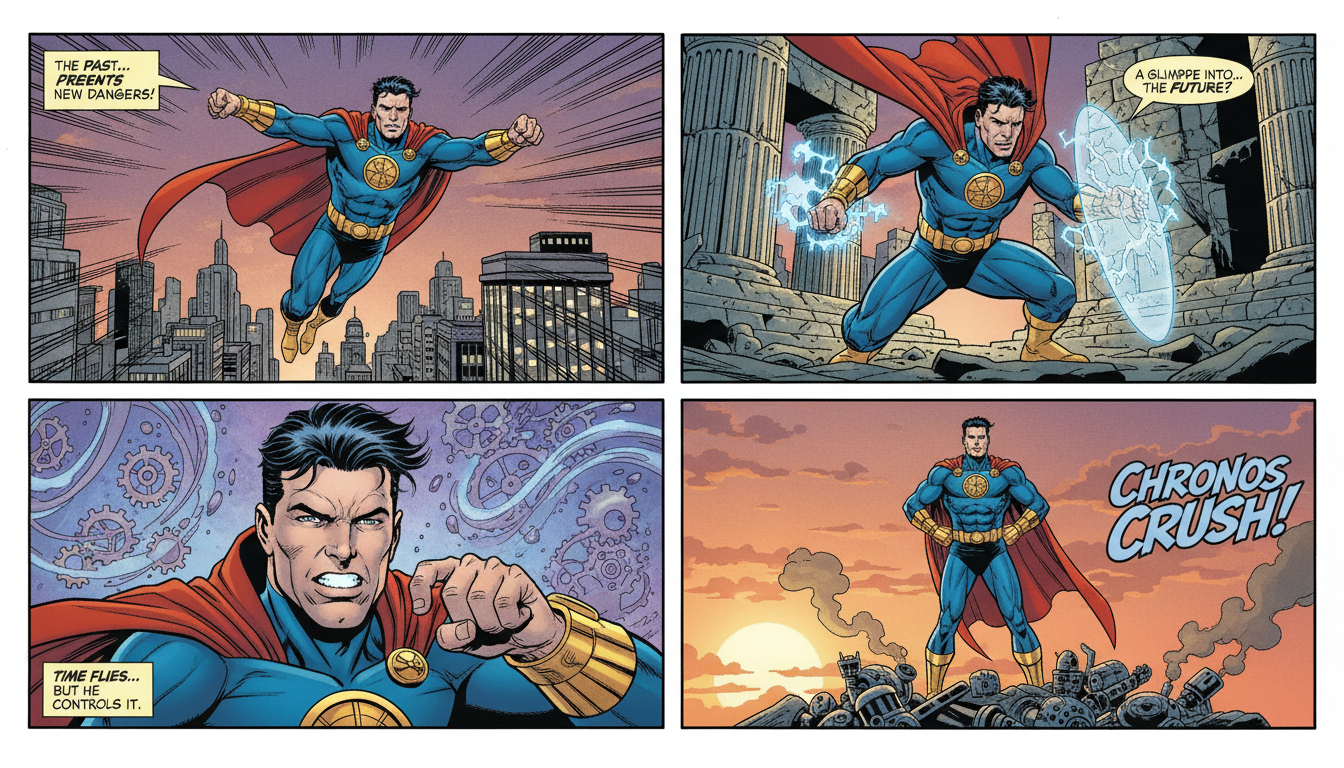
Creating Consistent Characters for Comics with AI: Complete Tutorial
Learn how to generate consistent characters across multiple panels and pages using AI image generators. Master prompting techniques for comic creation.