Custom LoRA Training Without Technical Knowledge in 2025
Train your own AI models for consistent characters, styles, and products. No coding required. Cloud-based LoRA training explained for everyone.
You want AI to generate your specific character consistently. Or your brand's visual style. Or product photos that look like your actual products. Standard prompting won't cut it—you need a custom-trained model. But training AI models sounds like something for machine learning engineers, not normal creators.
It isn't. LoRA training has become accessible to everyone. Here's how to do it without touching code.
Quick Answer: LoRA (Low-Rank Adaptation) models train AI to reproduce specific subjects, styles, or concepts. Platforms like Apatero, Tensor.Art, and SeaArt offer cloud-based training interfaces. Upload 10-20 images, configure settings, wait for training, generate images of your specific subject. No GPU required, no coding necessary.
:::tip[Key Takeaways]
- Key options include Base model: and Your images:
- Multiple approaches exist depending on your goals
- Staying informed helps you make better decisions
- Hands-on experience is the best way to learn :::
- Consistent characters - Same face, same features, every time
- Personal styles - Train your artistic signature
- Product consistency - Your actual products in any scene
- Brand assets - On-brand imagery on demand
What Is LoRA Training?
LoRA stands for Low-Rank Adaptation. In plain terms: it's a way to teach an AI model about a specific subject without retraining the entire model.
How It Works (Simple Version)
- Base model: Large AI model trained on millions of images
- Your images: 10-20 photos of your specific subject
- LoRA training: Creates a small "patch" that teaches the base model your subject
- Result: Base model + your LoRA = generates your specific subject
The LoRA file is small (50-200MB) compared to full models (several GB). It's efficient, fast to train, and produces great results.
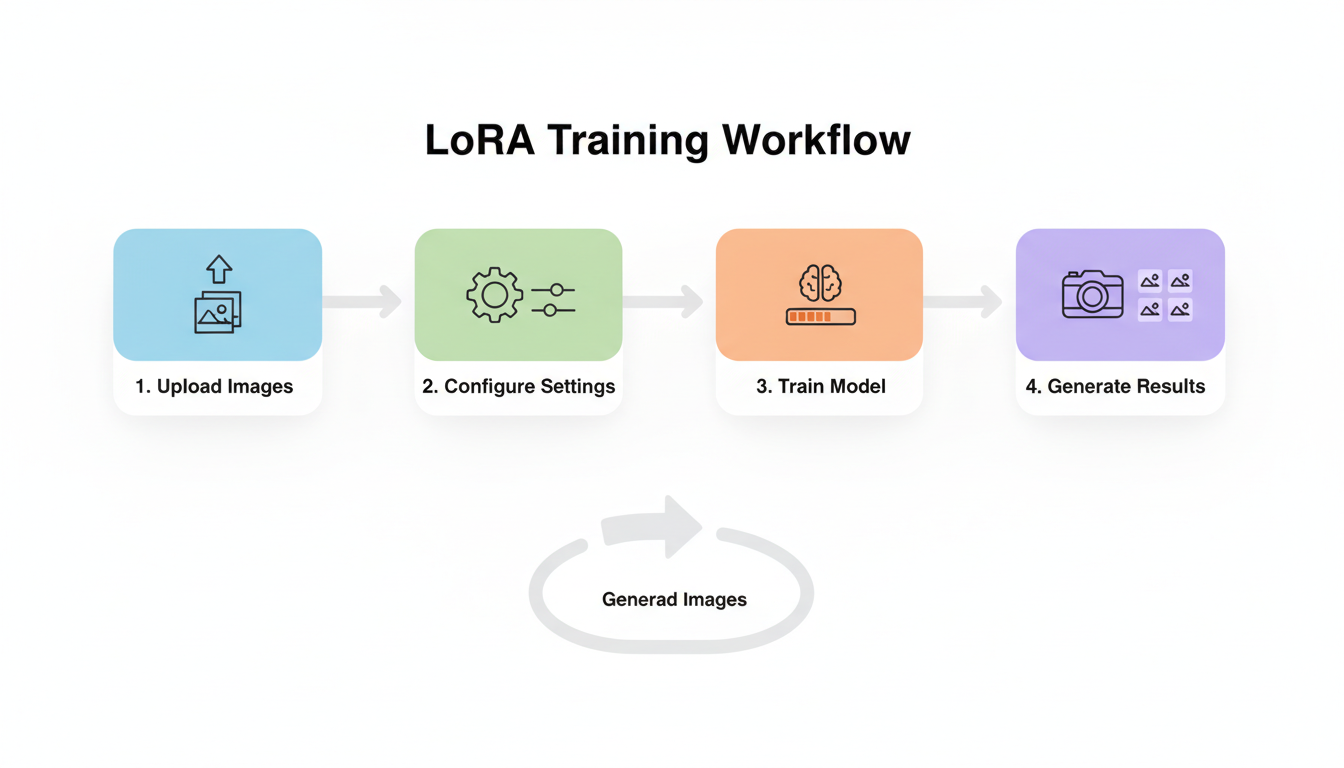 The LoRA training workflow: upload images, configure, train, generate
Why LoRA vs Full Training?
| Aspect | Full Model Training | LoRA Training |
|---|---|---|
| Cost | Thousands of dollars | $5-50 |
| Time | Days to weeks | 30 mins - 2 hours |
| Images needed | Thousands | 10-20 |
| Technical skill | Expert level | Beginner friendly |
| Hardware | Multiple GPUs | Cloud-based |
LoRA democratized custom AI training.
Common LoRA Use Cases
1. Character Consistency
The problem: Every generation creates a different-looking character, even with detailed prompts.
The solution: Train a LoRA on your character design. Generate the same character in any pose, scene, or situation.
Applications:
- Comic book characters
- Game character concepts
- Mascots and brand characters
- OC (original character) art
2. Personal Style Transfer
The problem: You want AI images in your specific artistic style, not generic outputs.
The solution: Train a LoRA on your artwork. Every generation matches your aesthetic.
Applications:
- Artists maintaining consistent style across projects
- Brand visual identity
- Signature illustration styles
- Portfolio expansion
3. Product Photography
The problem: Professional product photography is expensive. AI generates generic products, not yours.
The solution: Train a LoRA on your actual products. Generate them in any setting.
Applications:
- E-commerce listings
- Marketing materials
- Social media content
- Packaging mockups
4. Self-Portraits
The problem: AI portraits don't look like you.
The solution: Train a LoRA on photos of yourself. Generate professional headshots, avatars, or creative portraits.
Applications:
- Professional headshots
- Social media avatars
- Creative self-portraits
- Personal branding
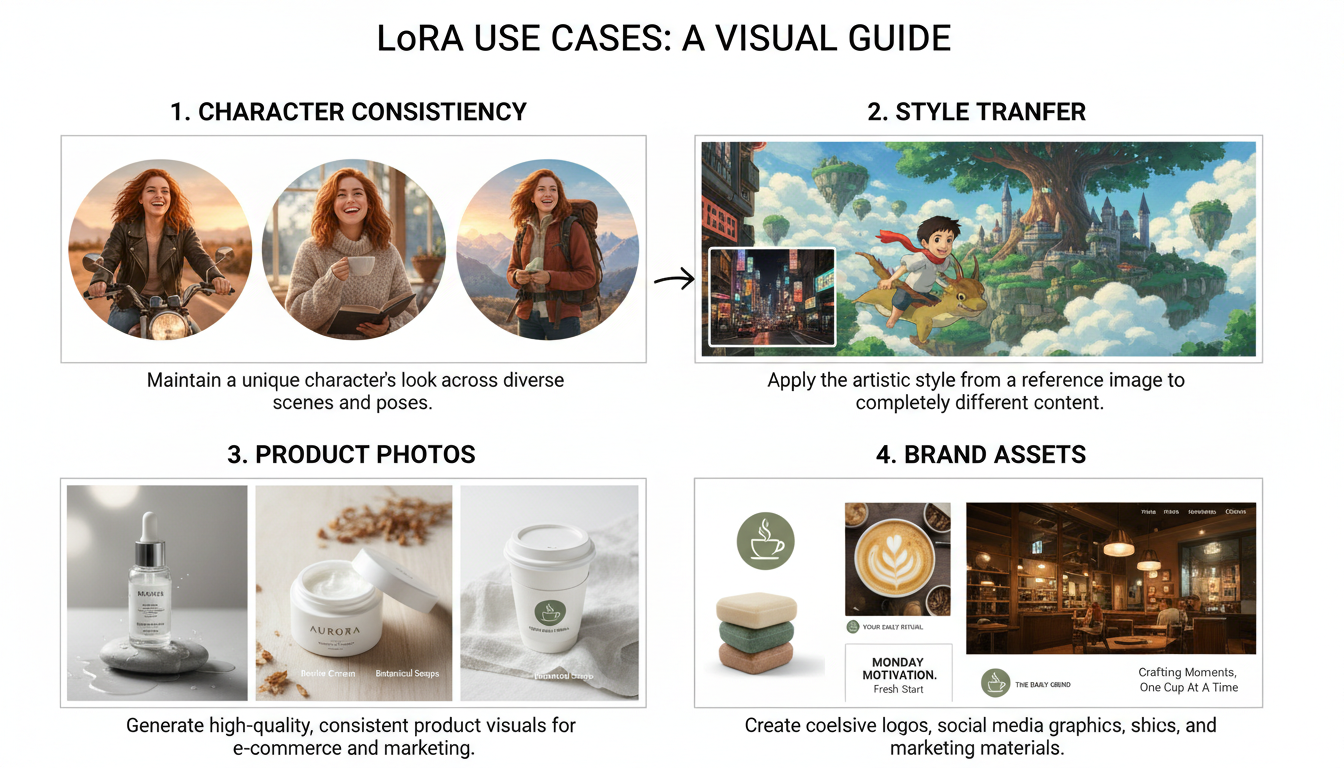 LoRA enables consistent characters, style transfer, and product photography
How to Train Your First LoRA
Step 1: Prepare Your Training Images
Quality in = quality out. Follow these guidelines:
Image quantity:
- Minimum: 10 images
- Optimal: 15-20 images
- Maximum: 30-50 images (diminishing returns after)
Image quality:
- High resolution (at least 512x512, preferably larger)
- Well-lit, clear subjects
- Variety of angles/poses
- Consistent subject across all images
For character LoRAs:
- Include face closeups
- Include full body shots
- Include 3/4 views
- Vary expressions slightly
- Keep clothing/accessories consistent OR specifically varied
For style LoRAs:
- Include variety of subjects in your style
- Maintain consistent artistic elements
- Include different compositions
- 20+ images recommended for styles
What to avoid:
- Blurry or low-resolution images
- Heavy filters or effects
- Cropped subjects
- Inconsistent subjects between images
- Watermarks
Step 2: Choose a Training Platform
Several platforms offer no-code LoRA training:
Tensor.Art
- Free tier available
- Good for anime styles
- Community model sharing
- ~30-60 minutes training
SeaArt
- Premium feature
- Straightforward interface
- Good quality results
- ~45-90 minutes training
Apatero
- Pay-per-training model
- Professional quality
- Video model training also available
- Fast training times
Civitai
- Community-focused
- Extensive documentation
- Model sharing platform
- Variable training times
Step 3: Configure Training Settings
Most platforms handle complexity automatically, but you may see options like:
Trigger word: The word that activates your LoRA
- Example: "sks person" or "myprod product"
- Use something unique, not common words
Training steps: How long to train
- Default settings usually work
- More steps = longer training, not always better
- Risk of "overfitting" with too many steps
Learning rate: How aggressively to learn
- Default is usually fine
- Lower = slower but more stable
- Higher = faster but may destabilize
Repeat: How many times to see each image
- Typically 10-20 for 15 training images
- Platform calculates automatically
For beginners: Use default settings. They're designed to work.
Step 4: Train and Wait
Training typically takes:
- Simple character: 30-45 minutes
- Complex style: 45-90 minutes
- Large datasets: 1-2 hours
You can usually close the browser. Training continues on servers.
Step 5: Test Your LoRA
Once training completes:
- Load your LoRA in the generation interface
- Use your trigger word in prompts
- Start with simple prompts to test accuracy
- Adjust LoRA strength if results are too strong/weak
Example prompt structure:
[trigger word], [pose/action], [setting/background], [style modifiers]
For a character LoRA with trigger word "alexchar":
alexchar, standing in a modern office, professional lighting, photorealistic
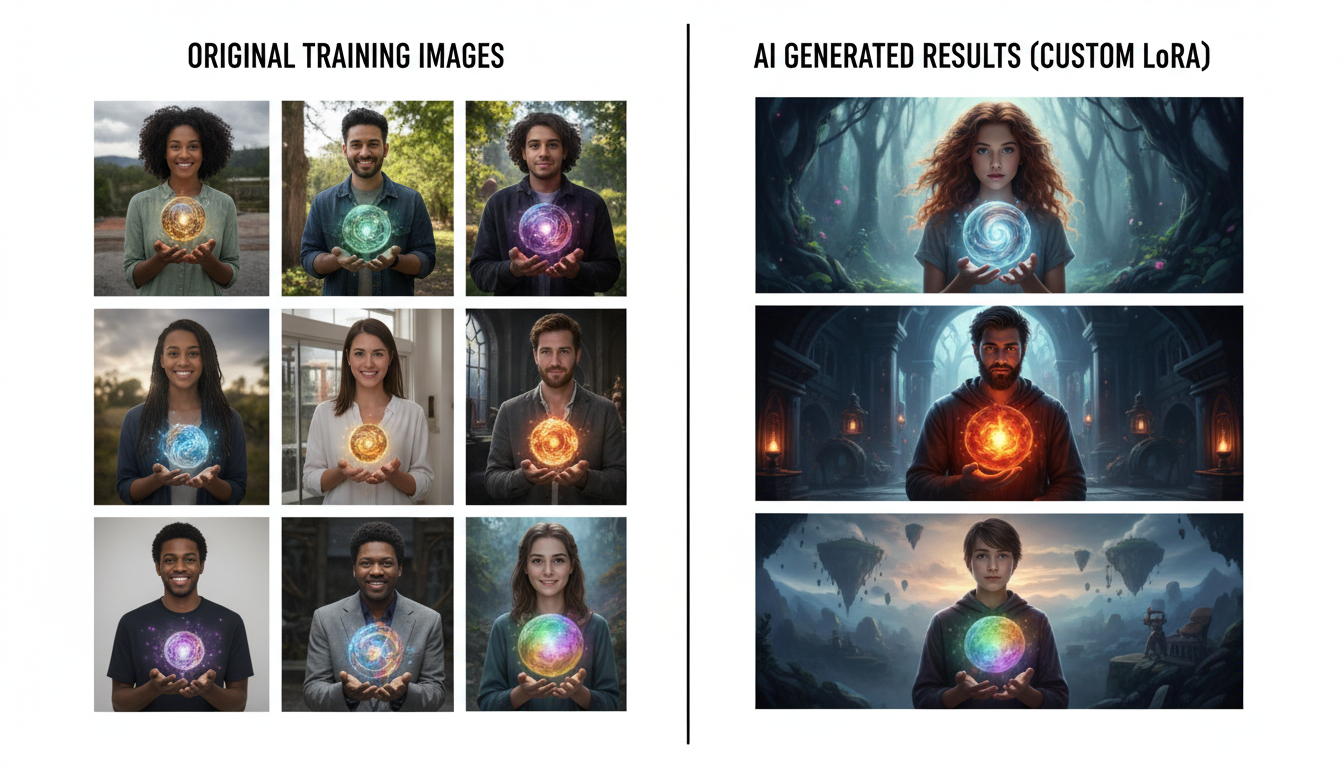 Training images become the foundation for consistent AI-generated variations
Troubleshooting Common Issues
Problem: LoRA Doesn't Capture Subject
Symptoms: Generated images don't look like your training data
Solutions:
- Use more training images
- Use higher quality images
- Ensure training images are consistent
- Increase training steps slightly
- Check that subject is clearly visible in all images
Problem: LoRA Is "Overfit"
Symptoms: Outputs look exactly like training images, no variation possible
Solutions:
- Reduce training steps
- Lower learning rate
- Use more diverse training images
- Reduce LoRA strength in generation (0.5-0.7 instead of 1.0)
Problem: LoRA Affects Everything
Symptoms: LoRA style bleeds into parts of image you wanted different
Solutions:
- Lower LoRA strength
- Use more specific prompts
- Try different base models
- Add negative prompts for unwanted elements
Problem: Inconsistent Results
Symptoms: Quality varies wildly between generations
Solutions:
- Check training image quality consistency
- Increase training steps
- Use more similar training images
- Test with different seeds to find patterns
Advanced Tips
Combining Multiple LoRAs
You can use multiple LoRAs together:
- Character LoRA + Style LoRA = Your character in a specific style
- Product LoRA + Setting LoRA = Your product in specific environments
Weight each LoRA appropriately (usually 0.5-0.8 each when combining).
Training for Specific Poses
If you need a character in specific poses:
- Include those poses in training data
- Or train a separate pose-specific LoRA
- Use pose-focused prompting with your character LoRA
Iterative Improvement
Your first LoRA may not be perfect:
- Train initial LoRA
- Test extensively
- Identify weaknesses
- Adjust training data to address issues
- Retrain with improved dataset
Versioning
Keep your training images and settings documented:
- Save original training images
- Note what settings you used
- Track which version produces best results
Cost Comparison
| Platform | Training Cost | Generation Cost | Total for 100 Images |
|---|---|---|---|
| Tensor.Art | Free-$10 | Free-$0.05/img | $0-15 |
| SeaArt | $5-15 | $0.03/img | $8-18 |
| Apatero | Pay-per-train | ~$0.04/img | Varies |
| Local SD | Hardware cost | Electricity | ~$300+ upfront |
For ongoing use, training cost is one-time. Generation costs accumulate.
Frequently Asked Questions
How many images do I really need?
10 is minimum. 15-20 is sweet spot. More than 30 rarely helps.
Can I train on copyrighted characters?
Legally gray area for personal use. Not recommended for commercial use or public sharing.
How long does training take?
30 minutes to 2 hours depending on platform and complexity.
Can I share my LoRA?
Depends on platform terms and your training data rights. Check before sharing.
Will my LoRA work on other platforms?
LoRAs are somewhat portable between SD-based platforms. Check compatibility.
Do I need a GPU?
Not for cloud-based training. The platform provides compute power.
Can I train video LoRAs?
Emerging capability. Apatero is developing video model training.
What if I'm not happy with results?
Retrain with better images or different settings. Most platforms don't charge extra.
The Bottom Line
Custom LoRA training is no longer expert territory. With cloud platforms, anyone can:
- Prepare 15-20 quality images of their subject
- Upload to a training platform like Apatero, Tensor.Art, or SeaArt
- Use default settings (optimize later if needed)
- Wait 30-90 minutes for training
- Generate consistent images of their specific subject
Your creative work can have consistent characters, your brand's exact style, your actual products—all without learning machine learning.
Start with a simple project. Train a LoRA on something straightforward. Master the basics. Then tackle more complex training as you learn what works.
Some models you cannot download at any VRAM
Veo, Kling and Nano Banana have closed weights. There is no local build, no quantization, no 24GB workaround. Run them in the browser instead. Check current model access and generation costs in the app.
Related Articles
AI Art for Game Developers: Complete Guide to Asset Creation
Learn how indie game developers use AI for concept art, sprites, backgrounds, and UI. Practical workflows for integrating AI into game asset pipelines.
How to Create Professional Book Covers with AI for Self-Publishing
Design stunning book covers using AI image generators. Complete guide for self-published authors covering every genre from fantasy to romance to thriller.
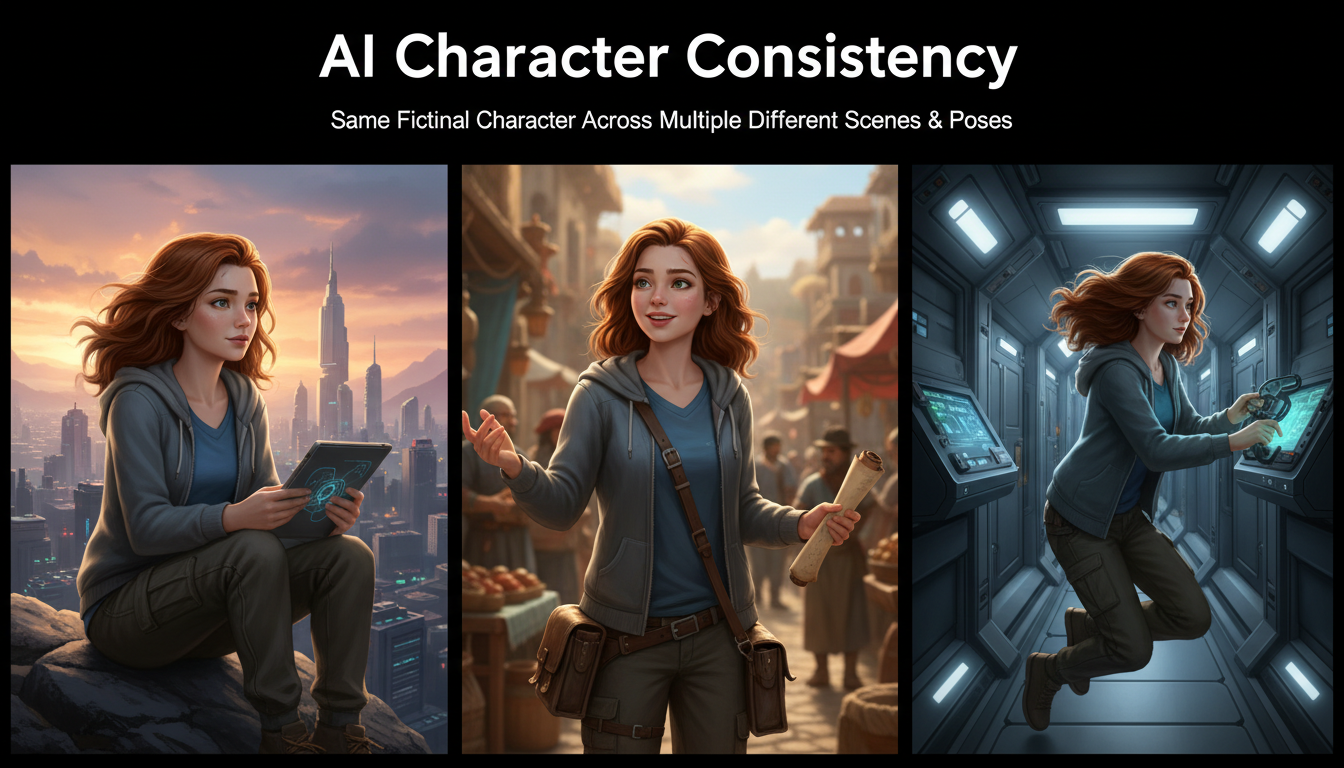
AI Consistent Character Generator: How to Keep the Same Character Across Multiple Images
Learn how to generate the same AI character across multiple scenes using LoRA training, IPAdapter, Midjourney cref, and reference image techniques. Complete 2026 guide.