AI Tattoo Generator: I Tested the Best Tools for Custom Tattoo Designs in 2026
Complete guide to AI tattoo generators in 2026. I tested every major tool for custom tattoo design, flash art, sleeve layouts, and minimalist ink ideas with real results.
Make AI images and video in your browser
Characters, video, photo packs. No GPU, no setup. Your first generation is free.
Getting a tattoo is one of the most permanent decisions you can make about your body, and the hardest part has always been the design phase. You spend weeks scrolling through Instagram, saving Pinterest boards, and trying to explain something in your head to an artist who interprets it completely differently. I've been through that cycle three times myself, and each time I wished there was a faster way to visualize what I actually wanted before committing to a consultation.
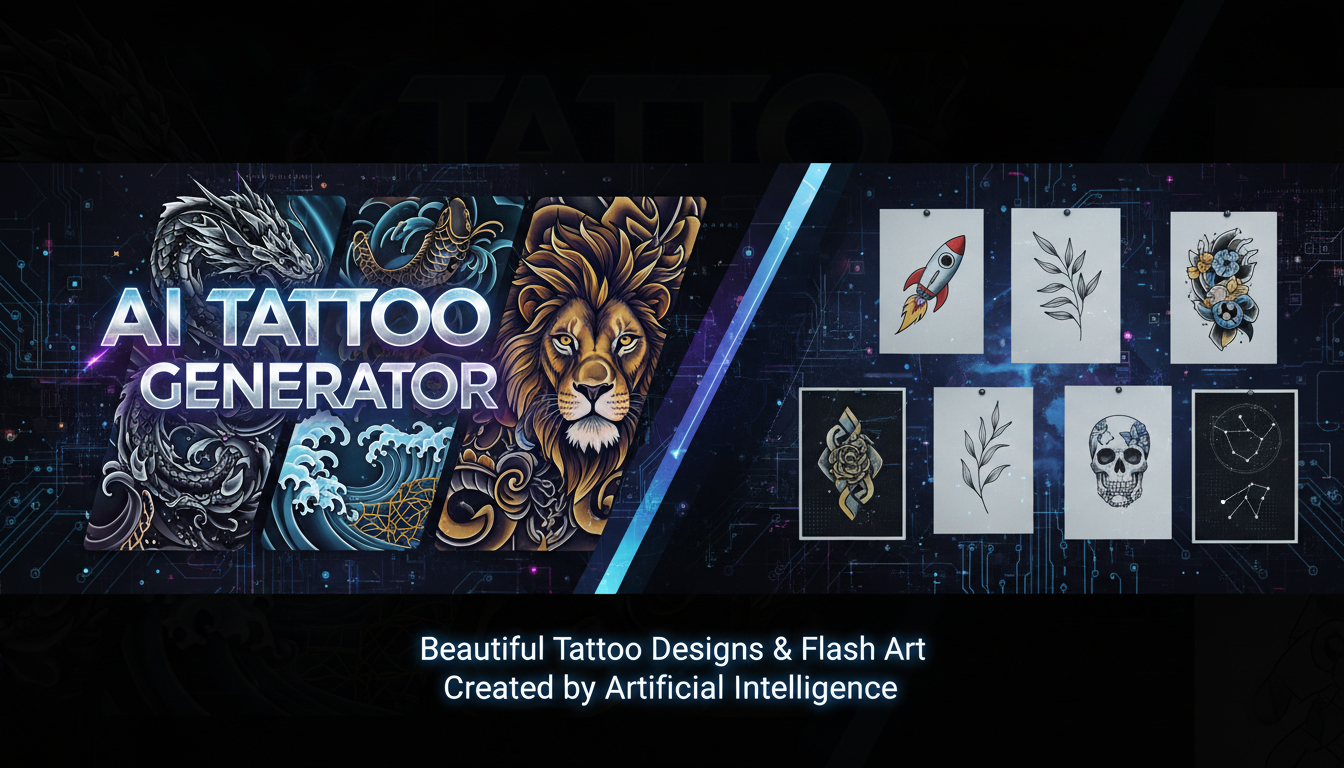
That faster way now exists. The ai tattoo generator landscape has exploded in 2026, and after spending several weeks testing every tool I could find, I can tell you that some of them produce genuinely stunning tattoo-ready artwork. Others are glorified clip art machines. This guide separates the two.
Quick Answer: The best AI tattoo generator in 2026 depends on what you need. For pure tattoo design quality and style accuracy, BlackInk AI leads the pack. For versatility and the ability to iterate on designs quickly, general-purpose image generators like Flux 2 (accessible through Apatero) paired with tattoo-specific prompting techniques deliver the most creative control. For quick flash art and simple concept exploration, dedicated apps like TattooDiffusion and InkAI get the job done at a fraction of the cost.
- AI tattoo generators have matured significantly, producing designs that tattoo artists can actually work from
- General-purpose AI image tools with the right prompts often outperform dedicated tattoo apps
- The best approach combines AI generation with professional tattoo artist refinement
- Style-specific prompting is critical for getting usable results in traditional, geometric, or minimalist tattoo styles
- AI-generated designs should always be treated as starting points, not final stencils
- You can generate dozens of concept variations in minutes instead of waiting weeks for consultations
Why AI Tattoo Design Tools Are Worth Your Attention
The tattoo industry is worth over $3 billion in the United States alone, and one of the biggest friction points has always been the gap between what a client imagines and what ends up on their skin. Traditional tattoo consultations involve describing your idea, waiting for a sketch, reviewing it, requesting changes, and repeating that cycle until you're satisfied. Each round can take days or weeks depending on your artist's workload.
AI tattoo design tools compress that entire exploration phase into minutes. Instead of trying to describe "a geometric wolf with sacred geometry elements that transitions into a mountain range" with words alone, you can generate dozens of visual interpretations in different styles, angles, and compositions. Then you walk into your tattoo appointment with concrete visual references that communicate exactly what you want.
I want to be clear about something upfront. AI is not replacing tattoo artists. Not even close. What it's doing is replacing the frustrating back-and-forth of the initial concept phase. Every tattoo artist I've spoken to about this has said the same thing: clients who show up with clear visual references (including AI-generated ones) are easier to work with and end up happier with their tattoos. The artist still brings their expertise in skin placement, needle technique, ink flow, and all the technical knowledge that makes a tattoo work on a human body.
How I Tested These AI Tattoo Generators
My testing process was straightforward but thorough. I ran each tool through a standardized set of 30 design prompts across six tattoo styles: traditional American, Japanese, minimalist line work, geometric/sacred geometry, watercolor, and realistic portrait. I evaluated each output on five criteria.
- Style accuracy - Does the design actually look like the requested tattoo style?
- Line quality - Are the lines clean, consistent, and suitable for tattooing?
- Detail resolution - Can a tattoo artist actually work from this at skin-level detail?
- Creative interpretation - Does the tool add interesting artistic choices beyond the literal prompt?
- Customization options - Can you iterate and refine without starting over?
I also brought several AI-generated designs to a local tattoo shop and asked two experienced artists for their honest opinions on workability. Their feedback shaped my recommendations significantly, because what looks good on a screen and what works on skin are two very different things.
The Best AI Tattoo Generators in 2026
After extensive testing, here is my honest ranking of the tools available right now. Some of these are dedicated tattoo design platforms, while others are general-purpose image generators that happen to excel at tattoo work when prompted correctly.
BlackInk AI: Best Dedicated Tattoo Tool
BlackInk AI is the most polished dedicated ai tattoo generator I tested. It was built specifically for tattoo design from the ground up, and that specialization shows. The style library covers everything from neo-traditional to trash polka, and the outputs genuinely look like designs a professional tattoo artist would create. The line work is clean and consistent, which is the single most important factor for tattoo-ready artwork.
What impressed me most was the body placement visualization feature. You can map your design onto different body parts and see how it wraps around curves, stretches across flat areas, and interacts with existing body contours. I tested this with a sleeve concept and the results gave me a much better sense of scale than any flat image could.
The pricing sits at around $15 per month for unlimited generations, which is reasonable given the specialization. The downside is that the creative range feels somewhat limited compared to general-purpose tools. If you want something truly experimental or unusual, you might hit the ceiling of what the pre-trained style models can produce.
Pros: Excellent line quality, body placement visualization, tattoo-specific style library Cons: Less creative range than general-purpose tools, limited to tattoo styles Price: $15/month unlimited Best for: People who want quick, tattoo-ready designs in established styles
Flux 2 with Tattoo Prompting: Best for Creative Control
Here's a hot take that might surprise you: the best ai tattoo design tool isn't actually a tattoo-specific app at all. It's a general-purpose image generator with the right prompting strategy.
I've been running Flux 2 through Apatero for tattoo concept generation, and the results are genuinely remarkable. The trick is in the prompting. When you specify "tattoo flash sheet style," "bold clean line work suitable for tattooing," or "traditional tattoo illustration on white background," Flux 2 produces designs that rival or exceed what dedicated tattoo tools generate.
The advantage here is creative freedom. With a dedicated tattoo app, you're confined to whatever styles the developers trained their models on. With a tool like Flux 2, you can blend styles in ways that dedicated apps can't. Want a tattoo that combines Japanese woodblock aesthetics with geometric dotwork? That's a single prompt away. Try getting that from a dedicated app and you'll hit a wall. If you're new to crafting effective prompts, I'd recommend checking out our guide to AI image prompt engineering for techniques that translate directly to tattoo design work.
The downside is that it requires more prompt engineering knowledge. You need to understand how to describe tattoo styles in terms the model recognizes. But if you're willing to invest 30 minutes learning the vocabulary, the payoff is enormous.
Pros: Maximum creative freedom, excellent for style blending, strong community sharing prompts Cons: Requires prompt engineering skills, no body placement preview, not tattoo-specific Price: Free (local), $8-20/month (hosted) Best for: Experienced users who want full creative control and unique designs
TattooDiffusion: Best Free Option
TattooDiffusion emerged as the strongest free ai tattoo maker I tested. Built on open-source diffusion models fine-tuned on tattoo flash art, it runs in your browser without any account required. The quality is a noticeable step down from BlackInk AI or properly prompted Flux 2, but for free initial concept exploration, it gets the job done.
The interface is simple. Choose a style, describe your design, and generate. I found it most useful for minimalist and line work designs, where the simpler output quality is less of a liability. For complex multi-element compositions or realistic portraiture, look elsewhere.
One thing I appreciated was the "tattoo reference" mode, where you upload an existing tattoo photo and the AI generates variations on the theme. I uploaded a friend's geometric arm band and got several interesting extensions and modifications that genuinely sparked new ideas.
Pros: Completely free, no account needed, good for simple designs Cons: Lower quality than paid options, limited styles, can produce unclean lines Price: Free Best for: Initial brainstorming and simple concept exploration
InkAI: Best Mobile App
If you want to generate tattoo concepts on your phone while lying in bed at 2 AM (which is exactly when most tattoo ideas strike), InkAI is the strongest mobile option. The app is well-designed, responsive, and produces decent results for the convenience factor.
I tested InkAI during a week of travel when I didn't have access to my usual desktop setup. The quality falls somewhere between TattooDiffusion and BlackInk AI, but the convenience of having it in your pocket matters. I had a tattoo idea while sitting in an airport, generated 15 variations in 10 minutes, and narrowed my concept down before I even landed.
The subscription model is somewhat aggressive at $10 per month or $60 per year, and the free tier only gives you five generations per day. But if mobile convenience is a priority, it's the clear winner.
Pros: Excellent mobile experience, decent quality, quick generation Cons: Expensive for a mobile app, limited free tier, occasional watermarks on free outputs Price: Free (5/day), $10/month or $60/year unlimited Best for: Mobile users who want quick concept generation on the go
AI Tattoo Design by Style: What Works and What Doesn't
Not all tattoo styles translate equally well to AI generation. After testing extensively across styles, here's an honest breakdown of where AI excels and where it struggles. Understanding these strengths and weaknesses will save you hours of frustration.
Traditional American and Neo-Traditional
AI tools handle traditional tattoo design surprisingly well. The bold outlines, limited color palettes, and iconic imagery (roses, eagles, daggers, skulls) are well-represented in most training datasets. I consistently got usable results for traditional flash in almost every tool I tested. The bold black outlines that define this style play to AI's strengths, since clean high-contrast lines are easier for diffusion models to generate consistently.
For neo-traditional designs with more complex color gradients and illustrative detail, quality varies more. Flux 2 handled the style blending best, while dedicated tattoo tools sometimes defaulted to simpler traditional outputs when I asked for neo-traditional complexity.
Minimalist and Fine Line
This is where the ai minimalist tattoo generation both shines and struggles. Simple minimalist concepts (a single line drawing of a mountain, a small botanical illustration, a geometric shape) come out beautifully from nearly every tool. The challenge arises with fine line tattoo designs that require extremely consistent line weight throughout the piece.
AI generators sometimes produce lines that vary in thickness in ways that would look sloppy as an actual tattoo. I found that specifying "consistent single-weight line work, tattoo stencil style, black on white background" in my prompts dramatically improved results. When I tested this specific prompt formula across tools, Flux 2 and BlackInk AI both produced clean enough linework that my tattoo artist said he could work from them directly.
Free ComfyUI Workflows
Find free, open-source ComfyUI workflows for techniques in this article. Open source is strong.
Geometric and Sacred Geometry
The ai geometric tattoo space is fascinating because you'd think precise geometry would be perfect for AI. In practice, it's mixed. AI generators produce stunning geometric compositions with complex interlocking patterns, but perfect symmetry is still a challenge. If your geometric tattoo design requires mathematical precision (and most of them do), you'll need to clean up the AI output in a vector editor.
My workaround has been generating the concept in AI, then tracing the key geometric elements in Adobe Illustrator to ensure perfect symmetry. The AI gives me the creative composition, and the vector tracing gives me the precision. This hybrid approach consistently produces better results than either tool alone.
Japanese (Irezumi)
Japanese tattoo design requires understanding of specific compositional rules: wave patterns, wind bars, background elements, and the interplay between primary subjects and supporting imagery. Most AI tools produce Japanese-style imagery that looks superficially correct but violates the composition principles that serious Irezumi artists follow.
BlackInk AI performed best here because its training data apparently included properly composed Japanese tattoo references. General-purpose tools like Flux 2 produce beautiful Japanese-inspired imagery that an experienced tattoo artist would immediately identify as "not quite right" from a traditional perspective.
Watercolor
Watercolor tattoo generation is a bright spot for AI. The inherently loose, organic nature of watercolor style means that the slight imperfections AI introduces actually enhance rather than diminish the output. I generated several watercolor tattoo concepts that my artist friend called "genuinely beautiful" without any cleanup needed.
The key prompt addition for watercolor tattoo work is specifying "ink splatter effects, watercolor bleeding edges, minimal black outline." This pushes the AI toward the authentic watercolor tattoo aesthetic rather than the generic "painted" look that default prompts produce.
Realistic Portrait
Here's my most controversial hot take: do not use AI to design portrait tattoos. Not yet. Despite the incredible advances in AI photorealism, realistic portrait tattoo design requires a level of tonal precision and skin-rendering accuracy that current generators haven't achieved. The uncanny valley is real, and a portrait tattoo based on an AI reference that's 95% correct will look worse than one designed entirely by a skilled portrait tattoo artist.
I tested portrait tattoo generation extensively and while some outputs looked impressive on screen, every artist I showed them to pointed out subtle tonal issues that would create problems during the actual tattooing process. Stick with human artists for portraits. Let AI handle everything else.
How to Get the Best Results from Any AI Tattoo Generator
After generating hundreds of tattoo concepts across multiple tools, I've developed a set of prompting strategies that consistently produce better results. These tips apply regardless of which tool you're using. For a deeper dive into image generation techniques, check out our guide on how to create AI images like a pro.
Start with Style, Not Subject
Most people start their prompts with what they want the tattoo to be. "A wolf howling at the moon." That's fine for casual generation, but for tattoo-quality output, always lead with the style specification.
Instead of: "A wolf howling at the moon" Try: "Traditional American tattoo flash, bold black outline, limited color palette, a wolf howling at a full moon, banner with text below, white background, clean stencil-ready illustration"
The style-first approach tells the AI what kind of output you need before it starts thinking about content. This single change improved my results more than any other technique.
Specify "White Background" and "Stencil Ready"
These two phrases are magic words for tattoo generation. Adding "white background" and "stencil-ready illustration" to any tattoo prompt immediately produces cleaner, more usable output. Without them, AI tools often generate tattoos on skin, against decorative backgrounds, or with shadow effects that make the design harder to extract and use as a reference.
Use Negative Prompts for Clean Output
If your chosen tool supports negative prompts, always include: "no skin texture, no realistic skin, no 3D rendering, no shadows on background, no frame, no border, no watermark." This removes the most common artifacts that make AI tattoo output less usable.
Want to skip the complexity? Apatero gives you professional AI results instantly with no technical setup required.
Generate Flash Sheets, Not Single Designs
Here's a technique I discovered by accident. Prompting for "tattoo flash sheet with six variations" often produces better individual designs than asking for a single tattoo. The flash sheet format seems to activate training data from actual tattoo flash art, resulting in more authentic style adherence and cleaner lines.
I usually generate a flash sheet, pick the strongest individual design, then run a focused generation of that specific element. The two-step approach consistently outperforms single-shot generation.
The "Photo to Tattoo" Workflow
One of the most powerful features across ai tattoo from photo tools is the ability to transform existing images into tattoo-style artwork. I tested this with family photos, pet photos, and landscape photography, and the results varied dramatically by tool.
The workflow I've settled on goes like this. Start with a high-contrast photo. Run it through an AI image-to-image pipeline with a tattoo-style prompt. Clean up the output. Generate three to five variations. Choose the strongest one.
For this workflow, the text-to-image capabilities of modern tools make the conversion process surprisingly smooth, especially when you combine img2img with style-specific LoRA models.
Building a Complete Sleeve with AI
Designing an ai tattoo sleeve is one of the most ambitious use cases for these tools, and it's where the technology both impresses and shows its limitations. A cohesive sleeve requires multiple elements that flow together, respect body anatomy, and maintain stylistic consistency across what might be 15 to 20 individual design elements.
My approach to AI sleeve design involves four phases.
Phase 1: Concept Generation. I generate 50 to 100 individual elements in my chosen style. For the Japanese half-sleeve I designed as a test, this meant koi fish, cherry blossoms, waves, wind bars, and clouds, all generated separately but in the same style prompt family.
Phase 2: Composition Planning. I use a cylinder template (there are free printable ones online) to rough out element placement. AI tools can't do this step well because they don't understand three-dimensional body wrapping. This is manual work.
Phase 3: Element Refinement. Once I know which elements go where, I re-generate each one at the specific angle, scale, and orientation it needs for its placement in the sleeve. This is where AI saves enormous time compared to sketching each element by hand.
Phase 4: Artist Handoff. I compile everything into a reference package for my tattoo artist, who then creates the final stencil that accounts for body curves, skin stretch, and technical tattooing requirements.
This four-phase approach gave me a sleeve concept that would have taken weeks of back-and-forth with an artist. Instead, I walked into my consultation with a clear, detailed vision. My artist loved it because it eliminated ambiguity and let him focus on the technical execution rather than guessing at my creative intent.
The Ethics and Etiquette of AI Tattoo Design
This conversation matters, and I don't see enough people having it honestly. AI tattoo generation sits at the intersection of technology, art, and personal expression, and there are some real ethical considerations worth addressing.
The biggest concern from the tattoo community is attribution. When an AI generates a design, it's drawing (literally) from a training dataset that includes the work of real tattoo artists. Some artists feel this amounts to theft of their style. I understand that perspective, and I think it's valid enough that everyone using these tools should think about it.
Earn Up To $1,250+/Month Creating Content
Join our exclusive creator affiliate program. Get paid per viral video based on performance. Create content in your style with full creative freedom.
My personal stance is pragmatic. AI-generated tattoo designs are starting points, not finished products. If you walk into a shop with an AI-generated design and present it as your own artwork, that's dishonest. If you walk in and say "I used an AI tool to visualize this concept, and I'd love your artistic interpretation of it," that's a perfectly reasonable use of the technology.
Here's another hot take: the tattoo artists who embrace AI as a concept tool will have a significant competitive advantage. Clients will increasingly show up with AI-generated references, and artists who can interpret and elevate those references will win more business than artists who refuse to engage with them.
Cost Comparison: AI Tattoo Design vs. Traditional Consultation
Let me break down the real economics, because the cost savings are significant.
A traditional tattoo consultation with custom design work typically costs $100 to $300, depending on the artist and complexity. Some shops charge a non-refundable design deposit. If you don't like the first design, revisions cost more time and sometimes more money. The entire process from initial concept to approved design can take two to six weeks.
With AI tools, the math looks different.
- Free options (TattooDiffusion): $0, unlimited exploration, lower quality
- Mid-range apps (InkAI): $10/month, hundreds of generations, decent quality
- Professional tools (BlackInk AI): $15/month, unlimited high-quality generations
- Power user setup (Flux 2 via Apatero): $8-20/month, maximum quality and creative control
For context, a single month of BlackInk AI at $15 gets you unlimited generations. A single traditional consultation costs 7 to 20 times more and gives you one to three design concepts. The value proposition is compelling. Our comparison of the best AI image generators covers the broader landscape if you want to explore options beyond tattoo-specific tools.
That said, I want to emphasize again that AI generation does not replace the tattoo artist's role in finalizing the design. Think of it as replacing the expensive concept exploration phase while preserving the essential human expertise in the execution phase.
Common Mistakes to Avoid
After testing extensively and talking to tattoo artists about AI-generated designs, these are the mistakes I see most often.
Using AI output as a final stencil without artist review. AI doesn't understand how ink flows in skin, how designs age over time, or how placement affects visual impact. Always have a professional artist review and adapt any AI-generated design.
Ignoring scale and placement. A design that looks gorgeous at 1000x1000 pixels on your screen might be illegible at tattoo scale on your forearm. Always consider the physical size of the final tattoo when evaluating AI output.
Over-detailing small tattoos. AI tools love to add detail, and for large pieces that's great. But if you're getting a two-inch tattoo on your wrist, that incredible micro-detail will blur into mud within five years. Simplify.
Not specifying line weight. If you don't tell the AI what kind of lines you want, you'll get inconsistent line weights that don't translate well to tattooing. Always specify "bold outline," "fine line," or "single weight line work" in your prompts.
Generating on colored or textured backgrounds. This makes the design harder to extract and use as a reference. Always specify "white background" or "transparent background" for maximum usability.
What's Coming Next in AI Tattoo Technology
The pace of innovation in this space is genuinely exciting. Based on what I'm seeing in development and early beta access, here's what to expect in the next 6 to 12 months.
AR preview technology is getting integrated directly into ai tattoo generator apps. Several tools are already in beta that let you point your phone camera at your arm and see the generated design rendered in real-time on your skin. The current implementations are rough, but the concept is sound and improving quickly.
Style transfer models specifically trained on famous tattoo artists' portfolios are emerging. Instead of prompting for "traditional Japanese style," you'll be able to reference a specific aesthetic with much more precision. The legal implications of this are still being sorted out, but the technology is here.
AI-powered aging simulation is perhaps the most practically useful advancement on the horizon. You'll be able to see how your design will look after 5, 10, and 20 years of skin aging and sun exposure. This alone could prevent thousands of tattoo regrets annually.
3D body mapping integration with AI design tools will eventually solve the sleeve composition problem I described earlier. Instead of manually wrapping designs around cylinder templates, you'll scan your body and have AI compose designs that respect your specific anatomy. Companies like Ink Hunter are already working on early versions of this technology, and academic research from institutions like MIT Media Lab on computational tattoo design suggests the foundations are solid.
Frequently Asked Questions
Can AI generate tattoo designs that are ready to tattoo immediately?
Not quite. AI-generated designs serve as excellent concept references and starting points, but they almost always need refinement by a professional tattoo artist. Issues like inconsistent line weight, detail that's too fine for skin, and anatomical placement considerations require human expertise. Think of AI output as a detailed sketch, not a finished stencil.
What is the best free AI tattoo generator?
TattooDiffusion is currently the strongest free option for basic tattoo concept generation. For higher quality free output, you can run open-source models like Flux locally with tattoo-specific prompting. The quality of free tools has improved dramatically in 2026, but paid options still produce noticeably better results for complex designs.
Can I turn a photo into a tattoo design using AI?
Yes. Most AI image generators support image-to-image workflows that can transform photographs into tattoo-style artwork. The process works best with high-contrast photos and creative style direction in your prompt. Portrait photos work for illustrative styles but struggle with realistic portrait tattoo conversion.
How much do AI tattoo design tools cost compared to a tattoo artist consultation?
Dedicated AI tattoo tools range from free to about $15 per month for unlimited generations. A traditional custom tattoo consultation typically costs $100 to $300 for one to three design concepts. AI tools let you explore dozens or hundreds of concepts for a fraction of the cost, though you'll still need an artist to finalize the design for actual tattooing.
Will AI tattoo generators replace tattoo artists?
No. AI handles the concept exploration and visualization phase, but tattooing requires deep technical knowledge of ink behavior on skin, needle techniques, body anatomy, and artistic judgment about placement and aging. The best use of AI is to arrive at your tattoo consultation with clear visual references, which actually makes the artist's job easier and improves the final result.
What tattoo styles work best with AI generators?
Traditional American, neo-traditional, minimalist line work, and watercolor styles produce the most consistently usable results. Geometric designs work well but often need symmetry cleanup. Japanese (Irezumi) requires careful prompt engineering to respect compositional traditions. Realistic portrait tattoos are the weakest category and still benefit most from human artist skill.
Can I design a full sleeve using AI tools?
You can generate all the individual elements for a sleeve using AI, but composing them into a cohesive design that wraps around your arm correctly still requires manual planning or artist expertise. AI works best for sleeve design when you generate elements separately and then plan the composition using cylinder templates or body mapping tools.
Are AI-generated tattoo designs copyrighted?
Copyright law around AI-generated imagery is still evolving and varies by jurisdiction. In most cases, AI-generated designs are not copyrightable by the user because they lack sufficient human authorship. However, if you significantly modify or build upon an AI-generated design, the modified version may qualify for copyright protection. Consult a legal professional for specific situations.
How do I describe my tattoo idea to an AI generator effectively?
Lead with the style specification (traditional, minimalist, geometric, etc.), then describe the subject, then add technical requirements like "white background," "clean line work," and "stencil-ready." Being specific about line weight, color palette, and composition produces dramatically better results than vague descriptions.
Is it disrespectful to bring AI-generated designs to a tattoo artist?
Most professional tattoo artists appreciate clients who arrive with clear visual references, regardless of how those references were created. The key is transparency. Tell your artist that you used AI to explore concepts and that you value their expertise in refining the design for actual tattooing. Presenting AI work as your own hand-drawn art would be dishonest, but using it as a communication and concept tool is widely accepted.
Final Thoughts
The ai tattoo generator space in 2026 is mature enough to be genuinely useful but still young enough that knowing the right tools and techniques gives you a significant advantage. Whether you're planning your first tattoo or your twentieth, these tools can compress weeks of concept exploration into hours and help you communicate your vision to your artist with unprecedented clarity.
My recommendation for most people is to start with a free tool like TattooDiffusion for initial brainstorming, then move to either BlackInk AI for tattoo-specific refinement or Flux 2 through Apatero for maximum creative control. Generate lots of variations. Save your favorites. And then bring those references to a talented human artist who can turn your AI-assisted vision into permanent art on your skin.
The technology will keep getting better. The tools will keep getting cheaper. But the fundamental value proposition is already here: AI doesn't replace the art of tattooing. It democratizes the design process that precedes it. And that's something worth getting excited about.
Make AI images and video in your browser
Characters, video, photo packs. No GPU, no setup. Your first generation is free.
Related Articles
Adobe Firefly vs Midjourney vs Ideogram 2026: Which Wins
Brand-safe licensing, scroll-stopping aesthetics, or text rendering. Three tools optimized for three different jobs, tested against real briefs.
AI Architecture Rendering 2026: Veras vs Paintit vs Midjourney
44 percent of architects use AI in 2026. Veras, Paintit, ArchiVinci, and Midjourney tested on five real architectural briefs from a working studio.

AI Art Market Statistics 2025: Industry Size, Trends, and Growth Projections
Comprehensive AI art market statistics including market size, creator earnings, platform data, and growth projections with 75+ data points.