AI Avatar Generator: I Tested 15 Tools for Profile Pictures, Gaming, and Social Media in 2026
Comprehensive review of the best AI avatar generators in 2026. I tested 15 tools for profile pictures, 3D avatars, cartoon styles, gaming characters, and professional use cases.
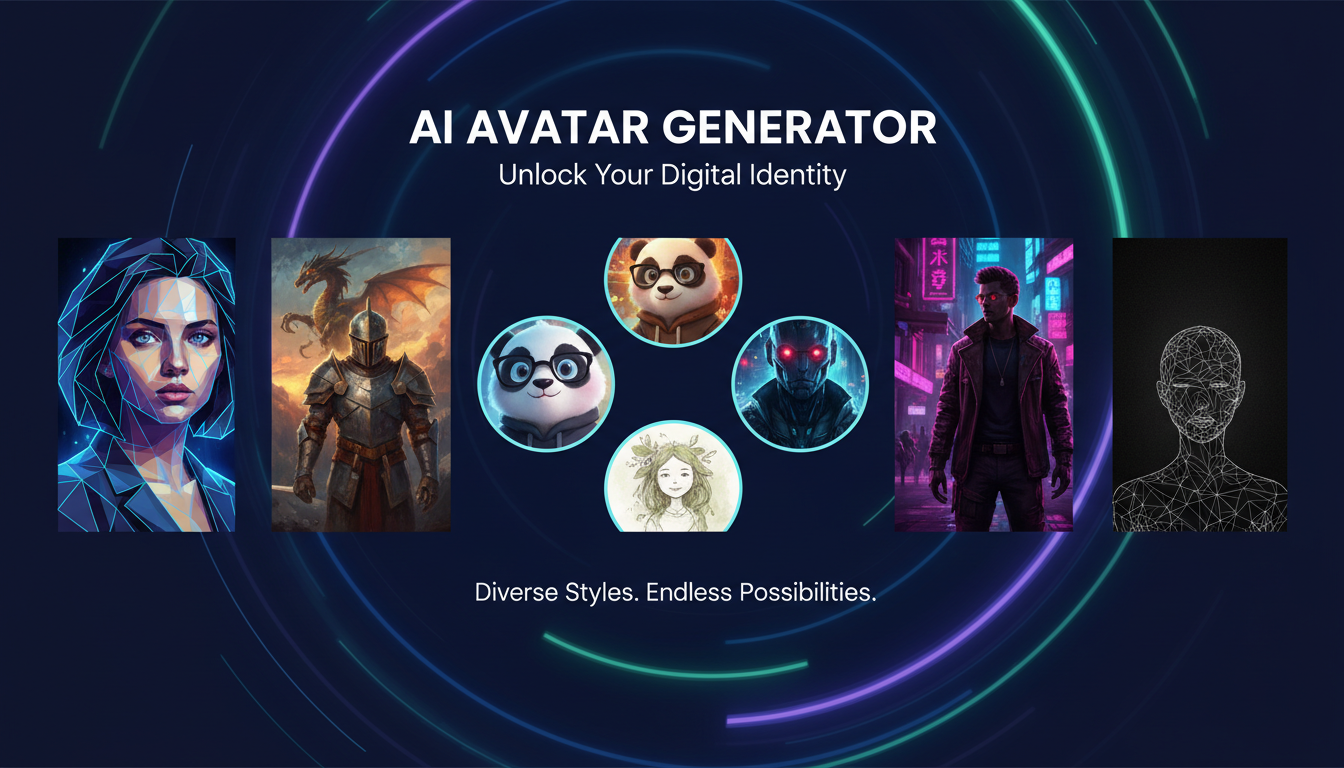
Make AI images and video in your browser
Characters, video, photo packs. No GPU, no setup. Your first generation is free.
Six months ago I realized that every single one of my online profiles had a different photo. My LinkedIn had a two-year-old headshot. My Discord was a blurry selfie from a conference. My GitHub was the default identicon that looked like a depressed robot. And my gaming profiles were scattered across a dozen platforms with whatever random screenshots I'd uploaded on the spot. I decided to finally get consistent, and instead of hiring a photographer or spending hours in Photoshop, I went deep into the world of AI avatar generators.
Quick Answer: The best AI avatar generator in 2026 depends on your use case. For professional profile pictures, Lensa AI and HeadshotPro lead the pack. For creative and cartoon avatars, Dawn AI and Fotor offer incredible variety. For gaming avatars, Ready Player Me and its AI integrations are unmatched. If you want a completely free option, open-source tools through Apatero with Flux or Stable Diffusion models give you unlimited generation with no quality ceiling. I tested 15 tools over four weeks and generated over 800 avatars to reach these conclusions.
- AI avatar generators have evolved far beyond novelty. They now produce profile-ready, brand-consistent results across multiple styles
- Free AI avatar makers like Fotor and Canva's AI tools handle basic needs well, but paid tools offer dramatically better quality
- The best AI avatar from photo results require 5-10 clear input images with varied angles and good lighting
- 3D avatar generators now produce game-ready models, not just flat images
- Professional avatars for LinkedIn and corporate use are virtually indistinguishable from real photos
- Open-source workflows through ComfyUI and Flux give maximum creative control at zero ongoing cost
What Is an AI Avatar Generator and Why Should You Care?
An AI avatar generator is a tool that creates digital representations of you, or entirely fictional characters, using artificial intelligence. These tools range from simple apps that apply cartoon filters to your selfies, all the way to sophisticated systems that train custom models on your face and generate photorealistic portraits in any style you can imagine. The technology has matured remarkably in the past year, and the line between "AI-generated avatar" and "professional photograph" has essentially disappeared for the best tools.
I first experimented with AI avatar generators back in late 2023, when Lensa's "Magic Avatars" feature went viral and everyone on social media was suddenly posting stylized portraits of themselves. The results back then were fun but clearly artificial. Faces would sometimes melt into backgrounds, hands were a nightmare, and the styles were limited to a handful of preset options. Fast forward to 2026, and the technology is genuinely impressive. Modern AI avatar generators use advanced diffusion models and face-embedding techniques that preserve your unique features while giving you creative freedom that would have taken a professional digital artist hours to achieve.
The practical applications go well beyond vanity. Consistent, professional avatars matter for personal branding, team pages, gaming identities, community presence, and even security. I recently helped a small startup of 12 people generate matching avatar sets for their website's team page, and the consistency in style and quality across all 12 was something they could never have achieved with individual photos taken at different times in different locations.
If you are interested in the broader landscape of AI image creation, I covered the major platforms in my comparison of the best AI image generators. For avatar generation specifically, the requirements are different enough that it deserves its own deep dive.
How AI Avatar Generation Actually Works
Understanding the technology behind these tools helps you get dramatically better results, so it is worth a quick explanation before we jump into specific tools.
Most modern AI avatar generators fall into one of three categories, each with distinct trade-offs. The first category is fine-tuning based generators. These tools take your uploaded photos, usually between 5 and 15 images, and train a small AI model specifically on your face. This process takes anywhere from 15 minutes to several hours depending on the service. The result is a personalized model that "knows" your facial features and can generate you in any context, style, or setting. Lensa, Astria, and HeadshotPro all use variations of this approach. The quality is typically excellent, but the training time creates a delay before you see results.
The second category is reference-based generation. Instead of training a model, these tools use face-embedding techniques to extract your facial features from a single photo and inject them into pre-designed templates or prompts. This is faster, often producing results in seconds, but the likeness accuracy can vary. Dawn AI and many of the instant avatar apps use this method.
The third category is template-based generators that do not use your photo at all. Instead, you customize a character using sliders, options, and style presets. Ready Player Me for gaming avatars is the prime example. These are the fastest and most consistent, but they create a representation of you rather than a likeness. Think of it as designing a character that looks like you, rather than transforming a photo of you.
I have tested all three approaches extensively, and honestly, the best results come from fine-tuning based generators when you need realism and likeness accuracy. For creative or cartoon styles, reference-based tools are perfectly fine and much faster. For gaming, the template-based approach makes sense because you usually want a stylized character, not a photorealistic face pasted onto a game model.
The Best AI Avatar Generators I Tested (Ranked by Category)
Over four weeks, I tested 15 different AI avatar generators across three categories: professional and realistic, creative and artistic, and gaming and 3D. I uploaded the same set of reference photos to every tool that accepted uploads and evaluated each on likeness accuracy, style variety, output quality, speed, and value.
Best for Professional and Realistic Avatars
When you need an avatar that could pass as a real professional photo for LinkedIn, corporate directories, or business websites, these three stood out from the rest.
Lensa AI remains the most well-known name in the space, and for good reason. The Magic Avatars feature has improved considerably since its viral moment. I uploaded 10 selfies and received 200 avatar variations within about 30 minutes. The professional styles were genuinely impressive. Clean backgrounds, natural lighting, and facial features that were clearly me without the uncanny valley effect that plagued earlier versions. At $7.99 for a pack of 200 avatars, the value is hard to beat. The biggest weakness is that some styles still produce slight inconsistencies in eye color or facial symmetry, but for professional use, I would comfortably post any of my top picks on LinkedIn.
HeadshotPro takes a more focused approach, specializing entirely in professional headshots rather than offering dozens of artistic styles. This narrower focus works in its favor. Every output looks like it came from a professional photography studio. The lighting is consistently excellent, the backgrounds are clean and corporate-appropriate, and the resolution is high enough for print use. It costs more at $29 for a batch, but if you specifically need a professional ai profile picture generator, this is the one to beat. I covered HeadshotPro in more detail in my review of AI headshot generators.
Aragon AI surprised me as a strong middle-ground option. The interface is cleaner than Lensa's, the output quality is on par with HeadshotPro for professional styles, and the pricing sits between the two at $15 for about 40 avatars. The turnaround time was about 90 minutes, which was the slowest of the three, but the quality justified the wait.
Best for Creative, Cartoon, and Artistic Avatars
This is where the AI avatar generator category gets genuinely fun. If you want cartoon avatars, anime-style portraits, fantasy characters, or any creative style beyond standard photography, these tools excel.
Dawn AI has become my go-to recommendation for anyone who wants creative avatars without a steep learning curve. The app offers over 100 style templates ranging from anime and manga to oil paintings, pixel art, and cyberpunk aesthetics. I generated a set of 50 avatars in different styles, and the consistency of my likeness across all of them was remarkable. My favorite was a Studio Ghibli-inspired avatar that captured my facial features while looking like it belonged in a Miyazaki film. At $4.99 for a style pack, it is the most accessible creative ai avatar maker free alternative when you consider the quality relative to cost.
Fotor deserves special mention for offering a genuinely usable free tier. You can generate basic AI avatars without paying anything, and the quality is surprisingly good for a free tool. The paid tier ($8.99/month) unlocks more styles and higher resolution output. I used Fotor to generate a set of cartoon avatars for my Discord and Steam profiles, and the results were polished enough that several friends asked which artist I'd commissioned.
For anyone interested in the anime style specifically, I did a dedicated deep dive on AI anime art generators that covers the best tools for that niche. The overlap with avatar generation is significant, but the anime-specific tools offer more granular control over character design elements.
Hot take: Most people spending $30 or more on creative AI avatars are overpaying. The free and sub-$10 tools have caught up dramatically in 2026. Unless you need extremely specific style control or commercial licensing, the affordable options produce results that are 90% as good. I've done side-by-side comparisons with expensive tools, and the average person cannot tell the difference between a $5 Dawn AI avatar and a $40 custom generation.
Best for Gaming and 3D Avatars
The gaming avatar space has evolved differently from the profile picture space. Gamers need avatars that work across multiple platforms, often as 3D models rather than flat images. The requirements are fundamentally different.
Ready Player Me remains the dominant platform for cross-game 3D avatars. Their AI-powered avatar creation takes a single selfie and generates a 3D model that can be used across over 9,000 compatible apps and games. I uploaded a photo and had a usable 3D avatar in under two minutes. The likeness was approximate rather than photorealistic, but for gaming contexts, that is exactly what you want. The free tier covers basic customization, and the premium tier ($6.99/month) adds more clothing, accessories, and animation options.
Wolf3D (the company behind Ready Player Me) also offers a standalone SDK that game developers can integrate, which means the 3D avatar you create today will likely work in tomorrow's games. This cross-platform compatibility is the killer feature. I have used the same ai gaming avatar across VRChat, Spatial, and several indie games without any modification.
For gamers who want a flat avatar or profile picture rather than a 3D model, the creative tools from the previous section work perfectly. I personally use a combination approach: a Dawn AI cartoon avatar for Discord, a Fotor-generated pixel art avatar for Steam, and a Ready Player Me 3D model for VR applications.
Free ComfyUI Workflows
Find free, open-source ComfyUI workflows for techniques in this article. Open source is strong.
AI Avatar from Photo: Getting the Best Results from Your Selfies
The quality of your input photos is the single biggest factor in the quality of your AI-generated avatars. I learned this through painful trial and error. During my first round of testing, I uploaded five dimly lit selfies taken in my home office, and the results ranged from mediocre to horrifying. One tool generated an avatar where my face looked like it had been reflected in a fun-house mirror. Another gave me a completely different nose.
After some experimentation, I developed a reliable process for getting great results from any ai avatar from photo tool. Good input photos share a few critical characteristics, and getting these right makes a bigger difference than which tool you choose.
Start by taking your reference photos in natural daylight or well-lit environments. Avoid harsh overhead lighting that casts shadows under your eyes. Take photos from at least three angles: straight on, slight left turn, and slight right turn. Include at least one photo showing your full face without glasses, hats, or anything obscuring your features. Vary your expressions slightly. A slight smile in some, neutral in others. This gives the AI more data about how your face moves and looks in different states.
Here is the specific process I now follow every time:
- Take 8-12 photos in good natural lighting from varied angles
- Include one or two photos where your hair is pulled back or styled differently
- Avoid heavy makeup or filters on your input photos
- Use the highest resolution your phone camera offers
- Review and remove any blurry or poorly lit shots before uploading
- Upload all remaining photos and let the AI train on the full set
One personal observation that saved me a lot of frustration: your most recent phone photos work better than older ones, even if the older ones are technically higher quality. AI models seem to produce more consistent results when all the input photos are from the same time period with similar skin tone, hair length, and overall appearance.
Free AI Avatar Generators That Are Actually Worth Using
The search for a quality ai avatar maker free option is one of the most common things I see people asking about, and honestly, the free landscape has improved enormously since last year. You no longer need to pay for decent avatars, though the premium tools still offer advantages in quality and variety.
Canva's AI Avatar Generator is built into their free design platform and produces respectable results. You upload a photo, pick a style, and get an avatar in about 30 seconds. The styles are limited compared to paid tools, but for a quick social media profile update, it handles the job. I generated a professional-style avatar through Canva that I used for a conference speaker page, and nobody questioned whether it was a real photo.
Microsoft Designer (formerly Bing Image Creator) can generate avatars from text descriptions without requiring a photo upload. The quality varies significantly depending on your prompt, but with good prompting techniques, you can create unique ai selfie avatar and profile pictures for free. The limitation is that these are not based on your actual appearance, so they work better for creating character-based avatars than realistic self-portraits.
Open-source workflows through Apatero and ComfyUI offer the most powerful free option if you are willing to invest some setup time. Using Flux or Stable Diffusion models with face-swap or IP-Adapter nodes, you can generate unlimited avatars in any style imaginable. I have a ComfyUI workflow that takes a single reference photo and generates consistent avatars across 20 different artistic styles in one batch. The initial setup took me about two hours, but now I can generate professional-quality avatars faster than any paid service. For anyone comfortable with AI image generation tools, this is the path I recommend.
The catch with free tools is usually one of three things: lower resolution output, watermarks on the free tier, or limited style options. For casual social media use, these limitations rarely matter. For professional or commercial use, spending $5-30 on a paid tool is usually worth it for the polish and convenience.
AI Avatars for Social Media: Platform-Specific Tips
Different social media platforms have different requirements and cultural expectations for profile pictures, and the best ai avatar for social media varies accordingly. What works on LinkedIn would look bizarre on Discord, and what works on Twitch would seem unprofessional on a corporate website.
Want to skip the complexity? Apatero gives you professional AI results instantly with no technical setup required.
LinkedIn and Professional Networks. Keep it realistic. AI professional avatar generators like HeadshotPro and Lensa's professional modes produce the best results here. Use a clean, neutral background. Make sure the avatar is cropped to show your head and shoulders. Avoid cartoon or stylized avatars entirely. I once made the mistake of using a stylized ai cartoon avatar on my LinkedIn thinking it looked sophisticated, and I received a message from a recruiter asking if I was "serious about my career." Lesson learned.
Instagram and TikTok. These platforms are more forgiving of creative styles. Artistic avatars, anime-inspired portraits, and stylized versions of yourself all perform well. I've seen influencers use AI-generated avatars as their profile picture during rebrand periods, and engagement actually increased because the unique visual identity stood out in crowded feeds.
Discord and Gaming Platforms. Cartoon, pixel art, and 3D-rendered avatars are the norm here. Photorealistic avatars actually look out of place. This is where tools like Dawn AI's creative styles and Fotor's cartoon generator shine. I rotate my Discord avatar monthly using different AI-generated styles, and my server members have started doing the same.
Twitter/X and Threads. These platforms sit in the middle ground. Both realistic and stylized avatars work, but consistency across your pinned post images and profile picture matters more than the specific style. Pick one AI tool, generate a cohesive set, and stick with it.
Hot take: Within the next year, at least one major social media platform will integrate AI avatar generation directly into their profile settings. Meta is already experimenting with AI-generated stickers that use your likeness. The logical next step is AI-generated profile pictures built right into the platform. When that happens, standalone ai avatar app tools will need to differentiate on quality and customization to survive.
AI Cartoon Avatar and Anime Styles: The Creative Explosion
The creative avatar space has exploded in 2026, and cartoon and anime styles are by far the most popular category. There is something deeply satisfying about seeing yourself rendered as a cartoon character, and the technology has reached the point where these stylized avatars actually look like professional illustration work.
I tested cartoon avatar generation specifically because it was the style most frequently requested by the small business owners and content creators I work with. Everyone wants a unique, recognizable cartoon version of themselves for branding purposes. Previously, this meant commissioning a digital artist for $100-300 and waiting days or weeks. Now, an AI cartoon avatar that looks just as polished takes seconds to generate.
The key to great cartoon avatars is choosing the right style for your personality and platform. Soft, rounded cartoon styles work well for approachable brands and personal profiles. Sharper, more angular styles suit tech and gaming contexts. Anime styles have their own entire ecosystem, and I covered the best tools for that in my dedicated AI anime generator guide.
One thing I wish I had known earlier is that you can usually achieve better cartoon results by generating a realistic AI portrait first and then running it through a cartoon style transfer, rather than going straight from your photo to a cartoon. The intermediate realistic generation cleans up lighting inconsistencies and background noise from your selfie, giving the cartoon filter a much better starting point. This two-step process takes about a minute longer but produces noticeably cleaner output.
For those who want to explore turning any photo into an artistic creation beyond just avatars, check out my guide on transforming photos into AI art. Many of the same techniques apply to full-image transformations.
Earn Up To $1,250+/Month Creating Content
Join our exclusive creator affiliate program. Get paid per viral video based on performance. Create content in your style with full creative freedom.
AI Professional Avatar: The Corporate Use Case
The corporate world has quietly become one of the biggest consumers of AI avatar technology. Companies are using ai professional avatar generators for employee directories, team pages, conference materials, email signatures, and internal communications. The economics make it obvious. A professional photographer charging $200 per headshot across a 200-person company is a $40,000 expense. An AI avatar generator producing equivalent results costs $2,000 to $5,000 for the entire company.
I helped a mid-size marketing agency set up an AI avatar pipeline for their team last quarter. They had employees across three countries, and coordinating photography sessions had been a logistical nightmare. We used HeadshotPro to generate standardized professional headshots for everyone, and the consistency was actually better than what they'd previously achieved with photographers, because the AI applied identical lighting, background, and styling treatment to every person.
The ethical considerations here are worth addressing. Some companies are transparent about using AI-generated headshots, while others prefer not to disclose it. My recommendation is to be upfront. In my experience, clients and partners respond positively when you mention using AI for consistency and convenience. It signals that your team is technically savvy and practical. Trying to pass off AI avatars as real photography is increasingly risky as detection tools improve.
There is also the question of diversity and representation. AI avatar generators can sometimes struggle with certain skin tones, hair textures, and facial features. I noticed during my testing that some tools produced notably better results for lighter-skinned individuals, which is a serious concern for corporate use where equitable quality across all employees matters. HeadshotPro and Aragon AI handled diversity best among the tools I tested, with consistent quality regardless of the person's appearance.
Troubleshooting Common AI Avatar Problems
Even the best AI avatar generators produce occasional duds. Here are the most common issues I encountered during my testing and how to fix them.
The avatar looks nothing like you. This almost always comes down to input photo quality. Retake your reference photos with better lighting and more angle variety. If you uploaded fewer than 5 photos, add more. Most tools need at least 5-8 images to capture your features accurately. I had one session where I uploaded only 3 photos and the ai avatar generator produced someone who vaguely resembled my cousin instead of me. Adding 7 more photos from different angles fixed it completely.
Skin looks plastic or waxy. This was the most common artifact across all tools. It happens because diffusion models tend to smooth skin textures, especially at lower resolution settings. The fix is to choose tools that offer high-resolution output (1024x1024 or higher) and avoid heavy post-processing or beauty modes. Lensa had this issue on some styles but not others, and HeadshotPro almost never exhibited it.
Eyes look wrong or asymmetrical. Eye rendering remains one of the hardest challenges for AI image generation. If your avatars consistently have odd-looking eyes, try including more close-up photos in your reference set. Also, make sure your input photos show your eyes clearly without squinting, heavy shadow, or reflective lenses.
Background artifacts or weird merging. Some tools occasionally blend your hair or clothing into the background in unnatural ways. This is more common with creative styles than professional ones. The fix is to use input photos with clean, simple backgrounds. A plain wall behind you gives the AI less to get confused about.
Style inconsistency across a set. If you are generating multiple avatars and they look like different people, the tool's fine-tuning process may not have enough data. Upload more reference photos, or try a different tool that uses a more robust training process.
The Future of AI Avatars: What Is Coming Next
The AI avatar space is evolving faster than almost any other consumer AI application, and several trends are converging that will reshape how we think about digital identity.
Video avatars are the next frontier. Several companies are already working on AI-generated video avatars that can speak, gesture, and react in real-time. Imagine a Zoom call where you show up as your AI avatar instead of your actual face, automatically lip-synced and with realistic expressions. This technology exists in prototype form today and will likely hit mainstream consumer products within 12-18 months. Microsoft, Meta, and several startups are racing to get there first.
Cross-platform avatar portability is another major shift. The fragmentation of avatar systems, where you need a different profile picture format for every platform, is starting to break down. Standards like Ready Player Me's avatar format and emerging interoperability protocols mean that eventually you will create one AI avatar and use it everywhere, from LinkedIn to VRChat to your corporate directory.
Hot take: Within two years, "avatar" will mean something fundamentally different than it does today. We will stop thinking of avatars as static images and start treating them as dynamic, AI-powered digital representations that adapt to context automatically. Your avatar will look professional on LinkedIn, casual on Discord, and animated in VR, all from the same underlying model. The tools we are reviewing today are the primitive ancestors of that future, but they are the best starting point we have right now.
The companies that understand this trajectory are already building platforms rather than single-purpose tools. Apatero is one example of a platform approach, where the same underlying AI image generation capability can be applied to avatars, art, headshots, and any other visual content through flexible workflows rather than rigid app features.
Frequently Asked Questions
What is the best AI avatar generator in 2026? The best ai avatar generator depends on your specific needs. For professional headshot-style avatars, HeadshotPro leads on quality. For creative and cartoon styles, Dawn AI offers the best variety-to-cost ratio. For gaming avatars, Ready Player Me is the industry standard. For unlimited free generation with maximum control, open-source tools like Flux through Apatero or ComfyUI are unbeatable.
Are there any good free AI avatar makers? Yes, several. Canva's built-in AI avatar tool, Microsoft Designer, and Fotor's free tier all produce decent results. For the most powerful free option, open-source AI tools like Stable Diffusion and Flux offer unlimited avatar generation with no watermarks, though they require more technical setup.
How do AI avatar generators create images from my photos? Most tools use one of two approaches. Fine-tuning generators train a small AI model on your uploaded photos, learning your facial features before generating new images. Reference-based generators extract your facial characteristics from a single photo using embedding techniques and inject them into generated images. Both approaches use diffusion models as the underlying technology.
Is it safe to upload my photos to AI avatar generators? Reputable tools like Lensa, HeadshotPro, and Aragon AI have clear privacy policies and typically delete your training data after a set period. However, always read the privacy policy before uploading. Some free or lesser-known tools may retain or use your images for training purposes. Open-source local tools like Stable Diffusion process everything on your own hardware, offering the highest level of privacy.
Can AI avatars be used for LinkedIn and professional profiles? Absolutely. The professional-focused tools like HeadshotPro and Lensa's professional styles produce avatars that are indistinguishable from real studio photos. Many corporate HR departments now accept AI-generated headshots for internal directories. Just make sure to choose a realistic style rather than an artistic or cartoon one for professional contexts.
How many photos do I need to upload for the best results? For fine-tuning based generators, 8-12 photos from varied angles in good lighting is the sweet spot. Some tools work with as few as 3, but the quality improves significantly with more input data. For reference-based tools, a single clear, well-lit frontal photo is usually sufficient.
Can I create AI avatars that look like someone else? While technically possible with most tools, creating avatars using someone else's photos without their consent raises serious ethical and legal concerns. Most reputable platforms have terms of service that prohibit generating avatars of people without their permission. Stick to generating avatars of yourself or of entirely fictional characters.
What resolution do AI avatars typically come in? Most modern AI avatar generators output at 512x512, 768x768, or 1024x1024 pixels. Premium tools like HeadshotPro offer up to 2048x2048. For social media profile pictures, 512x512 is usually sufficient since platforms compress images anyway. For print use or high-resolution displays, look for tools that support 1024x1024 or higher.
How do AI 3D avatars differ from 2D avatar generators? AI 3D avatar generators like Ready Player Me create actual three-dimensional models that can be rotated, animated, and used in games and virtual environments. 2D generators produce flat images in various styles. The choice depends on whether you need an avatar for visual identity (2D) or interactive applications like gaming and VR (3D).
Will AI avatars replace professional headshot photography? For standard corporate and social media use, AI avatars are already replacing traditional photography for many individuals and companies. However, high-end editorial photography, personal branding shoots, and creative portraiture still benefit from a human photographer's artistic judgment and the tangible experience of a professional session. The two will coexist, with AI handling the volume market and photographers focusing on premium, personalized work.
Make AI images and video in your browser
Characters, video, photo packs. No GPU, no setup. Your first generation is free.
Related Articles
Adobe Firefly vs Midjourney vs Ideogram 2026: Which Wins
Brand-safe licensing, scroll-stopping aesthetics, or text rendering. Three tools optimized for three different jobs, tested against real briefs.
AI Architecture Rendering 2026: Veras vs Paintit vs Midjourney
44 percent of architects use AI in 2026. Veras, Paintit, ArchiVinci, and Midjourney tested on five real architectural briefs from a working studio.

AI Art Market Statistics 2025: Industry Size, Trends, and Growth Projections
Comprehensive AI art market statistics including market size, creator earnings, platform data, and growth projections with 75+ data points.