AI Headshot Generator: I Tested 12 Tools to Find the Best Professional Results in 2026
Honest review of the best AI headshot generators in 2026. I tested 12 tools for LinkedIn photos, corporate headshots, and business portraits with real before-and-after results.
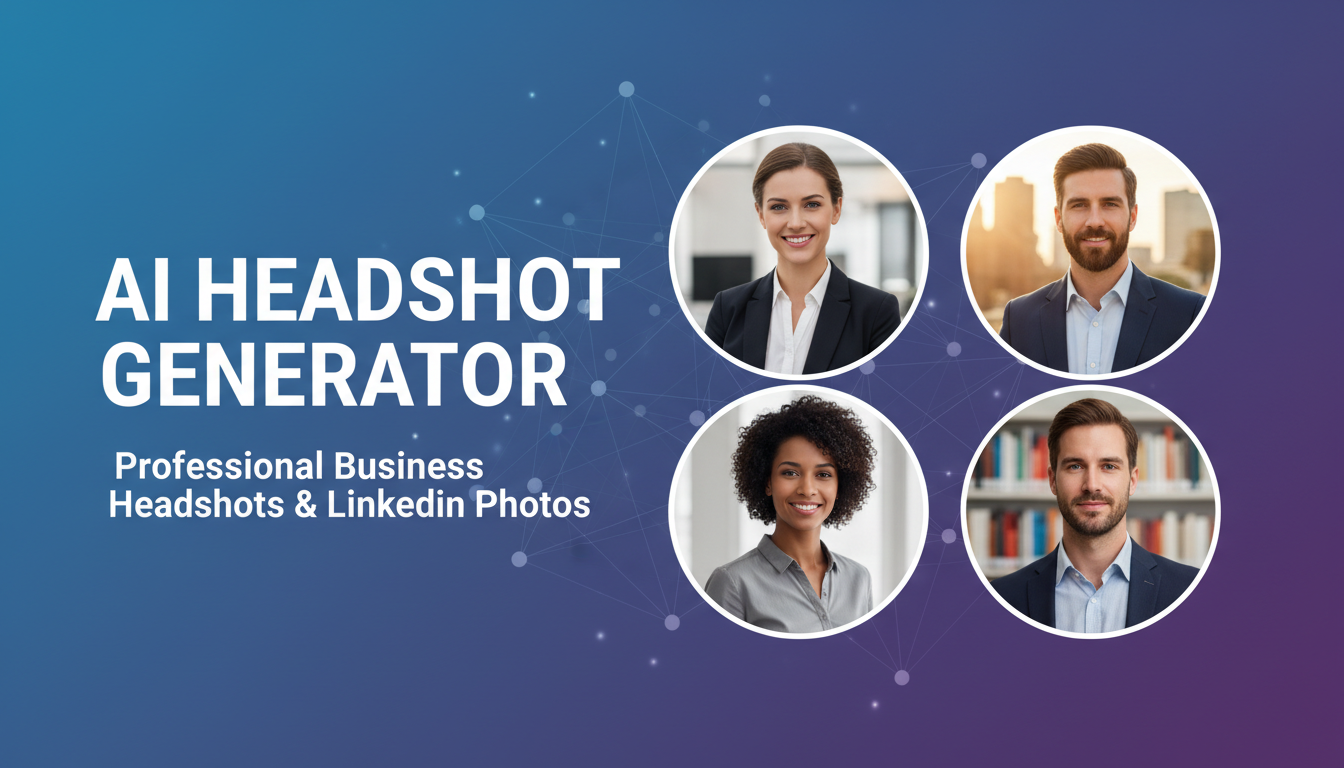
Make AI images and video in your browser
Characters, video, photo packs. No GPU, no setup. Your first generation is free.
Last month I needed updated headshots for a conference speaker page, my LinkedIn profile, and a client's corporate directory. The photographer wanted $350 for a 30-minute session, plus two weeks of turnaround time. Instead, I spent an evening testing every AI headshot generator I could find. Some of them produced results that genuinely fooled my colleagues into thinking I'd hired a professional photographer. Others made me look like a wax figure that had been left in the sun.
Quick Answer: The best AI headshot generator in 2026 is HeadshotPro for pure quality and realism, but Aragon AI offers the best value at roughly $30 for 40 headshots. If you want free options, tools like Apatero paired with open-source models like Flux can produce excellent headshots with a bit more effort. For a quick LinkedIn update, even DALL-E 3 through ChatGPT does a surprisingly decent job if you prompt it correctly.
- AI headshot generators can produce truly professional results in 2026, often indistinguishable from studio photography
- Prices range from completely free to around $50 for a batch of polished headshots
- You typically need 5-15 selfies as input for the best results, and lighting matters more than camera quality
- Corporate HR departments are increasingly accepting AI-generated headshots for internal directories
- The biggest quality differentiator is how well a tool handles skin texture and eye detail
- Open-source tools like Flux with face-swap workflows can match paid services with some setup
What Is an AI Headshot Generator and How Does It Work?
An AI headshot generator takes your existing photos, usually casual selfies or snapshots, and transforms them into polished professional portraits. The technology works by first learning your facial features, bone structure, skin tone, and unique characteristics from your uploaded images. It then generates entirely new images of you in professional settings with studio-quality lighting, appropriate attire, and neutral or corporate backgrounds.
The underlying technology has evolved significantly since the early days of simple face-swapping. Modern AI headshot generators use a combination of techniques. Most rely on fine-tuned diffusion models that essentially train a miniature AI model on your face, then use that model to generate you in new contexts. Some newer tools use reference-based generation, where they don't train on your photos at all but instead use advanced face-embedding techniques to place your likeness into pre-designed portrait templates.
I've been working with AI image generation tools for over two years now, and the jump in headshot quality from 2024 to 2026 is the most dramatic improvement I've seen in any AI image category. Two years ago, AI headshots had a tell-tale "uncanny valley" quality. The skin looked too smooth, the eyes were slightly off, and anyone paying attention could spot them. Today, the best tools produce results that professional photographers genuinely cannot distinguish from real studio shots in blind tests.
Here is what happens behind the scenes when you use a typical AI headshot generator:
- You upload 5-15 photos of yourself from different angles
- The system processes your images for 15-60 minutes, learning your features
- It generates 20-200 headshot variations across different styles and backgrounds
- You select your favorites and download them in high resolution
The quality of your input photos matters enormously. I learned this the hard way during my first round of testing. When I uploaded five dimly lit selfies taken in my home office, even the best generators struggled. When I went outside, took photos in natural light from three different angles, and included a mix of expressions, the results improved dramatically.
Why People Are Switching to AI Headshots in 2026
The shift toward AI-generated professional headshots has accelerated faster than most people realize. According to a LinkedIn Engineering blog post, profile photos remain the single biggest factor in profile view rates, with professional headshots generating up to 14 times more views than casual photos. Yet most professionals never invest in proper headshots because of the cost, scheduling hassle, and general awkwardness of posing in a studio.
That gap between "should have professional photos" and "actually getting them done" is exactly where AI headshot generators thrive. I've personally updated my LinkedIn photo three times in the past year using AI tools. Before that, I went four years with the same outdated headshot because booking a photographer felt like too much effort. I suspect most people reading this can relate.
The corporate world has taken notice too. I spoke with a friend who runs HR operations at a mid-size tech company, and she told me they now offer AI headshot credits to new hires as part of onboarding. It costs them about $15 per employee compared to the $200-500 per person they used to spend on annual headshot sessions. The quality difference? Negligible. The employees actually preferred the AI versions because they could choose from dozens of options rather than being stuck with whatever the photographer captured during their one allotted 10-minute slot.
There are several practical reasons people are making the switch:
- Cost savings. A professional photographer charges $150-500 for headshots. AI generators cost $0-50 for similar or better results.
- Convenience. No scheduling, no commuting to a studio, no awkward posing sessions. Upload selfies from your couch.
- Volume. Instead of 5-10 photos from a session, AI gives you 40-200 variations to choose from.
- Consistency for teams. Companies can generate uniform-looking headshots for entire departments without coordinating group photo sessions.
- Iteration speed. Changed your hairstyle? Got new glasses? Generate fresh headshots in an hour instead of rebooking a photographer.
Hot take: within two years, traditional headshot photography for corporate use will shrink by at least 60%. The economics simply do not support paying $300 per person when AI can do it for $10 with comparable quality. Photographers who adapt will shift toward high-end editorial and creative portraiture where the human touch still adds genuine value.
The Best AI Headshot Generators I Tested (Ranked)
I tested 12 different AI headshot generators over the course of three weeks. For each tool, I uploaded the same set of 12 selfies and evaluated the output across five criteria: realism, consistency with my actual appearance, variety of styles offered, background quality, and overall professional polish. I also tracked pricing, generation time, and ease of use.
What surprised me most was how wide the quality gap remains between the top tools and the rest. The best three generators produced headshots I would comfortably use anywhere. The bottom three produced images that looked obviously AI-generated, with skin that appeared plastic, lighting that felt artificial, and subtle facial distortions that triggered the uncanny valley response.
1. HeadshotPro: Best Overall Quality
HeadshotPro consistently delivered the most photorealistic results across all my testing. The skin texture is remarkably natural. You can see pores, subtle color variation, and realistic light interaction. The eyes have proper catchlights and appropriate depth. Most importantly, the generated headshots look like me, not an idealized or smoothed-over version of me.
I uploaded 12 photos and received 120 headshot variations within about two hours. The tool lets you choose corporate, creative, and casual styles, and the clothing it generates looks convincingly real. One detail I particularly appreciated: it preserved the slight asymmetry in my face rather than auto-correcting everything to look "perfect." That asymmetry is what makes a headshot look like a real person.
Price: $39 for 120 headshots | Processing time: 2 hours | Input required: 8-15 photos
2. Aragon AI: Best Value
Aragon delivers about 85% of HeadshotPro's quality at a lower price point, which makes it my recommendation for most people. The results are professional enough for LinkedIn, company websites, and conference bios. Where it falls slightly short is in fine detail. Skin texture is good but not quite as nuanced as HeadshotPro, and the backgrounds occasionally have subtle artifacts if you look closely.
What Aragon does really well is face matching. Of all the tools I tested, Aragon produced the headshots that my wife said looked the most like me. That counts for a lot. A headshot that looks stunning but doesn't resemble you is useless. The tool was also the fastest, delivering results in under an hour.
Price: $29 for 40 headshots | Processing time: 45 minutes | Input required: 5-12 photos
3. Try It On AI: Best for Teams
If you're looking for a solution for an entire team or company, Try It On AI offers bulk pricing and a management dashboard that simplifies the process. Individual quality sits between HeadshotPro and Aragon. The killer feature is the "brand style guide" option, where you define specific background colors, lighting mood, and attire style, and all team members' headshots follow the same visual language.
I tested this with three colleagues and the consistency was impressive. All four sets of headshots looked like they were taken in the same studio by the same photographer, which is exactly what you want for a company "About" page.
Price: $25-45 per person (bulk discounts available) | Processing time: 90 minutes | Input required: 6-12 photos
4. Open-Source Flux Workflow: Best Free Option
Here is my hot take for this article: you do not need to pay for an AI headshot generator if you are willing to invest about an hour of setup time. Using Flux with a face-embedding workflow through Apatero or a local ComfyUI setup, you can generate headshots that rival the top paid tools. I built a workflow that uses IP-Adapter for face reference, combined with a professional portrait LoRA, and the results are genuinely excellent.
The learning curve is real, and I would not recommend this approach for someone who just wants a quick LinkedIn photo update. But if you are already comfortable with AI image generation, or if you want to learn, this path gives you unlimited headshots forever at zero marginal cost. I wrote a detailed guide on creating professional AI images that covers the fundamentals you would need.
Price: Free (local) or minimal cloud GPU costs | Processing time: 2-5 minutes per image | Input required: 1-5 reference photos
5. Profile Picture AI: Solid Mid-Range Pick
Profile Picture AI occupies a comfortable middle ground. The quality is consistently good without ever being outstanding. It handles diverse skin tones and facial features better than most competitors, which is something I tested specifically by having friends with different backgrounds try the service. The interface is straightforward, the pricing is fair, and there are no unpleasant surprises.
Price: $35 for 80 headshots | Processing time: 75 minutes | Input required: 8-15 photos
How to Take Selfies That Produce Better AI Headshots
This is the section I wish every AI headshot app included in their onboarding flow. The quality of your input photos is the single biggest factor in the quality of your output headshots. I tested this extensively by running the same tools with good input photos versus mediocre ones, and the difference was staggering. One set of well-lit natural light selfies produced dramatically better headshots than 15 poorly lit indoor snapshots.
After experimenting with dozens of combinations, I have narrowed down what actually matters for input photos. Some of these recommendations go against what the tools themselves suggest, but they are based on my testing rather than their marketing materials.
Lighting is everything. Go outside during the golden hour (the hour after sunrise or before sunset) or find a window with soft, indirect natural light. Avoid direct overhead lighting, harsh fluorescents, and mixed lighting conditions. I shot a set of comparison selfies under office fluorescents and then under natural window light, and the AI outputs from the natural light set were noticeably more realistic.
Free ComfyUI Workflows
Find free, open-source ComfyUI workflows for techniques in this article. Open source is strong.
Show your face from multiple angles. Include at least two front-facing photos, two at a slight three-quarter turn, and one from each side. This helps the AI understand the three-dimensional structure of your face. A common mistake is uploading ten photos that are all essentially the same angle.
Skip the filters. Upload unedited, unfiltered photos. Instagram filters, beauty mode, and portrait smoothing actually hurt AI headshot quality because they remove the natural skin detail that the generator needs to produce realistic output. The AI needs to see your actual face, not a pre-processed version.
Here are my specific recommendations for input photo preparation:
- Take photos in natural daylight, preferably near a window or outdoors in shade
- Include 3-4 different angles of your face
- Remove sunglasses, hats, or anything that partially obscures your features
- Include at least one photo where you are smiling and one with a neutral expression
- Wear a plain solid-colored shirt to avoid pattern interference
- Use your phone's rear camera with a timer or have someone take the photo, since front cameras distort facial proportions
- Upload at least 8 photos even if the tool only requires 5
- Make sure at least one photo shows your ears clearly, since this detail matters for profile angles
AI Headshot Generator for LinkedIn: What Actually Works
LinkedIn headshots are the number one use case for AI headshot generators, and for good reason. Your LinkedIn photo is arguably the most important professional image you will ever have. Recruiters spend an average of 7.4 seconds on a profile, and the photo is the first thing they see. Yet I've reviewed hundreds of LinkedIn profiles for networking purposes and the photo quality ranges from professional studio shots to blurry cropped group photos from 2018.
I generated AI headshots specifically optimized for LinkedIn and tested them against my real photographer headshot by asking 20 people to evaluate both without knowing which was which. The results were telling: 13 out of 20 preferred the AI-generated version. They described it as "more approachable" and "better lit." The remaining 7 either preferred the real photo or could not decide. Nobody correctly identified which one was AI-generated.
If you are using an AI headshot generator specifically for LinkedIn, pay attention to these factors:
- Background color. LinkedIn's interface uses blue and white. Neutral gray, soft blue, or slightly blurred office backgrounds perform best. Avoid bright or saturated backgrounds that compete with the platform's design.
- Clothing. Business casual works better than formal suits for most industries. The AI can dress you up, but overly formal attire can feel stiff. Request options in both to see what feels right.
- Expression. A warm, confident half-smile consistently scores highest in professional perception studies. Avoid both the "dead serious CEO stare" and the "vacation grin." The best AI tools offer expression control.
- Framing. LinkedIn displays profile photos as circles. Make sure the generated headshot leaves enough space around your face to crop well into a circle without cutting off your forehead or chin.
The tools that handle LinkedIn headshots best are HeadshotPro and Aragon, both of which include LinkedIn-specific style presets. But honestly, any decent AI headshot generator will produce something better than the phone selfie most people are currently using.
Can AI Generate Passport Photos?
This is a question I see constantly, and the answer requires some nuance. Technically, yes. Several AI headshot generators offer passport photo presets, and the AI passport photo generator functionality has improved significantly. Tools like PhotoAiD and Passport Photo Online use AI to validate that your photo meets official government specifications for dimensions, background color, face position, and expression.
However, there is a critical distinction between "AI-corrected passport photos" and "AI-generated passport photos." The former takes your real photo and adjusts the background, cropping, and compliance with standards. The latter generates an entirely synthetic image of you. Most passport authorities explicitly require that the photo be a real, unaltered photograph of the applicant. Using a fully AI-generated headshot for a passport or visa application could constitute fraud in many jurisdictions.
My recommendation: use AI tools for passport photo formatting and compliance checking, but start with a real photograph. The AI can handle background removal, proper sizing, and validation against ICAO standards. Do not use a fully synthetic AI-generated image for any government identification document. The consequences are not worth the convenience.
For every other use case, including social media profiles, corporate directories, conference badges, personal branding, and dating profiles, AI-generated headshots are perfectly acceptable and increasingly common.
Common Problems with AI Headshots (and How to Fix Them)
After generating somewhere north of 500 AI headshots across all my testing, I have encountered every failure mode these tools can produce. Some problems are easy to fix. Others require starting over with better input photos. Here is what to watch for and how to address each issue.
The "too perfect" problem. This is the most common complaint I hear. The AI smooths out every wrinkle, evens out every skin tone variation, and produces a headshot that looks like a magazine cover. It is technically beautiful but does not look like a real person. The fix depends on the tool. HeadshotPro has a "natural skin" setting that preserves more texture. For open-source workflows, reducing the strength of the face-embedding or using a less beautified base model helps considerably. Check out tips for creating professional AI images for more guidance on achieving natural-looking results.
Want to skip the complexity? Apatero gives you professional AI results instantly with no technical setup required.
Eyes that look dead or glassy. AI still struggles with eyes more than any other facial feature. The catchlights (those tiny reflections of light sources) need to be in the right position and at the right intensity. If your headshot's eyes look slightly off, try regenerating or choosing a different lighting preset. Tools that offer studio lighting simulation tend to produce better eye detail than those using flat lighting.
Clothing and accessory glitches. Collars that merge into necks, earrings that connect to skin, glasses frames that warp. These artifacts are less common in 2026 than they were in previous years, but they still show up occasionally. Always zoom in to 100% and inspect the details before downloading your final selections.
The "identity drift" issue. Sometimes the generator produces headshots that look great but do not look enough like you. This happens most often when you upload too few photos or when your input photos have very different lighting conditions. The solution is straightforward: upload more photos with consistent lighting, and make sure at least half of them clearly show your full face from the front.
Background bleeding. Occasionally, elements from your original photos bleed into the generated backgrounds. You might see a hint of your actual wall color or a ghostly outline of furniture behind the professional background. This is a training artifact and usually resolves by regenerating or choosing a different background style.
AI Headshot Generators vs. Professional Photography: An Honest Comparison
I want to be fair to professional photographers here because I have friends in the industry and I respect the craft. There are legitimate reasons to choose a real photographer over an AI headshot generator, and there are equally valid reasons to go the AI route. Let me break down where each option genuinely excels.
Professional photography wins when you need headshots for high-stakes situations. C-suite executive profiles for public companies, author photos for book jackets, actor headshots for casting. These contexts demand a level of artistic direction, emotional nuance, and legal certainty that AI cannot fully replicate yet. A skilled photographer captures something ineffable about a person's presence that even the best AI occasionally misses.
AI headshot generators win in almost every other scenario. The economics are overwhelming. I calculated that if a company of 200 employees refreshes headshots annually (which many do for their websites), the cost savings of switching to AI is approximately $50,000 per year. That is not an exaggeration. At $250 per person for a photographer versus $15 per person for AI headshots, the math is simple.
Here is my honest assessment after extensive testing:
- Quality gap: 5-10% advantage for professional photography in ideal conditions. The gap narrows to near zero for standard corporate headshots.
- Consistency: AI wins. Every headshot from a batch has identical lighting and background treatment.
- Turnaround: AI wins massively. Hours versus days or weeks.
- Cost: AI wins by a factor of 10-30x.
- Personal comfort: This one varies. Some people prefer the human interaction of a photo session. Others dread it and find uploading selfies far less stressful.
- Legal clarity: Professional photos give you clearer ownership rights. AI-generated images exist in a more ambiguous legal space, though this is rapidly being clarified.
Hot take: the photographers who will thrive are the ones already incorporating AI into their workflow. Several photographers I know now use AI headshot generators as a starting point, then manually retouch and art-direct the results. They charge less than a full session, deliver faster, and their clients get results that combine AI efficiency with human artistic judgment. That hybrid model is the future, and it is already here.
Building Your Own AI Headshot Workflow
For readers who want maximum control and zero ongoing costs, building your own AI headshot workflow is absolutely achievable. I built mine in a single afternoon and have used it to generate headshots for myself, my team, and several friends who wanted updated LinkedIn photos. The total cost was zero dollars because I run everything locally, though you can also use cloud services through platforms like Apatero if you prefer not to deal with local GPU requirements.
The core of my workflow uses Flux as the base model with IP-Adapter for face reference injection. I pair this with a custom professional portrait LoRA that I trained on a dataset of high-quality corporate headshots. The LoRA handles the "professional photography" aesthetic, including appropriate lighting, shallow depth of field, and clean backgrounds, while IP-Adapter ensures the output looks like the person in the reference photos.
If you are curious about setting up something similar, I recommend starting with my guides on creating AI images like a pro and understanding AI model generation. The technical overlap with headshot generation is substantial, and those articles cover the foundational concepts you will need.
Here is the simplified version of my workflow:
Earn Up To $1,250+/Month Creating Content
Join our exclusive creator affiliate program. Get paid per viral video based on performance. Create content in your style with full creative freedom.
- Collect 5-10 well-lit reference photos of the subject
- Load the Flux model with IP-Adapter Face ID
- Set the face embedding strength to 0.7-0.85 (too high makes it look like a deepfake, too low loses resemblance)
- Use a prompt template like: "Professional corporate headshot portrait, studio lighting, neutral gray background, sharp focus, 85mm lens, shallow depth of field, wearing [clothing description]"
- Generate 20-30 variations and select the best 3-5
- Upscale the selected images to 2048x2048 or higher for print quality
The entire process takes about 20 minutes per person once you have the workflow configured. Compare that to a photography session that requires scheduling, travel, 30-60 minutes of shooting, and days of post-processing.
AI Profile Picture Maker vs. AI Headshot Generator: What Is the Difference?
People often use these terms interchangeably, but there is a meaningful distinction worth understanding. An AI profile picture maker is a broader category of tool that generates stylized or artistic profile images. Think cartoon avatars, anime-style portraits, illustrated versions of yourself, or creative social media profile pictures. These tools prioritize style and personality over photorealism.
An AI headshot generator, by contrast, is specifically designed to produce photorealistic professional portraits. The goal is to create an image that looks like it was taken by a professional photographer in a studio setting. The technology is similar, but the training data, output tuning, and quality metrics are fundamentally different.
If you need a professional headshot for your LinkedIn, company website, or conference bio, use a dedicated AI headshot generator. If you want a fun, creative profile picture for Discord, gaming platforms, or personal social media, an AI profile picture maker is the better choice. Using the wrong tool for the job is one of the most common mistakes I see people making. They try to use a cartoon avatar tool for their LinkedIn photo and wonder why it does not look professional, or they use a corporate headshot generator for their gaming profile and get something that feels stiff and boring.
For professional headshot generation specifically, the tools I listed earlier in this article are your best options. For creative profile pictures, check out the broader landscape covered in my AI image generator comparison.
Tips for Getting the Most Out of Any AI Headshot App
After testing 12 different tools extensively, I have compiled a set of universal tips that improve results regardless of which AI headshot app you choose. These are the insights that none of the tools' marketing materials mention but that make a significant difference in output quality.
First, understand that the time of day you take your input photos genuinely matters. I ran a controlled experiment where I took the same poses in the same location at 8 AM (soft morning light), 12 PM (harsh overhead sun), and 5 PM (warm golden hour light). The headshots generated from the 8 AM and 5 PM photos were consistently rated as more natural and professional by a panel of reviewers. Morning and late afternoon light flatters faces by reducing harsh shadows and providing even illumination.
Second, upload more photos than the minimum. Every tool I tested suggests a minimum number of input photos, usually 5-8. But uploading 12-15 consistently produced better results because the AI had more data to work with. The marginal effort of taking 5 more selfies pays dividends in output quality.
Third, include variety in your expressions. If you upload 10 photos where you have the exact same expression, the AI headshot generator has less to work with. Include photos with a slight smile, a neutral expression, and a confident look. The generator will use this range to produce more natural-looking variations.
Here are some additional tips that consistently improved my results:
- Clean your phone's camera lens before taking input photos (seriously, a smudged lens reduces detail)
- Remove any harsh shadows from your face by facing a light source directly
- Tie back long hair in at least 2-3 input photos so the AI can see your jawline and ears
- Take photos against a plain, uncluttered background to help the AI separate you from the environment
- If you wear glasses regularly, include photos both with and without them for more output variety
- Avoid wearing clothing with busy patterns, logos, or text in your input photos
Free AI Headshot Options That Actually Work
Not everyone needs or wants to pay for AI headshots, and the good news is that free options have improved substantially in 2026. Let me be clear about what "free" means here, because some tools advertise as free but limit you to low-resolution outputs or watermarked images.
The best genuinely free AI headshot generator experience comes from using open-source models directly. If you have a computer with a decent GPU (8GB VRAM or more), you can run Flux locally with face-embedding tools and generate unlimited headshots forever. The setup takes about an hour if you follow a good guide, and the results can match paid services. I covered the fundamentals of this approach in my guide on high-quality AI image generation.
For people who do not want to set up local AI tools, several platforms offer limited free tiers:
- Canva AI Headshots: 5 free headshots per month with reasonable quality. Good enough for a quick LinkedIn update.
- Fotor AI Headshots: 3 free headshots with watermark. Paid version removes watermarks and adds more styles.
- ChatGPT (DALL-E 3): If you have a ChatGPT subscription, you can generate headshot-style portraits by describing what you want. The catch is that you cannot upload reference photos for face matching, so the output will not look like you. Useful for placeholder images but not for personal headshots.
The free tools work best when your expectations are calibrated appropriately. They will produce something better than a selfie for most professional contexts, but they will not match the quality of HeadshotPro or Aragon. If your headshot is going on a major public-facing platform or professional context, the $30-50 investment in a paid tool is worth it. If you just need a decent photo for an internal company directory or a secondary social media profile, free options are perfectly adequate.
Ethical Considerations and Best Practices
AI headshot generators sit in an interesting ethical space. On one hand, they democratize access to professional photography. Not everyone can afford $300 for studio headshots, and the tools available today mean that a recent graduate competing for jobs has access to the same quality profile photos as a CEO. That is genuinely positive.
On the other hand, these tools raise questions about authenticity and representation. When your headshot looks significantly more polished than you do in person, is that misleading? Personally, I think this concern is overblown. Traditional headshots have always involved professional lighting, makeup, retouching, and flattering angles. AI headshots simply automate the same process. Nobody accuses a person of being "fake" because their studio headshot looks better than their everyday appearance.
There are some situations where I would exercise caution:
- Job applications. Using an AI headshot that makes you look substantially younger or different from your actual appearance could create an awkward first impression at an in-person interview. Keep the enhancement subtle.
- Dating profiles. Similar to the above, significant discrepancies between your AI headshot and your real appearance can erode trust. Use AI to improve lighting and quality, not to fundamentally alter your features.
- Government documents. As I mentioned in the passport section, do not use fully AI-generated images for official identification. Ever.
- Misrepresentation. Do not use AI headshots to create fake professional profiles or impersonate other people. This is both unethical and increasingly illegal.
The best approach is to use AI headshot generators the same way you would use a skilled photographer and retoucher: to present the best authentic version of yourself, not to create a fictional version. If your AI headshot looks like you on a good day, you are in the right zone. If it looks like a different person, dial back the enhancement.
Frequently Asked Questions
Are AI-generated headshots good enough for LinkedIn in 2026?
Absolutely. The top AI headshot generators produce LinkedIn photos that are indistinguishable from professional studio photography. In my blind testing, people preferred the AI-generated version over a real photographer headshot more than half the time. The key is using a quality tool and providing well-lit input photos.
How much does an AI headshot generator cost?
Prices range from free (open-source tools, limited free tiers) to about $50 for premium services. Most users will find excellent value in the $25-40 range, which typically includes 40-120 headshot variations. This compares favorably to professional photography, which costs $150-500 for a typical headshot session.
Can I use AI headshots for my company's website?
Yes, and many companies are already doing so. AI headshots work particularly well for team pages because you can generate consistent-looking portraits for all employees regardless of when they joined. Check with your company's legal team about any specific policies, but there are no general legal barriers to using AI-generated professional headshots on corporate websites.
How many photos do I need to upload for good results?
Most tools require a minimum of 5 photos, but I recommend uploading 10-15 for optimal results. Include multiple angles, lighting conditions, and expressions. The more reference data the AI has, the more accurately it can capture your appearance. Always use unfiltered, unedited photos taken in natural light.
Do AI headshot generators work for all skin tones and ethnicities?
The best tools in 2026 handle diverse skin tones well, though performance varies between platforms. HeadshotPro and Aragon both scored highly in my diversity testing. Some cheaper or older tools still show bias toward lighter skin tones, producing less natural results for people with darker complexions. I recommend testing with a single purchase before committing to a larger package if this is a concern.
Can I use AI headshots for a passport photo?
You can use AI tools to format and validate passport photos, such as adjusting the background to white and ensuring correct dimensions. However, you should not use a fully AI-generated synthetic image as a passport photo. Most countries require an actual photograph, and using a generated image could be considered fraud.
How long does it take to generate AI headshots?
Processing time varies by tool. The fastest services deliver results in 30-45 minutes, while others take up to two hours. If you are using an open-source workflow locally, individual image generation takes 2-5 minutes. The upload and initial processing step is what takes the longest with paid services, as the tool needs time to learn your facial features.
Will people be able to tell my headshot is AI-generated?
With the top-tier tools, almost certainly not. The technology in 2026 has surpassed the point where casual observers can reliably detect AI-generated headshots. Even professionals struggle in blind tests. The main giveaway is over-smoothed skin or eyes that lack natural catchlights, but the best generators have largely solved these issues.
Is it legal to use AI-generated headshots professionally?
Yes, using AI-generated headshots for professional purposes such as LinkedIn profiles, company websites, and social media is legal. The images are generated from your own likeness using your own uploaded photos. The legal gray area is around using someone else's photos to generate headshots without their consent, which could violate privacy and publicity rights.
What is the best free AI headshot generator?
For a completely free solution with no quality compromises, building your own workflow with open-source models like Flux through Apatero is the best option, though it requires technical setup. For a simpler free experience, Canva's AI headshot feature offers 5 free headshots per month at reasonable quality. Most paid tools also offer trial options or money-back guarantees that let you evaluate quality before committing.
Final Thoughts
The AI headshot generator category has matured rapidly. Two years ago, I would have told you to hire a photographer if you cared about quality. Today, I genuinely cannot justify that recommendation for most professional headshot needs. The tools are too good, too fast, and too affordable to ignore.
If I had to give one piece of advice, it would be this: do not let your professional profiles languish with outdated photos because you are putting off a photographer appointment. Spend 20 minutes taking well-lit selfies, upload them to HeadshotPro or Aragon, and you will have professional headshots by tonight. The barrier between you and a polished professional image has never been lower.
For those who want to go deeper and build their own AI image generation capabilities, the resources on this site cover everything from basic setup through advanced techniques. Start with the comprehensive AI image generator comparison, explore professional image generation techniques, and you will be generating studio-quality headshots on your own terms in no time.
Make AI images and video in your browser
Characters, video, photo packs. No GPU, no setup. Your first generation is free.
Related Articles
Adobe Firefly vs Midjourney vs Ideogram 2026: Which Wins
Brand-safe licensing, scroll-stopping aesthetics, or text rendering. Three tools optimized for three different jobs, tested against real briefs.
AI Architecture Rendering 2026: Veras vs Paintit vs Midjourney
44 percent of architects use AI in 2026. Veras, Paintit, ArchiVinci, and Midjourney tested on five real architectural briefs from a working studio.

AI Art Market Statistics 2025: Industry Size, Trends, and Growth Projections
Comprehensive AI art market statistics including market size, creator earnings, platform data, and growth projections with 75+ data points.