Unfiltered AI Chat Platforms: Complete Comparison of Unrestricted Options
Compare unfiltered AI chat platforms for unrestricted conversations. Analysis of local and cloud options, features, and considerations for uncensored AI interaction.
Mainstream AI chatbots restrict many conversation topics, frustrating users wanting uncensored interaction. Whether for creative writing, roleplay, or simply having conversations without constant refusals, unfiltered options exist for those willing to explore them.
This guide compares the world of unrestricted AI chat, from local installations to cloud services, explaining what's available, how they differ, and considerations for choosing your approach.
Quick Answer: The most unrestricted AI chat comes from running local models like Mixtral, LLaMA variants, or roleplay fine-tunes through interfaces like SillyTavern or Kobold AI. Cloud options include various API providers with varying restriction levels. Local installation requires hardware investment but provides complete freedom and privacy.
:::tip[Key Takeaways]
- Each unfiltered ai chat platforms: complete comparison of unrestricted options option has distinct strengths for different use cases
- Pricing varies significantly - consider your volume and feature needs
- Test free tiers before committing to paid plans
- Your specific workflow requirements should drive the final choice :::
- Local vs cloud unfiltered options
- Specific platforms and models
- Hardware requirements for local
- Privacy and safety considerations
- Getting started recommendations
Why Filters Exist
Understanding why mainstream platforms filter helps contextualize alternatives.
Platform Motivations
Filtering serves multiple purposes:
Liability reduction: Avoiding legal issues from generated content.
Brand protection: Maintaining family-friendly image.
Harm prevention: Reducing genuine misuse potential.
Regulatory compliance: Meeting evolving AI regulations.
These are business decisions, not purely technical limitations.
What Gets Filtered
Common restriction areas:
Adult content: Sexual or romantic material.
Violence: Detailed violent scenarios.
Controversial topics: Political, religious, sensitive subjects.
Real people: Content involving actual individuals.
Certain roleplay: Scenarios platforms deem inappropriate.
Restriction implementation varies widely between platforms.
Local AI Options
Running AI locally provides maximum freedom and privacy.
Benefits of Local
Complete freedom: No content restrictions whatsoever.
Privacy: Conversations stay on your device.
No ongoing costs: Free after hardware investment.
Customization: Full control over model and settings.
Reliability: No service outages or policy changes.
Hardware Requirements
Minimum viable setup:
CPU-only (slow): 16GB+ RAM, any modern processor.
Entry GPU: 8GB VRAM (RTX 3070 or similar).
Comfortable: 12GB+ VRAM (RTX 3080, 4080).
Optimal: 24GB+ VRAM (RTX 3090, 4090).
More VRAM enables larger, more capable models.
Recommended Models
For unfiltered conversation:
Mixtral 8x7B: Excellent quality, needs significant hardware.
LLaMA 2/3 variants: Various sizes for different hardware.
Dolphin fine-tunes: Specifically uncensored versions.
WizardLM uncensored: Another quality option.
Roleplay-specific models: Optimized for character interaction.
Interface Options
SillyTavern:
Free ComfyUI Workflows
Find free, open-source ComfyUI workflows for techniques in this article. Open source is strong.
- Feature-rich interface
- Excellent character card support
- Active community
- Works with multiple backends
Kobold AI:
- Integrated model running
- Story focus
- Good for narrative
- Lighter weight
Oobabooga Text Generation WebUI:
- Flexible backend
- Many model formats supported
- More technical interface
- Good for experimentation
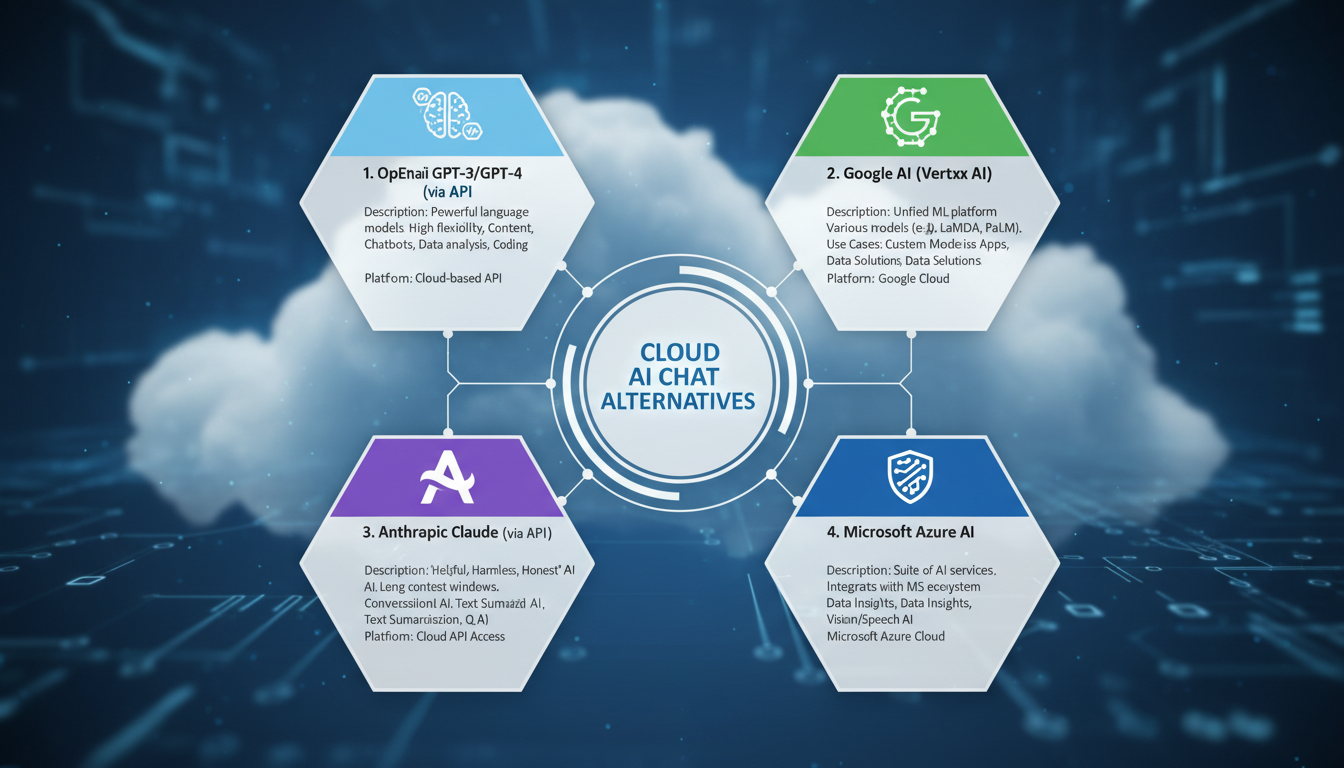
Cloud Alternatives
When local isn't feasible, cloud options exist with varying restrictions.
API Services
Some API providers offer less restricted access:
Trade-offs:
- Easier setup than local
- No hardware requirements
- Ongoing costs
- Still some policies
- Less privacy
Considerations:
- Read terms of service
- Understand data handling
- Compare pricing
- Test before committing
Specialized Platforms
Platforms catering to less restricted use:
Variable policies: Each platform has different limits.
Changing landscape: Policies evolve frequently.
Research required: Check current terms before using.
Hybrid Approaches
Combining local and cloud:
Local for unrestricted: Maximum freedom content locally.
Cloud for convenience: Quick access, mobile use.
Best of both: Flexibility for different situations.
Getting Started
Local Setup Path
Step-by-step approach:
Want to skip the complexity? Apatero gives you professional AI results instantly with no technical setup required.
1. Assess hardware: Check your GPU VRAM and system RAM.
2. Choose interface: SillyTavern recommended for beginners.
3. Select model: Match to hardware capability.
4. Install and configure: Follow interface documentation.
5. Download model: Get appropriate model for your hardware.
6. Create characters: Build or import character cards.
7. Begin interaction: Start conversations.
Simplified Cloud Path
For those without hardware:
1. Research options: Find services matching your needs.
2. Create accounts: Sign up for chosen platforms.
3. Understand limits: Know what's allowed and what isn't.
4. Configure settings: Set up characters or personas.
5. Start cautiously: Test boundaries gradually.
Model Selection Guide
Quality vs Hardware Trade-offs
7B models: Runs on 8GB VRAM, basic but functional.
13B models: Better quality, needs 12GB+ VRAM.
20B+ models: High quality, requires significant hardware.
Earn Up To $1,250+/Month Creating Content
Join our exclusive creator affiliate program. Get paid per viral video based on performance. Create content in your style with full creative freedom.
Mixtral 8x7B: Excellent quality, efficient architecture.
Model Types
Instruct models: Follow instructions well, general conversation.
Chat models: Optimized for back-and-forth dialogue.
Roleplay models: Character consistency, narrative focus.
Uncensored variants: Explicitly trained without restrictions.
Fine-tune Considerations
Many base models have uncensored fine-tunes:
Dolphin: Popular uncensored series.
Nous Hermes: Quality uncensored options.
WizardLM uncensored: Another reliable choice.
Community fine-tunes: Various specialized options.
Privacy Considerations
Local Advantages
Complete privacy:
- Data never leaves your computer
- No logging by third parties
- No policy enforcement
- Full deletion control
Security considerations:
- Physical device security matters
- Encrypted storage optional
- No cloud account vulnerabilities
Cloud Risks
Data handling:
- Conversations may be logged
- Training data usage possible
- Policy enforcement monitoring
- Account-linked history
Mitigation:
- Read privacy policies
- Use anonymous accounts where possible
- Assume data isn't private

Safety and Ethics
Responsible Use
Unfiltered doesn't mean consequence-free:
Legal boundaries: Some content remains illegal regardless.
Personal impact: Consider psychological effects.
Real-world separation: Keep fiction separate from reality.
Consent relevance: Even with AI, ethics matter.
Content Guidelines
Even without filters, consider:
Never generate: Illegal content regardless of platform.
Thoughtful creation: Consider why you want specific content.
Personal boundaries: Know your own limits.
Healthy perspective: Maintain awareness of fiction vs reality.
Frequently Asked Questions
Is local AI really completely unfiltered?
With appropriate models, yes. No external entity controls what you can generate.
How much does local AI cost to run?
After hardware, electricity only. Much cheaper than subscriptions long-term.
Can I run local AI on a laptop?
Possible with gaming laptops with dedicated GPU. Desktop preferred for sustained use.
Are cloud unfiltered options legal?
Generally yes, though policies vary. Check terms of service.
Why do uncensored models exist?
Researchers and developers create them for studying AI without restrictions. Users find various applications.
Is unfiltered AI dangerous?
The AI itself isn't dangerous. Content created remains user responsibility.
How do I know if a model is truly unfiltered?
Test with typical filtered topics. Community reports help. Model cards often specify.
Can I use unfiltered AI for commercial projects?
Depends on specific model licenses. Many are research-only. Check licensing.
Conclusion
Unfiltered AI chat requires choosing between local control and cloud convenience. Local installation provides complete freedom at the cost of hardware requirements and setup effort. Cloud options offer easier access with trade-offs in privacy and some remaining restrictions.
For maximum freedom, local models through interfaces like SillyTavern with uncensored model variants remain the gold standard. Those without hardware can explore cloud alternatives while understanding their limitations.
Whatever path you choose, approach unfiltered AI thoughtfully, maintaining awareness of ethics and personal boundaries even without external restrictions.
For specific roleplay applications, see our AI ERP guide. For image generation without filters, check our unfiltered image generator guide.
Ready to Create Your AI Influencer?
Join 115 students mastering ComfyUI and AI influencer marketing in our complete 51-lesson course.
Related Articles

AI Art Market Statistics 2025: Industry Size, Trends, and Growth Projections
Comprehensive AI art market statistics including market size, creator earnings, platform data, and growth projections with 75+ data points.

AI Automation Tools: Transform Your Business Workflows in 2025
Discover the best AI automation tools to transform your business workflows. Learn how to automate repetitive tasks, improve efficiency, and scale operations with AI.
AI Avatar Generator: I Tested 15 Tools for Profile Pictures, Gaming, and Social Media in 2026
Comprehensive review of the best AI avatar generators in 2026. I tested 15 tools for profile pictures, 3D avatars, cartoon styles, gaming characters, and professional use cases.