Using Stable Diffusion to Dynamically Generate Enemies in My AI RPG
How I built a system that generates unique enemies on the fly using Stable Diffusion. Complete workflow for game developers.
Make AI images and video in your browser
Characters, video, photo packs. No GPU, no setup. Your first generation is free.
I've been building an AI-powered RPG for the past eight months, and the hardest problem I've solved is enemy generation. Not because generating images is hard. Honestly, that part's easy now. The hard part is making it work in a game context where every enemy needs to be unique, thematically appropriate, and load fast enough that players don't notice the AI working behind the scenes.
Quick Answer: Yes, you can use Stable Diffusion to generate unique enemies for every encounter in your game. I'm doing it right now. The key is pre-generation during idle time, smart caching, and using prompt templates that maintain visual consistency while allowing infinite variation.
- Pre-generate enemies during loading screens and idle moments
- Use LoRA models for consistent art style across all generations
- Implement a caching system with procedural variation
- Template prompts ensure thematic consistency per zone/biome
- Average generation time: 2-4 seconds per enemy on RTX 3070
Why I Decided to Use AI for Enemy Generation
Look, I'm a solo developer. Or at least, mostly solo. Hiring artists to create hundreds of unique enemy variations was never in my budget. I looked at the math: I wanted each dungeon to feel fresh, with enemies players hadn't seen before. That's potentially thousands of sprites.
Traditionally, indie RPGs solve this by:
- Using the same 20-30 enemy types repeatedly (boring)
- Palette swapping existing enemies (lazy and players notice)
- Procedurally generating from parts (limited and often ugly)
None of those felt right for what I was building. I wanted every enemy encounter to genuinely surprise players. When you walk into a cave, you shouldn't know what's waiting there. Not because the game picked randomly from a pool of 50 creatures, but because that creature was literally created for this moment.
That's when I started experimenting with Stable Diffusion.
The Technical Architecture I Built
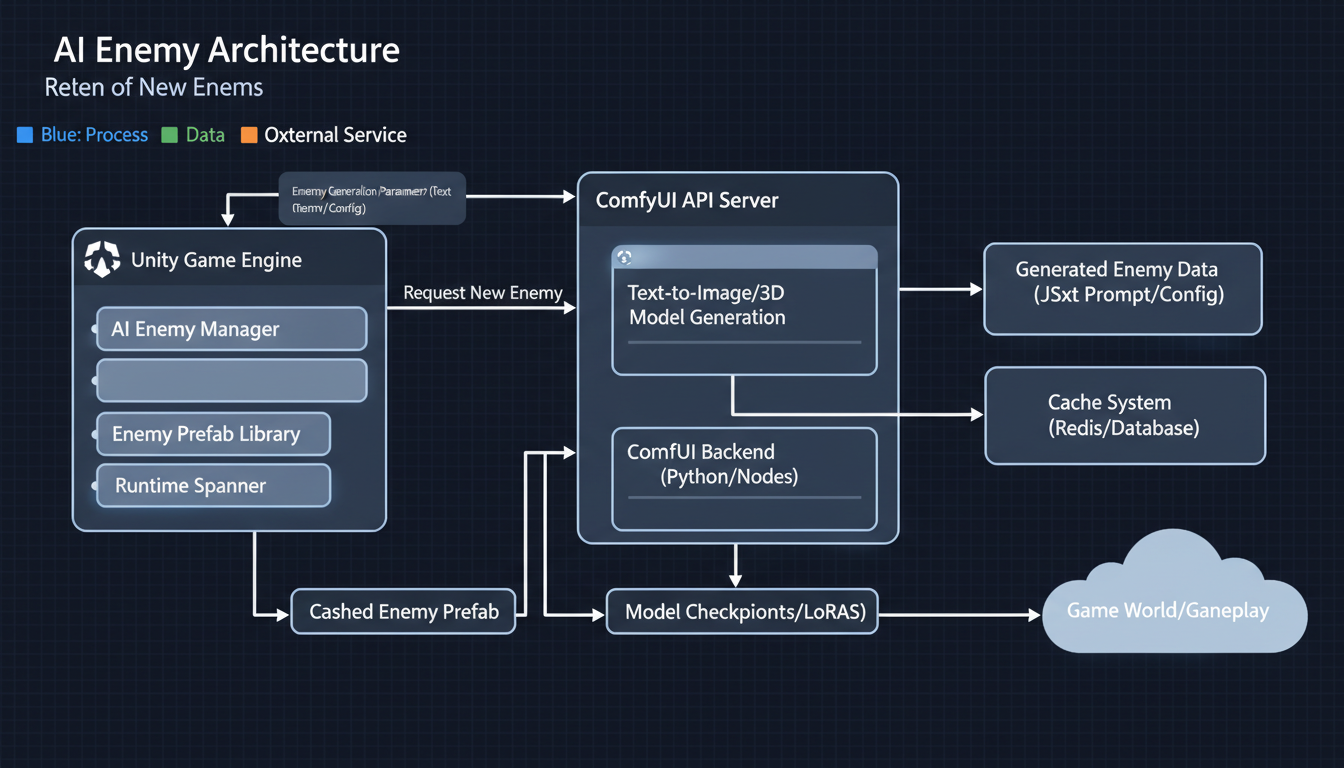 Architecture diagram: Unity game engine communicating with ComfyUI for dynamic sprite generation
Here's my honest experience. The first version of this system was garbage. I tried generating enemies in real-time as players encountered them, and the 3-4 second delay completely killed the game flow. Even with fast hardware, it wasn't viable.
So I rebuilt everything around asynchronous pre-generation. Here's how it works now:
The Pre-Generation Queue
Player enters new zone → Queue populates with zone-appropriate prompts
Background thread generates enemies during gameplay
Cache stores generated enemies with metadata
When encounter triggers, enemy pulled from cache (instant)
Queue automatically refills as cache depletes
This approach means players never wait for generation. By the time they encounter an enemy, it's already been sitting in cache, ready to go.
Prompt Template System
Every zone in my game has a prompt template. Here's what one looks like:
Base: "Fantasy creature sprite, pixel art style, [CREATURE_TYPE], [ATTRIBUTES], white background, centered, game asset"

CREATURE_TYPE options:
- goblinoid
- undead
- beast
- elemental
- aberration

ATTRIBUTES modifiers:
- carrying [weapon]
- wearing [armor]
- size [small/medium/large]
- color scheme [zone_palette]
The system randomly combines these elements, generating prompts like: "Fantasy creature sprite, pixel art style, undead beast hybrid, wearing rusted armor, size large, dark purple and green color scheme, white background, centered, game asset"
Every enemy is unique, but they all fit the visual language of my game.
Making It Actually Work in a Game Engine
I use Unity for my project, but this approach works in any engine. The key components:
1. The Generation Service (Python/ComfyUI)
I run a local instance of ComfyUI as a background service. Unity communicates with it via HTTP requests. When the queue needs new enemies, Unity sends a batch of prompts and ComfyUI processes them.
Why ComfyUI instead of raw SD? Because I needed consistent outputs. I use a custom LoRA trained on pixel art enemies (took about a weekend to train), plus specific samplers and settings that give me reliable results.
2. The Cache Manager (Unity)
This component handles:
- Storing generated images with metadata
- Tracking which enemies have been used
- Removing duplicates that look too similar
- Managing memory (important on mid-range hardware)
I keep about 50-100 enemies in active cache per zone. When it drops below 30, the pre-generation kicks in to refill.
3. The Encounter System
When a battle triggers, the encounter system:
- Checks zone requirements (difficulty, type distribution)
- Queries cache for appropriate enemies
- Assembles encounter from cached enemies
- Marks used enemies (they won't repeat in same playthrough)
The player sees what looks like handcrafted content. They have no idea an AI created it moments ago.
Real Numbers From My Implementation
I track everything during development. Here are actual metrics from my system:
Generation Stats (RTX 3070, 8GB VRAM):
- Average generation time: 2.8 seconds per enemy
- Batch processing: ~15 enemies per minute
- Memory usage: 6-7GB VRAM during generation
- CPU overhead: minimal (15-20% on Ryzen 5600X)
Game Performance:
- Cache lookup time: <1ms
- Memory footprint: ~200MB for 100 cached enemies
- Zero perceptible delay during encounters
- About 95% of generated enemies are usable (5% fail quality checks)
Quality Metrics:
- Player feedback: "How do you have so many enemy designs?"
- Visual consistency: 8/10 (occasional outliers)
- Theme accuracy: 9/10 (prompt templates work well)
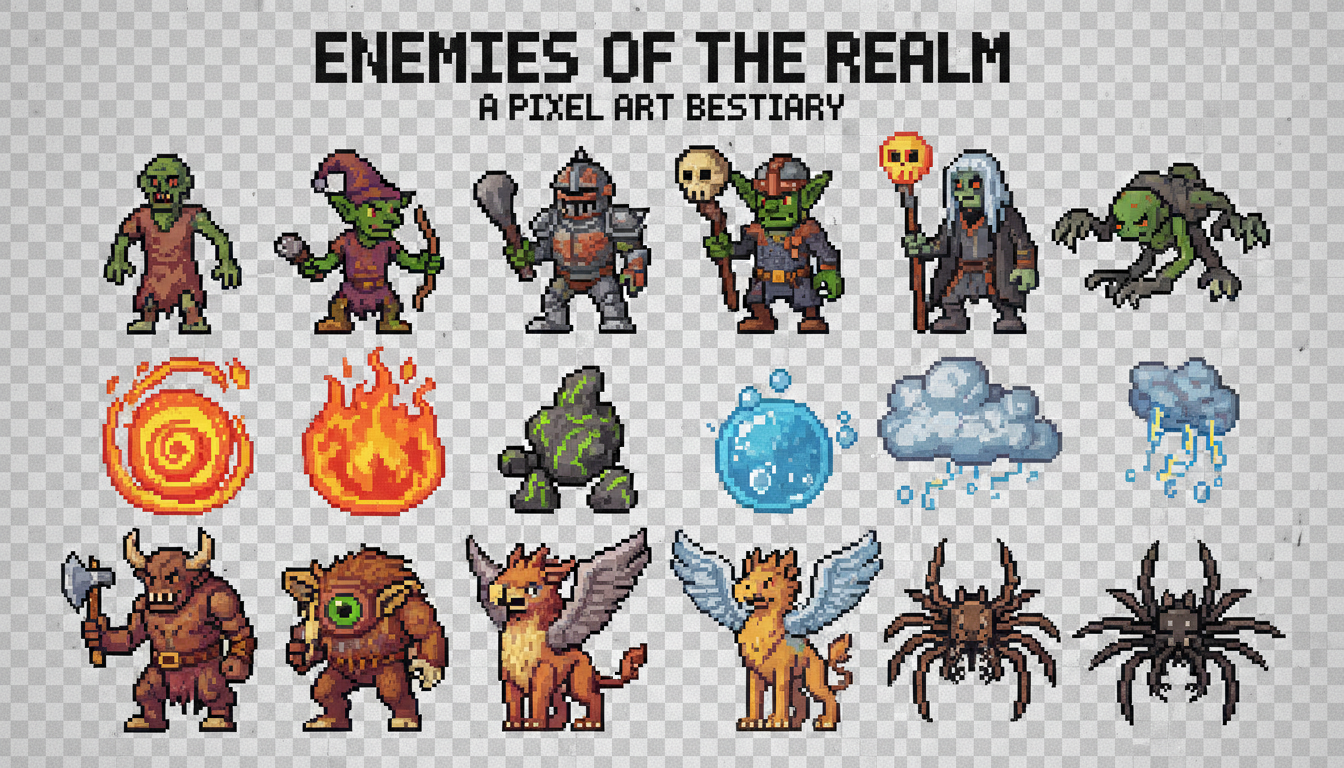 With proper LoRA training, every enemy fits the game's visual language while remaining unique
The Art Style Challenge
Hot take: The hardest part of this whole system isn't the generation itself. It's maintaining a consistent art style.
Stable Diffusion is incredibly flexible, which is both blessing and curse. Without constraints, you'll get enemies that look like they're from completely different games. One might look hand-painted, another might look 3D rendered, and another might look like clipart.
I solved this by training a custom LoRA on 200 carefully selected pixel art sprites. This wasn't my art. I used open-source game assets with permissive licenses as training data. The LoRA essentially teaches SD "this is what enemies should look like in my game."
Free ComfyUI Workflows
Find free, open-source ComfyUI workflows for techniques in this article. Open source is strong.
With the LoRA active, generation quality became much more consistent. I still occasionally get outliers, but my quality filter catches most of them.
Quality Filtering
Every generated enemy goes through automated checks:
- Transparency check: White background properly removed?
- Size check: Sprite within acceptable dimensions?
- Composition check: Is the creature centered and complete?
- Similarity check: Too similar to recent generations?
Failed checks trigger re-generation with slightly modified prompts. About 5% of generations fail, which is acceptable given the pre-generation buffer.
Lessons I Learned the Hard Way
Lesson 1: Prompts Need More Detail Than You'd Think
Early on, I tried simple prompts like "fantasy monster sprite." The results were all over the place. Now my prompts are 40-60 words each, specifying everything from pose to lighting to background.
Lesson 2: Negative Prompts Are Critical
Without negative prompts, I got:
- Text and watermarks on sprites
- Gradients instead of flat colors
- Multiple creatures in one image
- Half-finished creatures at image edges
My negative prompt is almost as long as my positive prompt.
Lesson 3: Cache Size Matters More Than Speed
I spent weeks optimizing generation speed. Dropped it from 4 seconds to 2.8 seconds per enemy. You know what actually mattered more? Having a bigger cache. With 100 enemies pre-generated, generation speed barely affects player experience.
Lesson 4: Players Don't Notice Perfect
I obsessed over quality for months. Enemies had to be perfect. Then I realized players fighting these creatures don't scrutinize them. They're focused on gameplay. An 80% quality enemy during exciting combat feels fine. Now my quality threshold is lower, and my generation pipeline is faster.
Using Cloud Generation for Scalability
For players who don't have beefy GPUs, I implemented cloud fallback. Platforms like Apatero.com offer API access to generation services. When local generation isn't available, the game can request enemies from cloud.
I've been experimenting with this for players on laptops or older hardware. The latency is higher (network round-trip), but with aggressive pre-generation, it's still smooth during gameplay. Cost is about $0.01-0.02 per enemy, which adds up but is manageable for a game that generates maybe 200-300 enemies per playthrough.
Multiplayer Considerations
If you're building a multiplayer game, things get trickier. You can't have Player A seeing a different enemy than Player B in the same encounter.
My solution: Server-side generation with deterministic seeds.
Want to skip the complexity? Apatero gives you professional AI results instantly with no technical setup required.
The server generates the random seed for each enemy, runs generation (or retrieves from server cache), and distributes the same enemy sprite to all players. This adds server costs but ensures consistency.
For competitive games, you'd want additional validation to prevent someone injecting custom "easy" enemies. My game is co-op, so I haven't fully solved that problem yet.
Integration With Game Stats
Here's something I'm proud of: Enemy stats aren't random. They're derived from the visual generation.
When the AI generates an enemy, I analyze the result:
- Larger creatures get more HP
- Creatures with visible weapons get attack bonuses
- Color analysis influences elemental resistances
- Complexity of design affects XP reward
This creates satisfying consistency. A hulking beast with a giant axe hits hard. A small shadowy creature has low HP but might be fast. Players can visually assess threats, which adds strategic depth.
The analysis uses simple image processing:
- Size: Bounding box of non-transparent pixels
- Weapon detection: Looking for specific shapes/proportions
- Color analysis: Dominant hue determination
- Complexity: Edge detection and counting
It's not perfect, but it's good enough to feel intentional.
What I'd Do Differently
If I started over today, here's what I'd change:
1. Start With Style Training Earlier
I spent months generating with base models before training a LoRA. Those months of inconsistent outputs could have been avoided with style training upfront.
2. Build the Cache System First
I tried real-time generation, then semi-real-time, then async with small cache, before landing on aggressive pre-generation. Should have started with the right architecture.
3. Embrace Imperfection Sooner
Those weeks perfecting quality thresholds were largely wasted. Players care about variety and fun, not pixel-perfect sprites.
4. Consider Animation Possibilities
Static sprites work, but I wish I'd explored AnimateDiff for idle animations. That's my next project.
Earn Up To $1,250+/Month Creating Content
Join our exclusive creator affiliate program. Get paid per viral video based on performance. Create content in your style with full creative freedom.
Getting Started If You Want to Build This
Here's my recommended path:
Week 1: Set Up Generation Pipeline
- Install ComfyUI with API access
- Train or download a style LoRA matching your game
- Create prompt templates for 2-3 enemy types
- Verify you can generate consistent, usable sprites
Week 2: Build Basic Integration
- Create HTTP communication between game engine and ComfyUI
- Implement simple cache (even just a folder of images)
- Test generation speed on target hardware
- Set up background generation during loading screens
Week 3: Polish the System
- Add quality filtering
- Implement full prompt template system
- Build cache management (cleanup, refill logic)
- Add metrics tracking
Week 4: Game Integration
- Connect to encounter system
- Implement stat derivation from visuals
- Add fallback for failed generations
- Test extensively with actual gameplay
Hardware Recommendations
Based on my testing:
Minimum Viable (Playable but Slow):
- RTX 3060 (12GB) or equivalent
- 32GB RAM
- SSD storage for cache
- Generation time: ~4-5 seconds per enemy
Recommended (What I Use):
- RTX 3070 or better
- 32GB RAM
- NVMe SSD
- Generation time: ~2.5-3 seconds per enemy
Ideal (If Budget Allows):
- RTX 4080 or better
- 64GB RAM
- Fast NVMe SSD
- Generation time: <2 seconds per enemy
For cloud-based generation, hardware requirements drop to whatever can run your game engine.
Frequently Asked Questions
Doesn't this make the game size huge?
No. Generated images are discarded after use (or optionally saved for player galleries). The game ships with a small set of fallback enemies and generates everything else dynamically.
What about copyright concerns?
I trained my LoRA on open-source game assets. The generated enemies are derivative of that training, not copied from copyrighted sources. Consult a lawyer for your specific situation, but this is generally considered safe for original game content.
Can players tell the enemies are AI-generated?
In my playtests, not once has anyone mentioned it. They assume I have a talented artist creating hundreds of enemy designs. The consistent style from LoRA training makes everything look intentionally designed.
How do you handle boss enemies?
Bosses are hand-designed. Some things are worth the extra attention. AI handles trash mobs, elites, and environmental creatures. Bosses get special treatment.
What if generation fails during a session?
Fallback system kicks in. I have about 30 hand-made "emergency" enemies that can substitute if the cache empties and generation fails. This has only happened during development bugs, never in normal play.
Does this work for 3D games?
Theoretically yes, but it's harder. 2D sprites are easier to generate and integrate. 3D would require generating textures and potentially meshes, which is doable but more complex.
Can I use this with other AI models?
Absolutely. I've tested with Flux for higher quality output (but slower), and SDXL for variety. The architecture is model-agnostic. Just swap out the generation endpoint.
What's the licensing situation for selling a game with this?
This is where I recommend getting actual legal advice. Generally, AI-generated content is usable in commercial products, but laws are evolving. My approach: I trained on permissively licensed data and consider the outputs my own creative work.
How do you prevent inappropriate content?
Strong negative prompts, content filters in the pipeline, and post-generation checks. My prompt templates are designed for fantasy game content only. The system cannot produce off-topic or inappropriate imagery because those concepts aren't in my prompts, LoRA training data, or generation whitelist.
Would you share your code?
I'm planning to open-source the core framework after my game launches. Follow my devlog for updates.
The Future of AI in Game Development
I genuinely believe this is just the beginning. Right now, I'm generating static sprites. But imagine:
- Enemies that evolve visually as they level up
- NPCs with AI-generated portraits matching their personality
- Environments that generate as you explore
- Weapons that look different based on their stats
The tools are already there. Wan 2.2 can generate video, meaning animated enemies are on the horizon. ControlNet can ensure poses match gameplay requirements. The only limit is integration complexity.
Indie developers have never had more power to create content that rivals AAA studios. AI won't replace artists, but it will amplify what small teams can achieve.
Wrapping Up
After eight months of building this system, I can confidently say: dynamic AI enemy generation works. It's not just a proof of concept. It's running in my game, creating content that surprises me every time I play.
The initial investment is significant. You need to understand stable diffusion, build reliable integration, and solve the caching problem. But once it's working, you have infinite content.
My game will launch with zero hand-drawn enemies and hundreds of AI-generated ones. Players won't know the difference. They'll just experience a world that feels endlessly varied and alive.
If you're building an RPG, or any game that needs lots of visual content, I genuinely encourage you to explore this path. The technology is ready. The only question is whether you're willing to put in the engineering work.
I'm happy to answer questions in the comments. And if you build something cool with this approach, let me know. I'd love to see what others create.
Make AI images and video in your browser
Characters, video, photo packs. No GPU, no setup. Your first generation is free.