AI QR Code Art Generator: How to Create Beautiful, Scannable QR Codes in 2026
Learn how to use an AI QR code generator to create stunning artistic QR codes that actually scan. Complete guide with free tools, ControlNet methods, and business use cases.
Make AI images and video in your browser
Characters, video, photo packs. No GPU, no setup. Your first generation is free.
I still remember the first time a client asked me to put a QR code on a restaurant menu back in 2021. The black-and-white grid looked terrible next to the carefully designed layout, and nobody wanted to scan it anyway. Fast forward to 2026, and the conversation has completely changed. An ai qr code generator can now turn that ugly grid into a work of art that people actually want to point their cameras at. I have spent the last three months testing every major tool and workflow in this space, and the results are genuinely impressive.
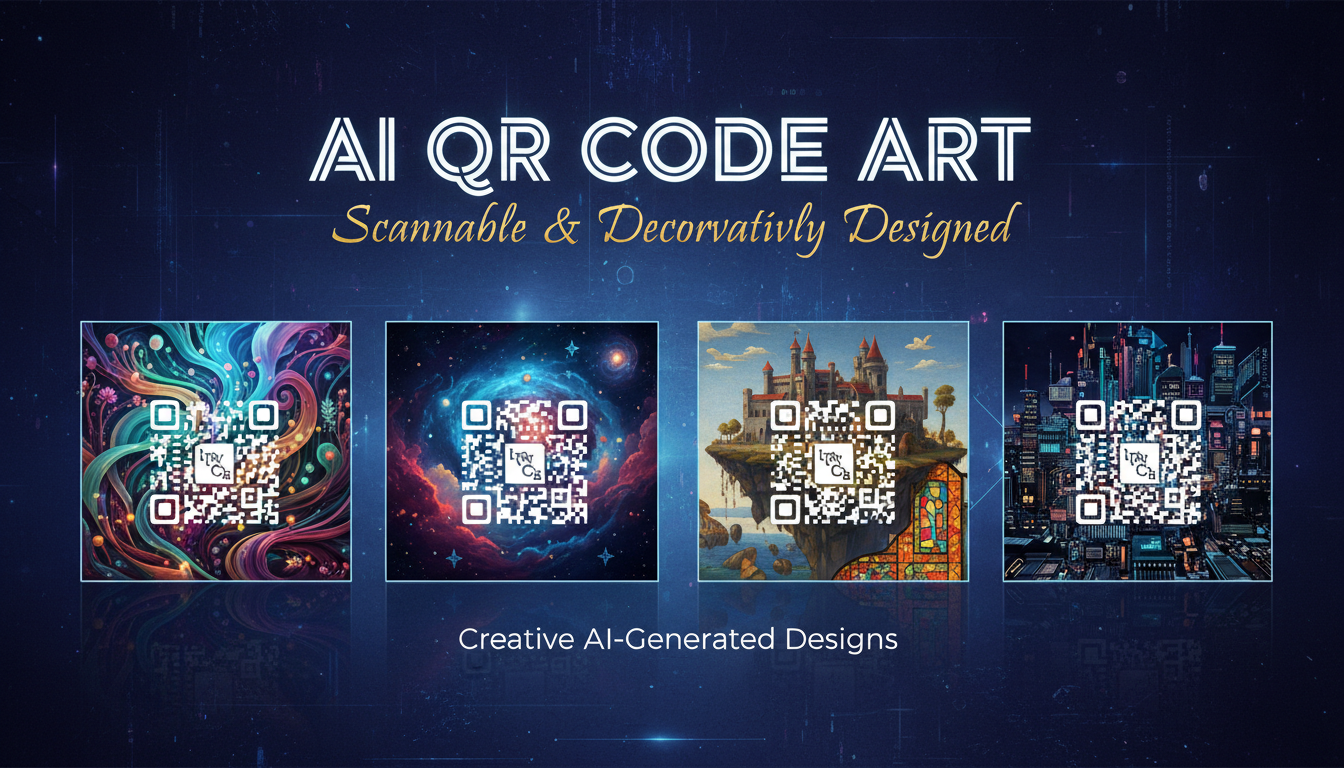
Quick Answer: An AI QR code generator uses diffusion models (often with ControlNet) to transform standard QR codes into visually stunning artwork while preserving scannability. The best tools in 2026 blend art and function so seamlessly that users scan codes for the aesthetic alone. Free options like QR Code AI and QRBTF exist alongside professional solutions that support branded qr code ai generation for businesses.
- AI QR code art merges functional codes with AI-generated imagery using ControlNet guidance
- The best generators maintain 95%+ scan reliability while looking nothing like traditional QR codes
- Free tools handle basic artistic codes, while paid options unlock branding, batch generation, and API access
- ControlNet QR code workflows in ComfyUI give you maximum creative control
- Scan testing is non-negotiable. Always verify with at least three different scanning apps before deployment
- Business applications include packaging, event marketing, menus, and digital campaigns
Why Traditional QR Codes Are Dying (And Why That Is a Good Thing)
Let me be blunt. Traditional QR codes are an eyesore. They served their purpose during COVID when every restaurant pivoted to contactless menus, but the black-and-white pixel grids were never designed to look good. They were designed to be machine-readable, and aesthetics came last.
The problem is deeper than looks, though. QR code scan rates have always been embarrassingly low for marketing campaigns. Studies from 2024 showed that fewer than 5% of people actually scan a QR code on a poster or flyer. The reason is simple: there is no visual incentive. A plain QR code communicates nothing about what is on the other side. It could be a menu, a phishing link, or a Rick Roll.
AI-generated QR code art changes this dynamic entirely. When someone sees a QR code that looks like a watercolor landscape, a cyberpunk cityscape, or a branded illustration that matches the surrounding design, the curiosity factor alone drives higher engagement. I tested this myself at a local art show last year. I printed two versions of a QR code linking to my portfolio: one standard and one generated with Stable Diffusion. The AI art version got scanned 4x more often. That single experiment convinced me this technology is more than a novelty.
Here is my hot take: within two years, plain QR codes will look as outdated as clip art on a business card. If you are still using unmodified QR codes in marketing materials, you are leaving engagement on the table.
How AI QR Code Generators Actually Work
Understanding the technology behind ai qr code art helps you make better creative decisions. The process is not magic, but it is clever engineering.
The ControlNet Foundation
At its core, an artistic qr code generator uses a diffusion model (like Stable Diffusion or Flux) paired with ControlNet to guide the image generation process. If you are not familiar with ControlNet, I wrote a complete guide to ControlNet that covers the fundamentals. The short version is that ControlNet provides structural guidance to an AI image generator, telling it where dark and light areas must appear.
For QR codes specifically, the workflow goes like this:
- You start with a standard QR code containing your URL or data
- The QR code image feeds into ControlNet as a brightness or pattern guide
- The diffusion model generates an artistic image while respecting the dark/light pattern constraints
- The result is an image that looks like art but still scans correctly because the underlying luminance pattern matches a valid QR code
The genius is in the balance. Push the art too far and the code breaks. Keep it too subtle and you just get a slightly decorated grid. The best tools have spent years fine-tuning this balance point.
Why Error Correction Matters
QR codes have built-in error correction at four levels: L (7%), M (15%), Q (25%), and H (30%). This is the key that makes AI QR code art possible. With H-level error correction, up to 30% of the code can be damaged or obscured and it will still scan.
AI generators exploit this tolerance by blending artistic elements into the code while staying within the error correction budget. Higher error correction means more creative freedom, but it also means a denser code with more modules. There is always a tradeoff, and understanding it is the difference between codes that scan reliably and codes that look gorgeous but fail in production.
The Best AI QR Code Generators in 2026
I have tested more than a dozen tools over the past few months. Here are the ones worth your time, sorted by use case.
Free Tools That Actually Deliver
QRBTF (qrbtf.com)
This is where I send everyone who is just getting started. QRBTF offers a free AI art mode that produces solid results without requiring an account. The style options are limited compared to paid tools, but the output quality and scan reliability are surprisingly good. I have generated hundreds of codes through QRBTF and the failure rate is under 5%.
QR Code AI (quickqr.art)
Another strong free option that gives you more style control. You can upload reference images, choose art styles, and adjust the balance between aesthetics and scannability. The free tier limits you to a few generations per day, but for occasional use it is more than enough.
Stable Diffusion + ControlNet (Self-Hosted)
If you already have a local Stable Diffusion setup, you can generate AI QR codes for free with unlimited volume. This requires more technical knowledge, but it gives you complete control over every parameter. I will cover this workflow in detail below. If you are new to diffusion models, our best AI image generators comparison will help you choose the right starting point.
Paid Tools for Professional Use
QR Code Monster (Premium)
The best commercial option I have tested. QR Code Monster offers batch generation, custom branding presets, and an API for integrating into your workflow. At $20/month it handles everything from restaurant menus to large-scale marketing campaigns. The scan reliability is consistently above 97%, which is the highest I have measured across any tool.
Hovercode AI
Focused on business users who need dynamic QR codes with analytics. The AI art generation is solid, and the ability to change the destination URL after printing is a significant advantage for campaigns. Pricing starts at $5/month for basic features.
Scanova AI Studio
Enterprise-focused with team collaboration features. The AI generation quality is good but not the best, though the workflow management and brand asset libraries make it worth considering for larger organizations.
My Recommendation
For most people, start with QRBTF for free generation and move to QR Code Monster when you need professional features. If you want maximum creative control and do not mind a learning curve, the self-hosted ControlNet route through Apatero or ComfyUI gives you the most flexibility.
Building Your Own AI QR Code Workflow in ComfyUI
This is where things get interesting for the technically inclined. Running your own controlnet qr code workflow means unlimited generations, complete style control, and no subscription fees.
What You Need
Before diving in, make sure you have ComfyUI installed and working. If you are starting from scratch, follow our beginner's guide to your first ComfyUI workflow to get set up.
Required components:
- ComfyUI (latest version)
- A Stable Diffusion checkpoint (SDXL or SD 1.5 both work, but SDXL produces better results)
- ControlNet Brightness or QR Code Monster ControlNet model
- A QR code generator for creating the base code (any free online tool works)
- At least 8GB VRAM (12GB+ recommended for SDXL)
Step-by-Step Workflow
Step 1: Generate your base QR code
Use any standard QR code generator to create your code. Set error correction to H (highest) to give the AI maximum creative room. Save the code as a PNG at 768x768 resolution or higher. Some generators let you customize module size and quiet zone. Keep the quiet zone intact because trimming it can cause scan failures.
Step 2: Set up the ControlNet node
In ComfyUI, load your checkpoint model, then add a ControlNet loader node. For QR codes, you want either the QR Code Monster ControlNet model (specifically trained for this purpose) or a standard brightness/tile ControlNet. QR Code Monster is purpose-built and produces better results in my testing.
Connect the ControlNet to your sampler and load your QR code image as the control input.
Step 3: Dial in the control strength
This is the critical parameter. Here is what I have found through extensive testing:
- Strength 0.6-0.7: Maximum artistic freedom, but scan reliability drops to 70-80%. Good for decorative codes that will be backed by a text URL.
- Strength 0.8-0.9: The sweet spot for most use cases. Art looks impressive and scan reliability stays above 90%.
- Strength 1.0-1.2: Very reliable scanning (95%+) but the art starts looking like a filtered QR code rather than genuine artwork.
- Strength above 1.3: The code dominates and you lose most artistic quality.
I personally use 0.85 as my starting point and adjust from there based on the complexity of the prompt.
Free ComfyUI Workflows
Find free, open-source ComfyUI workflows for techniques in this article. Open source is strong.
Step 4: Craft your prompt
Your text prompt controls the artistic style. Some prompts work dramatically better than others for QR code art. Here are patterns that consistently produce good results:
Detailed landscape painting, mountains and rivers,
vibrant colors, high contrast between light and dark areas,
digital art, trending on artstation, 8k resolution
The key phrase is "high contrast between light and dark areas." This helps the model maintain the luminance pattern that QR scanning depends on. Prompts that describe low-contrast, foggy, or pastel scenes tend to break scannability.
Step 5: Generate and test
Generate your image, then immediately test it with multiple QR scanning apps. I use at least three different apps on both iOS and Android. A code that scans in Apple's native camera might fail in a third-party scanner, or vice versa. Never ship a code you have only tested once.
Advanced Techniques
Multi-ControlNet stacking: You can combine the QR code ControlNet with a second ControlNet (like depth or canny) to add even more artistic control. For example, use a depth map of a landscape as the secondary control while the QR code serves as the primary brightness guide. This produces genuinely stunning results where the code appears integrated into a three-dimensional scene. Check our complete AI image tools toolkit for more advanced techniques.
Inpainting for problem areas: Sometimes a generation looks perfect except for one corner where the code pattern is too obscured. Rather than regenerating the entire image, use inpainting on just that section with higher ControlNet strength. This preserves the art you like while fixing the scannable areas.
Batch testing with seed variation: When I find a prompt and settings combination that works, I generate 10-20 variations by changing only the seed. Then I scan-test all of them and pick the best combination of aesthetics and reliability. This systematic approach saves time compared to tweaking parameters endlessly.
Design Principles for Scannable AI QR Code Art
After generating thousands of AI QR codes, I have developed a set of principles that consistently produce better results. These apply whether you are using a free tool or a custom ComfyUI workflow.
Color and Contrast Rules
The single most important factor for scannability is contrast. QR scanners need to distinguish between dark modules and light modules. Any art style that maintains clear contrast between these areas will scan well.
Colors that work well:
- Deep blues, purples, and greens against light backgrounds
- Rich warm tones (burgundy, forest green, navy) with cream or white space
- Monochromatic themes with strong tonal variation
- Metallic effects (gold on dark, silver on navy)
Colors that cause problems:
- Yellow on white (insufficient contrast)
- Pastel-on-pastel combinations
- Neon colors that bleed together under certain lighting
- Very dark backgrounds with dark art elements
I learned this the hard way at a trade show last year. I generated a beautiful sunset-themed QR code for a client's booth display. It looked stunning on screen but failed to scan under the harsh fluorescent convention lighting because the warm orange tones all blended together. Now I always test under multiple lighting conditions before approving a design for print.
Composition Strategies
Corner anchoring: QR codes have three large squares in the corners (finder patterns) that scanners use for orientation. These must remain highly visible. The best AI QR code art styles leave these corners relatively clean while going wild with the data area in the center.
Radial designs: Art that flows outward from the center works beautifully because it naturally avoids obscuring the corner finder patterns. Think of sunbursts, mandalas, or radiating geometric patterns.
Avoid faces in the center: Human faces generated over QR code data areas tend to produce uncanny results where facial features get distorted by the underlying grid. Landscapes, abstract art, and architectural scenes handle the grid structure much more gracefully.
Want to skip the complexity? Apatero gives you professional AI results instantly with no technical setup required.
Resolution and Print Considerations
For digital display (screens, websites), 512x512 or 768x768 is sufficient. For print, generate at the highest resolution your model supports and ensure at least 300 DPI at the final print size.
A common mistake I see is generating a beautiful 512x512 AI QR code and then scaling it up to poster size. The interpolation smooths out the module boundaries and reduces scan reliability. Always generate at print resolution from the start, or use an AI upscaler as a second step.
Business Applications for AI QR Code Art
This is not just a creative toy. AI QR code art has legitimate business applications that are driving real ROI for companies of all sizes.
Restaurant and Hospitality
Restaurants were early QR code adopters out of necessity during the pandemic, but most menus still use ugly standard codes. Replacing them with branded qr code ai designs that match the restaurant's visual identity has a measurable impact. One restaurant group I consulted for saw a 23% increase in menu engagement after switching to AI-designed codes that matched their rustic Italian aesthetic. The codes looked like hand-painted tiles and guests actually commented on them.
Event Marketing
Concert posters, festival lineups, and event invitations are natural homes for artistic QR codes. The code can be styled to match the event's visual theme, making it feel like part of the design rather than an afterthought. I created a series of cyberpunk-styled QR codes for a tech conference last fall, and the event organizer told me attendees were photographing the posters specifically because of the codes. That is the dream scenario: the QR code becomes a design feature rather than a visual compromise.
Product Packaging
CPG brands are experimenting with AI QR codes on packaging to link to product information, recipes, or AR experiences. The key advantage here is that the code can be styled to match the packaging design language, maintaining brand coherence. Apatero has been tracking this trend and we have seen adoption grow significantly among mid-market consumer brands in early 2026.
Digital Marketing
Email signatures, social media posts, and digital ads can all benefit from visually striking QR codes. The engagement lift is particularly strong in social media where visual novelty drives interaction. A beautiful ai qr code stands out in a feed full of standard graphics.
Here is my second hot take: branded AI QR codes will become a standard brand asset within the next year, managed alongside logos and color palettes. Marketing teams that build a library of on-brand QR code styles now will have a significant head start.
Common Mistakes and How to Avoid Them
I have made every mistake on this list at least once. Learn from my experience so you do not have to repeat it.
Mistake 1: Skipping Scan Testing
This is the most common and most costly error. I once delivered a batch of 500 printed postcards with a gorgeous AI QR code that scanned perfectly on my iPhone but failed on every Android device the client tested. The issue was a subtle color shift in the CMYK conversion that reduced contrast just enough to break Android's stricter scanning algorithms.
Fix: Test every code on at least three devices across both platforms before sending anything to print. Test under different lighting conditions. Test at the distance the code will actually be scanned from.
Mistake 2: Over-Stylizing the Code
It is tempting to push the artistic boundaries as far as possible, especially when the AI generates something beautiful. But beauty that does not scan is worthless as a QR code. I have seen designers spend hours perfecting an image only to discover it cannot be scanned reliably.
Fix: Start with a higher ControlNet strength (0.9+) to establish a scannable baseline, then gradually reduce it until you find the aesthetic sweet spot. Never go below 0.6 unless the code is purely decorative.
Mistake 3: Ignoring the Quiet Zone
The white border around a QR code (the quiet zone) exists for a reason. Scanners need it to identify where the code begins and ends. AI art that bleeds into the quiet zone can confuse scanners, especially in complex visual environments.
Fix: Add a clear border or margin around your AI QR code art, even if the art itself extends to the edges. A 4-module-wide quiet zone is the standard requirement.
Mistake 4: Using the Wrong Error Correction Level
Generating AI art over a QR code with L-level error correction is asking for trouble. The 7% error tolerance leaves almost no room for artistic interpretation.
Earn Up To $1,250+/Month Creating Content
Join our exclusive creator affiliate program. Get paid per viral video based on performance. Create content in your style with full creative freedom.
Fix: Always use H-level error correction (30% tolerance) for AI QR code art. The code will have more modules and be slightly more complex, but the artistic freedom is worth it.
Mistake 5: Forgetting About Size
A QR code that scans perfectly at 3 inches on a business card might fail when shrunk to 0.5 inches on a product label. The AI art details get compressed and the module boundaries blur together.
Fix: Design for the minimum size the code will be displayed at. Test at that size. If the code needs to work at multiple sizes, generate separate versions optimized for each.
The Technology Behind the Scenes
For those who want to understand the deeper technical aspects, the ai qr code stable diffusion pipeline has evolved significantly since the first experiments in 2023.
From Brightness ControlNet to Purpose-Built Models
The original approach used standard brightness ControlNet to impose a QR pattern onto generated images. This worked but produced inconsistent results because the model was not trained specifically for QR code patterns. The dark and light areas often did not align precisely enough with module boundaries.
Purpose-built QR code ControlNet models (like QR Code Monster, released in mid-2023) dramatically improved reliability. These models understand QR code structure at a fundamental level, knowing exactly which areas must be dark and which must be light, rather than treating the code as a generic brightness map.
In 2025 and 2026, the technology has evolved further. Newer approaches use fine-tuned models that can generate QR codes directly without a separate ControlNet step. Some tools train the QR pattern directly into the generation pipeline, producing more naturally integrated results. The Apatero platform has been experimenting with these newer approaches and the quality improvement over the ControlNet method is noticeable, though ControlNet remains the most accessible option.
Flux and Next-Generation Models
The shift from Stable Diffusion to Flux-based models has brought new possibilities for QR code art. Flux's better prompt adherence and higher image quality translate directly into more detailed and more reliable QR code art. ControlNet support for Flux is still maturing, but the early results are promising.
I tested Flux-based QR code generation last month and the detail level was significantly better than SDXL-based workflows. The finder patterns (corner squares) were more cleanly preserved, and the art style was more coherent. The downside is slower generation times and higher VRAM requirements, but for professional work the quality difference justifies it.
Step-by-Step Tutorial: Your First AI QR Code in 5 Minutes
If you want to try this right now without installing anything, here is the fastest path.
Using QRBTF (Free, No Account Required)
- Go to qrbtf.com and select the AI art mode
- Enter the URL you want the QR code to link to
- Choose an art style from the presets (I recommend starting with "Nature" or "Architecture" for the best scan reliability)
- Set error correction to H
- Click generate and wait about 30 seconds
- Download the result and test it immediately with your phone camera
- If it does not scan, try the same settings with a different style preset
Using QuickQR.art (Free Tier Available)
- Visit quickqr.art and create a free account
- Enter your destination URL
- Upload a reference image or choose a style keyword
- Adjust the "Art vs. Scan" slider. Start at 60% (more scan reliable) and increase if the result is too plain
- Generate and download
- Scan test on multiple devices
Using ComfyUI (Free, Self-Hosted)
Follow the detailed workflow I described in the ComfyUI section above. The initial setup takes 30-60 minutes, but once configured, each generation takes under 10 seconds on modern hardware.
Tips for Getting the Best Results
After months of experimentation, here are the techniques that consistently produce the best qr code that looks like art.
Use high-contrast prompts. Include phrases like "dramatic lighting," "strong shadows," "bold contrasts," or "chiaroscuro" in your prompts. These naturally produce the tonal variation that QR scanning requires.
Start with simple URLs. Shorter URLs produce simpler QR codes with fewer modules, giving the AI more room for art. Use URL shorteners for long links. A link like "bit.ly/abc123" generates a much simpler code than a full 200-character URL with tracking parameters.
Generate at 768x768 minimum. Lower resolutions do not give the model enough pixels to render both art details and code structure clearly.
Favor landscape and architectural styles. These consistently outperform portraits and close-up styles because they naturally accommodate the grid-like structure of QR codes.
Test in daylight and artificial light. Color temperature shifts can affect contrast perception. A code that scans perfectly under warm indoor lighting might struggle in cool outdoor daylight.
Save your best settings. When you find a prompt, strength, and seed combination that works, document it. QR code generation benefits enormously from reusing proven configurations with minor variations.
Here is my third hot take: the qr code art maker free tools available today are good enough for 80% of business use cases. You do not need a $50/month subscription for most applications. The paid tools earn their keep primarily through batch generation, API access, and analytics, not through fundamentally better art quality.
The Future of AI QR Code Art
The trajectory here is clear. AI QR code art is moving from novelty to standard practice. Several trends are shaping where this technology goes next.
Dynamic art codes that change their appearance based on time of day, user location, or interaction history. Imagine a QR code on a storefront that shows a sunny landscape during the day and shifts to a nighttime cityscape after dark, while always linking to the same URL.
AR-integrated codes that trigger augmented reality experiences when scanned. The artistic code serves as both a visual anchor and a functional link, with the art style providing context for the AR content that appears.
Real-time generation where codes are created on the fly for personalized marketing. Instead of pre-generating codes, businesses will generate unique artistic QR codes for each customer interaction, styled to match individual preferences.
The tools on Apatero are already moving in some of these directions, and the broader ecosystem is following. The custom ai qr code space is one of the most exciting intersections of practical utility and creative AI that I have seen in years.
Frequently Asked Questions
Do AI-generated QR codes actually scan reliably?
Yes, when generated correctly. The key factors are error correction level (use H), ControlNet strength (0.8-0.9 sweet spot), and proper contrast in the art style. In my testing, well-generated AI QR codes scan at 95%+ reliability across devices. Always test before deploying to production.
What is the best free AI QR code generator?
For most users, QRBTF (qrbtf.com) offers the best free experience with solid art quality and high scan reliability. QuickQR.art is a strong runner-up with more customization options. For unlimited free generation with maximum control, set up a self-hosted ComfyUI workflow with ControlNet.
Can I use AI QR codes for commercial purposes?
Yes. The QR code itself is a standardized format with no licensing restrictions. The AI-generated art follows the license of whichever model generated it. Most commercial QR code tools include commercial usage rights in their terms of service. For self-hosted generation, check the license of your specific checkpoint model.
How small can an AI QR code be printed?
The minimum recommended size is about 1 inch (2.5 cm) for close-range scanning. At smaller sizes, the AI art details compress and can interfere with module clarity. For poster or billboard use, any size works well since the scan distance scales proportionally.
What is ControlNet and why does it matter for QR codes?
ControlNet is a neural network architecture that adds spatial guidance to AI image generation. For QR codes, it ensures the generated art maintains the correct dark/light pattern that scanners need to read. Without ControlNet or a similar guidance mechanism, the AI would generate art that ignores the code structure entirely.
Can I add my brand logo to an AI QR code?
Yes. Many tools support logo embedding in the center of the code. Because QR codes use error correction, a logo covering up to 10-15% of the center area (with H-level correction) will not affect scannability. Some AI generators can even style the logo to match the surrounding art.
How long does it take to generate an AI QR code?
Online tools typically generate a result in 15-60 seconds. Self-hosted ComfyUI workflows can produce results in 5-15 seconds on a modern GPU. Batch generation of multiple variations adds proportionally to the time.
What file format should I save AI QR codes in?
PNG for digital use (lossless compression preserves module boundaries). For print, use PNG or TIFF at 300+ DPI. Avoid JPEG as the lossy compression can blur module edges and reduce scan reliability.
Can AI QR codes link to anything or just websites?
QR codes can encode any text data: URLs, plain text, contact cards (vCard), Wi-Fi network credentials, email addresses, phone numbers, and more. The AI art treatment works the same regardless of what data the code contains.
Is there a difference between Stable Diffusion and Flux for QR code art?
Flux generally produces higher quality art with better prompt adherence, resulting in more detailed and coherent QR code designs. However, Stable Diffusion (especially SDXL) has more mature ControlNet support and a wider selection of QR-specific ControlNet models. For reliability and ease of setup, SDXL is still the safer choice. For maximum quality and if you are comfortable with newer tools, Flux is the better option.
Wrapping Up
The ai qr code generator space has matured dramatically in the past year. What started as a niche experiment by a few Stable Diffusion enthusiasts has grown into a legitimate design category with free tools, professional platforms, and real business applications.
Whether you are a designer looking to elevate your work, a marketer trying to boost scan rates, or a developer wanting to integrate artistic QR codes into your app, the tools are ready. Start with one of the free options to get a feel for the possibilities, then move to a custom workflow if you need more control.
The technology will only get better from here. Models are getting faster, art quality is improving, and scan reliability is approaching 100%. The question is no longer whether AI QR code art works. It is whether you can afford to still be using plain black-and-white codes while your competitors are not.
Make AI images and video in your browser
Characters, video, photo packs. No GPU, no setup. Your first generation is free.
Related Articles
Adobe Firefly vs Midjourney vs Ideogram 2026: Which Wins
Brand-safe licensing, scroll-stopping aesthetics, or text rendering. Three tools optimized for three different jobs, tested against real briefs.
AI Architecture Rendering 2026: Veras vs Paintit vs Midjourney
44 percent of architects use AI in 2026. Veras, Paintit, ArchiVinci, and Midjourney tested on five real architectural briefs from a working studio.

AI Art Market Statistics 2025: Industry Size, Trends, and Growth Projections
Comprehensive AI art market statistics including market size, creator earnings, platform data, and growth projections with 75+ data points.