Image Creating AI: How Machines Learned to Make Visual Art That Rivals Human Creativity
Explore how AI learned to create images. From early neural networks to modern diffusion models, understand the technology behind visual AI creation.
Make AI images and video in your browser
Characters, video, photo packs. No GPU, no setup. Your first generation is free.
Three years ago, image creating AI was a research curiosity. The outputs were blurry, often nonsensical, and clearly machine-made. Today, AI-generated images hang in galleries, illustrate best-selling books, and dominate social media. The technology went from "interesting experiment" to "industry-transforming tool" in what feels like overnight.
I've watched this evolution up close. My first AI-generated image looked like a fever dream painted by someone who'd never seen a photograph. My most recent ones have been mistaken for professional photography. Understanding how we got from point A to point B isn't just academically interesting. It makes you better at using these tools.
Quick Answer: Image creating AI uses deep learning models trained on millions of images to generate new, original visuals from text descriptions. The dominant approaches are diffusion models (which refine noise into images) and transformer models (which predict image elements sequentially). Modern tools like Flux 2, Midjourney, and Stable Diffusion produce results that often match or exceed human-created imagery in quality.
- AI creates images through learned statistical patterns, not by copying existing work
- Diffusion models and transformers are the two main architectural approaches
- Open-source models have caught up to commercial options in quality
- The technology evolves rapidly, with major improvements every few months
- Understanding the technology helps you write better prompts and get better results
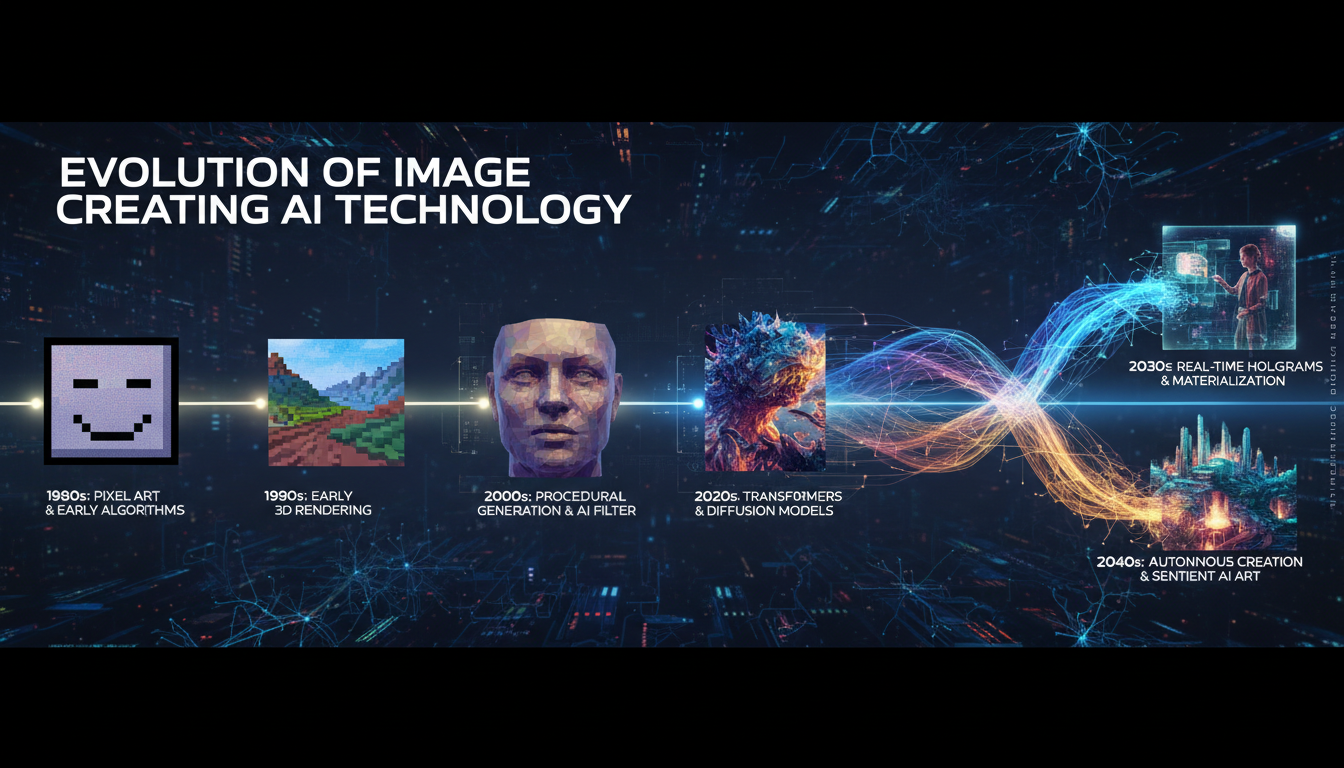
The Journey from Blurry Blobs to Photorealism
The story of image creating AI is one of exponential improvement. Let me walk through the key milestones because they explain why today's tools work the way they do.
The GAN Era (2014-2021)
Generative Adversarial Networks (GANs) were the first approach to produce convincing images. The concept is elegant. Two neural networks compete against each other. One generates images. The other tries to detect whether images are real or generated. Through this competition, both get better.
GANs produced some impressive results, particularly for faces. But they were notoriously difficult to train, prone to "mode collapse" (generating the same image over and over), and couldn't easily be controlled with text descriptions. They were the proof of concept that showed AI could create convincing images, but the practical usability was limited.
I remember spending weeks trying to train a GAN for a personal project and failing miserably. The training process was finicky and unforgiving. You could run for days and end up with nothing usable. When diffusion models arrived, I literally celebrated.
The Diffusion Revolution (2022-2024)
Diffusion models changed everything. Instead of adversarial training, they learn to reverse a noise-adding process. Add noise to an image step by step until it's pure static, then train a model to reverse each step. The result is a system that can start with random noise and gradually construct a coherent image.
The breakthrough was combining this with text conditioning. By training on image-text pairs, the models learned to guide the de-noising process based on text descriptions. Suddenly, anyone could describe what they wanted and get an image back.
Stable Diffusion (August 2022) was the moment everything went mainstream. An open-source, freely available model that anyone could run on consumer hardware. Within weeks, a massive community formed around it. Custom models, extensions, workflows. The pace of innovation was staggering.
I was part of that early community, and honestly, it felt like watching the early internet. Everyone was experimenting, sharing discoveries, building on each other's work. The collaborative energy was unlike anything I'd experienced in tech.
The Current Era: Quality, Speed, and Control (2025-2026)
Today's image creating AI represents a quantum leap from those early days. Flux 2, Midjourney v7, DALL-E 3, and the latest Stable Diffusion variants produce images that would have been unimaginable three years ago.
The improvements aren't just in visual quality. Text understanding has gotten dramatically better. You can write natural descriptions and get what you actually asked for. Speed has improved from minutes per image to seconds. And the control mechanisms (ControlNet, LoRAs, IPAdapter) give creators precise influence over every aspect of the output.
For my current workflow, I primarily use Flux 2 through ComfyUI, often via Apatero when I'm away from my workstation. The quality and prompt adherence are the best I've ever worked with. For a detailed comparison, check out my best AI image generators review.
How Does Image Creating AI Actually Work?
Let me explain this in a way that's useful rather than just theoretically interesting. Understanding the mechanism makes you better at using the tools.
The Training Phase
Before any image can be generated, the model needs to learn what images look like. This happens during training.
The model is shown millions of image-text pairs. "A golden retriever playing in a park." "A sunset over the ocean." "A close-up portrait of an elderly woman." Through exposure to this massive dataset, the model builds an incredibly detailed internal representation of visual concepts and how they relate to language.
Free ComfyUI Workflows
Find free, open-source ComfyUI workflows for techniques in this article. Open source is strong.
This isn't memorization. The model doesn't store images. It learns statistical relationships. It learns that "sunset" correlates with warm colors at the top of images, horizon lines in the middle, and water or land at the bottom. It learns that "golden retriever" involves specific fur textures, body proportions, and typical environments.
The Generation Phase
When you type a prompt, here's what actually happens:
Text encoding. Your words are converted into a mathematical representation (a vector in high-dimensional space) that captures their meaning.
Noise initialization. The model starts with pure random noise. Like TV static.
Guided de-noising. Over 20-50 steps, the model gradually removes noise while being guided by your text vector. At each step, it adjusts the image to be a little less noisy AND a little more like what your text describes.
Decoding. The final mathematical representation is decoded into actual pixel values that form your image.
The reason this matters practically is that it explains why prompting works the way it does. More specific text creates a more specific guidance vector, which constrains the de-noising process and produces more predictable results. Vague prompts leave more room for randomness.
What Can Image Creating AI Do Now?
The capabilities have expanded far beyond simple text-to-image. Here's what's possible today.
Want to skip the complexity? Apatero gives you professional AI results instantly with no technical setup required.
Text-to-Image
The core capability. Describe anything and get an image. The quality for standard subjects (portraits, landscapes, objects, scenes) is remarkably high. For a step-by-step tutorial, see my guide to creating AI images.
Image-to-Image Transformation
Feed an existing image and a text description, and the AI transforms it. Change styles, modify elements, enhance quality. This is the bridge between traditional photography and AI creation.
Inpainting and Outpainting
Edit specific regions of an image while keeping the rest unchanged. Extend images beyond their original borders. These capabilities turn AI from a "generate and hope" tool into a precise editing instrument.
Controlled Generation
ControlNet and similar technologies let you specify pose, composition, depth, and other structural elements. You can provide a stick figure skeleton and get a fully rendered character in that exact pose. This level of control makes AI viable for professional production work.
Consistent Characters
Through LoRA training and reference image techniques, you can maintain consistent character appearance across dozens or hundreds of images. This enables applications like AI influencers, comic creation, and brand character development.
Real-Time Generation
The latest models can generate images in under a second, enabling interactive creation workflows where you see results as you type. This is still emerging but represents a fundamental shift in how we'll interact with image creation tools.
Choosing the Right Image Creating AI
The landscape has fragmented into specialized tools. Here's how to navigate it.
For photorealism: Flux 2 leads. The outputs look like actual photographs, with realistic lighting, textures, and compositions.
Earn Up To $1,250+/Month Creating Content
Join our exclusive creator affiliate program. Get paid per viral video based on performance. Create content in your style with full creative freedom.
For artistic quality: Midjourney v7 produces the most aesthetically sophisticated images. There's a quality to the compositions that's difficult to achieve with other tools.
For ease of use: DALL-E 3 through ChatGPT requires zero learning curve. Natural language prompting with instant results.
For maximum control: Stable Diffusion with ComfyUI. Every parameter adjustable, thousands of community extensions, unlimited customization. Platforms like Apatero offer this power with a simpler interface.
For free, unlimited use: Any open-source model running locally. Zero cost after hardware investment, fewer policy restrictions, no dependency on external services.
The Ethics and Future of AI-Created Images
I'd be irresponsible not to address this. Image creating AI raises legitimate concerns about copyright, artistic labor, and authenticity.
The training data question is unresolved. Models trained on internet-scraped images include copyrighted work. Whether this constitutes infringement is being decided in courts globally. As a creator who benefits from AI tools, I think the community owes transparency about what these tools are and how they work.
The impact on professional artists is real and nuanced. Some traditional art jobs are being displaced. But new roles are emerging. Prompt engineering, AI art direction, model fine-tuning, and hybrid creative workflows are all growing fields. The transition is uncomfortable, but creativity doesn't become less valuable because the tools change.
Authenticity is the sleeper issue. As AI images become indistinguishable from photographs, our ability to trust visual media erodes. I strongly believe in disclosure. When I publish AI-generated images, I'm transparent about it. That transparency should be the norm, not the exception.
Frequently Asked Questions
What's the best free image creating AI?
Stable Diffusion or Flux 2 running locally. Both are free, open-source, and produce professional-quality results. For cloud options, Microsoft Image Creator and Leonardo AI offer solid free tiers.
Can AI create any type of image?
Modern AI handles most visual styles effectively. Photorealistic images, illustrations, paintings, anime, abstract art, technical diagrams. It struggles most with very specific technical accuracy (architectural blueprints, circuit diagrams) and text rendering (though this is improving).
How long does it take to create an AI image?
2-15 seconds for generation, depending on model and hardware. Including prompt refinement and post-processing, expect 5-30 minutes for a polished final result.
Is the quality good enough for professional use?
Yes, with proper post-processing. For guidance on maximizing quality, see my high quality AI image generation guide.
Will AI replace human artists?
Not replace, but transform the profession. AI is a tool, like Photoshop was a tool. The creative vision, artistic judgment, and human perspective remain irreplaceable. The artists who thrive will be those who incorporate AI into their workflow.
How do I get started?
Start with ChatGPT for immediate results, then graduate to more powerful tools as your skills develop. My step-by-step guide walks through the entire progression.
The Creative Renaissance
We're living through a creative revolution comparable to the invention of photography. A new medium for visual expression has emerged, accessible to anyone willing to learn it. The tools are getting better monthly. The community is vibrant and generous with knowledge.
Whether you're a professional creator looking to expand your toolkit or someone who's always wanted to create visual art but lacked the traditional skills, AI gives you a path. The technology handles the execution. You provide the vision, the taste, and the creative direction.
Start experimenting. The learning curve is gentle, the results are rewarding, and the possibilities are genuinely limitless.
Make AI images and video in your browser
Characters, video, photo packs. No GPU, no setup. Your first generation is free.
Related Articles

10 Best AI Influencer Generator Tools Compared (2025)
Comprehensive comparison of the top AI influencer generator tools in 2025. Features, pricing, quality, and best use cases for each platform reviewed.

5 Proven AI Influencer Niches That Actually Make Money in 2025
Discover the most profitable niches for AI influencers in 2025. Real data on monetization potential, audience engagement, and growth strategies for virtual content creators.

AI Action Figure Generator: How to Create Your Own Viral Toy Box Portrait in 2026
Complete guide to the AI action figure generator trend. Learn how to turn yourself into a collectible figure in blister pack packaging using ChatGPT, Flux, and more.