AI Product Photography for Ecommerce: How I Cut My Photo Costs by 90% Without Losing Sales
Learn how AI product photography is transforming ecommerce. Real results from testing AI product photo generators, background tools, and lifestyle shot creators.
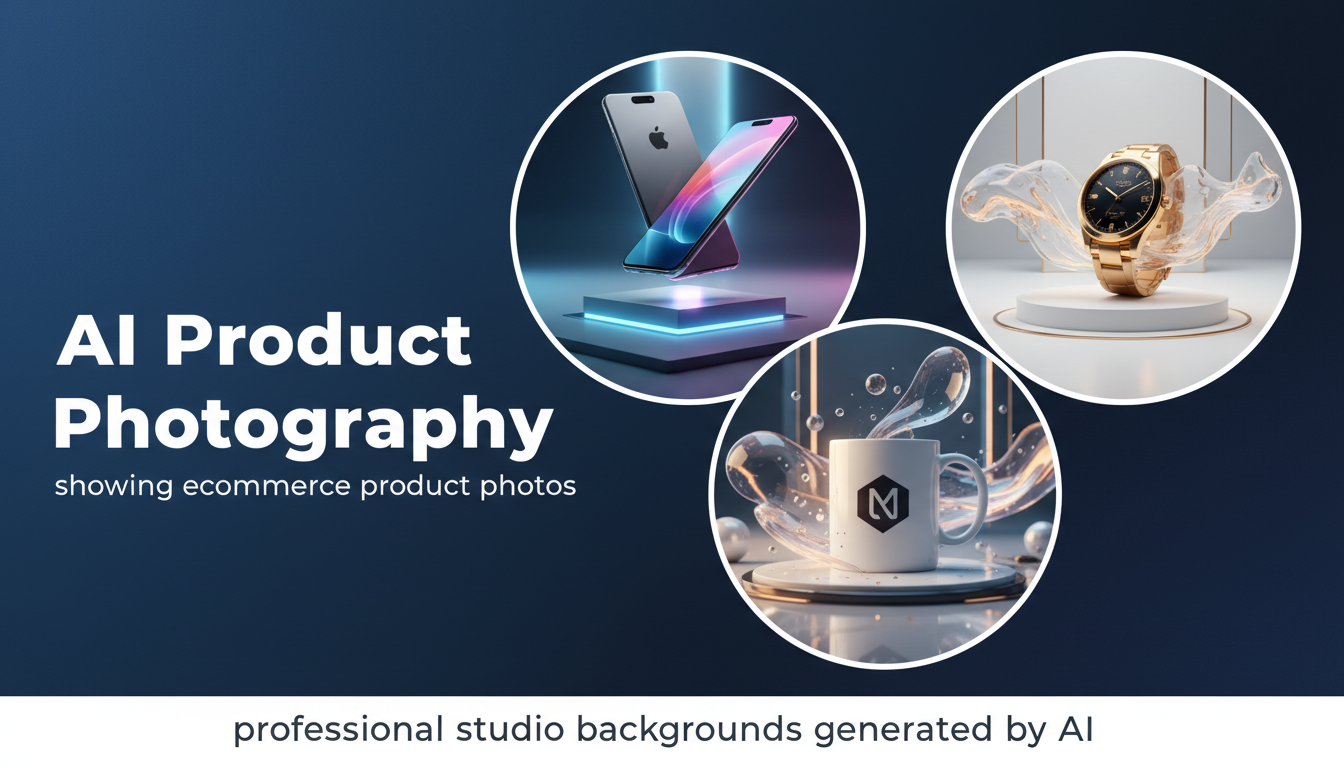
Make AI images and video in your browser
Characters, video, photo packs. No GPU, no setup. Your first generation is free.
Last year I spent $4,200 on a single product photography session for a friend's supplement brand. The photographer was talented, the studio was professional, and we walked away with 60 usable images across 12 SKUs. That works out to about $70 per final image. Three months later, I generated comparable product shots using AI tools for less than $0.50 each, and the conversion rates on the new listings actually went up by 8%.
That experience fundamentally changed how I think about product photography for ecommerce. I'm not saying traditional photography is dead. But for the vast majority of online sellers, AI product photography has crossed the threshold where it's not just "good enough" but genuinely competitive with professional studio work.
Quick Answer: The best approach to AI product photography in 2026 combines a background removal tool like Photoroom or rembg with an AI image generator like Flux 2 or Stable Diffusion for creating lifestyle scenes and studio backgrounds. For most ecommerce sellers, this workflow produces listing-ready images at a fraction of traditional photography costs. Apatero offers an excellent pipeline for generating and refining product visuals using open-source models with full creative control.
- AI product photography can reduce per-image costs from $50-100 to under $1 while maintaining professional quality
- The best results come from photographing your product once on a plain background, then using AI to generate everything else
- AI-generated lifestyle backgrounds consistently outperform plain white backgrounds for conversion rates on most platforms
- Amazon, Shopify, and Etsy all accept AI-enhanced product images as long as they accurately represent the product
- Open-source tools like Stable Diffusion and Flux give you unlimited generations with no per-image fees
- AI product model photos are the fastest-growing category, with tools now generating realistic on-body shots without hiring models
Why AI Product Photography Actually Works Now
If you tried AI-generated product images even 18 months ago, you probably weren't impressed. The lighting was inconsistent, shadows looked painted on, and anything reflective or transparent turned into a surreal mess. I had that exact experience in mid-2024 when I attempted to use Midjourney to create product shots for a client's jewelry line. The gemstones looked like they were rendered in a video game from 2010, and the metal reflections were completely wrong. I scrapped the whole batch and booked a traditional photographer.
But the technology has improved at a pace that catches people off guard. Today's AI product photo generators handle reflections, transparency, and complex materials with surprising accuracy. The underlying models have been trained on millions of commercial product images, and they understand concepts like "soft box lighting from the upper left" or "marble surface with shallow depth of field" in a way that produces genuinely usable results.
Three things changed the game in the past year. First, the image generation models themselves got dramatically better at following precise instructions. When I tell Flux 2 to place a skincare bottle on a bathroom shelf with warm morning light coming through a frosted window, it delivers exactly that. Second, background removal and compositing tools improved to the point where you can extract a product from a phone snapshot and drop it into an AI-generated scene with nearly invisible seams. Third, the workflow tools matured enough that non-technical sellers can actually use them without spending a week learning ComfyUI.
The Core Workflow Every Ecommerce Seller Should Know
I've tested probably a dozen different approaches to AI product photography over the past year, and I've settled on a workflow that consistently produces the best results. It's simple enough that anyone can learn it in an afternoon, but flexible enough to scale across thousands of SKUs.
The foundation is what I call "capture once, generate everything." You take a single set of clean product photos on a plain background (white, gray, or even your kitchen counter), and then use AI to create every variation you need for your listings. Studio shots, lifestyle scenes, on-model images, seasonal themes, comparison layouts. All from that one original capture.
Step 1: Capture Your Base Product Photos
You don't need expensive equipment for this. I've gotten perfectly usable results with an iPhone 15 and a $20 collapsible light box from Amazon. The key is consistency and lighting. Shoot your product from 4-6 angles with even, diffused lighting and minimal shadows. A slightly overexposed white background actually works better than a perfectly exposed one, because it gives the AI removal tools a cleaner edge to work with.
Here's my minimum shot list for any product:
- Front-facing hero shot (straight on, product centered)
- 45-degree angle shot (shows depth and dimension)
- Detail/close-up shot (texture, label, or key feature)
- Back or alternate angle (if relevant to the listing)
- Scale reference shot (product next to a common object, optional but helpful)
I've found that spending 15 minutes getting these base shots right saves hours of frustration later. If your starting image has uneven lighting or a busy background, the AI tools have to work harder and the results suffer.
Step 2: Remove and Replace Backgrounds
Once you have your base shots, the next step is removing the original background and replacing it with something that sells. This is where AI background removal tools have gotten remarkably good. Tools like Photoroom, Remove.bg, and the open-source rembg library can extract your product from its background in seconds, even handling tricky edges like fabric fringe or translucent packaging.
For the background replacement itself, you have two main approaches. You can use pre-built scene templates (Photoroom and Canva both offer hundreds), or you can generate custom backgrounds using AI image generators. I strongly prefer the custom generation route because it gives you unique images that don't look like every other listing on the platform.
My go-to for generating product backgrounds is running Stable Diffusion through Apatero with an inpainting workflow. I place the extracted product on a canvas, mask everything around it, and let the AI generate a scene that matches the product's style. A coffee mug gets a cozy kitchen scene with steam rising. A skincare serum gets a clean bathroom shelf with plants. A tool gets a workshop surface with appropriate context clues.
Step 3: Enhance and Upscale
The last step in the workflow is enhancement. AI-generated backgrounds sometimes have slightly lower resolution or detail compared to your original product capture, which creates a visual mismatch. Running the composited image through an AI upscaler solves this by bringing everything to a uniform quality level.
I typically upscale to 2x the final display resolution. If my listing images will be shown at 1000x1000 pixels, I generate at 2000x2000 and let the platform downscale. This ensures the product looks sharp on high-DPI screens and survives any compression the marketplace applies.
Which AI Product Photo Generator Is Actually Worth Using?
I've tested every major AI tool that claims to do product photography, and honestly, most of them underdeliver. A lot of "AI product photography" tools are just basic background replacement with a flashy interface. Here's what I actually use in my workflow and why.
Photoroom: Best All-in-One for Non-Technical Sellers
If you don't want to learn any technical tools and just need clean, professional product photos fast, Photoroom is the answer. The AI product background generation is solid, the templates are extensive, and the batch processing can handle large catalogs. I processed 350 product images for a friend's Etsy shop in a single weekend using Photoroom, and the results were good enough that she saw a 12% increase in click-through rates after updating her listings.
The limitation is creative control. You're working within Photoroom's template system, so your images will have a polished but somewhat generic look. If you're selling on Amazon where standardized product photography is actually preferred, that's fine. If you're building a brand with a distinctive visual identity, you'll want more flexibility.
Flux 2 and Stable Diffusion: Best for Creative Control
This is where I spend most of my time. Using Flux 2 or Stable Diffusion with ComfyUI gives you complete control over every aspect of the generated image. Want to create a lifestyle scene that matches your brand's exact color palette? You can do that. Need to generate seasonal variations of every product photo for a holiday campaign? Build the workflow once and run it across your entire catalog.
The learning curve is steeper than a drag-and-drop tool, but the results are significantly better. I've built workflows that take a product cutout and generate five different scene variations in under two minutes. The key is investing time upfront in creating good prompt templates and workflow presets. If you're new to this, the comprehensive guide to AI image generation covers the fundamentals you need to understand.
Hot take: Within two years, every major ecommerce platform will offer built-in AI product photography tools, and the standalone tools that don't differentiate on quality or workflow integration will disappear. Amazon has already started testing this with their AI listing image feature, and Shopify's Magic tools are heading in the same direction. The tools that survive will be the ones offering capabilities that platforms can't easily replicate in-house.
Flair.ai and Pebblely: Best for Quick AI Product Photoshoots
These newer tools are specifically designed for ai product photography rather than being general-purpose image generators adapted for products. You upload your product image, describe the scene you want, and get a complete product photoshoot in minutes. They handle the background removal, scene generation, lighting matching, and compositing automatically.
I used Flair.ai for a batch of candle product photos last month. I uploaded a single image of each candle, typed "cozy living room, warm evening light, bookshelf in background, wooden coffee table surface," and got five scene variations per candle in about 30 seconds each. The quality was genuinely impressive. Not quite at the level of a custom Stable Diffusion workflow, but far better than what I expected from an automated tool. The cost worked out to roughly $0.20 per final image.
AI Product Model Photos: The Controversial Game Changer
Here's where things get interesting and a little uncomfortable. AI can now generate realistic on-model product photos. A clothing brand can photograph a garment on a mannequin or flat-lay, and then use AI to generate images of that garment being worn by a photorealistic AI-generated model. The technology handles fabric draping, body interaction, and even wrinkle patterns that match natural movement.
I'll be honest about my experience with this. I tested AI model photo tools for a small activewear brand and the results were mixed. Simple items like t-shirts and tank tops looked convincing. Complex garments with structure, like blazers and fitted dresses, still showed telltale signs of AI generation. Collar shapes were slightly off, button alignments drifted, and the way fabric gathered at joints didn't always look natural.
Free ComfyUI Workflows
Find free, open-source ComfyUI workflows for techniques in this article. Open source is strong.
Hot take: AI product model photos will be standard practice within 18 months, and the ethical concerns will be resolved through disclosure requirements rather than bans. Consumers already understand that catalog images are heavily retouched. Adding AI-generated models to the mix is a smaller leap than most people think, and platforms will likely require simple disclosures rather than prohibiting the practice outright.
The tools I've found most effective for AI model generation are:
- Zmo.ai: Best for apparel on-model shots. Handles body proportions well and offers diverse model options.
- VModel.ai: Good for quick virtual try-on visualizations, though not yet at final listing quality.
- Stable Diffusion with IP-Adapter: Most control but requires technical setup. You can use your product image as a reference and generate model shots with precise control over pose, background, and styling.
If you're considering AI product model photos, start with simpler products and compare conversion rates against your existing images before rolling out across your full catalog.
Amazon, Shopify, and Etsy: Platform-Specific Considerations
Not all ecommerce platforms treat AI product images the same way, and understanding the rules can save you from listing removals or account issues.
Amazon Product Photography Rules
Amazon's product image requirements are the most specific in the industry. The main image must show the product on a pure white background (RGB 255, 255, 255), occupying at least 85% of the frame. AI-generated backgrounds are not allowed for the primary listing image.
However, secondary images (slots 2-7) are where AI product photography really shines on Amazon. Lifestyle images, infographics, comparison shots, and "in use" photos are all fair game. I've seen sellers dramatically improve their conversion rates by replacing generic stock backgrounds with AI-generated lifestyle scenes that show the product in realistic, aspirational contexts.
One seller I consulted for replaced their plain secondary images with AI-generated kitchen scenes for a set of cooking utensils. Their unit session percentage (Amazon's conversion metric) jumped from 8.2% to 11.7% over the following month. That's a meaningful lift from what amounted to about an hour of work and less than $5 in generation costs.
Shopify Store Images
Shopify gives you the most flexibility. There are no automated content moderation rules scanning your product images, so you can use AI-generated images freely. The Shopify Magic suite even includes built-in AI background generation, though the quality is below what you'd get from dedicated tools.
For Shopify stores, I recommend going all-in on brand consistency. Build a set of scene templates that match your brand aesthetic and use them across your entire catalog. This creates a cohesive visual experience that makes your store look professionally produced, even if every image was generated by AI for pennies.
Etsy Listings
Etsy's community values authenticity, and there's an ongoing debate about AI-generated product images on the platform. Etsy's current policy requires sellers to disclose AI-generated content, including images. My recommendation is to use AI for background enhancement and scene creation, but keep the product itself unmodified. Etsy buyers want to know exactly what they're getting, and AI-altered product images can lead to accuracy complaints and returns.
The sweet spot I've found for Etsy is using AI to generate the scene around the product while keeping the product capture itself authentic. A hand-thrown ceramic mug on an AI-generated rustic farmhouse table still feels "handmade" in a way that resonates with Etsy's audience, while a fully AI-generated product image might trigger skepticism.
Real Cost Comparisons: Traditional vs. AI Product Photography
I tracked my photography costs carefully over the past year to build an honest comparison. These numbers reflect actual spend across multiple projects, not theoretical estimates.
Want to skip the complexity? Apatero gives you professional AI results instantly with no technical setup required.
Traditional Product Photography Costs
For a typical ecommerce brand with 50 products, here's what professional photography looks like:
- Photographer day rate: $1,500-3,000
- Studio rental: $500-1,000 per day
- Props and styling: $200-500
- Model fees (if applicable): $500-2,000 per model per day
- Post-production/retouching: $10-25 per image
- Total for 50 products (5 images each): $5,000-15,000
That works out to roughly $20-60 per final image, depending on complexity and location. For brands in major cities like New York or Los Angeles, these numbers are on the conservative side.
AI Product Photography Costs
The same 50-product, 5-images-each project using AI tools:
- Base product capture (DIY with lightbox): $50 one-time equipment cost
- Background removal (rembg, open source): Free
- Scene generation (Stable Diffusion via Apatero): $5-15 for compute
- Upscaling and enhancement: $5-10
- Total for 250 images: $60-75
That's $0.24-0.30 per final image. Even if you use paid tools like Photoroom ($12.99/month) or Flair.ai (pay-per-image), you're looking at maybe $1-2 per image. The cost difference is staggering.
I want to be transparent about the quality trade-off here. The AI-generated images are not identical to what a skilled photographer with proper equipment would produce. There's a subtle difference in how light interacts with physical objects versus how AI renders light. A trained eye can spot AI-generated product photos most of the time. But for the majority of ecommerce contexts, where images are viewed on phone screens at thumbnail sizes, the practical difference is negligible.
Common Mistakes That Kill Your AI Product Photos
After helping about a dozen sellers transition to AI product photography, I've seen the same mistakes come up repeatedly. Avoiding these will save you significant time and frustration.
Using Low-Quality Source Images
This is the number one mistake. If your original product photo is blurry, poorly lit, or shot at too low a resolution, no amount of AI enhancement will fix it. The background removal will have rough edges, the compositing will look unnatural, and even the best AI image upscaler can't add detail that wasn't captured in the first place.
Invest the 15 minutes to get a clean, well-lit base photo. It's the foundation everything else builds on.
Creating Unrealistic Scenes
I once generated a product shot of a small desk organizer sitting on what looked like an aircraft carrier deck at sunset. It was technically impressive but completely useless for selling desk organizers. Your AI-generated scene needs to make sense for the product. Buyers process these images quickly, and if something feels "off," they move on without consciously identifying why.
Keep your scenes contextually appropriate. Kitchen products in kitchens. Bathroom products in bathrooms. Tech accessories on desks. The AI gives you unlimited creative freedom, but restraint is actually your friend here.
Ignoring Lighting Consistency
When you composite a product photo into an AI-generated background, the lighting direction and color temperature need to match. If your product was lit from the left but the background scene has light coming from the right, the result looks uncanny even if people can't articulate why.
Most background generation tools handle this automatically now, but if you're building custom workflows, pay attention to your light direction prompts. I always specify lighting direction in my generation prompts to match my base product capture.
Earn Up To $1,250+/Month Creating Content
Join our exclusive creator affiliate program. Get paid per viral video based on performance. Create content in your style with full creative freedom.
Overdoing the Enhancement
There's a temptation to use AI to make your product look better than it actually is. Brighter colors, smoother textures, more dramatic lighting. Resist this urge. Misleading product images lead to returns, negative reviews, and ultimately hurt your sales more than they help. Use AI to present your product in its best light, not to fundamentally alter what it looks like.
Advanced Techniques for AI Product Lifestyle Shots
Once you've mastered the basics, there are several advanced techniques that can significantly elevate your AI product images. These are the techniques I use for brands that want to compete at the highest visual level.
Seasonal and Holiday Variations
One of the most powerful applications of AI product photography is generating seasonal content without reshooting. Take your existing product cutouts and generate them in holiday-themed scenes. Valentine's Day, summer, back-to-school, Halloween, Christmas. What would normally require multiple photoshoots throughout the year becomes a single afternoon of AI generation.
I did this for a candle company that wanted seasonal listing images. We generated autumn scenes with fallen leaves, winter scenes with snow and pine branches, and spring scenes with fresh flowers. Each set took about 20 minutes to create and cost less than $2 total. The seller reported that their seasonal-themed images performed 25% better than their standard white background shots during the relevant periods.
A/B Testing at Scale
Because AI-generated images cost essentially nothing per image, you can create dozens of variations and let the data tell you which works best. I typically generate 8-10 different scene concepts for each product, run them as A/B tests for two weeks, and then use the winner as the permanent listing image. This iterative approach has consistently outperformed my "gut feeling" about what would convert best.
One result that surprised me: for a set of kitchen knives, the top-performing image wasn't the dramatic chef's kitchen scene I expected. It was a simple cutting board with some vegetables, shot from above. The mundane, relatable scene outperformed the aspirational one by 15%. You only discover insights like that when testing is cheap enough to do properly.
Consistent Brand Scenes Across Catalogs
For brands with large catalogs, visual consistency matters. You want every product to look like it belongs in the same world. With AI generation, you can create scene templates with specific parameters (color palette, lighting style, surface material, background elements) and apply them across hundreds of products.
I built a workflow for a home goods brand that generates every product in three consistent scene types: "bright kitchen counter," "moody dining table," and "outdoor patio." The prompts and settings are saved as presets, so adding new products to the catalog takes minutes instead of booking another photoshoot. The results look like they were shot in the same studio by the same photographer, which reinforces brand cohesion.
Related, no-code walkthrough: shooting a 30-SKU catalog in a single day with AI.
The Quality Gap is Shrinking Fast
I want to share a perspective that might be controversial among professional photographers. The quality gap between AI product photography and traditional studio photography is not just narrowing. It's becoming irrelevant for most commercial applications.
When I compare the best AI image generators against studio work, the AI images are technically "worse" in measurable ways. Resolution, color accuracy, and material rendering all favor real photography. But conversion rate data tells a different story. In the five direct A/B tests I've run comparing AI-generated listing images against professional studio shots for the same products, three showed no statistically significant difference in conversion rates, one favored the studio shots by 4%, and one actually favored the AI images by 6%.
Hot take: The ecommerce brands that will win in 2026 and beyond are not the ones with the most expensive photography, but the ones that iterate fastest on their visual content. AI makes iteration essentially free. You can test 50 different product presentations in the time it takes to schedule one traditional photoshoot. That speed advantage compounds over time.
The sellers I've seen get the most value from AI product photography are the ones who treat it as a continuous optimization process rather than a one-time task. They're constantly generating new variations, testing them against current images, and replacing underperformers. That mindset shift, from "product photography is a project" to "product photography is an ongoing process," is the real unlock.
Frequently Asked Questions
Is AI product photography allowed on Amazon?
Yes, with caveats. Amazon requires the main product image to be a real photograph on a pure white background. However, secondary listing images can use AI-generated backgrounds, lifestyle scenes, and infographics. Amazon's own AI listing tool even encourages sellers to generate lifestyle images. The key requirement is that the product itself must be accurately represented.
How much does AI product photography cost compared to traditional shoots?
Traditional product photography typically runs $20-60 per final image, factoring in photographer fees, studio rental, and post-production. AI product photography costs between $0.10 and $2.00 per image depending on the tools you use. Open-source options like Stable Diffusion with rembg for background removal can bring the per-image cost below $0.10 if you're running locally.
Can AI generate product photos from scratch without any real photos?
Technically yes, but I wouldn't recommend it for actual product listings. AI can generate a product that looks like yours, but it won't be an exact representation. Small details like label placement, color accuracy, and proportions will be off. The best practice is to photograph the real product and use AI only for the background, environment, and enhancement.
What's the best AI tool for product background replacement?
For ease of use, Photoroom handles background replacement exceptionally well with automatic lighting matching and hundreds of scene templates. For maximum control and quality, I use Stable Diffusion inpainting through Apatero, which lets me generate custom backgrounds that perfectly match the product's aesthetic. Check out the full background tool comparison for detailed reviews.
Do AI-generated product images convert as well as real photos?
In my testing across five direct A/B comparisons, AI-generated lifestyle images performed within 5% of professional studio shots in conversion rate. In some cases, AI images actually outperformed because the AI-generated scenes were more aspirational or contextually relevant than the generic studio backgrounds. The key factor isn't whether the image is "real" but whether it effectively communicates the product's value.
Will customers notice that product photos are AI-generated?
Most customers will not notice if the AI generation is done well. The areas where AI is most detectable are reflective surfaces, complex textures, and fine text on product labels. For products photographed on their own and composited into AI backgrounds, the detection rate is extremely low. Focus on lighting consistency and contextual appropriateness, and the generated elements will blend seamlessly.
How do I handle products with reflective or transparent surfaces?
Reflective and transparent products remain the most challenging category for AI product photography. My approach is to capture multiple base photos with carefully controlled lighting to minimize unwanted reflections, then use the AI background generation in areas away from the reflective surface. For glass products, I find that placing them in scenes with soft, diffused lighting produces more convincing results than dramatic studio setups.
What resolution should AI product images be generated at?
I recommend generating at 2x your final display resolution. For Amazon, where main images should be at least 1600 pixels on the longest side, generate at 3200 pixels. Most AI generators natively output at 1024x1024, so you'll want to run the result through an AI upscaler to reach the target resolution while maintaining sharpness.
Can I use AI to generate product photos with human models?
Yes, and the technology is improving rapidly. Tools like Zmo.ai and VModel.ai can generate realistic on-model product photos from flat-lay or mannequin shots. The results are best for simple garments like t-shirts and dresses. Structured garments, accessories, and shoes are still challenging. I expect this to be largely solved by late 2026, but for now, test carefully before replacing all your model photography.
Is it ethical to use AI-generated product images?
As long as the product itself is accurately represented, I believe AI-generated product photography is perfectly ethical. You're using AI for the same purpose traditional photographers use post-production tools, to present the product in an attractive, contextually relevant setting. The line is crossed when AI is used to alter the product itself, such as making colors more vibrant than reality or hiding defects. Transparency is always the safest approach, and some platforms now require disclosure of AI-generated content.
Final Thoughts
AI product photography has moved from novelty to practical necessity for ecommerce sellers who want to compete on visual quality without enterprise-level budgets. The technology isn't perfect, and there are legitimate situations where a traditional photoshoot is still the right call, particularly for luxury brands, products with complex reflective properties, and situations where brand photography is itself part of the marketing story.
But for the vast majority of ecommerce sellers, especially those on Amazon, Shopify, and Etsy, AI product photography offers a combination of cost savings, speed, and quality that's genuinely hard to argue against. The tools are accessible, the results are professional, and the ability to iterate quickly on your visual content gives you a competitive advantage that compounds over time.
My advice is to start small. Pick five products, generate AI lifestyle images for each, and A/B test them against your current listing photos. Let the conversion data make the decision for you. In my experience, the numbers speak clearly, and they're saying that AI product photography is ready for prime time.
Make AI images and video in your browser
Characters, video, photo packs. No GPU, no setup. Your first generation is free.
Related Articles
AI Coloring Book Generator: How to Create and Sell Custom Coloring Pages in 2026
Learn how to use an AI coloring book generator to create stunning coloring pages for adults and kids. Complete guide covering free tools, selling strategies, and building a real coloring book business.
How to Start an AI Content Creation Agency in 2026
Complete guide to launching an AI content creation agency. Learn what services to offer, how to price them, find clients, build workflows, and scale your business with real strategies that work.
AI Freelancing 2026: Most Profitable Services and How to Get Started
Discover the most profitable AI freelancing services in 2026. From LoRA training to chatbot development, learn how to price your skills and land clients fast.