AI Coloring Book Generator: How to Create and Sell Custom Coloring Pages in 2026
Learn how to use an AI coloring book generator to create stunning coloring pages for adults and kids. Complete guide covering free tools, selling strategies, and building a real coloring book business.
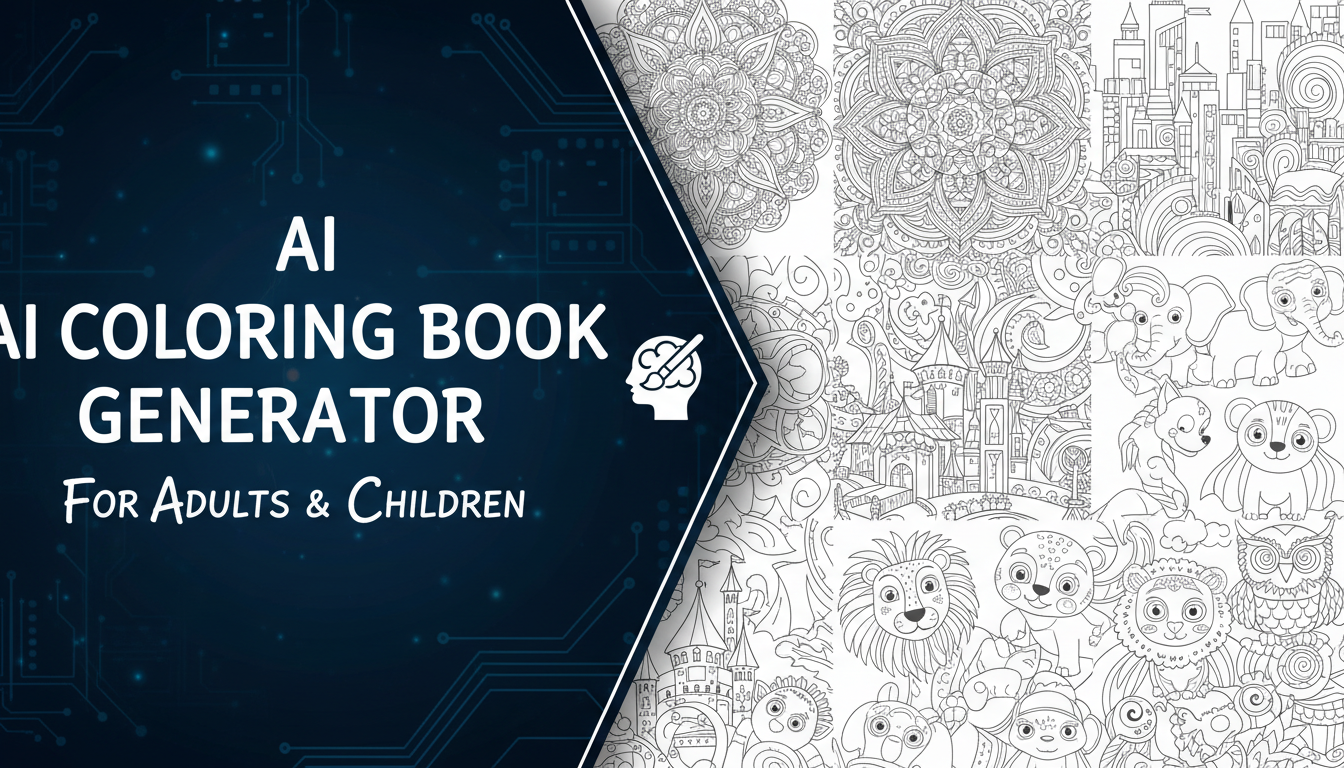
Make AI images and video in your browser
Characters, video, photo packs. No GPU, no setup. Your first generation is free.
Last November I was browsing Amazon's bestseller charts for KDP books and something caught my eye. Five of the top twenty books in the "Activity Books" category were coloring books, and at least three of them had that unmistakable AI-generated look. Clean line art, perfectly symmetrical mandalas, oddly consistent shading patterns. I pulled one up and within thirty seconds I knew the pages had been made with an ai coloring book generator. The book had over 2,000 reviews and was earning its creator an estimated $4,000 per month. That discovery sent me down a rabbit hole I have not climbed out of since.
Quick Answer: An AI coloring book generator uses text-to-image models or specialized line-art tools to create printable coloring pages in minutes. The best options in 2026 include Midjourney with coloring page prompts, Leonardo AI's line art mode, and dedicated platforms like Coloring Book Wizard. You can create a full 50-page coloring book in a single afternoon and sell it on Amazon KDP, Etsy, or your own storefront for passive income with essentially zero marginal cost per unit.
- AI coloring book generators can produce print-ready pages in under 60 seconds per image
- The coloring book market on Amazon KDP alone generates over $400 million annually, and AI tools have lowered the barrier to entry dramatically
- Free tools exist but paid generators (under $30/month) produce significantly cleaner line art
- The real money is in niches. Generic "adult mandala" books face brutal competition, while targeted themes dominate
- Photo to coloring page AI conversion opens up personalized coloring books as a premium product
- Quality control matters more than quantity. One well-made book outperforms ten rushed ones
- You can build a legitimate side business generating $500 to $5,000/month with the right niche and marketing approach
Why Coloring Books Are Still a Goldmine in 2026
If someone told you that coloring books for adults would be a multi-billion dollar market in 2026, you might have laughed a few years ago. But the numbers do not lie. The adult coloring book market was valued at over $1.2 billion globally in 2025, and projections for 2026 put it closer to $1.5 billion. The pandemic-era stress relief trend never actually went away. It just matured into a sustained consumer habit.
What changed is the supply side. Before AI tools became accessible, creating a coloring book required either genuine artistic talent or the budget to hire an illustrator. A 50-page book with original art could cost anywhere from $500 to $2,000 in illustration fees alone. That priced out most solo entrepreneurs and hobbyists. Now, with a capable ai coloring book generator, the same 50-page book costs you nothing beyond a monthly tool subscription (often under $30) and a few hours of your time.
I published my first AI-assisted coloring book in January of this year. It was a niche book focused on vintage motorcycles, targeting a very specific audience of motorcycle enthusiasts who also enjoy meditative activities. Within the first month it generated $387 in royalties through Amazon KDP. Not life-changing money, but the book took me roughly six hours to create from concept to published listing. That is a pretty compelling hourly rate for work that continues to generate passive income.
Here is why the opportunity is still wide open. Most people creating AI coloring books are doing it badly. They generate 50 random images, slap them into a PDF, and wonder why sales are flat. The creators who are winning treat this like a real product business, and that gap between lazy and intentional is where the profit lives.
How AI Coloring Book Generators Actually Work
Understanding the underlying technology helps you make better creative decisions and troubleshoot issues when your output does not look right. Most ai coloring page maker tools fall into one of three categories, and each approach has distinct strengths.
Text-to-Image Models with Style Prompting
The most common approach is using general-purpose text-to-image generators like Midjourney, DALL-E 3, or Leonardo AI with prompts specifically crafted for coloring page output. You add phrases like "black and white line art," "coloring book page," "clean outlines," and "no shading" to your prompt, and the model generates images that look like traditional coloring pages.
This approach works surprisingly well for most use cases, but it requires prompt engineering skills to get consistent results. I tested this extensively for my comparison of the best AI image generators and found that Midjourney V6 and Leonardo AI produce the cleanest line art when properly prompted. The trick is being very specific about what you want and what you do not want. Telling the model "no gray areas, no gradients, no watercolor effects" is just as important as telling it what style you are after.
Dedicated Coloring Page Platforms
A newer category of tools has emerged that is purpose-built for coloring book creation. Platforms like Coloring Book Wizard, ColoringAI, and NightCafe's coloring mode use fine-tuned models trained specifically on line art and coloring page datasets. The advantage here is consistency. You do not need to wrestle with prompts to get clean output because the model already understands the format.
I have been using Coloring Book Wizard for about two months and the results are noticeably better than general-purpose generators for this specific task. The lines are cleaner, the compositions fill the page more naturally, and there are far fewer artifacts that need manual cleanup. If you are serious about building a coloring book business, investing $20 to $30/month in a dedicated tool saves you hours of post-processing work.
Photo to Coloring Page Conversion
The third approach uses AI to convert existing photographs into coloring page outlines. This is where photo to coloring page ai tools like Vectorizer.ai, Image to Coloring Page, and Picsart's coloring filter come in. You upload a photo and the tool strips away color, identifies edges, and produces a clean line drawing suitable for coloring.
This method is particularly powerful for personalized products. Imagine a parent uploading their kid's school photo and getting back a coloring page of their child. Or a pet owner turning their dog's photo into a coloring page. I tested this with a dozen photos of varying complexity and the results were mixed. Simple subjects with clear outlines (buildings, animals in profile, single flowers) converted beautifully. Complex scenes with overlapping elements or fine textures (forest landscapes, crowded street scenes) produced messy, confusing line work. Know the limitations before you promise clients personalized results.
Best AI Coloring Book Generators for 2026
After testing more than fifteen tools over the past three months, here are the ones I actually recommend. I am breaking these down by whether you want free or paid options, because budget matters when you are starting out.
Free AI Coloring Page Makers
If you want to explore ai coloring pages free before committing any money, these tools deliver solid results without opening your wallet.
Canva (Free Tier with AI)
Canva's text-to-image feature generates decent coloring pages with the right prompts. The free tier gives you limited generations per month, but it is enough to test the concept. The output quality is mid-tier. Clean enough for kids' coloring books but sometimes too simplistic for adult audiences expecting intricate designs.
Craiyon (Formerly DALL-E Mini)
Craiyon has improved dramatically since its early days and now produces passable coloring page art. The resolution is lower than paid alternatives, which means you will need to upscale for print quality. But for testing ideas and generating draft layouts, it costs nothing and requires no account.
NightCafe (Free Credits)
NightCafe gives new users a handful of free credits, and their coloring page preset is one of the better free options I have tested. The output tends to have slightly thicker lines than ideal, but the compositions are well-balanced and fill the page nicely.
For a deeper dive into free options, check out my guide to free AI image creator tools where I cover many of these platforms in detail.
Paid Tools Worth the Investment
Midjourney ($10/month Basic)
Still the gold standard for ai coloring book for adults content. The detail level, composition quality, and consistency are unmatched when you use the right prompts. My go-to prompt structure is: "black and white line art coloring book page, [subject], intricate details, clean outlines, no shading, no gray, white background, suitable for adult coloring." Midjourney handles complex subjects like architectural scenes, fantasy creatures, and detailed botanicals better than any other tool I have tested.
Leonardo AI ($12/month Apprentice)
Leonardo's dedicated line art model produces incredibly clean output that requires minimal post-processing. The real advantage here is the consistency across multiple generations. When you are building a coloring book, you want every page to feel like it belongs together, and Leonardo delivers that cohesion better than most alternatives.
Coloring Book Wizard ($24/month)
This dedicated ai coloring book creator was built specifically for this purpose, and it shows. Features include page templates pre-sized for standard book dimensions (8.5x11, 6x9), batch generation, automatic margin adjustment, and built-in quality checks that flag pages with potential print issues. If you are producing multiple books per month, this tool pays for itself in time savings alone.
Stable Diffusion (Free/Self-Hosted)
For the technically inclined, running Stable Diffusion locally with a line art LoRA gives you unlimited generations at zero marginal cost. I covered the text-to-image AI workflow extensively, and the same principles apply here. The learning curve is steeper, but the freedom and cost savings are unbeatable for high-volume production.
Creating Your First AI Coloring Book (Step by Step)
Let me walk you through the exact process I use to create a coloring book from concept to published product. This is the workflow that produced my motorcycle coloring book and three others since then.
Step 1: Niche Research and Validation
Before you generate a single image, spend time researching your niche. This step alone separates successful coloring book creators from the ones who wonder why nobody is buying.
Free ComfyUI Workflows
Find free, open-source ComfyUI workflows for techniques in this article. Open source is strong.
Open Amazon and search for coloring books in your target niche. Look at the following signals:
- Review count: Books with 50+ reviews indicate proven demand
- BSR (Best Seller Rank): Anything under 100,000 in Books is generating consistent sales
- Price range: Note what the top sellers charge (typically $6.99 to $12.99 for standard books)
- Page count: Most successful books have 30 to 50 coloring pages plus cover pages and title pages
- Gaps: Look for themes that have demand but limited supply
My hot take on niche selection: the riches are in the ultra-specific niches that nobody else is targeting. "Adult mandala coloring book" has 50,000+ competing titles. "Vintage Harley Davidson motorcycle mandala coloring book" has maybe a dozen. The second one has a passionate audience willing to pay premium prices, and far less competition. I would rather sell 200 copies with no competition than fight for 50 sales against 10,000 competitors.
Step 2: Generate Your Coloring Pages
With your niche locked in, it is time to generate pages. Here is my typical prompt structure for Midjourney, which you can adapt for other tools:
black and white line art coloring book page, [specific subject],
intricate details suitable for adult coloring, clean continuous
outlines, no shading, no gray tones, no gradients, pure white
background, symmetrical composition, high detail,
professional illustration style --ar 3:4 --style raw
For kids' coloring books (ai coloring book for kids), simplify the prompt:
simple black and white line art coloring page for children,
[cute subject], thick bold outlines, large areas to color,
simple shapes, friendly style, white background,
age-appropriate design --ar 3:4 --style raw
I typically generate 80 to 100 images for a 50-page book. Why so many? Because quality control is everything. At least 30% to 40% of generated images will have issues: incomplete lines, areas too small to color, weird artifacts, or compositions that just do not work on a printed page. Over-generating and curating is far better than trying to use every image you create.
Step 3: Post-Processing and Quality Control
This is where most AI coloring book creators cut corners, and it shows. Raw AI output almost always needs some cleanup before it is print-ready. Here is my post-processing checklist:
- Upscale to 300 DPI at your target print size. For an 8.5x11 book, that means at least 2550x3300 pixels
- Check line thickness: Lines should be at minimum 2-3 pixels wide at 300 DPI. Hair-thin lines disappear in print
- Remove gray areas: Use Photoshop's Levels or a free tool like GIMP to push all grays to pure black or pure white
- Fix broken lines: Zoom in to 200% and look for gaps in outlines. Small gaps mean color bleeds across sections
- Verify margins: Ensure no critical artwork extends into the bleed zone (typically 0.125 inches from each edge)
- Test print at least 3 pages: What looks perfect on screen sometimes reveals problems on paper
I spent about 90 minutes on post-processing for my motorcycle book. Tedious? Yes. But the difference between a book with reviews saying "beautiful, clean designs" versus "lines are blurry and some pages have weird marks" is exactly this step.
Step 4: Assemble and Format
For Amazon KDP, you need a print-ready PDF with specific dimensions. The standard sizes are:
- 8.5 x 11 inches: Most popular for adult coloring books
- 8.5 x 8.5 inches: Great for mandala and pattern books
- 6 x 9 inches: Works well for travel-sized coloring books for kids
Use Canva, Adobe InDesign, or even free tools like BookWright to arrange your pages. Include these elements:
- Front cover (you will design this separately)
- Title page
- Copyright page with your information
- Table of contents (optional but professional)
- 30 to 50 coloring pages (one design per page, back side blank to prevent bleed-through)
- A "Color Test" page where users can test their coloring supplies
- Back cover
Export as a high-resolution PDF with embedded fonts and 300 DPI minimum resolution.
Step 5: Publish and List
I primarily sell through Amazon KDP because the built-in audience is enormous, but I also list on Etsy for digital download versions. The listing optimization deserves its own section, which is coming up next.
Selling AI Coloring Books: Platforms and Strategies
Generating pretty pages is the easy part. Selling them consistently is where the real skill comes in. After publishing four coloring books and testing multiple platforms, here is what I have learned about turning an ai coloring book business into actual income.
Amazon KDP: The Volume Play
Amazon KDP remains the largest marketplace for print-on-demand coloring books. The platform handles printing, shipping, and customer service. You upload your PDF, set a price, and collect royalties on every sale. Current royalty rates for coloring books typically land between 30% and 40% of the list price after printing costs.
The keys to success on KDP are title optimization, cover design, and reviews. Your title should include the exact phrases your target audience searches for. "Vintage Motorcycle Coloring Book for Adults: 50 Detailed Line Art Designs of Classic Bikes and Choppers" hits multiple search terms while clearly communicating what the buyer gets.
Cover design is arguably more important than the interior pages. I spend more time on the cover than on any other single aspect of the book. It needs to pop in a thumbnail, clearly communicate the niche, and look professional. Use one of your best interior pages as part of the cover design, partially colored in to show what the finished product looks like.
Want to skip the complexity? Apatero gives you professional AI results instantly with no technical setup required.
Etsy: The Digital Download Advantage
Etsy is where I sell digital PDF versions of my coloring books, and honestly, the margins are better here. There are no printing costs, no shipping, and the customer gets instant delivery. I price digital coloring books at $4.99 to $7.99, and Etsy takes about 6.5% in fees. That means I keep over 90% of each sale.
The Etsy audience also tends to be more receptive to niche and custom products. Personalized coloring books (using photo to coloring page ai conversion) sell well here because Etsy buyers are conditioned to expect unique, handmade-feeling products.
I track my creative projects and revenue experiments using tools from Apatero, which helps me stay organized when managing multiple product listings across platforms. When you are juggling a dozen coloring book titles across KDP and Etsy, having a system for tracking what is selling and what needs attention makes a real difference.
Your Own Website: The Long Game
Building your own storefront through Shopify, Gumroad, or WooCommerce gives you the highest margins and the most control. You keep 95%+ of each sale (minus payment processing) and own the customer relationship for future marketing. The downside is that you need to drive your own traffic, which means learning SEO, social media marketing, or paid advertising.
My second hot take: most coloring book creators should start on Amazon KDP and Etsy, build a portfolio of 5 to 10 titles, and then launch their own site only after they have proven demand. Starting with your own site when you have zero audience is a recipe for frustration. Use the marketplaces to validate your niches and build reviews, then graduate to owned channels.
Advanced Techniques for Better Coloring Pages
Once you have the basics down, these advanced approaches will set your pages apart from the flood of generic AI coloring content.
AI Mandala Generator Workflows
Mandalas remain one of the most popular coloring book categories, and ai mandala generator tools have become remarkably sophisticated. The best approach I have found combines AI generation with manual symmetry correction. Generate half of the mandala with AI, then mirror it digitally for perfect symmetry. This produces results that are more consistent than asking the AI to create a fully symmetrical design, which it often struggles with.
For mandala-specific prompts, include terms like "radially symmetrical," "geometric mandala," "concentric circles," and "repeating patterns." Specifying the number of repetitions (like "8-fold symmetry" or "12-point mandala") helps the AI understand the exact structure you want.
Themed Collections That Sell
Single-theme coloring books consistently outsell random collections. Here are niches I have validated through research and personal sales data:
- Animals in habitats: Not just "dogs" but "dogs in gardens" or "cats in cozy rooms"
- Architectural styles: Art Deco buildings, Japanese temples, Victorian houses
- Fantasy worlds: Steampunk machinery, enchanted forests, underwater kingdoms
- Seasonal themes: Christmas villages, autumn harvest scenes, spring gardens
- Hobby-specific: Fishing scenes, baking and cooking, gardening, classic cars
- Therapeutic: Positive affirmation mandalas, stress-relief patterns, mindfulness designs
The trick with themed collections is maintaining visual consistency across all pages. If page one has thin, delicate lines and page fifteen has bold, chunky outlines, the book feels cobbled together. Stick with the same prompt structure, style keywords, and tool settings across all pages in a single book.
Custom Coloring Pages AI: The Personalization Premium
Custom coloring pages ai tools open up a premium product category that generic coloring books cannot touch. Parents will pay $20 to $40 for a personalized coloring book featuring their child's name, their pet, or their family photos converted to coloring pages. This is a service business model rather than a passive product business, but the per-unit revenue is significantly higher.
I tested offering personalized coloring books through a simple Etsy listing that said "Custom Coloring Book: Send Your Photos." Within two weeks I had five orders at $29.99 each. The production time was about 45 minutes per book (photo conversion, cleanup, assembly, and delivery). That works out to roughly $200 per hour of active work. Not bad at all.
To handle photo conversions well, you need to understand which photos work and which do not. I detailed the fundamentals of working with AI image tools in my guide to AI for visual creation, and those same principles apply here. High contrast photos with clear subjects convert best. Busy backgrounds and low-light shots produce messy results that require extensive manual cleanup.
Common Mistakes to Avoid
I have made most of these mistakes myself, which is how I know they are common. Save yourself the trouble and learn from my failures.
Earn Up To $1,250+/Month Creating Content
Join our exclusive creator affiliate program. Get paid per viral video based on performance. Create content in your style with full creative freedom.
Mistake 1: Ignoring Print Quality
What looks beautiful on your 4K monitor can look terrible on paper. Low-resolution images, thin lines, and subtle gray tones all become problems when ink hits paper. Always do test prints before publishing. I learned this the hard way when my first batch of test prints from a book came back with several pages where fine details had turned into muddy blobs. The fix was regenerating those pages with thicker lines and higher contrast, but I wish I had caught it before uploading to KDP.
Mistake 2: Over-Saturating a Niche
If you see a niche with 50 competitors already doing well, your instinct might be to jump in. But entering a saturated niche means competing on price, and coloring books already have thin margins. Instead, find the adjacent niche that nobody is serving yet. "Cat coloring book" is saturated. "Cats wearing historical costumes coloring book" probably has zero competition and a built-in audience of cat lovers who also enjoy history.
Mistake 3: Skipping the Cover
Your cover is your single most important marketing asset. It is the first thing potential buyers see in search results, and at thumbnail size, it needs to communicate your niche instantly. I see AI coloring book creators spend hours on interior pages and then throw together a cover in five minutes. That is backwards. Spend real time on your cover design, or hire someone on Fiverr for $20 to $50 to make it look professional.
Mistake 4: Not Building a Brand
Creating ten unrelated coloring books under ten different pen names means starting from zero with every launch. Building a recognizable brand in a specific niche (like "Wilderness Coloring Co." for nature-themed books) creates compound returns. Buyers who enjoyed your first book will look for your other titles. Reviews and ratings build trust over time. I use Apatero to keep my brand strategy organized and track which themes and styles resonate most with my audience.
Mistake 5: Treating It Like a Get-Rich-Quick Scheme
My final hot take: the AI coloring book gold rush of 2024-2025 is over, and that is actually great news for serious creators. The low-effort, spam-quality books are getting buried by Amazon's algorithm updates. What remains is a legitimate market for well-made products. If you approach this as a craft rather than a scheme, the opportunity is better now than it was during the rush because your quality competition has thinned out.
Printable AI Coloring Pages: Technical Specifications
Getting the technical details right is the difference between a professional product and an amateur one. Here are the specifications I follow for every book.
Resolution and DPI
Print-on-demand services require a minimum of 300 DPI. For coloring books, I recommend working at 600 DPI when possible because line art benefits from higher resolution more than photographic content does. At 300 DPI, thin lines can appear slightly jagged. At 600 DPI, everything looks crisp and clean.
Most AI generators output images at 1024x1024 or 1536x1536 pixels. For an 8.5x11 inch page at 300 DPI, you need 2550x3300 pixels minimum. This means upscaling is almost always required. Tools like Topaz Gigapixel AI, Real-ESRGAN, or Magnific handle upscaling well without introducing artifacts into line art.
Color Mode and File Format
Always work in CMYK color mode if your final output is print. AI generators output in RGB, so you will need to convert. For black and white coloring pages, this conversion is straightforward. Just make sure your "black" is true CMYK black (C:0 M:0 Y:0 K:100) rather than a rich black blend, which can cause registration issues on cheaper printers.
Save your final pages as PDF/X-1a for maximum print compatibility. This format flattens everything, embeds fonts (if any), and ensures consistent output across different printing systems.
Page Layout and Margins
For Amazon KDP coloring books, the interior margins are:
- Outside margin: 0.25 inches minimum
- Inside margin (gutter): 0.375 inches minimum for books under 100 pages, 0.75 inches for books over 100 pages
- Bleed: 0.125 inches on all sides if your design extends to the page edge
I typically keep my coloring page artwork within a safe zone of 0.5 inches from all edges. This ensures nothing critical gets cut off during trimming and the design has breathing room on the page.
Building an AI Coloring Book Business That Lasts
The creators who build sustainable income from ai coloring book business models share some common traits. They think long-term, they treat their output as a brand rather than a commodity, and they continuously improve based on customer feedback.
Revenue Expectations
Let me be honest about the numbers because there is too much hype out there. Based on my own experience and conversations with other creators in this space, here is what realistic monthly revenue looks like at different stages:
- Beginner (1-3 books): $50 to $300/month. Your first few books are learning experiences. Some will flop. That is normal.
- Intermediate (5-10 books): $300 to $1,500/month. By now you understand your niche and your quality is consistently good.
- Advanced (15+ books with brand): $1,500 to $5,000+/month. You have built a recognizable brand, accumulated reviews, and your backlist generates steady passive income.
These numbers assume you are continuously optimizing listings, responding to market trends, and maintaining quality. Publishing ten books and then walking away will generate declining income as your listings get buried.
Scaling with Systems
When you get serious about scaling, you need systems. I batch my coloring book production into weekly sprints. Monday is research and concept development. Tuesday and Wednesday are generation and curation. Thursday is post-processing and assembly. Friday is listing optimization and publishing. This rhythm lets me produce one to two complete books per week without burning out.
Using Apatero for project management has been a game-changer for my workflow. I track each book through its production stages, monitor sales data across platforms, and maintain a running list of niche ideas with their competition levels and estimated demand. When you are managing twenty or more titles, you need this kind of organizational backbone.
Staying Within Legal and Ethical Boundaries
This is important and too many guides gloss over it. When using an AI coloring book generator, make sure you understand:
- Copyright: AI-generated images are generally not copyrightable in the US under current rulings, but the compilation (your selection and arrangement of pages) may be protected. Check the latest guidance from the US Copyright Office as this area of law is evolving rapidly.
- Platform terms: Amazon KDP updated its policies in 2024 to require disclosure of AI-generated content. Make sure you comply with current KDP content guidelines to avoid having your listings removed.
- Trademark issues: Do not use trademarked characters, logos, or brand names in your coloring books. "Disney Princess Coloring Book" will get you a cease-and-desist letter. "Fantasy Princess Coloring Book" is fine.
- Quality standards: Just because AI makes it fast does not mean you should publish garbage. Low-quality books generate negative reviews that tank your seller reputation across all your titles.
Frequently Asked Questions
What is the best AI coloring book generator for beginners?
For absolute beginners, I recommend starting with Leonardo AI's free tier. It produces cleaner line art than most competitors, the interface is intuitive, and the free credits are generous enough to create a complete short coloring book. Once you have validated your concept, upgrade to Midjourney or Coloring Book Wizard for production-quality output.
Can I sell AI-generated coloring books legally?
Yes, you can sell coloring books created with AI generators on platforms like Amazon KDP and Etsy. However, you must disclose AI involvement per Amazon's current content policies. The images themselves may not be individually copyrightable, but your curation, arrangement, and brand presentation create a product with commercial value. Always check the specific terms of service for your AI tool to confirm commercial use rights.
How much money can you realistically make selling AI coloring books?
Based on my experience and industry benchmarks, a single well-made coloring book in a proven niche typically generates $50 to $200 per month on Amazon KDP. Building a portfolio of 10+ books in related niches can generate $500 to $2,000+ monthly. Top creators with established brands and 20+ titles report $5,000+ per month, but that level requires consistent effort, marketing knowledge, and continuous product development.
What is the difference between AI coloring books for adults and kids?
AI coloring book for adults content features intricate details, complex patterns, small coloring areas, and sophisticated themes (architecture, nature, abstract art). AI coloring book for kids pages use thicker outlines, larger coloring areas, simpler shapes, and age-appropriate subjects (animals, vehicles, cartoons). The prompt engineering is different for each audience. Adult pages need "intricate, detailed, fine lines" while kids' pages need "simple, bold outlines, large areas."
How do I convert a photo to a coloring page using AI?
Upload your photo to a photo to coloring page ai tool like Vectorizer.ai, the Colorscape app, or use Photoshop's built-in edge detection with AI enhancement. The tool traces edges, removes color information, and produces a black-and-white line drawing. Best results come from high-contrast photos with clear subjects against simple backgrounds. Complex scenes with multiple overlapping elements tend to produce confusing coloring pages.
Are there free AI coloring page generators that are actually good?
Several free options produce usable results. Craiyon generates basic coloring pages at no cost. Canva's free tier includes limited AI generations that work for simple coloring pages. NightCafe offers new users free credits. The quality gap between free and paid tools is real though. Free tools often produce thinner lines, less consistent styles, and lower resolutions that require more post-processing work.
How many pages should an AI coloring book have?
The sweet spot for Amazon KDP coloring books is 30 to 50 coloring pages. This provides enough content to justify a $6.99 to $9.99 price point while keeping printing costs manageable. Each coloring page should be on a right-hand page with the left-hand page left blank (to prevent marker bleed-through), so a 50-page coloring book actually has about 100 total pages. Premium or hardcover books can go up to 80 to 100 coloring pages.
Can I use AI mandalas in my coloring books?
Absolutely. AI mandala generator tools are excellent for creating mandala coloring pages. The key challenge is achieving perfect symmetry, which current AI models still struggle with. My recommended workflow is generating a half or quarter section with AI, then using Photoshop or Illustrator to mirror and rotate it into a perfectly symmetrical mandala. This hybrid approach produces results that look hand-drawn while leveraging AI for the creative heavy lifting.
What file format do I need for Amazon KDP coloring books?
Amazon KDP accepts PDF files for interior pages. Your PDF should be 300 DPI minimum (600 DPI recommended for line art), CMYK color mode, and formatted to your chosen trim size with proper margins and bleed. The cover file is uploaded separately as a PDF or JPEG. Use KDP's cover calculator tool to generate a template with the correct spine width based on your page count and paper type.
How do I make my AI coloring book stand out from competitors?
Focus on three things. First, choose a specific niche rather than competing in broad categories. Second, invest time in a professional cover design that communicates your niche instantly at thumbnail size. Third, maintain consistent quality and style across all pages. Beyond these fundamentals, consider adding bonus content like color palettes, coloring tips, or themed prompts on the blank back pages. Engaging product descriptions and strategic keyword optimization in your listing also make a significant difference in discoverability.
Final Thoughts
The AI coloring book space in 2026 is mature enough that the low-effort gold rush is over, but the market demand is stronger than ever. What has changed is that quality and niche specificity now matter more than speed and volume. That is a good thing for creators who are willing to put in the work to build something genuinely useful and enjoyable for their audience.
If you are just getting started, my advice is to pick a niche you genuinely find interesting, generate a test batch of 10 to 15 pages, get feedback from potential buyers before committing to a full book, and iterate based on what you learn. The tools are powerful enough that the creative execution is no longer the bottleneck. The bottleneck is understanding your audience and delivering exactly what they want in a format that delights them.
I will continue updating this guide as new tools and techniques emerge. The ai coloring book generator landscape evolves quickly, and what works today may need adjustment in six months. For now, the combination of AI generation, careful curation, and platform-specific optimization creates a genuinely viable side business for anyone willing to treat it like a craft rather than a shortcut.
If you are exploring other ways to turn AI-generated images into income, check out my guide to AI for visual creation for a broader overview of the tools and techniques available. And if you want to stay on top of the latest AI tools for creative work, Apatero is where I share my ongoing experiments and results with the community.
Make AI images and video in your browser
Characters, video, photo packs. No GPU, no setup. Your first generation is free.
Related Articles

How to Start an AI Content Creation Agency in 2026
Complete guide to launching an AI content creation agency. Learn what services to offer, how to price them, find clients, build workflows, and scale your business with real strategies that work.

AI Freelancing 2026: Most Profitable Services and How to Get Started
Discover the most profitable AI freelancing services in 2026. From LoRA training to chatbot development, learn how to price your skills and land clients fast.
AI Images for Social Media Marketing: How I Cut Content Creation Time by 80%
AI images for social media are transforming how marketers create visual content. Learn the tools, workflows, and strategies that actually work in 2026.