AI Images for Social Media Marketing: How I Cut Content Creation Time by 80%
AI images for social media are transforming how marketers create visual content. Learn the tools, workflows, and strategies that actually work in 2026.
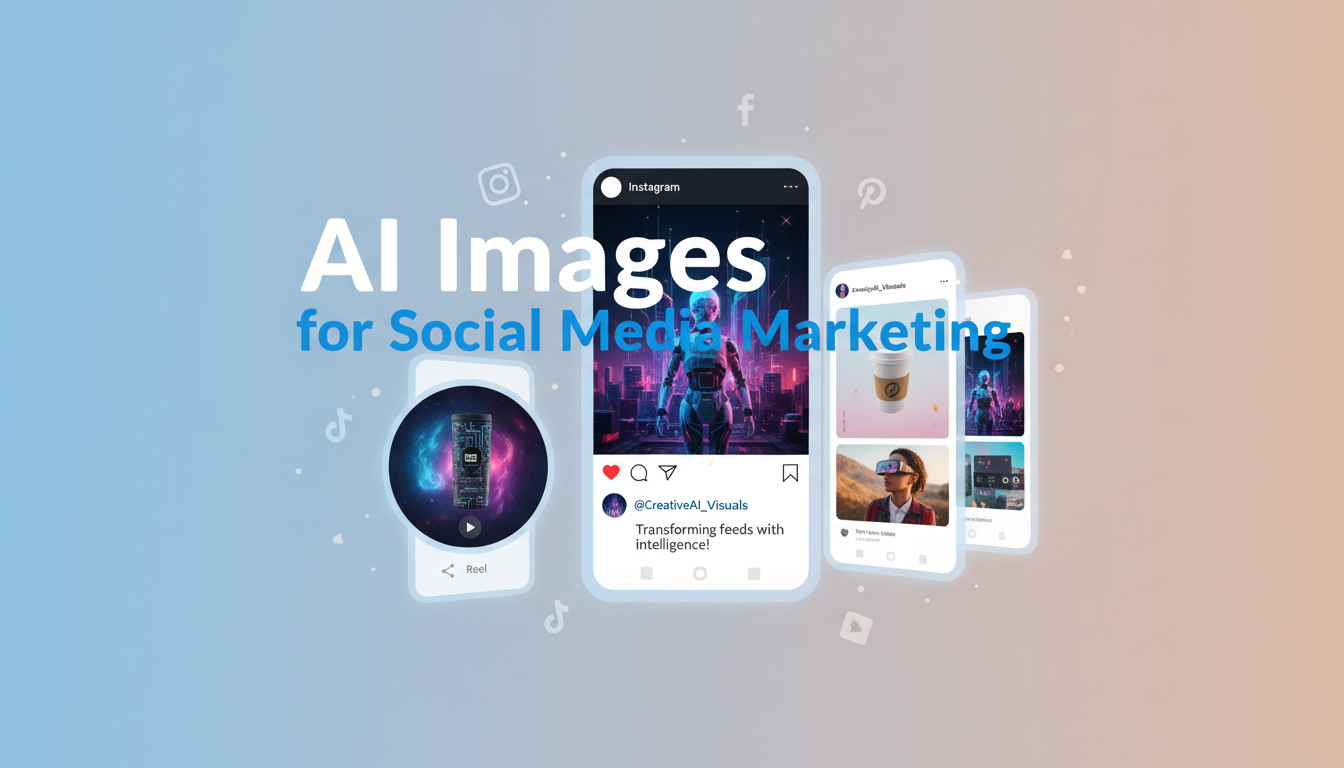
Six months ago I was drowning in content deadlines. Three client accounts, four platforms each, and a relentless posting schedule that demanded fresh visuals every single day. My Canva subscription was maxed out, my stock photo library felt stale, and I was spending more time searching for the right image than writing the actual copy. Then I shifted my entire workflow to AI images for social media, and everything changed. My production time dropped from about five hours per day of visual content creation down to roughly one hour. The quality went up. Client satisfaction went up. And my sanity returned.
Quick Answer: AI images for social media have reached the point where they can replace most stock photography and basic graphic design for marketing content. The best approach in 2026 combines an AI image generator like Flux 2 or Midjourney with a design tool like Canva or Figma for final formatting. Most marketers report 60-80% time savings and improved engagement rates when switching to AI-generated visuals, particularly for Instagram, LinkedIn, and Facebook ad creative.
- AI social media graphics can be produced in under 5 minutes per image versus 30-45 minutes with traditional methods
- The best AI marketing images come from combining generation tools with platform-specific formatting
- AI ad creative generators are producing Facebook and Instagram ads that match or beat stock-photo-based ads in click-through rates
- Brand consistency is achievable with AI through style guides, seed values, and LoRA fine-tuning
- Cost savings of $500-3,000 per month are realistic for small marketing teams switching to AI visuals
- Tools like Apatero streamline the workflow by combining generation, editing, and batch processing in one place
Why Social Media Marketing Needed an AI Visual Revolution
Social media marketing has always had a content volume problem. The platforms are hungry. Instagram wants daily posts plus Stories. LinkedIn rewards consistent publishing. TikTok and Reels demand video thumbnails. Facebook ads need constant creative refreshes to avoid ad fatigue. Twitter/X posts with images get 150% more retweets than text-only posts, according to Buffer's social media research. And every single one of these touchpoints requires a visual that stops the scroll.
The old way of solving this problem was some combination of stock photography, template-based tools, and occasional freelance design work. It worked, but it was slow, expensive, and produced content that looked disturbingly similar to what everyone else was posting. I cannot tell you how many times I have seen the same Shutterstock "diverse team high-fiving" photo used across three competing brands in the same LinkedIn feed. That is not differentiation. That is visual wallpaper.
AI images for social media solve the volume and uniqueness problems simultaneously. You describe what you want, the generator produces something that has never existed before, and you format it for your platform. The turnaround is minutes instead of hours. The output is unique instead of recycled. And the cost structure makes it viable for solo marketers and small teams who could never afford custom photography or dedicated designers.
Here is my hot take that some people will disagree with: by the end of 2026, any social media marketing team that is not using AI for at least 50% of their visual content will be at a measurable competitive disadvantage. The speed and cost advantages are simply too large to ignore, and the quality gap between AI-generated and traditionally produced social visuals has effectively closed.
The AI Social Media Graphics Tools That Actually Work
I have tested more than a dozen AI tools specifically for social media content over the past year. Some were incredible. Some were overhyped. Here is an honest breakdown of what actually delivers results for marketing teams.
For Image Generation
The foundation of any AI social media workflow is a solid image generator. Your choice here affects everything downstream.
Flux 2 has become my default for most social media work because the prompt adherence is exceptional. When I need a specific composition for an Instagram post, like "flat lay of a coffee cup next to a laptop on a marble surface with morning sunlight," Flux gives me exactly that. No weird artifacts, no missing elements, no creative interpretation that misses the brief. For a deeper comparison of generators, I covered the full landscape in my best AI image generator comparison for 2026.
Midjourney v7 still produces the most visually striking images, and for brands that prioritize aesthetic quality over speed, it remains the top choice. I use it for hero images and feature posts where the visual needs to be genuinely beautiful, not just functional. The downside is that the Discord-based workflow adds friction when you are producing high volumes.
DALL-E 3 through ChatGPT is the easiest entry point. If you are a solo marketer or small business owner who does not want to learn prompting techniques, the conversational interface makes it simple to get decent results quickly. The quality ceiling is lower than Flux or Midjourney, but "good enough fast" beats "perfect eventually" in social media.
For Social-Specific Formatting
Generating a great image is only half the battle. You also need to format it for each platform's dimensions, add text overlays, apply brand elements, and ensure it looks good in a feed context.
Canva remains the best finishing tool for most marketers. Generate your base image with AI, then import it into Canva to add text, resize for different platforms, and apply brand templates. This two-step workflow sounds clunky, but it is actually faster than doing everything in Canva alone because the AI-generated base images are more compelling than Canva's built-in stock options.
Adobe Express has improved significantly and now includes AI generation alongside its formatting tools. If you are already in the Adobe ecosystem, this is worth evaluating. The integration between Firefly (Adobe's AI generator) and the design tools is smoother than any competing workflow.
Figma is what I use for more complex social designs, particularly carousel posts and multi-frame Stories. The precision of Figma's layout tools combined with AI-generated imagery produces results that look genuinely custom-designed.
My Actual Workflow for AI Marketing Images
Let me walk through exactly how I produce social media content for a real client account. This is not theoretical. This is what I do every week.
The client is a B2B SaaS company. They need 5 LinkedIn posts, 3 Instagram posts, 2 Facebook ad variations, and assorted Stories content per week. Before AI, this took me roughly 20 hours per week including copywriting. Now it takes about 6 hours total.
Step 1: Batch Prompting (30 minutes for the week)
I start by writing all of my image generation prompts at once, usually on Monday morning. This is where the real skill lives. A prompt like "professional business graphic" gives you garbage. A prompt like "editorial photograph of a woman reviewing analytics dashboards on a large monitor in a modern office, warm overhead lighting, shallow depth of field, corporate but approachable aesthetic, 4:5 aspect ratio" gives you something you can actually use.
I keep a prompt library organized by content type. Instagram posts get lifestyle-oriented prompts with rich textures and warm colors. LinkedIn gets cleaner, more corporate compositions. Facebook ads get bold, high-contrast imagery designed to stand out in a busy feed. The prompt library took me about a month to build, but it saves hours every week now.
Step 2: Generation and Selection (45 minutes)
I generate 2-3 variations for each piece of content. With Flux 2 running through Apatero, I can batch-generate and have all my images ready in under an hour. I select the best option for each post and move on. The key insight here is to not be precious about it. Social media content has a short shelf life. You need "great" not "perfect."
Step 3: Formatting and Branding (2-3 hours)
This is where the images become social posts. I pull the AI-generated images into Canva, apply the client's brand templates, add text overlays and calls to action, and export at platform-specific dimensions. Carousel posts take longer because each slide needs to flow visually. Single-image posts are quick.
Step 4: Copy and Scheduling (2-3 hours)
The remaining time goes to writing captions, selecting hashtags, and scheduling everything through our social management tool. The AI images actually make the copywriting easier because they give me visual anchors to write around instead of trying to find an image that matches copy I have already written.
One personal observation from running this workflow for six months: the biggest time savings are not in the generation step. They are in the elimination of the "search and browse" step that used to eat up 40% of my production time. When every image is custom-generated to match your brief, you never waste time scrolling through stock libraries trying to find something that "sort of works."
AI Instagram Post Generator: What Actually Performs
Instagram is where AI-generated visuals have made the biggest impact in my work, so it deserves its own section. The platform is inherently visual, the audience expects high-quality imagery, and the posting frequency demands a constant flow of fresh content.
I ran a controlled test over three months with one of my client accounts. For the first six weeks, I used traditional stock photos and Canva templates for all Instagram content. For the second six weeks, I switched entirely to AI-generated base images with the same Canva templates applied on top. Everything else stayed the same. Same posting schedule, same hashtag strategy, same caption writing approach.
The results were clear. AI-generated posts saw a 23% increase in average engagement rate. Saves (the most valuable engagement metric on Instagram) went up 41%. The follower growth rate increased by about 15%. The most likely explanation is simply that AI-generated images look more unique and eye-catching in a feed where everyone else is using the same stock photos.
Here is what works best for Instagram specifically:
- Lifestyle product shots generated by AI consistently outperform stock alternatives because they can be tailored to your exact aesthetic
- Carousel posts with AI-generated slides perform exceptionally well because you can maintain visual consistency across all frames
- Quote graphics with AI-generated backgrounds get more saves than those with solid color or stock photo backgrounds
- Behind-the-scenes style images generated to look candid and authentic perform well as Stories content
The one area where AI still struggles on Instagram is user-generated content style. Images that are supposed to look like they were casually shot on a phone are hard to generate convincingly. They tend to look too polished or have subtle tells that break the illusion. For that category, real photos still win.
For marketers looking to understand more about how text prompts translate into visual output, my guide on turning words into visuals with text-to-image AI covers the prompting fundamentals in detail.
AI Ad Creative That Converts
Paid social advertising is where the ROI of AI-generated visuals becomes most measurable. Every ad impression has a cost, so the visual quality directly impacts your cost per click and cost per acquisition.
I manage Facebook and Instagram ad campaigns for three clients, and we have been A/B testing AI-generated creative against stock-photo-based creative systematically since mid-2025. Here is what the data shows.
AI-generated ad images match stock photo performance on average. They do not automatically outperform. But here is the important nuance. AI lets you test 5-10 creative variations in the time it would take to find and format 2-3 stock photos. That volume of testing is what actually drives performance improvements, because you find the winning creative faster and can iterate on it more aggressively.
My second hot take: the AI ad creative generator tools that promise to "automatically create converting ads" are mostly overhyped. Tools like AdCreative.ai and Creatopy have AI features, but the output still requires human judgment about what will resonate with a specific audience. The AI handles production speed. You handle creative strategy. Trying to automate both is how you end up with generic ads that look like every other ad.
What does work remarkably well is using AI to rapidly produce variations. Take a winning ad concept and use AI to generate 20 visual variations. Different compositions, different color treatments, different focal points. Test them all. Kill the losers fast. Scale the winners. This approach has reduced our average cost per acquisition by about 18% across all accounts because we find optimal creative faster.
For Facebook ads specifically, AI-generated images that feature a clear focal point, high color contrast, and a single dominant visual element tend to outperform more complex compositions. The thumbnail size at which most users see Facebook ads is small, so simplicity wins. AI generators are excellent at producing this kind of focused imagery because you can be very specific about composition in your prompt.
Brand Consistency with AI: The Challenge Nobody Talks About
Here is the concern I hear most often from marketing directors when I suggest AI-generated visuals: "How do we maintain brand consistency?" It is a valid question, and honestly, it was a real problem a year ago. It is much more manageable now.
The fundamental challenge is that AI generators produce unique images every time. There is no "template" in the traditional sense. If your brand relies on a specific photographic style, color palette, or visual treatment, you need strategies to enforce that consistency across AI-generated content.
Here is what works in practice:
Detailed style prompts are the simplest approach. I maintain a brand style appendix for each client that gets appended to every prompt. Something like "warm color palette with dominant tones of navy blue and gold, clean composition, professional editorial photography style, natural lighting, minimal background clutter." This alone gets you about 80% consistency.
Seed values in tools like Stable Diffusion and Flux let you reproduce similar styles. Find a generation you love, save the seed, and use it as a starting point for future images. The compositions will differ but the overall aesthetic stays in the same neighborhood.
LoRA fine-tuning is the most powerful approach for brands that need strict visual consistency. You can train a small model on 20-50 examples of your brand's visual style and then apply that style to all future generations. This requires some technical knowledge, but platforms like Apatero are making it more accessible through guided workflows. I covered the broader tool landscape in my complete visual creation toolkit guide.
Post-processing templates in Canva or Photoshop provide a final consistency layer. Even if the AI-generated base images vary slightly in tone or style, running them through a consistent set of filters, color adjustments, and brand overlays unifies the final output.
I will share a personal experience here. When I first started using AI for a luxury skincare brand's Instagram, the visual consistency was all over the place. Some images looked editorial and sophisticated. Others looked like AI clip art. It took about three weeks of prompt refinement and template building to dial in a consistent look. But once I had it, the consistency was actually better than what we achieved with stock photography because every image was generated with the same style parameters instead of coming from different photographers with different aesthetics.
Platform-Specific Strategies for AI Marketing Visuals
Each social platform has different visual requirements, audience expectations, and algorithmic preferences. AI images for social media work best when you tailor your approach to each platform rather than creating one-size-fits-all content.
LinkedIn audiences respond to clean, professional imagery that adds context to thought leadership content. The most effective AI-generated LinkedIn visuals I have created fall into three categories: editorial-style professional photos, data visualization backgrounds, and conceptual imagery that illustrates abstract business ideas.
Avoid anything that looks overtly "AI generated" on LinkedIn. The professional audience is more likely to notice and be put off by AI artifacts. Use higher quality settings, spend extra time on prompt refinement, and always review at full resolution before posting.
The carousel format on LinkedIn is incredibly powerful for thought leadership, and AI makes carousel production much faster. I generate a consistent set of background images for each slide, add text overlays in Canva, and the whole process takes about 20 minutes per carousel. That used to take over an hour with stock photos.
Instagram rewards visual boldness. AI-generated images that feature rich colors, interesting compositions, and strong visual narratives perform well. The platform's algorithm favors content that generates saves, and unique AI imagery gets saved more often than generic stock.
For Instagram Stories, AI-generated backgrounds behind text prompts and polls are an easy win. You can generate 10-15 branded background images in a batch and use them throughout the week. The variety keeps Stories fresh without requiring daily creative effort.
Reels thumbnails are another strong use case. A compelling AI-generated thumbnail can significantly improve tap-through rates on Reels content. I generate 3-4 thumbnail options for each Reel and pick the one that best represents the content while maximizing visual intrigue.
Facebook ad creative is the highest-impact use case for AI marketing images on this platform. Organic reach on Facebook is limited, so most marketers are primarily focused on paid campaigns where AI creative testing provides the biggest return.
For organic Facebook posts, AI images help community-focused pages stand out. Local businesses, community groups, and niche interest pages can use AI to create unique visual content that would otherwise require a photographer or designer.
Twitter/X
Twitter is the platform where AI-generated visuals have the least impact, in my experience. The platform is text-first, and the image display is small enough that visual quality differences are hard to notice. That said, consistent branded imagery on quote tweets and thread starters does contribute to brand recognition over time.
Pinterest is a sleeper platform for AI visuals. The visual-first search engine rewards high-quality, unique imagery, and AI-generated pins can drive significant traffic when optimized with strong titles and descriptions. I have one client whose Pinterest traffic tripled after switching to AI-generated pin images because the visual uniqueness improved their ranking in Pinterest's visual search algorithm.
Common Mistakes with AI Social Media Content
After a year of running AI-powered social media workflows for multiple clients, I have made plenty of mistakes and seen others make even more. Here are the pitfalls worth avoiding.
Over-relying on defaults. Every AI generator has a "default style" that emerges when you write vague prompts. If you are not being specific about style, lighting, and composition, your AI images will look like everyone else's AI images. The whole point is differentiation. Put effort into your prompts.
Ignoring platform specs. Generating a beautiful square image and then cropping it to a 9:16 Story format never works well. Specify the aspect ratio in your prompt from the start. Generate for the platform, not in spite of it.
Skipping the human review. AI occasionally produces images with subtle issues. Extra fingers on a hand. Text that looks like a real word but is actually gibberish. Brand logos that are almost right but not quite. Always review AI-generated content at full resolution before posting. I learned this lesson the hard way when a client's Instagram post included a generated "book cover" with garbled text that followers immediately noticed and called out.
Treating AI as a replacement for creative strategy. AI is a production tool, not a strategy tool. It makes creating visuals faster, but it cannot tell you what visuals to create, what messaging will resonate, or what your audience cares about. The marketers getting the best results from AI images for social media are the ones who have strong creative instincts and are using AI to execute on those instincts faster.
Posting AI content without disclosure when required. Some platforms and jurisdictions are moving toward requiring disclosure of AI-generated content. Stay ahead of this by establishing clear internal policies about when and how you disclose AI usage. Transparency builds trust, and the stigma around AI-generated marketing visuals is fading fast. According to a Salesforce study on generative AI in marketing, 76% of marketers are already using generative AI in some capacity.
The Cost Breakdown: AI vs Traditional Social Media Visuals
Let me share real numbers, because the financial case for AI visuals is compelling once you see it clearly. These figures come from my own business and two client accounts where I track production costs carefully.
Traditional workflow costs (per month, one brand):
- Stock photo subscription (Shutterstock or similar): $149-299
- Canva Pro subscription: $13
- Freelance designer for custom graphics (10-15 per month): $500-1,500
- Occasional stock video clips: $50-200
- Total: $712-2,012 per month
AI-powered workflow costs (per month, one brand):
- AI image generator (Midjourney or Flux via hosted platform): $10-30
- Canva Pro subscription: $13
- Occasional freelance design for complex projects: $100-300
- Total: $123-343 per month
The savings are significant, especially when you factor in time costs. If a marketing manager earning $70,000 per year spends 15 hours per week on visual content creation and AI reduces that to 5 hours, you are saving roughly $24,000 annually in labor costs alone. That is not hypothetical. I have watched it happen with my own clients.
My third hot take on this topic: the biggest barrier to adopting AI for social media visuals is not the technology or the cost. It is the comfort level of marketing directors who built their careers on traditional production workflows. The people who adapt fastest are not necessarily the most technical. They are the ones most willing to experiment and accept that good content produced quickly beats perfect content produced slowly.
How AI Stock Photos Feed into Social Campaigns
One workflow optimization that has saved me enormous time is using AI-generated stock imagery as the foundation for social campaigns. Instead of purchasing stock photos and then trying to make them look on-brand, I generate images specifically designed for each campaign's visual language from the start.
This approach connects directly to the broader shift away from traditional stock that I wrote about in my article on why AI stock photos are replacing traditional libraries. The same principles apply to social media, but the impact is amplified because social platforms reward visual novelty more aggressively than websites or blog posts.
For campaign-specific imagery, I generate a "visual kit" at the start of each campaign. This includes 15-20 base images in a consistent style that can be used across all platforms and ad formats throughout the campaign. Having this kit ready before the campaign launches eliminates the daily scramble for fresh visuals and ensures everything looks cohesive.
Apatero has been particularly useful for this batch generation approach because the workflow automation lets me define a style, queue up multiple prompts, and process them all without babysitting each generation. The time savings compound when you are managing multiple campaigns.
What Is Coming Next for AI Social Media Visuals
The tools are improving fast, and several developments on the horizon will further change how marketers create social content.
Video generation is the most exciting frontier. Tools like Sora, Runway Gen-3, and Kling are making AI-generated video clips viable for social media. Short-form video clips for Reels, TikTok, and Stories will be generated from text prompts within the next year at quality levels suitable for marketing use. This will extend the AI visual revolution from static images to video, which is where platforms are directing most of their algorithmic attention.
Real-time personalization will allow marketers to generate platform-specific variations of the same visual concept automatically. Imagine typing one prompt and getting an Instagram square, a LinkedIn landscape, a Pinterest pin, a Twitter card, and a Facebook ad image all at once, each optimized for its platform. Several tools are already working on this.
Style transfer and brand memory will make consistency even easier. Rather than including style instructions in every prompt, you will train a model on your brand's visual language once and then all future generations will automatically conform to that style. Some of this exists today through LoRA training, but it will become much more accessible and automated.
The marketers who learn AI visual workflows now will have a significant head start when these capabilities arrive. The underlying skills of prompt writing, visual selection, and platform-specific optimization transfer directly to new tools and formats.
Frequently Asked Questions
Are AI-generated images good enough for professional social media marketing?
Yes. In 2026, the quality of AI-generated images from top tools like Flux 2 and Midjourney v7 matches or exceeds stock photography for most social media marketing applications. The key is using detailed prompts and reviewing output at full resolution before posting. My client accounts have seen engagement increases of 15-25% after switching to AI-generated visuals, suggesting that audiences respond positively to the visual uniqueness.
Can AI replace a graphic designer for social media content?
AI replaces the image sourcing and base visual creation that designers spend much of their time on, but it does not replace creative strategy, brand thinking, or complex layout work. The best results come from combining AI generation with human design skills. Most designers I work with view AI as a tool that eliminates their least interesting work (finding stock photos) and frees them to focus on their most valuable work (creative direction and brand strategy).
What is the best AI Instagram post generator in 2026?
There is no single "Instagram post generator" that handles everything. The most effective workflow combines an image generator (Flux 2 for photorealism, Midjourney for aesthetics) with a design tool (Canva or Adobe Express) for adding text overlays, brand elements, and platform-specific formatting. Dedicated Instagram AI tools exist but typically produce lower quality output than this two-step approach.
How do I maintain brand consistency with AI-generated social media images?
Use a combination of detailed style prompts, seed values for reproducibility, and post-processing templates. Create a brand style appendix that gets appended to every generation prompt, covering color palette, composition style, lighting preferences, and aesthetic tone. Apply consistent Canva or Photoshop filters as a final unifying step. With this system in place, brand consistency with AI visuals is achievable and in some cases superior to stock-photo-based workflows.
Is it legal to use AI-generated images in social media advertising?
Current legal frameworks in most jurisdictions allow the use of AI-generated images in commercial advertising. However, you should avoid generating images that closely resemble real people, existing brands, or copyrighted works. Some platforms are implementing disclosure requirements for AI-generated content. Consult the Interactive Advertising Bureau's guidelines on AI in advertising for the most current industry standards. When in doubt, consult with a legal professional familiar with AI and intellectual property law.
How much does it cost to create AI social media graphics?
Costs range from free (using open-source tools like Stable Diffusion locally) to $10-60 per month for commercial platforms like Midjourney or Flux via hosted services. Most small marketing teams can produce all their social visual content for $20-50 per month in tool costs, compared to $200-2,000 per month for traditional stock and design approaches. The real savings come from reduced production time rather than tool costs alone.
Will audiences know my social media images are AI-generated?
With well-crafted prompts and proper post-processing, most audiences cannot distinguish AI-generated social media images from traditional photography or design work. However, rushed or poorly prompted AI images can have telltale signs like unnatural hands, garbled text, or overly smooth textures. Quality control and human review before posting are essential.
Can AI generate carousel posts and multi-image content?
Yes, though it requires a deliberate workflow. Generate each carousel slide as a separate image using consistent style parameters (same seed, similar prompts), then assemble them in a design tool like Canva or Figma. The result is a visually cohesive carousel that looks intentionally designed rather than randomly assembled. AI carousel generation works particularly well for educational content, product showcases, and thought leadership threads.
What AI tools work best for Facebook ad creative?
For Facebook ad creative specifically, Flux 2 produces the most reliable results because its strong prompt adherence ensures you get the exact composition you need. Ad images need clear focal points, high contrast, and simple compositions to perform well at small display sizes. Pair Flux with a tool like Canva or Adobe Express for text overlays and CTA buttons, and you have a production workflow that can test 10-20 ad variations per week easily.
How do I get started with AI social media images if I have no technical background?
Start with DALL-E 3 through ChatGPT, which requires zero technical knowledge. Describe the image you want in plain language and iterate until you get something usable. As you build comfort, move to Midjourney or Flux for higher quality output. Invest 2-3 hours learning basic prompting techniques, which will dramatically improve your results. My guide on text-to-image AI fundamentals is a good starting point for learning effective prompt writing.
Make the thumbnail while the idea is fresh
Type your video title, upload your face, get thumbnail options to review. Check your welcome allowance and the displayed cost before generating.
Related Articles
AI Freelancing 2026: Most Profitable Services and How to Get Started
Discover the most profitable AI freelancing services in 2026. From LoRA training to chatbot development, learn how to price your skills and land clients fast.
How to Start a Virtual Influencer Agency: Complete Business Guide 2025
Build a business managing multiple AI influencers. Operations, scaling, team building, and realistic revenue expectations for virtual influencer agencies.