AI Generate Anything: The Rise of Universal AI Creation Tools
Discover how AI can generate anything from images to videos to music to code. Explore universal AI creation tools and learn what's possible for free.
Make AI images and video in your browser
Characters, video, photo packs. No GPU, no setup. Your first generation is free.
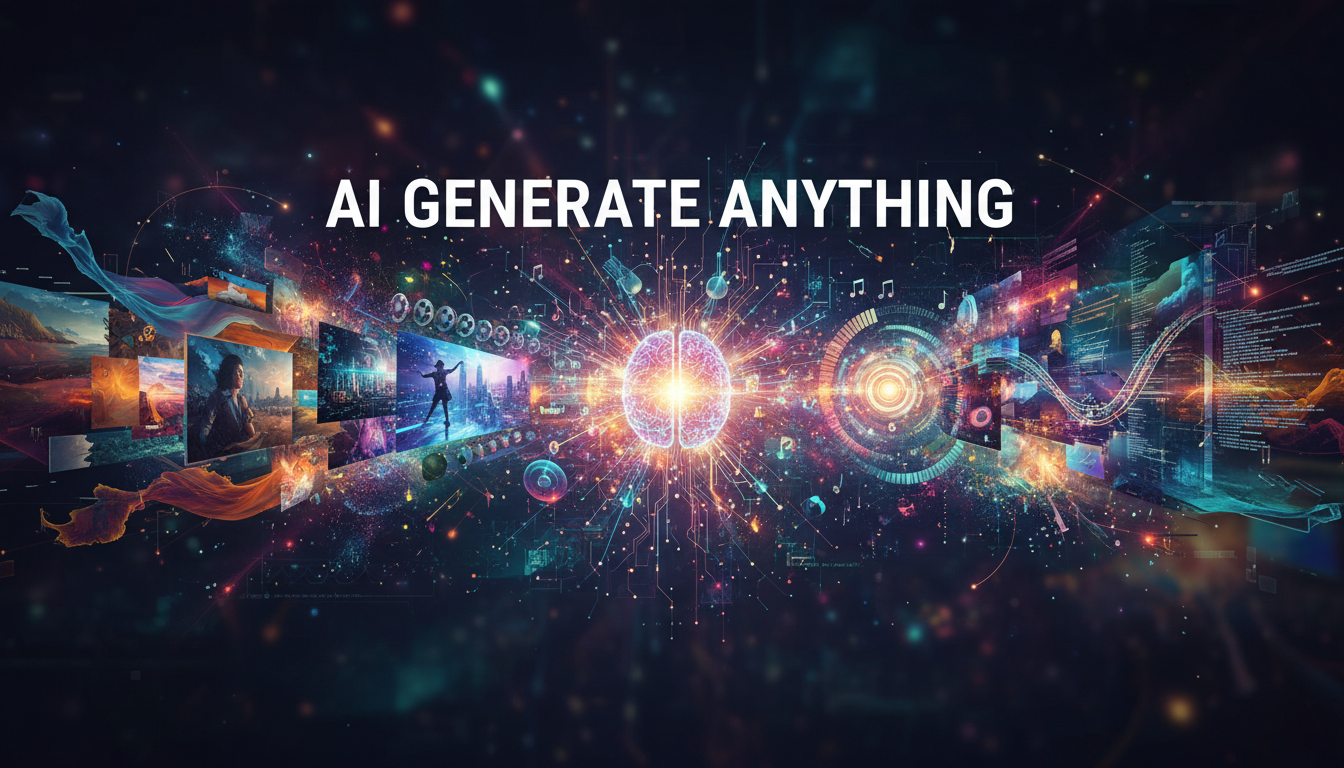
We have officially reached the point where AI can generate anything. Images, videos, music, code, 3D models, voices, entire websites. If you can describe it, there is probably an AI tool that will create it for you. And a growing number of those tools are completely free.
I realize that sounds hyperbolic, but I have spent the last year testing every major AI creation tool I could find, and the breadth of what is now possible genuinely surprised even me. Six months ago, generating a decent video from text was still clunky and unreliable. Today, I can describe a scene and get a polished 10-second clip in under a minute. The speed of progress is staggering, and if you have not explored what AI creation tools can do recently, you are in for a pleasant shock.
Quick Answer: In 2026, AI can generate professional-quality images, videos, music, voice, code, 3D models, and text. The best free tools include Leonardo.ai and Flux for images, Kling and RunwayML for video, Suno and Udio for music, and Claude and ChatGPT for code and text. For a streamlined creation experience across multiple media types, platforms like Apatero let you combine multiple AI generation tools into unified workflows.
- AI can now generate professional-quality content across 7+ media types, from images to 3D models
- Many of the best AI creation tools offer genuinely useful free tiers with no credit card required
- Universal AI platforms are emerging that combine multiple generation types in one interface
- The quality gap between free and paid AI tools has shrunk dramatically in 2026
- Combining multiple AI tools in creative workflows produces results that no single tool can match
- Limitations remain real, especially around consistency, long-form video, and nuanced artistic control
The Current State of "AI Generate Anything"
The phrase "ai generate anything" used to feel aspirational. It was marketing language. Today, it is closer to a literal description of what the technology can do. The shift happened faster than most of us expected, and it was driven by two things: open-source model releases that democratized access, and fierce competition between companies that pushed quality through the roof.
I want to give you an honest picture of where things stand across every major category of AI generation. Not just what works, but what works well, what is free, and where the technology still falls short. Because while the hype is real, so are the limitations, and I think being upfront about both makes for a more useful guide.
Let me walk through each content type and share what I have actually experienced testing these tools.
AI Image Generation
Image generation is the most mature category, and it shows. The quality ceiling has risen so high that many AI-generated images are indistinguishable from professional photography or digital art. When I first started testing AI image tools back in 2023, you could spot an AI image from across the room. Weird fingers, melted text, uncanny faces. In 2026, those problems are largely solved.
The best free options for AI image generation right now include:
- Leonardo.ai - Generous free tier with 150 daily tokens, solid quality across styles
- Flux (via Hugging Face or local) - Open-source, no limits when running locally, best prompt adherence in class
- Microsoft Designer (Copilot) - Free with a Microsoft account, uses DALL-E under the hood
- Ideogram - Excellent for text rendering in images, free tier available
- Playground AI - 500 free images per day, great for quick iterations
I have a more detailed breakdown of image generators in my complete comparison of the best AI image generators, but the short version is that the free tier of almost any major image generator is good enough for personal projects and social media content. For professional work, you will probably want a paid plan or a local setup running Flux or Stable Diffusion through Apatero.
AI Video Generation
Video is where the most exciting progress has happened in the last six months. I remember testing early video generation tools and getting results that looked like fever dreams. Characters would morph, backgrounds would swim, and anything longer than two seconds fell apart completely. That era is over.
Here is what actually works well for free video generation:
- Kling AI - 5 free generations per day, surprisingly good motion and consistency
- RunwayML Gen-3 - Limited free tier but excellent quality, especially for cinematic shots
- Pika - Free credits for new users, great for stylized and abstract video
- Luma Dream Machine - Free tier with watermark, handles camera movements beautifully
- PixVerse - Generous free credits, strong anime and stylized video output
I tested all of these for a project last month where I needed to create short product visualization clips. Kling was my go-to for realistic motion, while Pika handled the more artistic shots better. If you want to dive deeper into turning static images into video, I wrote about that process in my guide on AI video from images.
Hot take: Video generation is going to be commoditized within 12 months. Right now, there is still a noticeable quality gap between the top-tier paid tools and the free options. But that gap is closing faster than it did with image generation. I would not invest heavily in any single video generation platform because the landscape is shifting too fast.
AI Music and Audio Generation
This is the category that caught me most off guard. I was not paying much attention to AI music generation until a friend sent me a Suno track that I genuinely thought was recorded by a professional band. When he told me it was AI-generated from a text prompt, I had to test it for myself.
The major players in free AI music generation include:
- Suno - 50 credits per day (about 10 songs), incredible range from pop to classical to hip-hop
- Udio - Similar quality to Suno with a slightly different aesthetic, free tier available
- AIVA - Strong for cinematic and orchestral compositions, free plan with limitations
- Soundraw - Good for background music and content creation, limited free access
I spent an entire weekend generating music with Suno and Udio, and here is what surprised me most. The emotional quality of the output is legitimate. These are not cold, mechanical compositions. They have dynamics, build-ups, crescendos, and genuine musical storytelling. I generated a blues track with Suno that had so much soul I felt slightly uncomfortable about how good it was.
The lyrics can be hit-or-miss if you let the AI write them, but feeding in your own lyrics produces remarkably professional results. For content creators who need background music, podcast intros, or video soundtracks, this technology is already a game-changer.
AI Code Generation
Code generation has quietly become one of the most practical and widely-used forms of AI creation. Unlike images or video where you are creating something from scratch, code generation often works best as a collaborative tool that amplifies what you already know.
The best free options for AI code generation are:
- Claude (Anthropic) - My personal favorite for complex coding tasks, excellent reasoning
- ChatGPT (OpenAI) - Strong for general-purpose coding, wide language support
- GitHub Copilot - Free for individual developers, integrates directly into your editor
- Cursor - AI-native code editor with generous free tier
- Codeium - Free AI code completion for individuals
I use Claude for most of my coding work these days, and the results are genuinely impressive. Last week, I described a complex data processing pipeline in plain English and got working Python code that needed only minor adjustments. The time savings compared to writing everything from scratch are enormous.
AI Text and Writing
Large language models have made AI text generation almost boringly reliable. Whether you need blog posts, marketing copy, product descriptions, creative fiction, or technical documentation, the tools are mature and many offer generous free tiers.
Free AI writing tools worth knowing about:
- ChatGPT (free tier) - GPT-4o access with usage limits, solid for most writing tasks
- Claude (free tier) - Excellent for nuanced, detailed writing with strong reasoning
- Google Gemini - Free with a Google account, competitive quality
- Mistral Le Chat - European alternative with strong multilingual capabilities
- Perplexity AI - Best for research-heavy writing with built-in source citations
AI 3D Model Generation
3D generation has made remarkable progress but remains the least mature category. The jump from "interesting research demo" to "production-ready tool" happened for images and video, and 3D is following the same trajectory, just about 18 months behind.
Current options include Meshy, Tripo3D, and Point-E. These can generate basic 3D models from text or images, but the quality is not yet at the level where professionals can use them without significant cleanup. For hobbyists and prototyping, though, they are surprisingly useful. I generated a 3D character model from a single image last month using Meshy, and while it needed work, the base geometry was solid enough to use as a starting point.
What Does "AI Generate Free" Actually Mean?
This is a question worth spending time on because the marketing around free AI tools can be misleading. When a platform says you can "create free AI" content, there is always context that matters. Let me break down what "free" actually looks like across the major platforms.
Truly free, no-strings-attached AI generation is relatively rare. Most platforms use a freemium model where you get a limited number of generations per day or month, and then you hit a paywall. That said, many of these free tiers are genuinely generous enough for casual users and even for testing professional workflows before committing to a paid plan.
Free ComfyUI Workflows
Find free, open-source ComfyUI workflows for techniques in this article. Open source is strong.
Here is my honest breakdown of the cost spectrum:
Completely Free (no credit card, no catch):
- Running open-source models locally (requires your own hardware)
- Microsoft Copilot for basic image generation
- Google Gemini for text generation
- Limited tiers of Leonardo.ai, Kling, and Suno
Free Tier with Limits (useful but you will hit walls):
- ChatGPT free (usage caps during peak times)
- RunwayML (limited credits that run out fast)
- Pika (initial credits, then you pay)
- Most platforms give new users a batch of free credits that expire
Affordable Paid (under $20/month):
- Most AI image generators at their base tier
- Suno and Udio premium plans
- API access to models like Flux through platforms like Apatero
Premium (over $20/month):
- Midjourney Standard plan ($30/month)
- RunwayML Unlimited ($76/month)
- Enterprise-tier text generation APIs
The bottom line is that you can absolutely ai generate anything for free if you are willing to work within limits. For personal projects, learning, and experimentation, the free tiers are more than enough. For professional production work, expect to spend $10-50 per month depending on which types of content you are creating.
Universal AI Platforms: The Convergence Trend
One of the most interesting developments in 2026 is the emergence of universal AI creation platforms. Instead of bouncing between different tools for images, video, text, and code, a growing number of platforms are trying to be your one-stop shop for all AI generation needs.
This convergence makes sense from both a user experience and a technical perspective. The underlying architectures of different generation models share more in common than you might think. Diffusion models that generate images can be adapted for video and audio. Large language models that write text can also write code and generate structured data. The boundaries between these categories are blurring.
Platforms pursuing this universal approach include:
- Poe (Quora) - Aggregates access to multiple AI models for text, image, and code generation
- Vercel v0 - Combines AI code generation with preview and deployment
- Adobe Firefly Suite - Image, video, audio, and vector generation under one roof
- Canva AI - Text, image, video, and presentation generation in a design-first interface
I have been tracking this trend closely, and my prediction is that within two years, the dominant AI creation tools will handle at least three content types natively. The days of needing five different subscriptions for five different types of AI generation are numbered.
Hot take: The winning universal AI platform will not be the one with the best individual generators. It will be the one with the best workflow integration. Being able to generate an image, animate it into video, add music, and create a caption, all within a single interface, is worth more than having marginally better image quality in isolation.
Practical Workflows: Combining AI Tools for Real Projects
Theory is nice, but let me share some actual workflows I have used to create real content by combining multiple AI generation tools. These are practical, repeatable processes that anyone can follow.
Want to skip the complexity? Apatero gives you professional AI results instantly with no technical setup required.
Workflow 1: Social Media Content Package
This is my most common multi-tool workflow. I use it to create a complete social media content package in about 30 minutes, a process that used to take half a day.
- Write the concept with Claude or ChatGPT (2 minutes)
- Generate 4-5 image variations with Flux or Leonardo.ai (5 minutes)
- Pick the best image and generate a short video from it using Kling (10 minutes)
- Create background music with Suno, 15-second loop (5 minutes)
- Combine video and audio in CapCut or DaVinci Resolve (5 minutes)
- Generate captions and hashtags with Claude (2 minutes)
Total cost: Free if using free tiers, or about $0.50-2.00 using paid APIs.
Workflow 2: Blog Post with Custom Visuals
I use this workflow for writing articles for various projects, and it consistently produces better results than either pure AI or pure manual creation.
- Research and outline with Perplexity AI (10 minutes)
- Write the draft with Claude, editing heavily (30 minutes)
- Generate hero image and section illustrations with Flux (10 minutes)
- Create an infographic with Canva AI (10 minutes)
- Final editing pass by a human (me) (15 minutes)
The key insight from these workflows is that AI generation works best when you treat each tool as a specialist. No single tool does everything well, but combining specialists produces results that feel polished and professional.
Workflow 3: Product Demo Video
For a recent project, I needed to create a product explainer video on a near-zero budget. Here is the workflow I landed on after testing several approaches.
- Script writing with Claude (5 minutes)
- AI voiceover with ElevenLabs free tier (5 minutes)
- Generate visual scenes as images with Flux (15 minutes)
- Animate key scenes with Kling or Pika (15 minutes)
- Add background music with Suno (5 minutes)
- Edit everything together in CapCut (20 minutes)
The final product was not going to win any film awards, but it was more than good enough for a startup landing page. A year ago, this kind of video would have cost $500-2,000 to produce with freelancers.
Where AI Generation Still Falls Short
I would be doing you a disservice if I did not talk about the limitations. While it is tempting to say that AI can generate anything, the reality is more nuanced. Here is where the technology still struggles in meaningful ways.
Consistency across outputs remains the biggest challenge. If you need a character to look exactly the same across 20 images, you are going to have a rough time with most tools. LoRA training and reference image features help, but they require technical knowledge and patience. For a deeper look at the visual creation toolkit landscape and how to work around consistency issues, check out my guide to AI image tools.
Long-form video is still not there. You can generate impressive 5-10 second clips, but anything over 30 seconds tends to lose coherence. Characters change appearance, physics breaks down, and the narrative thread gets lost. I have tried multiple approaches to generating 1-minute videos, and the results are consistently disappointing compared to the short clips.
Nuanced creative control is limited. You can tell an AI to generate an image in the style of watercolor, but you cannot tell it to use the specific brushstroke technique of a particular artist in the way a human artist could. The level of fine-grained control that professionals need is often missing.
Factual accuracy in text is still unreliable. AI writing tools will confidently generate plausible-sounding text that contains factual errors. Every piece of AI-generated text needs human review, especially for technical or medical content.
Earn Up To $1,250+/Month Creating Content
Join our exclusive creator affiliate program. Get paid per viral video based on performance. Create content in your style with full creative freedom.
Audio artifacts in generated music and voices are becoming less common but still appear. Suno tracks occasionally have moments where the audio quality dips noticeably, and AI voices still carry a subtle flatness that experienced listeners can detect.
The Free vs. Paid Reality Check
After testing dozens of tools across every category, here is my honest assessment of whether free AI generation tools are good enough for real work.
For personal projects and social media, free tools are absolutely sufficient. The quality of free AI image generation in 2026 would have been considered premium just two years ago. You can create genuinely impressive content without spending a penny, especially if you are willing to combine free tiers from multiple platforms.
For professional and commercial work, the story is different. Free tiers typically come with usage limits, watermarks, or resolution restrictions that make them impractical for production use. More importantly, professional work often requires consistency, custom training, and API access, features that are almost always behind a paywall.
My recommendation for most people is to start with free tools, learn what each one does well, and then invest in paid plans only for the specific tools that fit your workflow. There is no reason to pay for five subscriptions when you might only need one or two. Platforms like Apatero are particularly useful here because they give you access to multiple generation models through a single interface, which means you can test different tools without signing up for separate accounts everywhere.
If you are specifically looking for free image creation options, I wrote a detailed guide on free AI image creator tools that covers this topic in depth.
What Comes Next: Predictions for AI Generation in 2026 and Beyond
Based on the trajectory I have been watching, here are my predictions for where AI generation is headed. I have been following this space closely for over two years, and while I have been wrong before, these trends feel solid.
Real-time generation will become standard. We are already seeing AI image generation drop below one second. By the end of 2026, I expect real-time video generation to become viable for short clips. This changes everything for live content creation, gaming, and interactive media.
Quality will plateau for images but accelerate for video. AI image generation has reached a point of diminishing returns for most use cases. The improvements from here will be incremental. Video, audio, and 3D are where the dramatic quality jumps will happen over the next 12-18 months.
Multimodal generation will become the default. Instead of separate tools for text, images, and video, the next generation of AI models will natively understand and generate across multiple modalities. You will describe a complete scene and get text, visuals, audio, and even interactive elements generated together.
Hot take: Within three years, "AI generation" as a distinct category will disappear. It will just be how software works. Every creative tool, from Google Docs to Photoshop to GarageBand, will have AI generation built in so deeply that using it will not feel like a separate step. The tools that survive will be the ones that make generation invisible, just another capability alongside everything else.
Open-source will continue to lead on flexibility. While commercial tools offer convenience, the open-source community has consistently pushed the boundaries of what is possible. Models like Flux and Stable Diffusion, often published first on Hugging Face, give users more control, more customization, and zero ongoing costs (after hardware investment). This dynamic is not going to change.
Frequently Asked Questions
Can AI really generate anything?
AI can generate content across most digital media types, including images, video, music, voice, text, code, and basic 3D models. However, the quality varies significantly by category. Image and text generation are highly mature, while 3D model generation and long-form video are still developing. For most creative and professional needs, AI generation tools are now capable enough to produce useful output, though human editing and curation remain important.
What is the best free AI tool to generate images?
For free AI image generation, Leonardo.ai and Microsoft Copilot offer the most accessible starting points. Leonardo provides 150 daily tokens with solid quality, while Copilot gives unlimited basic generations with a Microsoft account. If you have a capable GPU, running Flux locally through ComfyUI gives you unlimited, uncapped generation with no watermarks at the highest quality level.
Can I use AI-generated content commercially?
It depends on the tool and the content type. Most commercial AI generation platforms like Midjourney, DALL-E, and Suno grant commercial usage rights on paid plans. Free tiers often restrict commercial use or require attribution. Open-source models like Flux and Stable Diffusion generally allow commercial use under their respective licenses. Always check the specific terms of service for the tool you are using, as policies vary and have changed frequently in 2025-2026.
How much does it cost to use AI to generate professional content?
For casual use, many tools are genuinely free. Professional-level usage typically costs $10-50 per month depending on the media types you need. Image generation costs roughly $10-30/month, video generation $20-80/month, and music generation $10-30/month. Running open-source models locally eliminates subscription costs but requires a GPU ($300-1,500 one-time investment). A multi-tool professional workflow using mostly free tiers supplemented with one or two paid plans typically runs $20-40 per month.
Is AI-generated content detectable?
Detection technology exists but is far from reliable. AI image detectors have accuracy rates between 60-85% depending on the generation method, and they produce frequent false positives. AI text detectors are similarly imperfect. In practice, high-quality AI-generated content is very difficult to distinguish from human-created content, especially after any manual editing or post-processing. Watermarking initiatives like Google SynthID and the C2PA standard are becoming more common but are not yet universally adopted.
What are the legal concerns around AI generation?
The legal landscape is still evolving. Key concerns include copyright (who owns AI-generated content), training data rights (were copyrighted works used to train the model), and liability (who is responsible if AI generates harmful content). Several lawsuits are working through courts in the US and EU. Current best practice is to treat AI-generated content as a starting point that you customize and edit, maintain records of your generation process, and avoid generating content that closely mimics specific copyrighted works or real individuals without permission.
Which AI generation category has improved the most in 2026?
Video generation has seen the most dramatic improvement. Tools like Kling, RunwayML Gen-3, and Pika have gone from producing blurry, incoherent clips to generating remarkably stable and visually appealing short videos. The consistency of motion, the accuracy of physics simulation, and the overall visual quality have all improved dramatically compared to even six months ago.
Can AI generate anything in real-time?
AI image generation is approaching real-time speeds, with some models producing images in under one second. Text generation through LLMs is already essentially real-time for conversational use. Video, music, and 3D generation still require processing time, typically ranging from a few seconds to several minutes depending on the length and quality settings. Real-time video generation is expected to become viable for short clips by late 2026.
What hardware do I need to run AI generation tools locally?
For image generation, a GPU with at least 8GB of VRAM (like an NVIDIA RTX 3060 or better) is recommended. Video generation requires more VRAM, ideally 12-24GB. Text generation can run on CPUs with enough RAM for smaller models, but GPU acceleration is strongly preferred. Many users opt for cloud-based solutions instead, which eliminate hardware requirements entirely but cost $0.01-0.50 per generation depending on the tool and output type.
Will AI generation replace human creators?
No, but it will fundamentally change what human creators do. The most likely outcome is that AI handles the "first draft" or "raw material" phase of creation, while humans focus on curation, refinement, creative direction, and emotional resonance. Creators who learn to work with AI tools effectively will produce more output at higher quality than those who resist the technology. The skills that matter are shifting from pure technical execution to creative vision, prompt engineering, and editorial judgment.
Final Thoughts
The ability to ai generate anything is no longer a future promise. It is the present reality. What excites me most is not any single tool or capability, but the way these tools combine to make creative production accessible to anyone with an idea and an internet connection.
I have watched this space evolve from blurry, unreliable novelties into genuinely useful creative tools. The rate of improvement has been exponential, and if the last two years are any indication, we are still in the early chapters of this story.
Whether you are a professional creator looking to accelerate your workflow, a small business owner who needs content but cannot afford a creative team, or just someone curious about what AI can do, there has never been a better time to dive in. The tools are available, many of them are free, and the learning curve has never been flatter.
Start with one category that interests you. Try two or three free tools. Make something. Then expand from there. The best way to understand the power of AI generation is not to read about it. It is to use it.
Make AI images and video in your browser
Characters, video, photo packs. No GPU, no setup. Your first generation is free.
Related Articles
Adobe Firefly vs Midjourney vs Ideogram 2026: Which Wins
Brand-safe licensing, scroll-stopping aesthetics, or text rendering. Three tools optimized for three different jobs, tested against real briefs.
AI Architecture Rendering 2026: Veras vs Paintit vs Midjourney
44 percent of architects use AI in 2026. Veras, Paintit, ArchiVinci, and Midjourney tested on five real architectural briefs from a working studio.

AI Art Market Statistics 2025: Industry Size, Trends, and Growth Projections
Comprehensive AI art market statistics including market size, creator earnings, platform data, and growth projections with 75+ data points.