AI Face Swap: Best Tools, Ethics, and How to Get Realistic Results in 2026
Complete guide to AI face swap tools for photos and video. Covers the best free and paid face swap apps, realistic results, ethical use, and responsible practices.
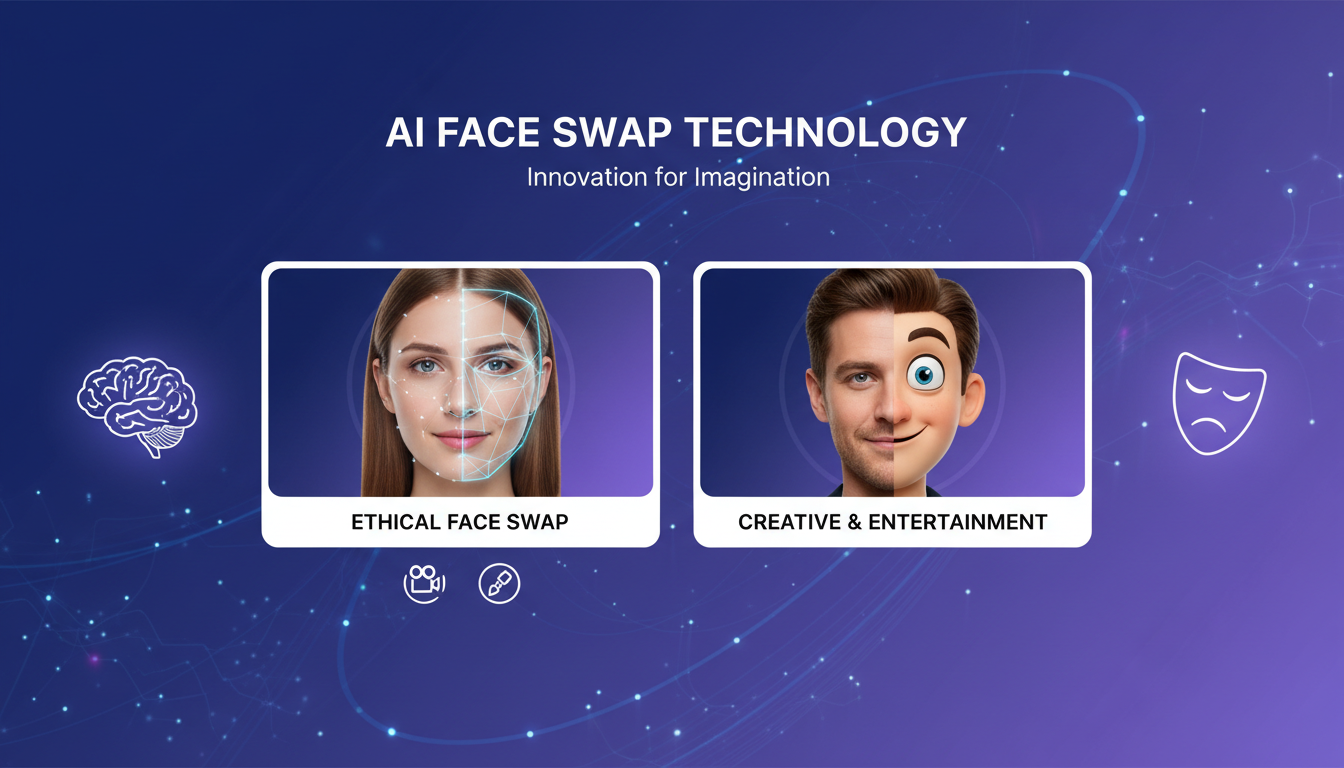
Make AI images and video in your browser
Characters, video, photo packs. No GPU, no setup. Your first generation is free.
AI face swap technology has come a long way since the early days of clumsy Photoshop cutouts and obviously fake overlays. Today's tools use deep learning models that can seamlessly blend one person's face onto another in both photos and video, producing results that are genuinely difficult to distinguish from the real thing. I've been testing these tools for over a year now, and the improvements in just the past six months have been staggering.
But before I get into the tools and techniques, I need to address something directly. AI face swap is one of the most ethically fraught areas of AI technology. The same capabilities that make it fun and useful for creative projects also make it dangerous when misused. This guide is written with the assumption that you're using these tools responsibly, for your own creative projects, with consent from anyone whose likeness you use, and never for deception or harassment. If you're looking for ways to create non-consensual content of real people, this is not the guide for you.
Quick Answer: The best AI face swap tools in 2026 are FaceFusion (free, open-source, best quality), Reface (easiest mobile app), and Akool (best browser-based option). For video face swaps, FaceFusion and DeepFaceLab remain the gold standard. Always get consent before using anyone's likeness, and never create non-consensual intimate content.
- FaceFusion is the best free, open-source AI face swap tool with excellent quality
- Mobile apps like Reface offer the easiest experience for casual face swaps
- Consent is non-negotiable. Never swap faces onto someone without their permission
- Video face swapping is now achievable in real time on consumer hardware
- Legal consequences for misuse are real and getting more severe globally
- Creative and entertainment uses (movies, memes, personal fun) are the ethical sweet spot
- Quality depends heavily on lighting match, angle similarity, and resolution
Why AI Face Swap Matters (And Why Ethics Come First)
I want to start with the ethics section rather than burying it at the bottom, because I think it's the most important part of this entire guide. AI face swap technology is a tool, like any other. A kitchen knife can prepare a beautiful meal or cause harm. The technology itself is neutral, but how you use it is what matters.
The legitimate, ethical uses of face swap technology are genuinely exciting. Film studios use it to de-age actors or complete scenes when an actor is unavailable. Content creators use it for comedy and parody. Individuals use it to see what they'd look like with a different hairstyle, or to create funny family videos. Marketing teams test how different models look in ad campaigns before booking expensive photo shoots. These are all valid, creative applications.
Here is my first hot take: I believe every AI face swap tool should require creative consent verification before processing images of identifiable individuals. Most tools today don't, and that's a problem. The technology has outpaced the safeguards. Some platforms like Apatero are working toward building ethical guardrails into AI creative tools, but the industry as a whole still has a long way to go.
What Is Never Acceptable
Let me be absolutely clear about the boundaries.
- Creating intimate or sexualized imagery using someone's face without their explicit consent. This is illegal in most jurisdictions and carries serious criminal penalties.
- Using face swap to impersonate someone for fraud, scams, or identity theft.
- Creating face swap content of minors in any context that could be considered exploitative.
- Using face swap to create misleading political content or disinformation.
- Harassment or bullying by placing someone's face in humiliating scenarios.
Laws are catching up fast. The United States has passed federal legislation addressing deepfake content, and most states now have specific laws against non-consensual synthetic media. The EU's AI Act classifies face-swapping systems as high-risk AI, requiring transparency and compliance measures. Getting caught isn't a matter of "if" but "when," because forensic detection tools are improving just as quickly as generation tools.
For a deeper look at the legal landscape, I recommend reading the Electronic Frontier Foundation's overview of deepfake legislation.
How AI Face Swap Actually Works
Understanding the technology helps you get better results and also appreciate why certain ethical constraints exist. Modern AI face swap systems work through a multi-step pipeline that has been refined significantly over the past few years.
The process starts with face detection. The system locates faces in both the source image (the face you want to use) and the target image (where you want to place it). This uses models similar to what your smartphone uses for face unlock, identifying facial landmarks like eyes, nose, mouth, and jawline contours.
Next comes face alignment and extraction. The detected face is normalized, meaning it's rotated, scaled, and cropped to a standard orientation. This step is critical because even small misalignments produce uncanny results. The best tools handle this automatically, but cheaper ones sometimes require manual adjustment.
The core swap happens through a neural network (typically a GAN or diffusion-based model) that has learned how to reconstruct faces. It takes the identity features from the source face (bone structure, eye shape, skin texture) and the expression and pose features from the target face (smile, head angle, lighting), then generates a new face that combines both. This is fundamentally different from simple pasting. The AI is generating a new image that blends characteristics from both inputs.
Finally, the swapped face is blended back into the target image. This involves color correction to match skin tones, edge feathering to eliminate hard boundaries, and sometimes additional processing to match lighting and shadow patterns. The quality of this blending step is often what separates good tools from great ones.
For video, this entire pipeline runs on every frame, with additional temporal consistency processing to prevent flickering or jitter between frames. That's why video face swapping is so computationally intensive and why real-time video face swap was essentially impossible on consumer hardware until recently.
Best AI Face Swap Tools in 2026
I've tested over a dozen face swap tools extensively over the past year. Here's my honest assessment of what's actually worth your time, broken down by use case.
FaceFusion (Best Free Open-Source Option)
FaceFusion is the tool I reach for most often. It's free, open-source, and produces results that rival or exceed paid alternatives. The project evolved from the earlier InsightFace/Roop ecosystem and has matured into a genuinely polished tool.
What makes FaceFusion special is its modular architecture. You can swap faces, enhance them, adjust age, and even modify expressions, all within a single pipeline. The face enhancer module (using GFPGAN or CodeFormer) runs automatically after the swap, which means you get clean, detailed results without manual post-processing.
I ran a test last month where I swapped my face into 50 different photos with varying lighting conditions, angles, and resolutions. FaceFusion handled about 85% of them with results I'd call "very good to excellent." The remaining 15% had minor issues, mostly with extreme side profiles or very harsh lighting that created unnatural shadow transitions.
- Price: Free (open-source)
- Platform: Windows, Linux, macOS (requires Python)
- Best for: High-quality photo and video face swaps
- GPU required: Yes (NVIDIA recommended, 6GB+ VRAM)
- Face swap video support: Yes, with frame-by-frame processing
Reface (Best Mobile App)
For quick, casual face swaps on your phone, Reface remains the go-to app. The ai face swap free tier gives you a handful of swaps per day, and the results are surprisingly good for a mobile application. The app comes preloaded with trending GIFs and video clips that you can swap your face into, which makes it incredibly easy to create shareable content.
I showed Reface to my parents over the holidays, and within five minutes my dad was sending face-swapped movie clips to his entire contact list. That's the kind of accessibility that desktop tools simply can't match. The quality isn't as high as FaceFusion, but for social media sharing and casual fun, it's more than adequate.
- Price: Free tier available, premium from $4.99/month
- Platform: iOS, Android
- Best for: Quick, fun face swaps for social media
- GPU required: No (cloud-processed)
- Limitations: Lower resolution, watermark on free tier
Akool (Best Browser-Based)
If you want solid results without installing anything, Akool is the best face swap app ai users can access directly from a browser. It handles both photos and video, supports batch processing, and produces clean results. The interface is straightforward, and you can get a face swap no watermark on paid plans.
I used Akool for a client project where we needed to test how different face types looked in a series of marketing stills. Being browser-based meant the whole team could access it without installing software or dealing with GPU requirements. For collaborative workflows, that's a significant advantage.
- Price: Free tier (limited), paid plans from $9.99/month
- Platform: Web browser (any OS)
- Best for: Team workflows, quick professional face swaps
- GPU required: No (cloud-processed)
DeepFaceLab (Best for Video Projects)
DeepFaceLab has been the gold standard for ai face swap video work for years. It requires more technical knowledge than the other tools on this list, but it also gives you the most control over every aspect of the process. Professional VFX studios actually use this tool (or derivatives of it) for film production work.
The learning curve is steep. I spent about a week getting comfortable with the workflow when I first started using it. But once you understand the training and conversion pipeline, the results are in a class of their own. The tool lets you train a model specifically for the face pair you're working with, which means the swap adapts to the specific skin tones, facial structures, and expressions involved.
- Price: Free (open-source)
- Platform: Windows (primary), Linux
- Best for: High-quality video face swaps, professional projects
- GPU required: Yes (NVIDIA, 8GB+ VRAM recommended)
- Training time: Several hours to days depending on quality target
Other Notable Tools
Several other tools deserve mention for specific use cases.
InsightFace/INSwapper continues to improve and serves as the backbone model for many face swap applications. If you're building a custom pipeline, this is likely the model you'll integrate. SimSwap offers good quality with a simpler setup process. Rope (Real-time One-shot Pipeline for face swap) provides genuinely real-time face swapping for video calls and streaming, though the quality is lower than offline processing.
For those who prefer a managed platform with ethical guidelines built in, Apatero is developing AI creative tools that include consent verification and responsible use features. I appreciate the approach of building ethics into the platform rather than relying entirely on user behavior.
Getting Realistic Results: Tips From My Testing
The difference between a convincing face swap and an obvious one usually comes down to preparation and settings, not which tool you use. Here are the practical lessons I've learned from hundreds of swaps.
Source Photo Quality Matters Enormously
The single biggest factor in realistic face swap ai results is the quality of your source face photo. A well-lit, front-facing, high-resolution photo will produce dramatically better results than a dark, angled, low-res image.
For best results, use a source photo that meets these criteria.
- Resolution of at least 512x512 pixels for the face area alone
- Even, diffused lighting (avoid harsh shadows on one side of the face)
- Neutral expression (slightly smiling is fine, but avoid extreme expressions)
- Front-facing or slight three-quarter angle
- Clean background (helps the face detection algorithm)
I keep a small collection of "reference faces" on my computer. These are high-quality, well-lit photos specifically chosen for face swapping. Having these ready saves time and produces consistently better results than grabbing random photos.
Free ComfyUI Workflows
Find free, open-source ComfyUI workflows for techniques in this article. Open source is strong.
Matching Lighting and Angle
Here is where most face swaps fail. If your source face is lit from the left and the target photo has light coming from the right, no amount of AI processing will make the result look natural. The AI can blend colors and textures, but it struggles to fundamentally relight a face.
Similarly, extreme angle mismatches produce poor results. If you're swapping a front-facing source onto a profile target, expect distortion. The best results come when both the source and target faces are at roughly similar angles. Most tools can handle up to about 30 degrees of rotation difference, but beyond that, quality drops noticeably.
Resolution and Face Size
A common mistake is trying to swap faces in very low-resolution images or where the face occupies only a tiny portion of the frame. The AI needs enough pixel data to work with. If the target face is smaller than about 128x128 pixels, you'll likely get blurry, artifact-heavy results.
For face swap photo ai work, I recommend the target face be at least 256x256 pixels. For video, each frame should have the face at minimum 192x192 pixels. If your source material is lower resolution, consider running it through an AI upscaler first. I covered upscaling tools in detail in my guide on AI photo tools for transforming and enhancing images.
Post-Processing Makes a Difference
Even the best face swap often benefits from a final pass of post-processing. This might include subtle color grading to ensure skin tones match perfectly, slight blurring at the edges of the swap zone to eliminate any remaining hard lines, and overall sharpening to add the final polish.
In my workflow, I typically run the face-swapped result through a face enhancement model like CodeFormer as a final step. This cleans up any minor artifacts, sharpens facial details, and produces a more polished result. Many tools include this step automatically, but for maximum quality, running it separately with fine-tuned settings makes a noticeable difference.
AI Face Swap for Video: What You Need to Know
Video face swapping is where this technology gets both most impressive and most resource-intensive. Instead of processing a single image, you're processing 24 to 60 frames per second, and maintaining consistency across all of them.
Hardware Requirements
Let me be honest about what you need. For any serious ai face swap video work, you need a dedicated NVIDIA GPU with at least 8GB of VRAM. An RTX 3060 or newer is the sweet spot for hobbyist work. Professional studios typically use RTX 4090s or A100s for batch processing.
CPU-only processing is technically possible with some tools but is painfully slow. A 30-second video clip that takes 5 minutes on a GPU might take several hours on CPU alone. If you don't have a capable GPU, cloud-based options like Akool or Apatero are the practical choice.
Frame-by-Frame Consistency
The biggest technical challenge with video face swaps is temporal consistency. The AI processes each frame independently, which can lead to flickering, jitter, or subtle changes in the swapped face between frames. Good tools address this with temporal smoothing algorithms that ensure the output face changes smoothly from frame to frame.
FaceFusion and DeepFaceLab both handle this well, though DeepFaceLab's approach of training a model on the specific face pair tends to produce slightly more consistent results over longer clips. For short clips (under 30 seconds), FaceFusion's default settings work great. For longer content, DeepFaceLab's training approach is worth the extra setup time.
Audio Sync Considerations
If you're swapping faces in video that includes dialogue, pay attention to lip sync. The swapped face inherits the mouth movements from the target video, so speech should remain in sync. However, if the source face has a very different mouth shape or lip thickness than the target, the result can look slightly off during speech.
My second hot take: Real-time AI face swap for video calls will be mainstream within 18 months, and we're completely unprepared for the trust implications. Tools like Rope already enable this on consumer hardware. Imagine a world where you can't trust that the person on your Zoom call looks like they actually look. We need identity verification standards for video communication before this becomes widespread.
Building an Ethical Face Swap Workflow
Since this technology is so powerful and potentially harmful, I want to outline what a responsible workflow looks like. This isn't just about legal compliance. It's about being a decent person.
Want to skip the complexity? Apatero gives you professional AI results instantly with no technical setup required.
Step 1: Consent First, Always
Before you swap anyone's face, ask yourself one question. Does the person whose face I'm using (or placing a face onto) know about this and agree to it? If the answer is anything other than "yes, explicitly," don't proceed.
For personal creative projects using your own face, this is simple. For collaborative work, get written consent. For commercial projects, get legal consent with specific usage rights defined. This might seem overly cautious for a "fun" face swap, but the legal and personal consequences of getting it wrong are severe.
Step 2: Consider the Context
Even with consent, consider where and how the content will be used. A funny face swap shared among friends is very different from one posted publicly on social media. Context matters. Would the person be comfortable with this specific usage? When in doubt, ask.
Step 3: Disclose When Appropriate
If you're sharing face-swapped content publicly, consider adding disclosure that AI was used. Many platforms now require this, and transparency helps maintain trust. A simple caption like "Created with AI face swap for entertainment" goes a long way.
Step 4: Secure Your Work
Face swap outputs should be handled with care. Don't leave them on shared drives or cloud storage without access controls. If you're processing client work, ensure you have appropriate data handling procedures in place. Delete source materials when they're no longer needed.
Free vs. Paid: What's Actually Worth Paying For
One of the most common questions I get is whether paid face swap tools are worth the money. The honest answer is that it depends entirely on your use case.
The best ai face swap free options (FaceFusion, DeepFaceLab) produce the highest quality results available today. Yes, free tools beat paid tools on pure output quality. The reason paid tools still have a market is convenience, speed, and accessibility.
If you're comfortable with command-line tools, have a capable GPU, and don't mind spending time on setup, FaceFusion gives you everything you need at zero cost. If you want to do a quick face swap on your phone during lunch, Reface's $5/month subscription is worth it for the convenience alone.
For professional workflows, the cloud-based tools (Akool, Artguru, etc.) offer team collaboration features, API access, and processing power that would be expensive to replicate locally. The cost of a subscription is often less than the electricity bill for running a high-end GPU for equivalent processing time.
My third hot take: The "ai face swap free" tools are technically superior to every paid alternative, and the paid tools know it. The commercial face swap market is built almost entirely on convenience, not quality. If the open-source tools ever get a truly polished UI, the paid market will shrink dramatically.
Common Problems and How to Fix Them
Even with good tools and preparation, you'll encounter issues. Here are the most common problems and their solutions based on my extensive testing.
Skin Tone Mismatch
The swapped face looks like it belongs to a different person because the skin color doesn't match the rest of the body or the original face in the target. This usually happens when the source and target faces have very different skin tones or when the lighting creates color casts.
Fix: Most tools have a color correction or color transfer setting. Enable it and set it to match the target. In FaceFusion, the "color_correction" option handles this automatically. For stubborn cases, run the result through a color grading tool to manually adjust skin tones.
Earn Up To $1,250+/Month Creating Content
Join our exclusive creator affiliate program. Get paid per viral video based on performance. Create content in your style with full creative freedom.
Edge Artifacts (Visible Swap Boundary)
A visible line or color shift around the edge of the swapped face, making it obvious where the swap begins and ends. This is the most common tell-tale sign of an ai face swap.
Fix: Increase the mask blur or feathering settings. In FaceFusion, try adjusting the face mask blur from the default to a higher value. Some tools also offer a mask erosion setting that shrinks the swap area slightly, which can help eliminate hard edges near the hairline and jawline.
Flickering in Video
The swapped face appears to flicker or change slightly between frames, creating a distracting shimmer effect. This is more noticeable in low-light footage or when the target face moves quickly.
Fix: Enable temporal smoothing if your tool supports it. Reduce the input video resolution slightly (processing at 720p instead of 1080p can improve consistency). For critical projects, process the video at a higher quality setting and accept the longer render time.
Glasses and Accessories
Face swap tools often struggle with glasses, masks, piercings, or other accessories that partially occlude the face. The AI might try to remove the glasses, duplicate them, or create artifacts around them.
Fix: When possible, use a source face without glasses if the target is also without glasses (and vice versa). For glasses specifically, some tools have an "occluded face" mode that handles accessories more gracefully. If the result is problematic, consider doing a manual touch-up on the glasses area in a photo editor.
Creative Applications Worth Exploring
Beyond the obvious entertainment uses, AI face swap has some genuinely creative applications that I think are underexplored.
Historical photo recreation is one of my favorites. I've used face swap to place my face into famous historical photos, not for deception, but for fun "what if" scenarios. Imagine seeing yourself as an astronaut on the moon landing or standing in a crowd at Woodstock. For personal amusement and family entertainment, it's brilliant.
Fashion and styling preview is another practical application. Want to see how you'd look with a completely different hairstyle without committing to a salon visit? Swap your face onto images of different styles. I did this before a major haircut last year and it genuinely helped me avoid a style I would have regretted.
Content creation for blogs and social media is growing. If you need a variety of "model" shots for a project but can't afford a photo shoot, creating AI-generated variations using face morphing techniques (with appropriate disclosure) is becoming more common. For more on AI-generated models, check out our guide to AI model generators for virtual models.
If you're exploring the broader landscape of AI-generated imagery, including face swaps, style transfer, and image generation, I've covered the best tools comprehensively in my AI image generator comparison for 2026 and turning photos into AI art.
The Technology Behind the Technology
For the technically curious, the modern realistic face swap ai pipeline has evolved dramatically from its origins. Early face swap tools used basic image manipulation: detect face, warp source to match target geometry, paste it on. The results were obviously fake.
The breakthrough came with encoder-decoder architectures, where the AI learns to separate "identity" from "expression." The encoder compresses a face into a compact numerical representation (a latent vector), and the decoder reconstructs a face from that representation. By feeding one person's identity vector through a decoder trained on another person, you get a face that has the first person's identity but the second person's pose and expression.
More recent tools use transformer-based architectures that attend to specific facial regions independently, producing more natural results around challenging areas like eyes, teeth, and hair boundaries. Some cutting-edge approaches use diffusion models instead of GANs, which tend to produce less artifact-heavy results at the cost of slower processing.
The face enhancement step typically uses a separate model (CodeFormer or GFPGAN) that was trained specifically on high-quality face images. This model "cleans up" the synthesized face, adding realistic skin texture, sharpening eye detail, and ensuring facial features look natural. It's like having a digital makeup artist that fixes any imperfections in the swap.
Face Swap Detection: The Other Side of the Coin
For every advance in face swap generation, there's a corresponding advance in detection. Forensic AI tools can now detect face swaps with over 95% accuracy in most cases. These tools look for subtle inconsistencies that humans miss: irregular blending patterns, inconsistent noise profiles between the face and background, and unnatural eye reflections.
Major social media platforms deploy these detection systems automatically. Facebook, Instagram, TikTok, and Twitter all have AI-powered systems that flag potentially manipulated content. If you're posting face-swapped content on these platforms, it may be automatically labeled as "AI-generated" or "altered media."
This is actually a good thing. Detection systems create accountability and help prevent misuse. They're part of the ecosystem of trust that allows the creative uses of face swap technology to coexist with responsible oversight. Tools like Microsoft's Video Authenticator and Intel's FakeCatcher are available for anyone who needs to verify whether content has been manipulated.
FAQ
Is AI face swap legal?
AI face swap itself is legal in most jurisdictions. What matters is how you use it. Swapping your own face for creative purposes is fine. Creating non-consensual intimate imagery, committing fraud, or producing content involving minors is illegal. Laws vary by country and state, so check your local regulations. In the US, federal law now specifically addresses synthetic media, and most states have their own deepfake laws.
What is the best free AI face swap tool?
FaceFusion is the best free ai face swap tool available in 2026. It's open-source, produces professional-quality results, handles both photos and video, and includes built-in face enhancement. The only downside is that it requires a computer with a dedicated NVIDIA GPU and some comfort with command-line tools. For mobile users, Reface offers a limited free tier.
Can AI face swap work on video?
Yes, and the results have gotten remarkably good. FaceFusion and DeepFaceLab both handle ai face swap video with frame-by-frame processing and temporal consistency. Real-time face swapping for video calls is also possible with tools like Rope, though quality is lower than offline processing. You'll need a decent GPU (8GB+ VRAM) for smooth video processing.
How do I get a face swap with no watermark?
Free tiers of most commercial face swap tools add watermarks. To get a face swap no watermark, either use an open-source tool like FaceFusion (which never adds watermarks) or subscribe to a paid plan on commercial platforms. Akool, Reface, and Artguru all offer watermark-free exports on their paid tiers.
Is it ethical to use AI face swap?
It can be, when used responsibly. Swapping your own face for fun, creating parody content, testing hairstyles, or making family entertainment videos are all ethical uses. The key principles are consent (everyone involved agrees), transparency (disclose AI use when sharing publicly), and intent (never create content designed to deceive or harm). If you wouldn't be comfortable showing the result to the person whose face you used, don't make it.
Can face swaps be detected?
Yes. Modern forensic AI tools detect face swaps with over 95% accuracy. Social media platforms automatically scan for manipulated media. Detection tools analyze pixel-level patterns, noise inconsistencies, and facial geometry anomalies. The technology for detection is advancing as quickly as generation, so assuming your face swap will go undetected is a risky bet.
What hardware do I need for AI face swap?
For photo face swaps, almost any modern computer with a dedicated GPU will work. FaceFusion runs well on an NVIDIA GTX 1660 or better. For video face swaps, you'll want at least an RTX 3060 with 8GB+ VRAM. Cloud-based tools like Akool and Apatero eliminate hardware requirements entirely by processing on remote servers.
How realistic can AI face swaps get?
With the right source material and settings, modern face swaps can be virtually indistinguishable from real photos to the human eye. The key factors are matching lighting conditions, using high-resolution source images, and proper post-processing. Video face swaps are slightly more detectable due to temporal inconsistencies, but they're improving rapidly.
Can I use AI face swap for commercial projects?
Yes, but with important caveats. You must have model releases and consent forms for any identifiable faces used. The output must comply with your jurisdiction's synthetic media laws. Many commercial tools include commercial usage rights in their paid plans. For open-source tools, the software itself is free for commercial use, but legal responsibility for the output content rests entirely with you.
What is the difference between face swap and deepfake?
"Deepfake" is a broader term for AI-generated synthetic media, including voice cloning, full body synthesis, and more. "Face swap" specifically refers to replacing one person's face with another's in a photo or video. All face swaps are a type of deepfake, but not all deepfakes are face swaps. The term "deepfake" also carries more negative connotations due to its association with misuse, while "face swap" is more commonly associated with entertainment applications.
Final Thoughts
AI face swap technology in 2026 is genuinely impressive. The tools are more accessible, the results are more realistic, and the creative possibilities are expanding. But this power comes with responsibility that every user needs to take seriously.
My approach has always been straightforward. Use these tools for creative, consensual, transparent projects. Have fun with them. Make silly videos. Test hairstyles. Create art. But never lose sight of the fact that behind every face is a real person with rights and dignity.
The tools I've covered in this guide, FaceFusion, Reface, Akool, and DeepFaceLab, all have legitimate, exciting use cases. Choose the one that fits your needs, invest time in learning proper technique, and always put ethics first. The face swap community will be better for it.
If you're interested in the broader ecosystem of AI image and video creation, check out our guides on AI photo tools and AI art transformation. And if you're looking for an ethical platform that brings these creative tools together with responsible use guidelines, Apatero is building exactly that.
Make AI images and video in your browser
Characters, video, photo packs. No GPU, no setup. Your first generation is free.
Related Articles
Adobe Firefly vs Midjourney vs Ideogram 2026: Which Wins
Brand-safe licensing, scroll-stopping aesthetics, or text rendering. Three tools optimized for three different jobs, tested against real briefs.
AI Architecture Rendering 2026: Veras vs Paintit vs Midjourney
44 percent of architects use AI in 2026. Veras, Paintit, ArchiVinci, and Midjourney tested on five real architectural briefs from a working studio.

AI Art Market Statistics 2025: Industry Size, Trends, and Growth Projections
Comprehensive AI art market statistics including market size, creator earnings, platform data, and growth projections with 75+ data points.