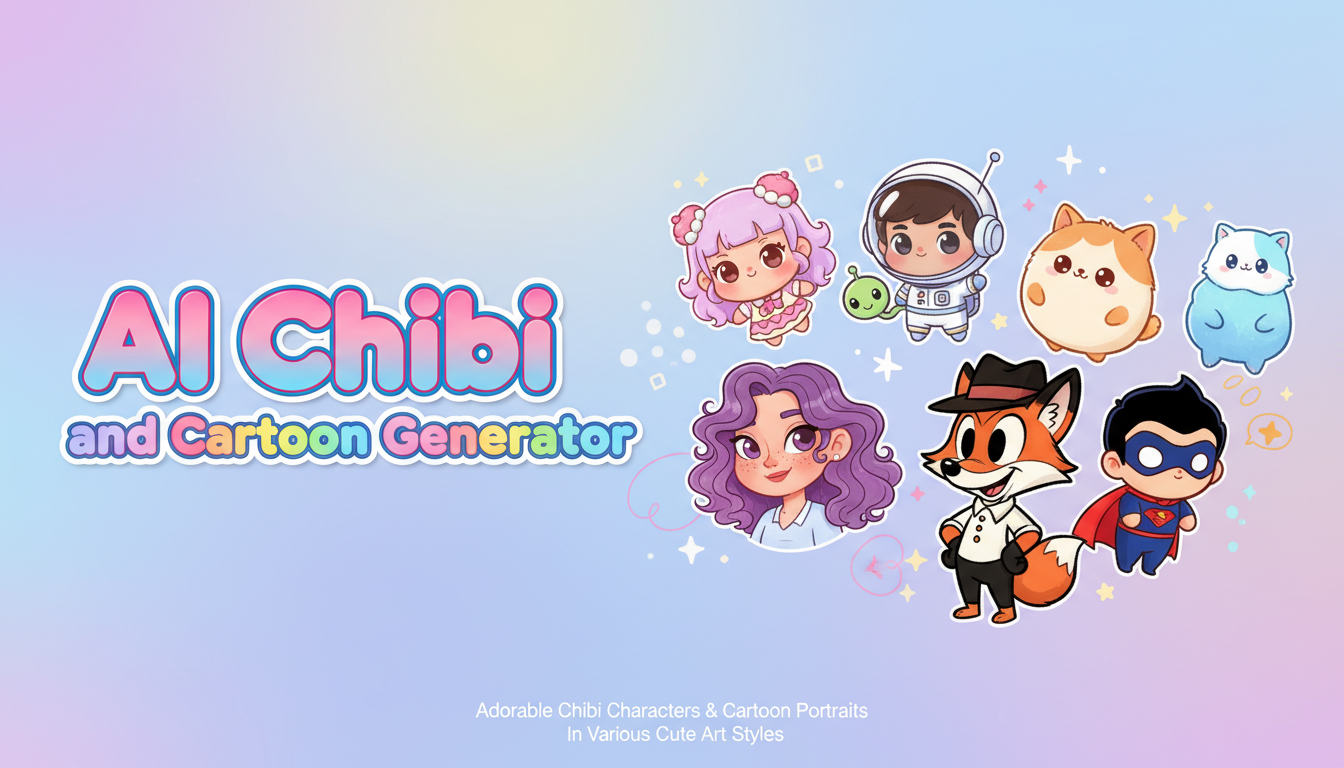
AI Chibi Generator: Turn Photos into Adorable Cartoon Characters in 2026
Complete guide to AI chibi generators and cartoon character makers. I tested every major tool to create cute chibi avatars and cartoon portraits from photos and text prompts.
Make AI images and video in your browser
Characters, video, photo packs. No GPU, no setup. Your first generation is free.
The first time I turned a photo of my dog into a chibi character, I knew the internet was about to lose its collective mind over these tools. The result was so ridiculously cute that I sent it to every group chat I'm in, and within an hour I had fifteen requests to "do me next." That was about six months ago, and the AI chibi generator landscape has evolved from a niche curiosity into one of the most popular corners of AI image generation. Everyone from professional illustrators looking for quick concept art to parents wanting custom birthday decorations is now using these tools daily.
Quick Answer: The best AI chibi generator in 2026 depends on your goals. For creating custom chibi characters from text descriptions, Stable Diffusion with chibi-trained LoRAs and models like ChibiMix delivers the highest quality. For turning photos into cartoon portraits quickly, tools on Apatero using img2img pipelines give you the most control over style. Free options like ToonMe and Meitu work well for casual cartoon selfies. For Pixar-style 3D cartoon looks, Flux 2 with the right prompt produces stunning results in seconds.
- AI chibi generators have become remarkably sophisticated in 2026, producing characters that rival hand-drawn artwork
- Photo-to-cartoon tools can now transform any selfie into chibi, anime, Pixar-style, or classic cartoon aesthetics
- Free tools exist and work surprisingly well, though paid options offer more style control and higher resolution
- The best results come from understanding which model and settings work for your target art style
- Chibi and cartoon avatars are now widely used for social media profiles, gaming, branding, and merchandise
- You can create consistent chibi characters across multiple poses and expressions with the right workflow
What Is a Chibi Character and Why Are AI Generators So Popular?
If you've spent any time around anime, manga, or Japanese pop culture, you already know what chibi means. The word literally translates to "small" or "short" in Japanese, and in the art world it refers to a specific style of drawing characters with oversized heads, tiny bodies, and exaggerated facial expressions. Think about those adorable figurines you see at anime conventions with heads that are roughly the same size as their entire body. That's chibi.
What makes chibi art so universally appealing is that it strips away detail in favor of pure cuteness. A chibi version of a tough, battle-scarred warrior still looks absolutely adorable. A chibi rendering of your grumpy uncle will make everyone smile. There's something about the proportions, the big eyes, and the simplified features that triggers an immediate emotional response. Psychologists actually have a term for this. It's called the "baby schema" effect, where features resembling infant proportions activate caregiving instincts and positive emotional responses in adults.
The ai chibi generator trend has exploded for a simple reason. Creating chibi art by hand requires genuine artistic skill. The proportions need to be precise. The expressions need to be readable despite the simplified features. The clothing and accessories need to be recognizable at a tiny scale. Most people can't draw a convincing chibi character even if they trace an existing one. But AI tools have learned these proportions from millions of examples, and they can produce professional-quality chibi artwork in seconds.
I started noticing the trend really picking up steam around mid-2025, when several social media platforms introduced cartoon avatar features powered by AI. Suddenly everyone's profile picture was a cute cartoon version of themselves. The trend has only accelerated since then, branching out from simple avatar creation into full character design, merchandise creation, and even animated chibi content.
The Different Styles of AI Cartoon and Chibi Art
Before diving into specific tools, it helps to understand that "cartoon" and "chibi" aren't single styles. There's actually a wide spectrum of cute and cartoon art aesthetics, and different AI tools excel at different points along that spectrum. Knowing what you want before you start will save you a lot of frustration and wasted generations.
Classic Chibi (2-3 Head Ratio): This is the traditional anime chibi style where the character's head is roughly half their total height. Bodies are extremely simplified, hands might be mitten-like, and expressions are over-the-top cute. This style works best for stickers, emotes, and small profile images where detail would be lost anyway.
Soft Chibi (3-4 Head Ratio): A slightly more proportional take that retains the cute factor but allows for more detailed clothing and accessories. This is what most people picture when they think of chibi art, and it's the most commonly requested style in the ai chibi generator tools I tested.
Pixar/3D Cartoon Style: The Disney-Pixar aesthetic has become hugely popular for AI cartoon portraits. Think smooth 3D rendering, expressive eyes, and that warm cinematic lighting that makes everything look like a frame from a Pixar movie. The "ai pixar style generator" search term has been trending consistently all year.
Classic Western Cartoon: Think Saturday morning cartoons, comic strips, or The Simpsons. Bold outlines, flat colors, exaggerated features. A very different vibe from anime-influenced chibi but equally popular for cartoon portraits.
Caricature Style: AI caricature generators take a different approach by exaggerating distinctive features rather than making everything cute. Your big nose gets bigger, your prominent chin gets more prominent, but in a humorous rather than unflattering way.
I personally gravitate toward the soft chibi style because it balances cuteness with enough detail to make characters recognizable. When I turned a team photo from a work event into chibi characters, the soft chibi style let me include enough clothing and hairstyle detail that everyone could immediately identify who was who. The classic chibi version was adorable but everyone kind of looked the same.
Best AI Chibi and Cartoon Generators I Actually Tested
I didn't just skim product pages for this guide. I spent three weeks running the same set of photos and prompts through every ai chibi generator and cartoon character maker I could find. My test set included a professional headshot, a casual group photo, a pet photo, and several text-only prompts for original character creation. Here's what actually delivered.
Stable Diffusion with Chibi Models: The Gold Standard
This is where serious chibi creators end up, and for good reason. The open-source Stable Diffusion ecosystem has produced some remarkable chibi and cartoon-specific models. ChibiMix, ToonYou, and DisneyPixarCartoon are checkpoint models specifically fine-tuned to produce cartoon and chibi artwork, and the results are genuinely impressive.
The advantage of using Stable Diffusion through a platform like Apatero is the level of control you get. Want a chibi character with a specific outfit, holding a specific prop, in a specific pose? You can get exactly that with the right prompt and model combination. Want to convert a photo into a chibi while maintaining the person's likeness? IP-Adapter and similar tools let you feed in reference images while the chibi model handles the style transfer.
I ran about fifty generations through ChibiMix alone, and the hit rate for usable results was around seventy percent. That's remarkably high for AI image generation. The failures were mostly minor issues like hands holding objects incorrectly or accessories merging with hair. The successes were characters that looked like they were drawn by a professional chibi artist.
Best for: Original chibi character creation, consistent character designs, high-quality cartoon art Pricing: Free (self-hosted) or $5-20/month through cloud platforms
Flux 2: Best for Pixar-Style Cartoon Portraits
If what you really want is that sleek 3D cartoon look that makes everyone look like they belong in a Pixar movie, Flux 2 is currently the best tool for the job. The model's understanding of 3D rendering, lighting, and materials translates beautifully into cartoon portrait generation.
I tested the "ai pixar style generator" approach extensively with Flux 2, and the results were consistently impressive. Skin has that smooth, rendered quality. Eyes catch the light realistically while still being stylized. Hair flows naturally despite being obviously cartoonish. The overall effect is polished and professional in a way that most other tools struggle to match.
My hot take here is that Flux 2 has actually made dedicated "cartoon filter" apps largely obsolete for anyone willing to write a decent prompt. The quality gap between a Flux 2 cartoon portrait and what you get from a one-click cartoon filter app is enormous. The filter apps give you something that looks like a photo with a filter slapped on it. Flux 2 gives you something that looks like it was modeled and rendered by a 3D artist.
The prompt that worked best for me was something along these lines: "3D rendered cartoon portrait in Pixar animation style, character smiling warmly, soft studio lighting, shallow depth of field, highly detailed, professional quality." Then I used img2img with a reference photo to maintain the likeness.
Best for: Pixar-style portraits, 3D cartoon looks, professional cartoon avatars Pricing: Varies by platform, typically $0.03-0.05 per image
ToonMe: Best Free Option for Quick Results
ToonMe deserves mention because it's the tool that introduced millions of people to the concept of turning a photo into a cartoon using AI. The app is free (with ads), runs on your phone, and produces a cartoon portrait from a selfie in about ten seconds. For sheer accessibility, nothing beats it.
The quality has improved significantly since the app first launched. The cartoon styles are more diverse now, ranging from classic Disney-inspired looks to anime-influenced aesthetics to more realistic digital painting styles. I used ToonMe on a whim during a family gathering and ended up creating cartoon versions of every relative present. My cousin's kids were particularly delighted with their cartoon portraits, which made excellent temporary phone wallpapers.
The limitations are real, though. You can't customize much beyond choosing from preset styles. The resolution is limited. And the "free" tier pushes ads and watermarks aggressively. But as an entry point for someone who just wants to see what they'd look like as a cartoon character, it's hard to argue with free and instant.
Best for: Casual users, quick social media content, trying cartoon styles before committing to a paid tool Pricing: Free with ads, premium removes watermarks
Meitu and Similar Mobile Apps: The Convenience Play
The mobile app market for ai cartoon portrait creation has exploded. Meitu, Snow, and several other apps offer one-tap cartoon transformations with impressively good results. The styles range from anime and chibi to watercolor illustrations and oil painting simulations.
I tested six different mobile cartoon apps over a weekend, and Meitu consistently produced the most natural-looking results. The app has clearly been trained on a massive dataset of portrait photography and cartoon art, because it handles tricky lighting conditions, unusual angles, and group photos better than most of its competitors.
One thing that surprised me was how well these apps handle non-human subjects. I ran a photo of my neighbor's cat through Meitu's cartoon filter and got something that looked like a character from an animated movie. Big, expressive eyes, slightly anthropomorphized features, and colors that popped without looking artificial. It was genuinely delightful.
Best for: On-the-go cartoon creation, social media sharing, casual fun Pricing: Free with in-app purchases ($3-10 for premium features)
Free ComfyUI Workflows
Find free, open-source ComfyUI workflows for techniques in this article. Open source is strong.
Midjourney v7: Most Artistic Cartoon Interpretations
Midjourney has always excelled at artistic interpretation, and that strength carries over to cartoon and chibi generation. The results tend to be more "artistic" and less "clip art" than what you get from dedicated cartoon tools. If you want a cartoon portrait that looks like it belongs in a gallery rather than on a sticker sheet, Midjourney is worth trying.
The challenge is that Midjourney isn't specifically built for chibi or cartoon work, so you need to be more precise with your prompts. Adding style references, specifying proportions explicitly, and using the stylize parameter to dial in the aesthetic takes some experimentation. But when it clicks, the results are stunning.
I generated a chibi self-portrait through Midjourney that I ended up using as my profile picture for three months. The style was unique, somewhere between watercolor illustration and traditional chibi, and multiple people asked me who the artist was. When I told them it was AI-generated, the reactions ranged from impressed to slightly unsettled.
Best for: Artistic cartoon portraits, unique style blends, high-quality illustration Pricing: $10-30/month depending on tier
How to Turn a Photo into a Cartoon Using AI
The photo-to-cartoon workflow is probably the most popular use case for these tools, so let me walk through exactly how to get the best results. This process works regardless of which specific tool you choose, though I'll reference specific settings where they matter.
The quality of your input photo matters enormously. A well-lit, front-facing portrait with a clean background will produce dramatically better results than a blurry group shot taken in dim lighting. If you're serious about getting a great cartoon portrait, take a new photo specifically for this purpose. Face the camera directly, use natural lighting from a window, and keep the background simple.
Here's my step-by-step process for consistently great photo-to-cartoon conversions:
- Choose your target style first. Decide whether you want chibi, Pixar, classic cartoon, or caricature before you start. This determines which model or tool you'll use.
- Prepare your photo. Crop it to focus on the face and upper body. Remove busy backgrounds if possible. Ensure the face is well-lit and clearly visible.
- Select your tool and model. For chibi, use ChibiMix or similar. For Pixar, use Flux 2. For general cartoon, ToonYou works well.
- Set your parameters. If using Stable Diffusion or similar, set denoising strength between 0.5 and 0.7 for photo-to-cartoon. Lower values preserve more of the original photo, higher values give the AI more creative freedom.
- Write a supporting prompt. Even when using img2img, a text prompt helps guide the style. Something like "chibi character portrait, cute, big eyes, colorful, detailed outfit" pushes the model in the right direction.
- Generate multiple variations. Don't settle for the first result. Generate at least four variations and pick the best one. AI generation has inherent randomness, and the third or fourth attempt often produces the best result.
- Refine if needed. If the result is close but not perfect, use inpainting to fix specific areas rather than regenerating the entire image.
I learned that last step the hard way. I once spent an hour generating variations of a cartoon portrait trying to fix a weird hand position, when I could have just inpainted that specific area in two minutes. If you're new to the concept of transforming photos with AI, my guide on turning photos into AI art covers the fundamentals in more detail.
Creating Original Chibi Characters from Text
While photo conversion is popular, creating original chibi characters from scratch is where these tools really shine for creative projects. Whether you're designing a mascot, creating characters for a story, or just having fun with character design, text-to-chibi generation opens up possibilities that would take hours or days with traditional drawing.
The secret to great text-to-chibi results is understanding how to describe what you want in terms the AI model understands. Vague prompts like "cute chibi girl" will give you something generic. Specific prompts that describe clothing, accessories, pose, expression, and background produce characters with personality.
Here's a prompt structure that consistently works well:
"chibi character, [gender], [hair color and style], [eye color], [clothing description], [pose or action], [expression], [background], [additional style notes]"
For example: "chibi character, young woman, long wavy purple hair with star hair clips, bright green eyes, wearing a cozy oversized sweater and plaid skirt, sitting cross-legged reading a book, peaceful happy expression, surrounded by floating books and sparkles, soft pastel color palette, detailed, high quality"
That level of specificity usually produces something genuinely charming on the first try. I've created character sheets for tabletop RPG campaigns this way, generating the same character in multiple poses and expressions by keeping the character description consistent while changing the pose and expression portions of the prompt. The consistency isn't perfect, but it's good enough for game night.
Want to skip the complexity? Apatero gives you professional AI results instantly with no technical setup required.
For those who have explored AI anime generation, the chibi workflow is very similar but with different model choices and proportion-specific prompting. The skillset transfers directly.
The AI Chibi Figure Trend on Social Media
Speaking of trends, the "ai chibi figure trend" has become a fascinating subset of the broader AI action figure trend. Instead of realistic toy-box-style action figures, people are generating adorable chibi figurine versions of themselves, complete with display stands and tiny accessories.
The appeal is slightly different from the action figure trend. Where action figures aim for cool and impressive, chibi figures go for cute and endearing. I've seen chibi figures of CEOs that somehow made them look approachable and friendly, chibi figures of fitness influencers that were more charming than intimidating, and chibi figures of pets that were so cute they practically caused physical pain to look at.
I created a chibi figure of myself for my social media profiles, and the response was overwhelmingly positive. People commented that it captured my "vibe" in a way that a regular photo never could. There's something about the stylized simplification of chibi art that can actually reveal personality rather than obscure it. The choice of accessories, the pose, the expression all convey something about who you are in a more deliberate way than a photograph.
The practical applications go beyond social media vanity, too. I've seen small businesses use ai chibi generator tools to create mascots for their brands. Teachers have created chibi versions of historical figures for classroom materials. Game developers use chibi character generation for rapid prototyping. Wedding couples have used chibi portraits for save-the-date cards and table decorations.
Advanced Techniques for Better Chibi and Cartoon Results
Once you've gotten comfortable with basic chibi and cartoon generation, there are several techniques that can significantly improve your results. These require a bit more technical knowledge but the quality improvement is worth the learning curve.
LoRA Models for Specific Styles
LoRA (Low-Rank Adaptation) models are small add-on files that modify how a base model generates images, pushing it toward a specific style. The chibi and cartoon community has produced hundreds of LoRAs for specific aesthetics. There are LoRAs trained on specific anime artist styles, LoRAs for Studio Ghibli aesthetics, LoRAs for chibi proportions that maintain anatomical consistency, and LoRAs for specific cartoon shows.
I've built up a personal collection of about twenty LoRAs that I rotate through depending on what I'm creating. My favorite is a soft watercolor chibi LoRA that produces characters with a gentle, storybook quality that I haven't been able to replicate with prompting alone. Using LoRAs through Apatero makes the process straightforward since you can swap them in and out without managing files locally.
ControlNet for Pose Control
One of the biggest challenges in chibi generation is getting the pose right. AI models sometimes produce chibi characters in stiff, unnatural poses that undermine the cute factor. ControlNet solves this by letting you provide a pose reference that the model follows while still applying the chibi style.
I use a simple stick figure sketch as my ControlNet input, drawing the pose I want in about thirty seconds, and then let the model transform that rough sketch into a fully rendered chibi character. The results are dramatically better than relying on text descriptions for pose control. A chibi character mid-jump with arms raised and one leg kicked back is nearly impossible to get consistently through text prompting alone, but trivial with ControlNet.
IP-Adapter for Maintaining Likeness
When converting photos to chibi or cartoon style, maintaining the subject's recognizable features while applying heavy stylization is the core challenge. IP-Adapter (Image Prompt Adapter) handles this by encoding the visual features of your reference photo and injecting them into the generation process.
The strength parameter is crucial here. Too much IP-Adapter influence and you get something that looks like a filtered photo rather than a true chibi character. Too little and you lose the likeness entirely. I've found that a strength of 0.4 to 0.6 hits the sweet spot for most chibi conversions, preserving enough facial features to be recognizable while allowing the chibi model to fully transform the proportions.
Hot Takes on the AI Cartoon and Chibi Scene
I've been deep in this space for months now, and I have some opinions that might not be popular with everyone.
Hot take number one: most "AI cartoon filter" apps are selling you something you can do for free. The vast majority of mobile apps that charge subscription fees for cartoon portrait generation are running open-source models with a simple UI wrapper. The same models, and often better versions of them, are freely available through platforms that let you run Stable Diffusion. You're paying for convenience, which is fine if that's a conscious choice. But don't assume that a $10/month subscription is giving you access to superior technology. It usually isn't.
Earn Up To $1,250+/Month Creating Content
Join our exclusive creator affiliate program. Get paid per viral video based on performance. Create content in your style with full creative freedom.
Hot take number two: AI chibi generators are going to fundamentally change the merchandise industry. Right now, getting custom chibi artwork for products like mugs, t-shirts, stickers, and phone cases requires hiring an artist. A good chibi artist charges $50-150 per character design. An AI chibi generator produces comparable quality for pennies. I'm not saying this replaces human artists for high-end commercial work, but for personal merchandise, small business branding, and rapid prototyping, AI chibi generation is already good enough. Within a year, I expect most print-on-demand platforms to have built-in AI chibi generation tools.
Common Mistakes and How to Avoid Them
After generating hundreds of chibi and cartoon images across every tool available, I've compiled a list of the most common mistakes I see people make. Avoiding these will immediately improve your results.
The number one mistake is using low-quality input photos for photo-to-cartoon conversion. AI tools amplify the flaws in your source material. A blurry, poorly lit selfie will produce a blurry, poorly lit cartoon. Start with the best photo you can and the AI will have more to work with.
Another frequent issue is choosing the wrong art style for the subject matter. Chibi style works beautifully for individual character portraits and cute scenes, but it struggles with serious or dramatic subjects. If you're trying to create a cartoon version of a landscape or an action scene, you'll get better results with a more proportional cartoon style than with chibi.
Over-prompting is a surprisingly common problem too. When people add too many descriptors, accessories, and details to their prompts, the AI tries to include everything and the result becomes cluttered and confused. For chibi characters especially, simplicity is key. A character with one or two defining accessories is far more effective than one drowning in details.
Here are the most impactful improvements you can make:
- Use consistent lighting in your reference photos (natural light from a window works best)
- Keep your prompts focused on 2-3 key characteristics rather than listing everything
- Generate at batch sizes of 4 or more so you have options to choose from
- Use negative prompts to exclude unwanted elements like "bad anatomy, extra fingers, blurry"
- Match your output resolution to your intended use (higher isn't always better for chibi)
Creating AI Chibi Avatars for Professional Use
One application that's grown significantly is using ai chibi avatar images in professional contexts. LinkedIn profiles with cartoon avatars, company team pages featuring chibi portraits, email signatures with cute cartoon versions of employees. It's everywhere now, and it works surprisingly well for humanizing brands and making professional contexts feel more approachable.
I updated my own professional AI avatar on several platforms to a chibi-style portrait last year, partly as an experiment and partly because I genuinely liked how it looked. The engagement difference was noticeable. My LinkedIn posts got more comments, my email response rate went up slightly, and several people opened conversations by complimenting the avatar. There's research suggesting that approachable, friendly-looking profile images increase engagement rates, and chibi portraits are practically engineered to look approachable and friendly.
The key for professional chibi avatars is restraint. You want something that reads as fun and personable, not juvenile. Stick to a clean background, professional or smart-casual clothing on the character, and a friendly but composed expression. Save the sparkles, cat ears, and peace signs for your personal accounts.
For teams considering this approach, the consistency factor matters. Having every team member's avatar generated with the same model and style settings creates a cohesive look on the team page. I helped a startup do exactly this, generating chibi avatars for their twelve-person team using the same ChibiMix model with identical style parameters. The resulting team page looked polished and unique, like they'd commissioned a professional illustrator.
The Ethics and Etiquette of AI Chibi Generation
This wouldn't be a complete guide without addressing some of the ethical considerations around AI-generated cartoon art. The technology raises legitimate questions that are worth thinking about, even if you're just creating cute chibi characters for fun.
The most significant concern is the impact on professional chibi and cartoon artists. These tools can produce in seconds what used to take an artist hours. That economic reality is uncomfortable, and dismissing it isn't helpful. What I've observed, though, is that many professional artists have adapted by incorporating AI tools into their workflow rather than competing against them. They use AI for rough concepts and initial ideation, then apply their skills to refine, customize, and add the human touch that AI still can't fully replicate.
Another consideration is consent. Turning someone's photo into a chibi character without their permission exists in a gray area. It's generally accepted among friends and for personal use, but publishing or commercially using a cartoon portrait of someone who didn't agree to it is problematic. Always get permission before creating and sharing chibi portraits of other people, especially in professional or public contexts.
There's also the question of crediting AI tools versus presenting the work as your own. My position is straightforward: be honest about AI-generated content. If your chibi avatar was created with AI, there's no shame in saying so. Most people find it interesting rather than disappointing. Passing off AI-generated chibi art as hand-drawn is dishonest and disrespectful to artists who actually draw by hand.
What's Coming Next for AI Chibi and Cartoon Generation
The technology is improving at a pace that makes predictions risky, but I'll share what I'm seeing on the horizon based on current research and beta tools I've had access to.
Real-time chibi filters for video calls are already in early testing. Imagine joining a Zoom meeting and having a chibi version of yourself that moves, speaks, and expresses emotions in real-time. The latency is still too high for production use, but the demos I've seen are compelling. Within a year, this will likely be a standard feature in at least one major video conferencing platform.
Animated chibi character generation is another frontier. Current tools produce static images, but several projects are working on generating short animations from a single chibi character description. Walk cycles, idle animations, and simple emote sequences are already possible with tools like AnimateDiff combined with chibi models, and the quality is improving monthly.
Character consistency across scenes remains the biggest technical challenge, but it's being solved rapidly. The ability to create a chibi character once and then generate that exact character in any pose, outfit, or scenario will transform how people use these tools for storytelling, content creation, and brand mascots. According to research from Hugging Face, identity-preserving generation techniques have made remarkable progress in the past year alone.
Frequently Asked Questions
What is the best free AI chibi generator in 2026?
For completely free chibi generation, Stable Diffusion running locally with the ChibiMix checkpoint is the highest quality option. It requires some technical setup, but the results rival or exceed any paid service. For a zero-setup free option, ToonMe's free tier produces decent chibi-style results from photos, though with watermarks and limited style options. Several Discord communities also run free bots that generate chibi art from prompts.
Can I turn a photo into a cartoon using AI for free?
Yes. Multiple free options exist for converting photos to cartoon style. ToonMe, Meitu (free tier), and various online tools offer one-click photo-to-cartoon conversion. For higher quality free conversion, Stable Diffusion running locally with cartoon models and img2img gives you professional results at zero cost. The tradeoff is always between convenience and quality.
How does an AI caricature generator differ from a chibi generator?
AI caricature generators exaggerate distinctive features while maintaining relatively normal body proportions. A caricature of someone with a large nose will have an even larger nose. An AI chibi generator, by contrast, transforms proportions uniformly, giving everyone a large head, small body, and simplified features regardless of their actual appearance. Caricatures are about recognizing and amplifying uniqueness. Chibi is about transforming everyone into the same cute proportional framework.
Which AI tool creates the best Pixar-style cartoon portraits?
Flux 2 currently produces the most convincing Pixar-style 3D cartoon portraits. The model's understanding of 3D rendering, subsurface scattering on skin, and cinematic lighting creates results that genuinely look like Pixar character renders. ChatGPT's image generation (GPT-4o) is a close second and much easier to use, though with less fine control over the final look.
Is it legal to sell products with AI-generated chibi characters?
The legal landscape is still evolving, but generally, AI-generated chibi characters that are original creations (not based on copyrighted characters) can be used commercially. If you're using your own photo as a reference, you own the rights to your likeness. However, creating chibi versions of copyrighted characters like Pokemon or Disney characters and selling them is copyright infringement regardless of whether AI or human hands created the image. Always consult a legal professional for commercial use cases.
How do I maintain consistency when generating the same chibi character in different poses?
Use IP-Adapter or similar reference-image tools to maintain character consistency across generations. Generate your character once in a front-facing neutral pose, then use that image as a reference for subsequent generations in different poses. Setting the IP-Adapter strength to 0.5-0.6 preserves key features while allowing pose variation. Some newer models also support character sheet generation, producing multiple views of the same character in a single image.
Can AI chibi generators create animated characters?
Static chibi generation is mature and reliable. Animated chibi generation is emerging but still experimental. Tools like AnimateDiff combined with chibi models can produce short animation loops (walk cycles, idle animations, simple gestures) with reasonable quality. Full animated sequences with complex motion are not yet reliable. Expect significant improvements throughout 2026 as video generation models improve.
What resolution should I use for AI chibi art?
For social media avatars and profile pictures, 512x512 or 768x768 pixels is sufficient. For print materials like stickers or merchandise, generate at 1024x1024 or higher, then upscale with an AI upscaler like Real-ESRGAN. Chibi art is inherently simple in detail, so upscaling works particularly well. Avoid generating at extremely high resolutions (2048+) directly, as most chibi models were trained at lower resolutions and quality actually decreases at very high native generation sizes.
How do the "toon me" and "photo to cartoon" AI apps compare to full generation tools?
Mobile "toon me" style apps are optimized for speed and ease of use. They produce results in seconds with zero learning curve. Full generation tools like Stable Diffusion or Flux 2 take more setup and knowledge but offer dramatically more control over style, quality, and customization. Think of it as the difference between using Instagram filters and using Photoshop. Both have their place, but they serve different users and use cases.
What makes a good prompt for AI chibi character generation?
The most effective chibi prompts include specific details about hair (color, style, length), eyes (color, expression), clothing (specific garments, colors, patterns), one or two accessories, a pose or action, and an emotional expression. Keep it focused rather than exhaustive. Including style modifiers like "soft shading," "pastel colors," or "detailed" helps guide the aesthetic. Always include "chibi" and relevant style terms like "cute" or "kawaii" early in your prompt for models that use attention weighting.
Final Thoughts
The ai chibi generator space is one of the most genuinely fun corners of AI technology. Unlike some AI applications that feel clinical or impersonal, creating cute cartoon characters scratches a creative itch that most people didn't even know they had. Whether you're turning yourself into a Pixar character for LinkedIn, creating a chibi mascot for your side project, or just spending a Saturday afternoon generating ridiculous cartoon versions of everyone you know, these tools deliver genuine joy.
What I find most exciting is the democratization of cute character art. A year ago, if you wanted a custom chibi character, you either needed to draw it yourself or commission an artist. Now anyone can create professional-quality chibi art in minutes. That accessibility doesn't diminish the value of professional artists. It just means that more people can participate in the creative joy of character design, and that's something worth celebrating.
If you're just getting started, my recommendation is simple. Download ToonMe or a similar app and turn a selfie into a cartoon. See if you enjoy the result. If you find yourself wanting more control, more styles, and higher quality, explore Apatero and the Stable Diffusion ecosystem. The rabbit hole is deep, but it's lined with adorable chibi characters the whole way down.
Make AI images and video in your browser
Characters, video, photo packs. No GPU, no setup. Your first generation is free.
Related Articles

10 Best AI Influencer Generator Tools Compared (2025)
Comprehensive comparison of the top AI influencer generator tools in 2025. Features, pricing, quality, and best use cases for each platform reviewed.

5 Proven AI Influencer Niches That Actually Make Money in 2025
Discover the most profitable niches for AI influencers in 2025. Real data on monetization potential, audience engagement, and growth strategies for virtual content creators.

AI Action Figure Generator: How to Create Your Own Viral Toy Box Portrait in 2026
Complete guide to the AI action figure generator trend. Learn how to turn yourself into a collectible figure in blister pack packaging using ChatGPT, Flux, and more.