RVC Training Dataset Preparation: Tips for High-Quality Voice Models
Master RVC training dataset preparation. Learn audio selection, cleaning, and organization for training high-quality voice cloning models.
The quality of your RVC voice model depends primarily on your training dataset. Even perfect training settings can't compensate for poor audio data. Understanding how to prepare optimal training datasets dramatically improves your voice cloning results.
This guide covers everything about dataset preparation, from source selection to final organization.
Quick Answer: Quality RVC training requires 10-30 minutes of clean, varied audio from a single speaker. Remove background noise, music, and other voices. Include varied speech types (talking, different emotions, different topics). Use consistent audio quality throughout. More quality beats more quantity.
:::tip[Key Takeaways]
- Small optimizations can significantly improve your rvc training dataset preparation: tips for high-quality voice models results
- Consistency in applying these tips matters more than perfection
- Start with the highest-impact changes first
- Track your improvements to stay motivated :::
- Audio source selection criteria
- Cleaning and processing techniques
- Optimal dataset characteristics
- Organization and formatting
- Common mistakes to avoid
Dataset Fundamentals
What Makes Good Training Data
Quality datasets share characteristics:
Single speaker: One consistent voice throughout.
Clean audio: No background noise or music.
Variety: Different speech styles and content.
Consistent quality: Similar recording conditions.
Sufficient quantity: 10-30 minutes typically.
Impact on Results
Dataset quality affects:
Voice accuracy: How closely output matches target.
Versatility: How well model handles different inputs.
Artifact presence: Clean data = clean output.
Consistency: Reliable results across uses.
Source Selection
Ideal Sources
Best audio for training:
Voice acting recordings: Professional quality, varied expression.
Podcast solo segments: Clear speech, good microphones.
Audiobook narration: Clean, varied, professional.
Interview segments: Natural speech patterns.
Direct recordings: Custom recorded for training.
Acceptable Sources
Usable with processing:
YouTube videos: Variable quality, may need cleaning.
Voice messages: If quality is good.
Older recordings: If audio quality is acceptable.
Sources to Avoid
Problematic audio:
Music with vocals: Can't cleanly separate.
Heavy background noise: Noise trains into model.
Multiple speakers: Creates confused model.
Heavy effects: Reverb, auto-tune, distortion.
Very compressed audio: Lost information hurts quality.
Audio Cleaning
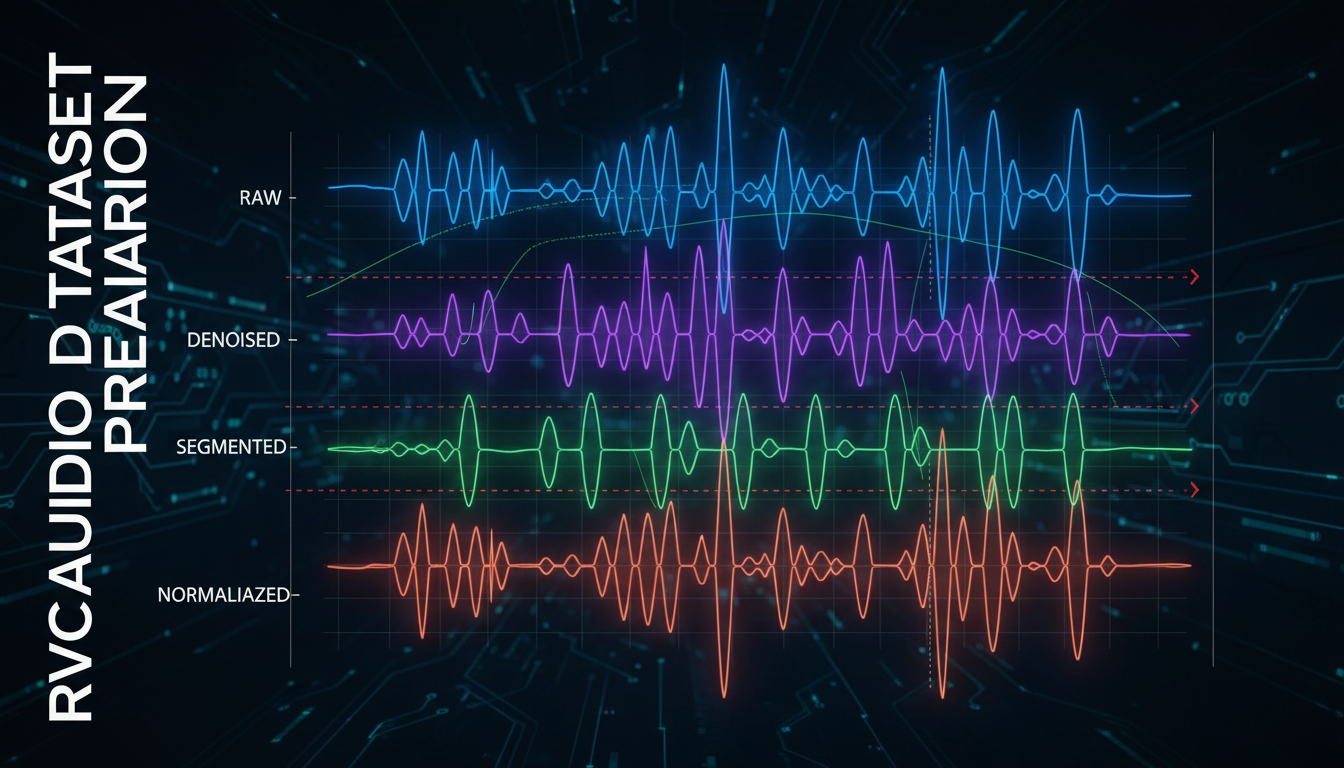
Noise Reduction
Remove unwanted sounds:
Tools: Audacity, Adobe Audition, iZotope RX.
Approach: Gentle reduction, preserve voice quality.
Targets: Hum, hiss, room noise, background sounds.
Warning: Over-processing hurts more than helps.
Silence Removal
Handle quiet sections:
Remove long silences: Speeds training, no value.
Keep breathing: Natural element of speech.
Trim starts/ends: Clean boundaries.
Volume Normalization
Consistent levels:
Target level: -3dB to -6dB peak.
Compression: Gentle if needed for consistency.
Avoid clipping: No distortion from over-normalization.
Format Conversion
Standard format:
Sample rate: 44.1kHz or 48kHz.
Bit depth: 16-bit sufficient.
Format: WAV preferred.
Channels: Mono.
Dataset Variety
Content Diversity
Include varied speech:
Different topics: Various vocabulary usage.
Different emotions: Happy, serious, excited, calm.
Different energy: Loud, quiet, fast, slow.
Natural speech: Conversational, not just reading.
What Variety Provides
Vocabulary coverage: More word sounds learned.
Emotional range: Model handles different tones.
Adaptability: Works with varied input audio.
Robustness: Fewer edge cases fail.
Avoiding Monotony
Problems with homogeneous data:
Limited expression: Model only captures narrow range.
Specific context: Works only for similar content.
Weak adaptation: Struggles with different inputs.
Dataset Size
Minimum Viable
10 minutes: Absolute minimum for usable results.
15-20 minutes: Recommended for good quality.
30 minutes: Excellent results typically achieved.
Diminishing Returns
More isn't always better:
Beyond 30 minutes: Improvements decrease.
Quality over quantity: 20 minutes of good audio beats 60 minutes of poor audio.
Processing time: Larger datasets take longer to train.
Right-Sizing Your Dataset
Match to use case:
Quick test: 10-15 minutes.
Production model: 20-30 minutes.
Maximum quality: 30 minutes of excellent audio.
Organization and Formatting
File Structure
Organize for training:
dataset/
 └── voice_name/
 ├── clip001.wav
 ├── clip002.wav
 ├── clip003.wav
 └── ...
Clip Length
Segment appropriately:
3-15 seconds per clip: Typical range.
Natural breaks: Split at pauses.
Consistent sizing: Roughly similar lengths.
Naming Convention
Clear identification:
Sequential naming: 001.wav, 002.wav, etc.
Or descriptive: talking_001.wav, emotional_001.wav.
Consistent: Same pattern throughout.
Quality Verification
Before Training
Check your dataset:
Listen through: Catch problems before training.
Spot check: Random samples from different sections.
Technical check: Verify format, levels, quality.
Red Flags
Problems to catch:
Background sounds: Music, noise, other voices.
Clipping: Distorted loud sections.
Quality inconsistency: Some clips much worse.
Wrong speaker: Accidentally included other voices.
Verification Checklist
Pre-training review:
- All clips are same speaker
- No background noise or music
- Consistent audio quality
- Appropriate volume levels
- Varied content and emotion
- Correct format (WAV, mono, appropriate sample rate)
- Sufficient total duration
Common Mistakes
Quality Issues
Using music tracks: Vocals can't be cleanly separated.
Ignoring noise: Background noise trains into model.
Over-processing: Heavy noise reduction hurts quality.
Mixed quality: Inconsistent sources confuse training.
Dataset Issues
Too short: Insufficient data for good model.
Too monotonous: Single emotion or style.
Multiple speakers: Creates confused output.
Too much silence: Wasted training time.
Workflow Issues
No verification: Not checking before training.
Poor organization: Messy files cause problems.
Wrong format: Incorrect audio specifications.
Frequently Asked Questions
How much audio do I really need?
15-20 minutes of clean, varied audio is the sweet spot.
Can I use music with vocals?
Not recommended. Instrumental bleeding hurts quality significantly.
What if I only have noisy audio?
Clean as much as possible. Some noise is better than too much processing.
Does speaking vs singing matter?
Include what you'll convert. Singing model should train on singing.
Can I combine sources?
Only if quality is consistent. Mixing qualities confuses training.
How important is variety?
Very. Monotonous datasets produce limited models.
What sample rate should I use?
44.1kHz or 48kHz. Match your intended output usage.
How do I know when my dataset is ready?
When it passes all quality checks and contains sufficient varied content.
Conclusion
Dataset preparation is the foundation of RVC model quality. Invest time in selecting good sources, cleaning audio properly, ensuring variety, and organizing correctly. This upfront work pays dividends in final model quality.
Quality beats quantity. A well-prepared 20-minute dataset produces better results than poorly prepared 60 minutes. Take the time to do it right.
For complete RVC training workflow, see our . For optimizing output quality, check our audio quality guide.
Generate the voice in your browser
Text to speech and voices for your videos, no model to install. Check your welcome allowance and the displayed cost before generating.
Related Articles

AI Art Market Statistics 2025: Industry Size, Trends, and Growth Projections
Comprehensive AI art market statistics including market size, creator earnings, platform data, and growth projections with 75+ data points.

AI Automation Tools: Transform Your Business Workflows in 2025
Discover the best AI automation tools to transform your business workflows. Learn how to automate repetitive tasks, improve efficiency, and scale operations with AI.

AI Background Remover and Generator: The Complete Guide to Replacing, Creating, and Perfecting Image Backgrounds
Master AI background removal, replacement, and generation. Compare the best tools, learn proven techniques, and transform your product photos and portraits.