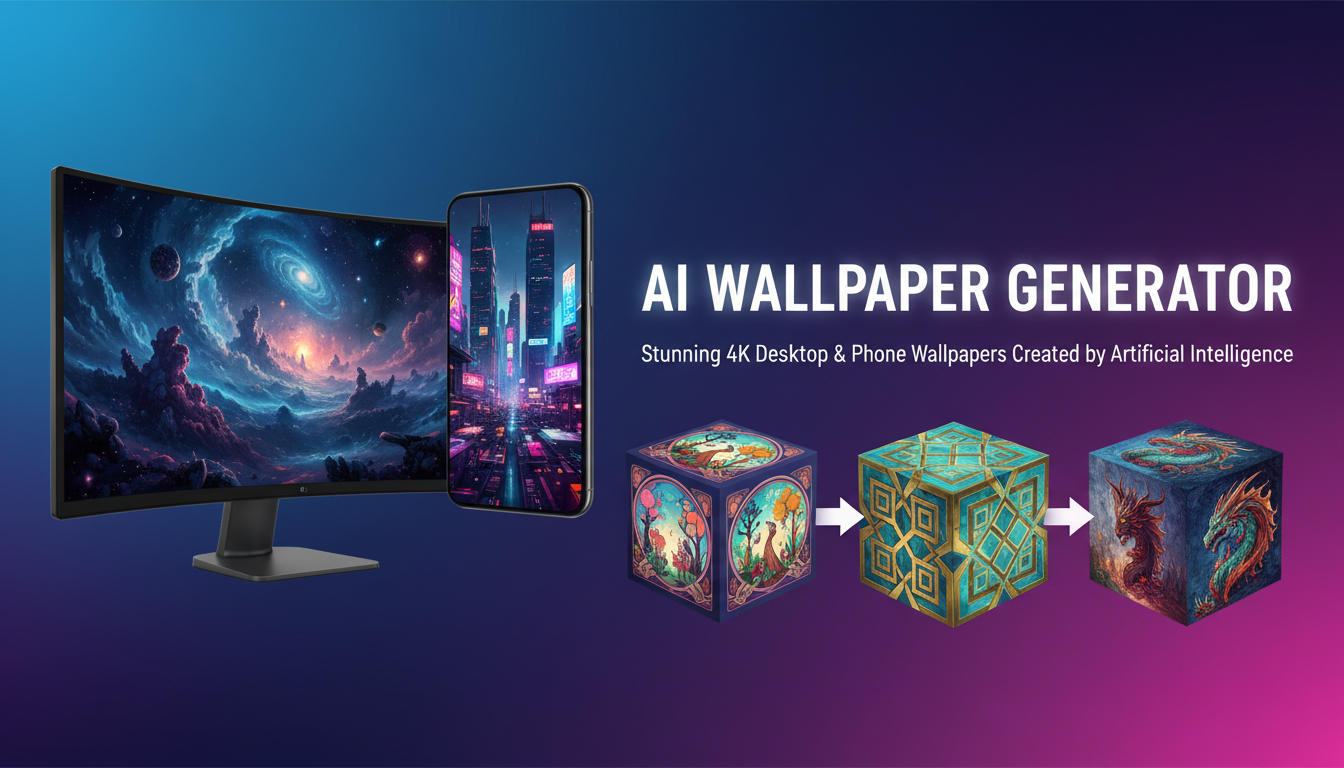
AI Wallpaper Generator: Create Stunning 4K Desktop and Phone Wallpapers in 2026
Complete guide to the best AI wallpaper generators for desktop and phone. Create custom 4K wallpapers, aesthetic designs, and live wallpapers using AI tools in 2026.
Make AI images and video in your browser
Characters, video, photo packs. No GPU, no setup. Your first generation is free.
I used to spend way too long browsing stock wallpaper sites trying to find something that actually matched my vibe. Nothing ever felt quite right. Then I started using an AI wallpaper generator to create exactly what I wanted, and honestly, I can't go back. Whether you need a moody cyberpunk cityscape for your ultrawide monitor or a minimal pastel gradient for your iPhone lock screen, AI tools can produce wallpapers that look like they were designed by a professional artist in minutes.
Quick Answer: The best AI wallpaper generators in 2026 are Midjourney (highest quality), Leonardo AI (best free tier), and local Stable Diffusion with ComfyUI (unlimited free, maximum control). For phone wallpapers, apps like Lensa and Wonder offer the easiest mobile workflow, while tools on Apatero give you granular control over resolution and aspect ratio for both desktop and phone outputs.
- AI wallpaper generators can produce 4K and even 8K resolution images suitable for any screen
- Free options exist through local models, but cloud services offer faster results with less setup
- Phone wallpapers need 9:16 or 9:19.5 aspect ratios, while desktop wallpapers use 16:9 or 21:9
- Prompt engineering is the single biggest factor in wallpaper quality
- You can create live wallpapers using AI video generators with short looping clips
- AI upscaling turns any AI image into a crisp 4K wallpaper without artifacts
What Is an AI Wallpaper Generator and Why Should You Care?
An AI wallpaper generator is any tool that uses artificial intelligence to create custom wallpaper images from text descriptions, reference images, or style presets. Instead of settling for whatever happens to be trending on wallpaper download sites, you describe exactly what you want and the AI produces it. This is a fundamental shift in how people personalize their devices.
The technology behind these tools has improved dramatically over the past year. Modern diffusion models can generate photorealistic landscapes, intricate abstract patterns, and highly detailed anime scenes that hold up at 4K resolution and beyond. I remember the first AI wallpaper I generated in early 2025. It was a mountain landscape at sunset. The quality was decent but clearly AI-made if you zoomed in. Fast forward to 2026, and the images coming out of the latest models are virtually indistinguishable from photographs or hand-crafted digital art.
What makes an AI wallpaper generator different from a regular AI image generator is the focus on specific aspect ratios, high resolutions, and compositions that work well as backgrounds. A great wallpaper needs clean focal points, balanced colors, and enough negative space that your icons and widgets remain readable. Not every AI-generated image works as a wallpaper, and the best tools understand this distinction.
Best AI Wallpaper Generators for Desktop in 2026
Choosing the right AI wallpaper maker depends on your priorities. Some people want the absolute highest quality regardless of cost. Others need free unlimited generations. Here is a breakdown of the top options I have tested extensively.
Midjourney
Midjourney remains the king of aesthetic quality for AI-generated wallpapers. The v7 model produces images with a natural richness that translates beautifully to large desktop displays. I have been running Midjourney as my primary wallpaper source for about eight months now, and maybe one in five generations is wallpaper-worthy on the first try. That hit rate is actually impressive when you consider how specific wallpaper requirements are.
The biggest advantage is Midjourney's understanding of composition. When you prompt for a wallpaper, it naturally leaves breathing room in the image. Colors are balanced without looking oversaturated. Details are crisp without being noisy. For 4K AI wallpaper creation, Midjourney at its highest resolution setting followed by a quick upscale produces results that look stunning even on a 32-inch 4K monitor.
The downside is cost. You need at least the Basic plan at $10/month, and heavy wallpaper creators will burn through that quickly.
Leonardo AI
Leonardo AI offers a generous free tier that makes it an excellent starting point for anyone new to AI wallpaper creation. The platform supports custom aspect ratios out of the box, so you can set 16:9 for standard desktop, 21:9 for ultrawide, or 9:16 for phone wallpapers without any workarounds.
I tested Leonardo's free tier for a full month to see how many usable desktop wallpapers I could produce. With 150 daily tokens, I managed to create about 8 to 10 genuinely good wallpapers per day. The quality sits just below Midjourney but well above most other free options.
Local Stable Diffusion with ComfyUI
For unlimited free AI wallpaper generation, nothing beats running models locally. Using SDXL or Flux through ComfyUI, you can generate as many wallpapers as your GPU can handle without spending another cent after the initial hardware investment.
The setup process takes about an hour if you follow a good guide. Once running, you have access to thousands of community models and LoRAs that specialize in different wallpaper styles. There are LoRAs specifically trained on desktop wallpaper compositions, anime-style backgrounds, nature photography, and abstract art patterns. The ecosystem is massive.
I typically run batch generations of 20 to 30 images overnight and sort through them in the morning. Out of 30 generations, I usually find 5 to 8 that work perfectly as wallpapers. The ones that do not make the cut usually have composition issues or small artifacts that would be distracting behind desktop icons.
DALL-E 3 via Bing Image Creator
If you want free cloud-based generation without any setup, Bing Image Creator powered by DALL-E 3 remains a solid option. The quality is good and you get 15 boosted generations per day. For casual wallpaper creation, this is more than enough.
Best AI Wallpaper Apps for iPhone and Android
Mobile wallpaper creation has its own set of considerations. You need the right aspect ratios, optimized file sizes, and ideally the ability to preview wallpapers on your actual device before committing. Here are the best AI wallpaper app options for both platforms.
Lensa AI (iOS and Android)
Lensa has evolved beyond its viral Magic Avatars phase into a genuinely useful AI wallpaper iPhone tool. The wallpaper-specific mode generates images at native phone resolutions and lets you preview them on your lock screen and home screen before saving. The free tier gives you a handful of daily generations, which is enough to find something you like.
Wonder (iOS and Android)
Wonder focuses specifically on aesthetic wallpapers and does it well. The app includes style presets like "dreamy," "dark academia," and "vaporwave" that produce wallpapers matching current aesthetic trends. For AI aesthetic wallpaper creation on mobile, Wonder is hard to beat.
Wallcraft AI (Android)
For AI wallpaper Android users, Wallcraft offers a massive library of AI-generated wallpapers plus the ability to create custom ones. The app handles aspect ratio detection automatically, so wallpapers always fit your specific phone model without awkward cropping.
Using Desktop Tools for Phone Wallpapers
Here is a hot take that might ruffle some feathers. Mobile wallpaper apps are convenient, but they almost always produce lower quality results than desktop tools. If you care about quality, generate your phone wallpapers on a proper AI wallpaper generator like Midjourney or local Stable Diffusion, set the aspect ratio to 9:16 (or 9:19.5 for newer phones with taller displays), and then transfer the file to your phone. The quality difference is immediately noticeable, especially on high-resolution OLED screens. The tools available through Apatero make this workflow even smoother by letting you specify exact pixel dimensions.
How to Create Perfect 4K AI Wallpapers
Getting a truly crisp 4K AI wallpaper requires more than just generating an image and setting it as your background. There is a specific workflow that produces the best results consistently, and it involves understanding resolution, upscaling, and the quirks of different display technologies.
Understanding Resolution Requirements
A true 4K wallpaper needs to be 3840 x 2160 pixels for standard 16:9 displays. For ultrawide monitors, you are looking at 3440 x 1440 or 5120 x 2160 for super ultrawide. Most AI generators output at lower resolutions, so upscaling is almost always part of the process.
Here are the common resolution targets:
- Standard Desktop (16:9): 3840 x 2160 (4K), 2560 x 1440 (1440p)
- Ultrawide (21:9): 3440 x 1440, 5120 x 2160
- iPhone 15/16 Pro: 1290 x 2796
- Samsung Galaxy S24: 1440 x 3120
- iPad Pro: 2048 x 2732
The Generation and Upscale Workflow
The best approach I have found for creating AI generated wallpaper HD quality images is a two-step process. First, generate at the AI tool's native resolution with the correct aspect ratio. Then, upscale to your target resolution using a dedicated AI image upscaler. This two-step method consistently beats trying to generate at 4K natively, because most models produce better detail at their training resolution.
For upscaling, I recommend Real-ESRGAN or the upscaling nodes built into ComfyUI. Both preserve the AI-generated detail while cleanly scaling to 4K or higher. The difference between a raw AI output stretched to 4K and a properly upscaled version is dramatic. One looks blurry and compressed. The other looks like it was natively rendered at that resolution.
Prompt Engineering for Wallpapers
Wallpaper prompts need specific qualities that general image prompts do not. You want compositions that work as backgrounds rather than standalone art pieces. Here are the principles I follow after generating thousands of wallpapers over the past year.
Composition matters more than subject. A wallpaper needs visual weight distributed across the frame. Avoid prompts that center the subject in the middle of the image. Instead, describe scenes with depth and layered elements. Words like "panoramic," "expansive," "atmospheric perspective," and "layered composition" push models toward wallpaper-friendly layouts.
Free ComfyUI Workflows
Find free, open-source ComfyUI workflows for techniques in this article. Open source is strong.
Color palette is critical. Your wallpaper sits behind icons, widgets, and text. Overly busy or high-contrast wallpapers make everything harder to read. I tend to prompt for specific color harmonies. Phrases like "muted earth tones," "cool blue gradient with warm accents," or "monochromatic dark theme" give you predictable, usable results.
Specify the mood, not just the scene. Instead of "mountain landscape," try "serene mountain landscape at golden hour with atmospheric haze and soft gradient sky." The additional mood descriptors help the AI produce something that feels like a designed wallpaper rather than a random snapshot.
For a deep dive into prompt techniques, check out the AI image prompts engineering guide which covers advanced strategies that apply directly to wallpaper creation.
Creating AI Aesthetic Wallpapers by Style
Different aesthetic styles require different approaches. The AI wallpaper maker you choose and the prompts you write both need to align with the specific look you are going for. I have spent a lot of time dialing in prompts for popular aesthetic categories, and here is what works.
Dark and Moody
Dark wallpapers are the most popular category by far, and for good reason. They save battery on OLED screens, they make icons pop, and they just look clean. The key to a good dark AI wallpaper is avoiding pure black. Prompt for deep navy, charcoal, or dark forest green as your base, with subtle texture and a single accent color.
Example prompt: "Dark atmospheric landscape, deep navy sky with subtle star field, silhouette of pine forest at bottom third, single warm amber light source on horizon, volumetric fog, 4K wallpaper composition, photorealistic"
Minimalist and Abstract
Minimalist wallpapers are deceptively hard to get right with AI. The models want to add detail, and you need to fight that instinct. Using negative prompts to remove clutter is essential. I have found that specifying "clean," "simple," "geometric," and "minimal detail" in combination produces the best results.
Anime and Illustrated
Anime-style wallpapers have their own ecosystem of specialized models. If you are using Stable Diffusion locally, anime checkpoint models like Anything V5 or AbyssOrangeMix produce significantly better anime wallpapers than general-purpose models. For anime-specific generations, applying a professional quality approach with anime LoRAs yields gallery-worthy results.
Nature and Landscapes
Nature wallpapers are where AI really shines. Landscape generation is one of the strongest capabilities of modern diffusion models. Prompting for specific times of day, weather conditions, and seasonal elements gives you wallpapers that rival professional landscape photography. I have a rotating collection of about 50 AI-generated nature wallpapers on my main workstation, and visitors regularly ask where I downloaded them.
AI Live Wallpapers: The Next Frontier
Here is another hot take. AI live wallpapers are going to replace static wallpapers for most people within the next two years. The technology is already here, and it is surprisingly accessible.
AI video generators can create short 3 to 5 second looping clips that work perfectly as live wallpapers. A gently flowing river, slowly drifting clouds, or subtly pulsing abstract patterns bring your screen to life without being distracting. The trick is generating clips with matching start and end frames so the loop is seamless.
On Android, setting an AI-generated video as a live wallpaper is straightforward using apps like Video Live Wallpaper. On iOS, you need to convert the video to a Live Photo format, which apps like intoLive handle easily. The battery impact is minimal on modern phones, especially with LTPO displays that can drop to low refresh rates when the wallpaper is not actively being viewed.
Want to skip the complexity? Apatero gives you professional AI results instantly with no technical setup required.
For creating the source video, tools like Runway Gen-3, Kling, or even open-source options like LTX-2 can generate the short clips you need. The quality of AI live wallpaper generation has reached a point where the results look polished and intentional rather than obviously AI-generated.
Free AI Wallpaper Options Worth Trying
Not everyone wants to pay for wallpaper generation, and that is completely fair. Here are the genuinely free options that produce usable results.
Bing Image Creator remains the best free cloud option. Powered by DALL-E 3, it produces high-quality images at no cost. The daily limit of 15 boosted creations is enough for wallpaper exploration.
Stable Diffusion running locally is unlimited and free after the hardware investment. If you already have a gaming PC with an NVIDIA GPU, you are set. Community resources on Apatero can help you get started with optimized workflows specifically designed for wallpaper generation.
Craiyon (formerly DALL-E Mini) is unlimited and free but the quality is noticeably lower. It works for abstract or artistic wallpapers where imperfections become part of the aesthetic, but I would not recommend it for photorealistic outputs.
NightCafe offers a small number of free daily credits. The quality is solid, and they support custom aspect ratios for wallpaper creation.
Lexica is technically an AI art search engine, but it contains millions of high-quality AI-generated images that work beautifully as wallpapers. You can search by style, color, and mood to find exactly what you need without generating anything yourself.
Common Mistakes When Creating AI Wallpapers
After generating literally thousands of wallpapers, I have made every mistake in the book. Here are the pitfalls to avoid.
Ignoring aspect ratio from the start. Generating a square image and then cropping it to 16:9 always produces worse results than generating at 16:9 from the beginning. The AI composes differently for different aspect ratios, and getting this right from the first step saves time and produces better output.
Over-prompting. Wallpapers need simplicity. The more elements you cram into a prompt, the busier and more cluttered the result. Stick to 2 to 3 main elements and let the AI fill in the rest naturally.
Skipping the upscale step. Native AI output at 1024 x 576 looks soft and pixelated when stretched to 4K. Always upscale properly. The few extra seconds are worth it.
Using wallpapers with centered subjects. A face, character, or object dead center in the frame gets covered by desktop icons or phone clock widgets. Design wallpapers with the interesting elements in the upper third or along the rule-of-thirds intersections.
Earn Up To $1,250+/Month Creating Content
Join our exclusive creator affiliate program. Get paid per viral video based on performance. Create content in your style with full creative freedom.
Not considering dark mode and light mode. If you switch between system themes, make sure your wallpaper works with both light and dark UI elements. Medium-toned wallpapers with good contrast tend to be the most versatile.
Advanced Techniques for Custom AI Wallpapers
Once you have the basics down, there are some advanced techniques that elevate your custom AI wallpaper game significantly.
Multi-Monitor Spanning Wallpapers
If you run a multi-monitor setup, you can generate ultra-wide panoramic wallpapers that span across all screens. Set your aspect ratio to match your combined resolution. For two 4K monitors side by side, that is 7680 x 2160 (32:9 aspect ratio). Most AI tools struggle at this extreme ratio, so the workaround is to generate a very wide panoramic image at a manageable resolution and then upscale.
Seasonal Rotation Scripts
I wrote a simple script that rotates my desktop wallpaper based on the season and time of day. In the morning, it selects from a folder of bright, energetic AI wallpapers. In the evening, it switches to darker, calmer ones. Over the holidays, it pulls from a seasonal collection. This kind of automated personalization is only practical when you can generate hundreds of wallpapers easily with AI.
Color-Matched Wallpapers
Another technique I love is generating wallpapers that match my system accent color or application theme. If I am running a purple-accent setup in Windows or macOS, I prompt for wallpapers with subtle purple tones. This creates a cohesive look across the entire desktop that feels intentional and polished.
Wallpapers from Your Own Photos
Using img2img features or tools like Flux Kontext, you can transform your own photographs into stylized wallpapers. Take a mediocre phone photo of a sunset and turn it into a dramatic oil painting or a clean vector illustration. The result is a completely unique wallpaper that has personal meaning because it started from your own experience.
AI Wallpaper Generator Comparison Table
| Tool | Free Tier | Best For | Max Resolution | Mobile App | Aspect Ratio Control |
|---|---|---|---|---|---|
| Midjourney | No | Highest quality | ~2048px native | No (Discord) | Yes |
| Leonardo AI | Yes (150/day) | Balanced quality/free | 1536px native | Yes | Yes |
| DALL-E 3 (Bing) | Yes (15/day) | Easy free access | 1024px native | No | Limited |
| Stable Diffusion | Yes (local) | Unlimited, full control | Varies by model | No | Full control |
| Lensa | Yes (limited) | Phone wallpapers | Phone native | Yes | Auto |
| Wonder | Yes (limited) | Aesthetic styles | Phone native | Yes | Auto |
| NightCafe | Yes (limited) | Variety of models | Varies | Yes | Yes |
Hot Take: Why Stock Wallpaper Sites Are Dying
Stock wallpaper sites like Unsplash, Pexels, and dedicated wallpaper platforms have been the default for years. But they have a fundamental limitation. You are always choosing from someone else's creative vision. With an AI wallpaper generator, you become the creative director. You decide the exact color palette, the specific mood, the precise composition. The wallpaper becomes an extension of your personality rather than a compromise.
I predict that within two years, major operating systems will build AI wallpaper generation directly into their settings. Apple and Google are both moving in this direction. Android 15 already has limited AI wallpaper features, and macOS is clearly heading that way too. The stock wallpaper gallery will become a fallback for people who do not want to think about it, not the primary source.
Tips for Getting the Most from AI Wallpaper Generators
These practical tips come from my personal workflow that I have refined over months of daily wallpaper generation using Apatero and other tools.
Batch generate and curate. Do not generate one wallpaper at a time. Generate 10 to 20 variations and pick the best ones. AI generation has inherent randomness, and your best wallpaper from a batch will always beat a single attempt.
Save your best prompts. When you find a prompt that consistently produces good wallpapers, save it. Small variations on a winning prompt are more productive than starting from scratch every time.
Match wallpaper to screen technology. OLED screens display blacks differently than IPS LCD panels. Dark wallpapers with true black regions look incredible on OLED but can appear flat on LCD. Know your display and adjust accordingly.
Test at actual size before committing. A wallpaper that looks great in a preview window might reveal artifacts or composition issues at full screen. Always preview at your actual display resolution.
Consider icon placement. On both desktop and phone, think about where your icons, dock, taskbar, and widgets sit. Leave those areas relatively uncluttered in your wallpaper design. The bottom third of a phone wallpaper is usually covered by app icons, so put your interesting details in the upper two-thirds.
Frequently Asked Questions
What is the best AI wallpaper generator for free?
For free unlimited generation, running Stable Diffusion or Flux locally through ComfyUI is unbeatable if you have a GPU with 8GB or more of VRAM. For free cloud-based generation without setup, Bing Image Creator powered by DALL-E 3 offers 15 high-quality boosted generations per day. Leonardo AI's free tier with 150 daily tokens is also excellent and provides more control over aspect ratios and styles.
Can AI generate true 4K wallpapers?
Most AI models generate images at resolutions between 1024 and 2048 pixels natively, which is below 4K (3840 x 2160). However, you can easily achieve true 4K quality by using an AI upscaler like Real-ESRGAN after generation. The upscaled results are virtually indistinguishable from natively rendered 4K images and hold up perfectly even on large monitors.
How do I make AI wallpapers fit my phone perfectly?
Set the aspect ratio to match your phone's screen ratio before generating. Most modern phones use 9:19.5 or 9:20, though 9:16 works for slightly older models. In your AI tool, specify the aspect ratio or set custom dimensions that match your phone's native resolution. Generating at the correct ratio from the start produces significantly better compositions than cropping a differently proportioned image.
Are AI-generated wallpapers copyrighted?
Copyright law around AI-generated images varies by jurisdiction and is still evolving. In the United States, purely AI-generated images without meaningful human authorship generally cannot be copyrighted. However, for personal wallpaper use, copyright is largely a non-issue since you are not distributing or selling the images. If you plan to sell AI wallpaper packs, consult a lawyer familiar with AI intellectual property law.
What prompts work best for AI wallpapers?
Effective wallpaper prompts include atmospheric descriptions, specific color palettes, and composition guidance. Always mention the intended use ("desktop wallpaper," "phone background") and aspect ratio. Include mood words ("serene," "dramatic," "minimal") and specify a lighting condition ("golden hour," "blue hour," "moonlit"). Avoid overly complex scenes with too many focal points, as wallpapers need clean compositions that work behind icons and widgets.
Can I create AI live wallpapers?
Yes. Use an AI video generator to create a short 3 to 5 second looping clip. Tools like Runway Gen-3 or Kling work well for this. On Android, use an app like Video Live Wallpaper to set the clip as your background. On iOS, convert the video to Live Photo format using an app like intoLive. Focus on subtle motion like flowing water, drifting clouds, or gently moving particles for the best results.
Which AI wallpaper app is best for iPhone?
Lensa AI offers the most polished iPhone wallpaper experience with lock screen previews and optimized resolutions. Wonder is excellent for trending aesthetic styles. For the highest quality, generate wallpapers on a desktop tool like Midjourney at 9:19.5 aspect ratio and transfer to your iPhone via AirDrop or iCloud.
How many wallpapers can I generate for free?
With Bing Image Creator, you get 15 boosted generations per day (unlimited slower generations). Leonardo AI offers 150 free tokens daily, enough for about 8 to 10 wallpapers. Running Stable Diffusion locally is completely unlimited once set up. NightCafe provides a small number of free daily credits. Combining multiple free services, you could generate 30 or more wallpapers per day at no cost.
Do AI wallpapers drain phone battery?
Static AI wallpapers use no more battery than any other image wallpaper. AI live wallpapers (animated) do use slightly more battery, but the impact is minimal on modern phones. OLED screens with LTPO technology can reduce refresh rates when the live wallpaper is not actively being viewed, further reducing battery impact. In my testing, a well-optimized AI live wallpaper adds roughly 1 to 2 percent daily battery drain.
Can I sell AI-generated wallpapers?
Selling AI-generated wallpapers is a growing niche. Platforms like Etsy, Gumroad, and Creative Market have active markets for AI wallpaper packs. Revenue potential is modest but real. Packs of 20 to 50 themed wallpapers typically sell for $3 to $10. The key is curating high-quality, themed collections rather than dumping random generations. Make sure to review the terms of service of whatever AI tool you used, as some have restrictions on commercial use of generated images.
Final Thoughts
The AI wallpaper generator space has matured rapidly. What started as a novelty in 2024 has become a practical, everyday tool for device personalization. Whether you are using Midjourney for premium quality, Leonardo AI for free daily creations, or running Stable Diffusion locally for unlimited control, the options are better than ever.
My recommendation for most people is to start with a free option like Bing Image Creator or Leonardo AI to see if AI-generated wallpapers appeal to you. If you get hooked (and you probably will), consider setting up a local Stable Diffusion environment for unlimited creative freedom. The initial setup time pays for itself within a week of wallpaper generation.
The combination of better models, easier tools, and AI upscaling technology means that anyone can have a completely unique, professional-quality wallpaper on every device they own. No more settling for whatever Apple or Samsung ships as their default. Your wallpaper should be as unique as you are, and AI finally makes that practical.
Make AI images and video in your browser
Characters, video, photo packs. No GPU, no setup. Your first generation is free.
Related Articles

10 Best AI Influencer Generator Tools Compared (2025)
Comprehensive comparison of the top AI influencer generator tools in 2025. Features, pricing, quality, and best use cases for each platform reviewed.

5 Proven AI Influencer Niches That Actually Make Money in 2025
Discover the most profitable niches for AI influencers in 2025. Real data on monetization potential, audience engagement, and growth strategies for virtual content creators.

AI Action Figure Generator: How to Create Your Own Viral Toy Box Portrait in 2026
Complete guide to the AI action figure generator trend. Learn how to turn yourself into a collectible figure in blister pack packaging using ChatGPT, Flux, and more.