AI Interior Design Generator: How I Redesigned 5 Rooms Without Hiring a Decorator
Discover how AI interior design generators transform any room from photo to finished concept in minutes. Real results from testing the best AI room makeover tools in 2026.
Make AI images and video in your browser
Characters, video, photo packs. No GPU, no setup. Your first generation is free.
Last October I moved into a new apartment with white walls, beige carpet, and absolutely zero personality. The kitchen was fine but felt clinical. The bedroom had builder-grade fixtures and a ceiling fan that belonged in a dentist's waiting room. I wanted to redesign every room but had no clue where to start, and hiring an interior decorator for a one-bedroom apartment felt like bringing a catering company to make a sandwich. So I turned to an AI interior design generator instead, and what happened over the next two weeks changed how I think about decorating forever.
Quick Answer: The best AI interior design generators in 2026 let you upload a photo of any room and receive multiple redesign concepts in different styles within seconds. For homeowners who want fast inspiration without design experience, tools like Interior AI, Reimagine Home, and Collov AI deliver polished concepts instantly. For full creative control over furniture placement, color palettes, and style mixing, running open-source models through Apatero gives you unlimited redesigns with no per-image cost. Most free tools produce genuinely usable results, though paid tiers unlock higher resolution and more style options.
- AI interior design generators can produce professional-quality room redesign concepts from a single photo in under 60 seconds
- Free tools like Reimagine Home and Interior AI provide enough quality for initial inspiration and planning
- AI room design works best when your source photo is well-lit and shows the full room from a corner angle
- The technology handles living rooms and bedrooms exceptionally well but still struggles with complex kitchen layouts
- You can use AI-generated concepts as a visual shopping list, saving hours of browsing furniture stores
- Open-source models through platforms like Apatero provide unlimited generations for serious renovators
What Is an AI Interior Design Generator and Why Should You Care?
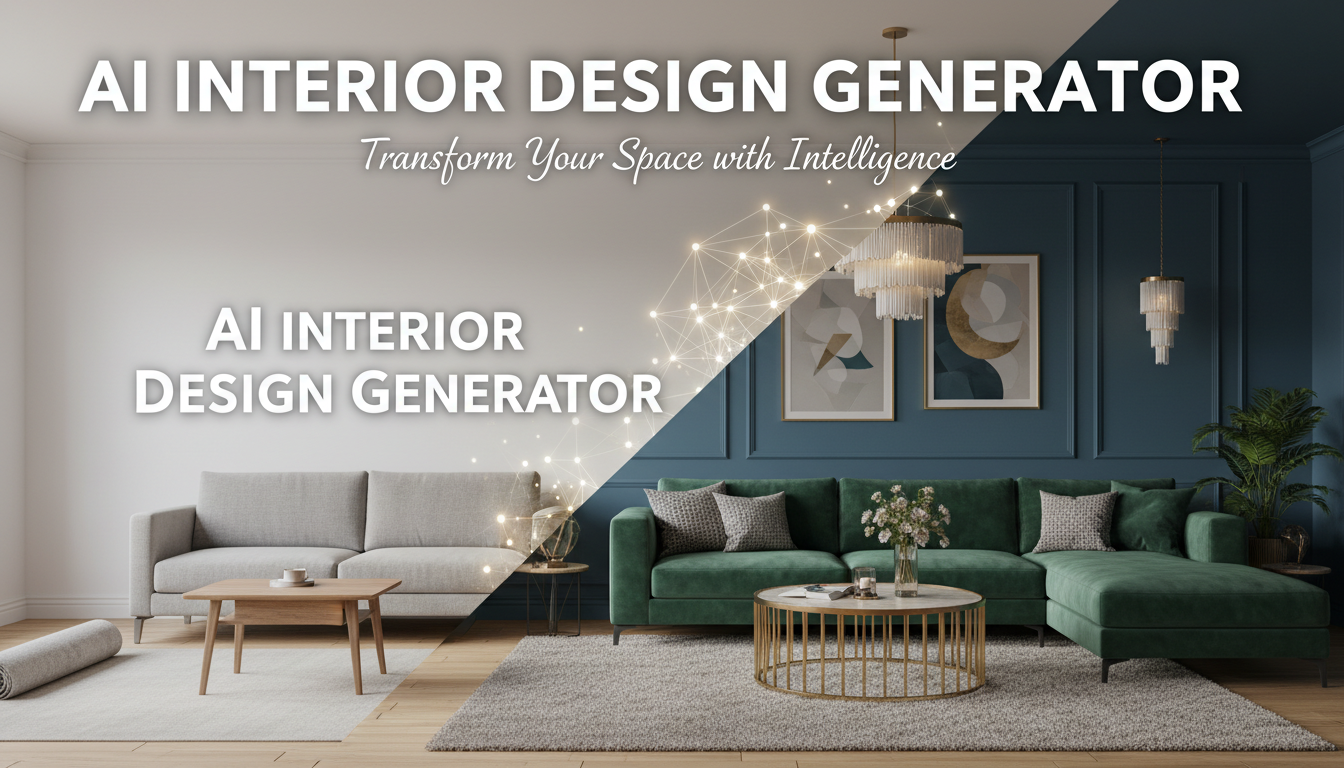
An AI interior design generator is a tool that takes a photograph of an existing room and produces redesigned versions in different styles, color schemes, and furniture arrangements. You upload a photo of your boring living room, select "mid-century modern" or "Scandinavian minimalist," and the AI returns a version of your exact room transformed to match that aesthetic. The walls might change color, the furniture gets swapped out, lighting fixtures update, and decorative elements appear on shelves and tables. The room's architecture stays the same because the AI understands the spatial geometry, but everything else gets reimagined.
This matters because interior design has traditionally been one of two things. Either you hire a professional decorator who charges $100-300 per hour and requires weeks of consultations, mood boards, and revisions. Or you spend dozens of hours scrolling Pinterest, saving inspiration photos that never quite translate to your actual space because your room has different dimensions, different lighting, and different architectural features than the magazine-perfect spaces you are pinning.
AI room design eliminates that translation gap entirely. Instead of imagining how a Scandinavian living room from a blog post might work in your 1990s split-level, you see your actual room redesigned in that style. The proportions are correct. The window placement is honored. That awkward alcove next to the fireplace gets accounted for. It is the difference between looking at a restaurant menu and actually tasting the food.
The technology builds on the same diffusion models powering AI image generators, but these tools add a layer of spatial understanding that makes the output architecturally coherent. Early AI design tools from 2023 and 2024 would sometimes put couches floating in midair or generate windows on interior walls. The current generation of tools almost never makes those mistakes because the models have been trained specifically on interior photography and understand the rules of room geometry.
How I Tested AI Interior Design Generators Across 5 Real Rooms
Rather than generating one flashy example and calling it a review, I tested each tool against five real rooms in my apartment and my parents' house. I wanted to see how these tools handled different room types, lighting conditions, and levels of existing clutter.
The five rooms were my living room (small, north-facing, minimal natural light), my kitchen (galley-style, narrow, decent overhead lighting), my bedroom (medium-sized, one large window, existing furniture I wanted to redesign around), my parents' dining room (traditional, dark wood furniture, formal), and their basement family room (large, partially finished, mixed lighting from recessed cans and small windows). Each room was photographed from two angles, and I ran every tool with the same three style requests: modern minimalist, cozy farmhouse, and bold eclectic.
This gave me a matrix of results that actually reveals meaningful differences between tools. A generator that produces stunning living room redesigns might completely fall apart on a galley kitchen where the spatial constraints are tighter. And a tool that handles empty rooms beautifully might struggle when asked to redesign a space that already has furniture in it.
My Living Room Results
My living room was the most interesting test case because the room is genuinely challenging. It is about 14 by 12 feet with a single north-facing window, a door opening into a hallway, and an offset fireplace that makes furniture arrangement awkward. When I tried to design this room myself, I ended up with a couch against one wall and everything else feeling unbalanced.
Every AI interior design generator I tested handled the basic layout competently. The tools correctly identified the fireplace as a focal point and oriented seating toward it. Where they differed was in their creativity. Interior AI placed a sectional facing the fireplace, which is the obvious choice but also exactly what I had already tried. Reimagine Home suggested an angled arrangement with two chairs and a loveseat that I would never have considered but actually made more sense for the room's proportions. That suggestion alone was worth the time spent testing.
The Kitchen Challenge
Kitchens turned out to be the hardest room type for every tool I tested. My galley kitchen is only about 8 feet wide, and the AI tools consistently suggested design changes that would require ripping out cabinets, something none of them acknowledged would cost tens of thousands of dollars. When I asked for a "modern kitchen redesign," several tools essentially generated an entirely new kitchen that happened to have the same footprint. That is visually impressive but practically useless if you are looking for achievable changes like new hardware, a backsplash swap, or updated lighting.
The one tool that handled kitchens well was Collov AI, which has a mode specifically for "cosmetic updates" that limits suggestions to things you can actually change without a contractor. New cabinet paint color, updated handles, a different backsplash, pendant lights over the counter. Those are the kinds of suggestions that make an AI room design tool genuinely useful rather than just a pretty picture generator.
The Best AI Interior Design Generators I Tested in 2026
After running all five rooms through every platform, here is where each tool excels and where it falls short.
Interior AI
Interior AI was one of the first dedicated AI room design tools and it has matured considerably since its launch. You upload a photo, choose from about 20 design styles, and receive a redesigned version in roughly 15-20 seconds. The quality is consistently solid, and the style interpretations feel authentic rather than generic. When I selected "Japanese minimalism," I got a result that actually felt inspired by Japanese design principles rather than just a room with less furniture in it.
The free tier gives you limited generations per month, which is enough to test the tool and get inspired but not enough for serious exploration. The paid plan runs about $39 per month for unlimited generations, which is reasonable if you are actively redesigning multiple rooms. I used it extensively during my apartment project and found that generating 8-10 variations of each room gave me a clear direction for what I actually wanted. It was like having a conversation with a decorator who works at the speed of thought.
One limitation worth noting is that Interior AI works best with empty or nearly empty rooms. When I uploaded photos of my parents' fully furnished dining room, the results sometimes blended the existing dark wood furniture with new lighter pieces in ways that looked inconsistent. If you want to redesign a room that already has furniture, you might want to use an AI background remover to clear the space first, then feed the empty room into the design generator.
Reimagine Home
Reimagine Home has become my go-to recommendation for people who want to try AI room makeover technology without committing to a paid subscription. Their free tier is genuinely generous, offering enough generations to redesign several rooms with multiple style options. The quality is a half-step below Interior AI in terms of photorealism, but the design suggestions are often more creative and unexpected.
What sets Reimagine Home apart is its "keep my furniture" mode, which attempts to preserve items you already own while redesigning everything else around them. I tested this with my bedroom, telling the tool to keep my bed frame but redesign the rest of the room. The results were impressive. It matched new nightstands, a dresser, and wall decor to complement my existing bed, creating a cohesive look I could actually achieve by buying four or five specific pieces.
I spent about three hours one Saturday using Reimagine Home to explore different directions for my bedroom, and that single session gave me more actionable ideas than the two months I had spent casually browsing design websites. That is the real value proposition of these tools. They compress the inspiration phase from weeks of unfocused browsing into hours of directed exploration.
Collov AI
Collov AI positions itself as the most practical AI interior decorator, and that positioning is accurate. While other tools optimize for stunning visual output, Collov focuses on generating designs you can actually execute. Each redesign concept comes with an approximate budget range and links to similar furniture pieces from major retailers. When the tool suggests a specific style of mid-century armchair, it shows you three purchasable options in different price ranges.
This "shoppability" factor is what most other AI home design tools are missing. Generating a beautiful redesign concept is only half the battle. The harder part is translating that concept into actual purchases. Collov bridges that gap better than anything else I have tested. After redesigning my living room with Collov, I had a genuine shopping list within an hour. Two of the five furniture pieces it suggested were items I ended up actually buying, which tells you something about the practical quality of its recommendations.
The downside is that Collov's style range feels more limited than competitors. It excels at contemporary, modern farmhouse, and transitional styles but struggles with more niche aesthetics like Art Deco, wabi-sabi, or maximalist design. If you have conventional taste, this is not a limitation. If you want something unusual, you will probably need a different tool.
Free ComfyUI Workflows
Find free, open-source ComfyUI workflows for techniques in this article. Open source is strong.
Open-Source Approaches with Stable Diffusion and Flux
For power users who want unlimited AI room redesigns with no subscription costs, the open-source route remains the most economical option. I built a ComfyUI workflow using Flux with ControlNet that takes a room photo, extracts the depth map and edge structure, and generates redesigned versions while preserving the room's architecture. The initial setup took me about four hours, but now I can generate as many redesigns as I want for essentially no cost beyond electricity.
Running this workflow through Apatero makes it accessible even if you do not have a powerful local GPU. The results are competitive with the dedicated platforms, especially for living rooms and bedrooms where the spatial relationships are straightforward. The main trade-off is that you need to understand prompt engineering well enough to specify design styles accurately, whereas the dedicated tools give you a dropdown menu of pre-curated styles.
I have also experimented with using img2img pipelines to iterate on designs, taking the output from one generation and feeding it back in with modified prompts. This lets you build on a concept gradually rather than starting from scratch each time. It is closer to how a real designer works, refining ideas through iteration rather than picking from a menu of presets. If you are the kind of person who has spent time with AI image generation workflows, you will feel right at home with this approach.
How to Get the Best Results from Any AI Room Design Tool
After generating hundreds of room redesigns across every major platform, I have learned what makes the difference between output you actually use and output that looks nice but goes nowhere. These tips apply regardless of which tool you choose.
Start with a Good Photo
The quality of your results is directly proportional to the quality of your input photo. Take photos from a corner of the room rather than the center. Stand at eye level, not chest level. Make sure the entire room is visible in the frame, including the ceiling line and floor. Use natural light if possible, or turn on every light in the room and close the curtains to eliminate mixed lighting.
I tested this explicitly by uploading the same room photographed in three different conditions. A well-lit corner shot produced vastly better results than a dark, blurry photo taken from the doorway. The AI could identify room features more accurately, place furniture more realistically, and generate lighting that matched the natural light in the room. Spending five minutes getting a good photo saves you from generating ten mediocre redesigns.
Be Specific About What You Want to Change
Most AI interior design generators let you add text instructions alongside your style selection. Use this feature aggressively. Instead of just selecting "modern," specify "modern with warm wood tones, a green accent wall, and statement lighting over the dining table." The more specific your input, the more useful the output.
I discovered this the hard way. My first 20 or so generations were all generic because I was just clicking style presets without adding any personal direction. The results looked professionally designed but felt interchangeable. When I started adding specific requests like "keep the window treatments but change the wall color to a deep sage green" or "add a reading nook in the corner by the window," the output became dramatically more useful and personalized.
Generate Multiple Versions and Combine Ideas
No single AI-generated redesign will be exactly what you want. The real workflow is to generate 8-12 versions, identify elements you love from different versions, and synthesize them into your actual design plan. Maybe you love the color palette from version three, the furniture arrangement from version seven, and the lighting fixtures from version ten. That combination becomes your brief for the actual room makeover.
Think of the AI as a brainstorming partner that works at machine speed, not as an oracle that delivers the perfect answer on the first try. I have found that spending 30-45 minutes generating and reviewing variations produces dramatically better results than agonizing over a single "perfect" generation.
Want to skip the complexity? Apatero gives you professional AI results instantly with no technical setup required.
Hot Takes on the State of AI Interior Design
Hot take number one: Most AI interior design generators are better at design than 90% of people doing their own decorating. This is not a criticism of everyday homeowners. It is an acknowledgment that interior design is a genuine skill that most people have never studied, and these AI tools have been trained on millions of professionally designed spaces. The average person choosing furniture based on what is on sale at their local store cannot compete with a model that has internalized the principles of color theory, proportion, and spatial flow. If you are "not good at decorating," that is completely fine. Use the AI and get better results than you would on your own.
Hot take number two: Professional interior designers who dismiss AI tools will lose clients to designers who embrace them. The smart decorators I know are already using AI room design tools as part of their process. They generate 20 concepts in ten minutes, present the best three to clients, and use the selected concept as a starting point for their professional refinement. This makes the client conversation faster and more productive because the client is reacting to visual options rather than trying to describe their taste in words. Designers who refuse to use these tools are voluntarily working slower and producing fewer options for their clients.
Hot take number three: Within two years, listing a home for sale without AI-generated staging or redesign concepts will feel like listing without professional photos. The technology behind AI virtual staging and AI interior design generators is converging. Soon, every listing will include not just photos of the current space but AI-generated concepts showing what the space could look like with different design treatments. Buyers will expect it, and agents who provide it will close faster.
Common Mistakes to Avoid with AI Room Redesign
After months of testing, I have cataloged the mistakes that consistently produce disappointing results. Learning from my failures will save you time and frustration.
The biggest mistake is uploading a cluttered room and expecting clean results. AI design tools interpret everything in the photo as intentional. If there are shoes by the door, a stack of mail on the counter, and a laundry basket visible in the corner, the AI will try to work around those elements or incorporate them into the redesign in ways that look odd. Take five minutes to declutter before photographing. You do not need to clean like your mother-in-law is visiting, but clear away obvious clutter and personal items.
Another common error is choosing styles that conflict with your room's architecture. A sleek ultra-modern redesign of a craftsman-style living room with built-in bookshelves, crown molding, and a stone fireplace will always look forced. The AI will generate it because you asked, but the result will feel like a modern furniture showroom dropped into a historical home. Work with your room's existing architectural character rather than against it. If you have a craftsman home, explore styles like transitional, modern farmhouse, or updated traditional that honor the bones of the space.
I also see people treating the AI output as a final blueprint rather than a starting point. These tools generate concepts, not construction documents. The furniture proportions are approximate, the wall colors are suggestive rather than precise, and the room dimensions in the AI's output may not perfectly match reality. Use the output as directional inspiration, then verify measurements, test paint samples on your actual walls, and sit in furniture before buying it. The AI gets you 80% of the way there. The last 20% still requires human judgment and physical interaction with the space.
AI Furniture Placement: The Feature Most People Overlook
One of the most underappreciated capabilities of AI interior design generators is their ability to suggest furniture placement options. Most people arrange furniture by pushing things against walls and calling it done. The AI, trained on millions of professionally arranged rooms, consistently suggests more sophisticated layouts that improve traffic flow, create conversation zones, and make rooms feel larger.
My living room is the perfect example. For months, I had my couch against the long wall, a chair against the short wall, and a coffee table in between. It was functional but felt like a waiting room. When I ran the room through three different AI design tools, every single one suggested pulling the couch away from the wall by about 18 inches and angling the chair slightly toward the fireplace. I tried it and the room immediately felt more intimate and intentional. That is a change that cost me literally zero dollars and took ten minutes to execute.
Earn Up To $1,250+/Month Creating Content
Join our exclusive creator affiliate program. Get paid per viral video based on performance. Create content in your style with full creative freedom.
AI furniture placement suggestions are also valuable when you are shopping for new pieces. Before buying that sectional, upload a photo of your room with the approximate dimensions of the sectional mocked up (even using cardboard boxes or tape on the floor) and let the AI show you how the space would function. This is far more reliable than trying to visualize furniture placement by reading dimensions off a website.
Budget Considerations: Free vs. Paid AI Room Design Tools
The pricing landscape for AI room design tools ranges from completely free to professional-grade subscriptions, and the value at each tier varies more than you might expect.
Free tools and free tiers are genuinely useful for initial exploration. Reimagine Home's free tier gave me enough generations to explore three different styles for my living room, which was sufficient to establish a direction. If you are in the early "what do I even want?" phase, free tools will absolutely serve you. Do not pay for a subscription before you know what questions you are trying to answer.
Paid subscriptions in the $20-50 per month range make sense when you are actively redesigning multiple rooms and want high-resolution output you can reference during shopping and execution. Most paid tiers also offer batch processing, which lets you upload multiple room angles and get consistent design suggestions across all of them. This consistency is important because a style that looks great in your living room photo should carry through to the dining room and hallway to create a cohesive home.
For professionals and serious enthusiasts, running open-source models through Apatero or similar platforms provides the best long-term economics. The per-image cost is negligible, you get complete control over the output, and you can build custom workflows that match your specific needs. I know two interior designers who have switched entirely to this approach for their client concept presentations, generating 50-100 variations per project at costs that round down to zero.
AI Interior Design for Specific Room Types
AI Living Room Design
Living rooms are where AI interior design generators truly shine. The open floor plan and flexible furniture arrangements give the AI plenty of creative latitude. I have found that specifying a focal point in your prompt (such as "design around the large window" or "make the fireplace the centerpiece") produces more cohesive results than letting the AI decide what to emphasize.
For small living rooms like mine, specify "small space optimization" or "apartment living room" in your prompts. The AI will suggest appropriately scaled furniture, multi-functional pieces like ottoman coffee tables, and visual tricks like mirrors and vertical shelving that make the room feel larger.
AI Kitchen Design
As I mentioned earlier, kitchens remain the most challenging room type for AI redesign tools. The fixed elements like cabinets, appliances, and countertops limit what the AI can realistically suggest without implying a full renovation. My advice is to use the "cosmetic update" or "surface-level changes" modes if available, and to specify in your prompt that you want to keep the existing layout and cabinet boxes. Focus the AI's creativity on color, hardware, backsplash, lighting, and accessories rather than structural changes.
AI Bedroom Makeover
Bedrooms are the second-best room type for AI design, right after living rooms. The bed provides a natural focal point, and the relatively simple furniture requirements (bed, nightstands, dresser, maybe a chair) make it easy for the AI to produce realistic and achievable redesigns. I redesigned my bedroom using a combination of Reimagine Home for initial concepts and Collov AI for shoppable furniture suggestions, and the entire process from first photo upload to completed room took about three weeks and cost roughly $2,400 in new furniture. That is less than a single consultation session with some professional decorators.
Frequently Asked Questions
What is the best free AI interior design generator?
Reimagine Home offers the most generous free tier among dedicated AI room design tools, providing enough generations to explore multiple styles for several rooms. For unlimited free usage, open-source models like Stable Diffusion with interior design ControlNet workflows produce professional-quality results, though they require technical setup. Interior AI also offers a limited free tier that is worth trying.
Can AI really redesign a room from just a photo?
Yes, and the results in 2026 are remarkably convincing. Current AI interior design generators analyze the room's architecture, lighting, and spatial layout from your photo and generate redesigned versions that respect the room's actual dimensions and features. The output is not a floor plan or a sketch. It is a photorealistic image showing your exact room with different design treatments. The technology has improved dramatically from early versions that sometimes generated physically impossible furniture arrangements.
How accurate are AI room design suggestions?
The design concepts are directionally accurate but should not be treated as precise specifications. Furniture proportions are approximate, wall colors are suggestive, and the AI may occasionally suggest pieces that would not physically fit the space. Use the output as inspiration and verify measurements before purchasing. Most users find that AI suggestions get them about 80% of the way to a finished design, with the remaining 20% requiring personal judgment and real-world testing.
Is AI interior design going to replace professional decorators?
Not in the near term, but it is changing the profession. Professional designers bring spatial planning expertise, vendor relationships, project management skills, and a trained eye for details that AI tools cannot replicate. What AI does is democratize the inspiration phase, giving everyone access to professional-quality concept generation. Smart designers are incorporating AI tools into their workflow to generate more options for clients faster. The professionals most at risk are those offering only basic "pick your style" consultations without deeper spatial planning or project management services.
Can I use AI room design for commercial spaces like offices or restaurants?
Most consumer AI interior design generators are trained primarily on residential interiors. While they can handle home offices well, they tend to produce odd results for commercial spaces like restaurants, retail stores, or corporate offices. If you need commercial interior design AI, look for tools specifically trained on that category or use an open-source approach where you can curate your own reference dataset.
How do AI interior design tools compare to hiring an interior designer?
AI tools cost $0-50 per month versus $100-300 per hour for a professional designer. AI generates concepts in seconds versus weeks for traditional design. However, professional designers provide personalized service, can visit your space, source materials, manage contractors, and ensure the final result matches the concept. The ideal approach for many homeowners is to use AI for initial exploration and concept development, then bring in a professional for execution if the project warrants it.
What photo angle works best for AI room redesign?
Corner shots taken from approximately eye level produce the best results. Position yourself in a corner of the room so that two walls are visible, along with the ceiling line and floor. Include as much of the room as possible in the frame. Avoid shooting from the center of the room, which produces a tunnel-vision perspective that AI tools struggle to interpret accurately. Wide-angle lens settings or panoramic phone modes help capture more of the room in a single shot.
Can AI help me redesign a room on a tight budget?
Absolutely. Several AI room design tools include budget-conscious modes that prioritize affordable changes like paint colors, textile swaps, rearranging existing furniture, and adding low-cost accessories. Collov AI specifically links to purchasable alternatives at different price points. You can also use the AI concepts to identify the highest-impact changes and focus your limited budget there, rather than trying to overhaul everything at once.
Do AI design tools work for outdoor spaces like patios and decks?
Most AI interior design generators focus on indoor spaces, but some tools like Reimagine Home and Interior AI have added outdoor design capabilities. The results for covered patios and screened porches are generally good because these spaces share structural similarities with indoor rooms. Open outdoor areas like uncovered decks and gardens produce more variable results because the AI models were primarily trained on enclosed spaces with defined walls and ceilings.
How often should I expect AI design tools to improve?
The pace of improvement has been rapid. Tools that produced cartoonish results 18 months ago now generate photorealistic output. Major updates typically land every three to six months, with each generation improving spatial understanding, style accuracy, and output resolution. If you tried an AI room design tool in 2024 and were disappointed, it is worth trying again. The current generation of tools is dramatically better.
Final Thoughts: Is an AI Interior Design Generator Worth Using?
After spending months testing every major tool and actually redesigning multiple rooms based on AI-generated concepts, my answer is an unqualified yes. The technology is not perfect, and it will not replace a skilled designer for complex projects. But for the vast majority of homeowners who want to improve their living spaces without spending thousands on professional consultations, an AI interior design generator provides more useful, actionable inspiration in 30 minutes than most people get from months of unfocused Pinterest browsing.
The key is to treat these tools as what they are: incredibly fast brainstorming partners that speak in images instead of words. Generate lots of options, identify the elements that resonate with you, and use those elements as a guide for real-world decisions. The best room designs I ended up with were never a direct copy of any single AI-generated concept. They were my own synthesis of ideas drawn from dozens of AI variations, filtered through my personal taste and practical constraints.
If you are sitting in a room right now that feels boring, dated, or just not right, take a photo and upload it to any of the tools I mentioned above. The worst that happens is you get some ideas. The best that happens is you find a direction that transforms your space from a place you tolerate into a place you actually enjoy spending time. And the whole process starts with a single photo and takes less time than watching an episode of a home renovation show.
For more ways to use AI for visual transformation projects, check out our guides on AI virtual staging for real estate and the complete guide to AI image creation. And if you want to experiment with open-source interior design workflows, Apatero is the fastest way to get started without local GPU hardware.
Make AI images and video in your browser
Characters, video, photo packs. No GPU, no setup. Your first generation is free.
Related Articles

Adobe Firefly vs Midjourney vs Ideogram 2026: Which Wins
Brand-safe licensing, scroll-stopping aesthetics, or text rendering. Three tools optimized for three different jobs, tested against real briefs.
AI Architecture Rendering 2026: Veras vs Paintit vs Midjourney
44 percent of architects use AI in 2026. Veras, Paintit, ArchiVinci, and Midjourney tested on five real architectural briefs from a working studio.

AI Art Market Statistics 2025: Industry Size, Trends, and Growth Projections
Comprehensive AI art market statistics including market size, creator earnings, platform data, and growth projections with 75+ data points.