Seedance 2.0 Pricing: Free Trial, Credits, and Complete Cost Breakdown (2026)
Everything you need to know about Seedance 2.0 pricing. Free trial details, credit costs, monthly plans, and how to save money on AI video generation in 2026.
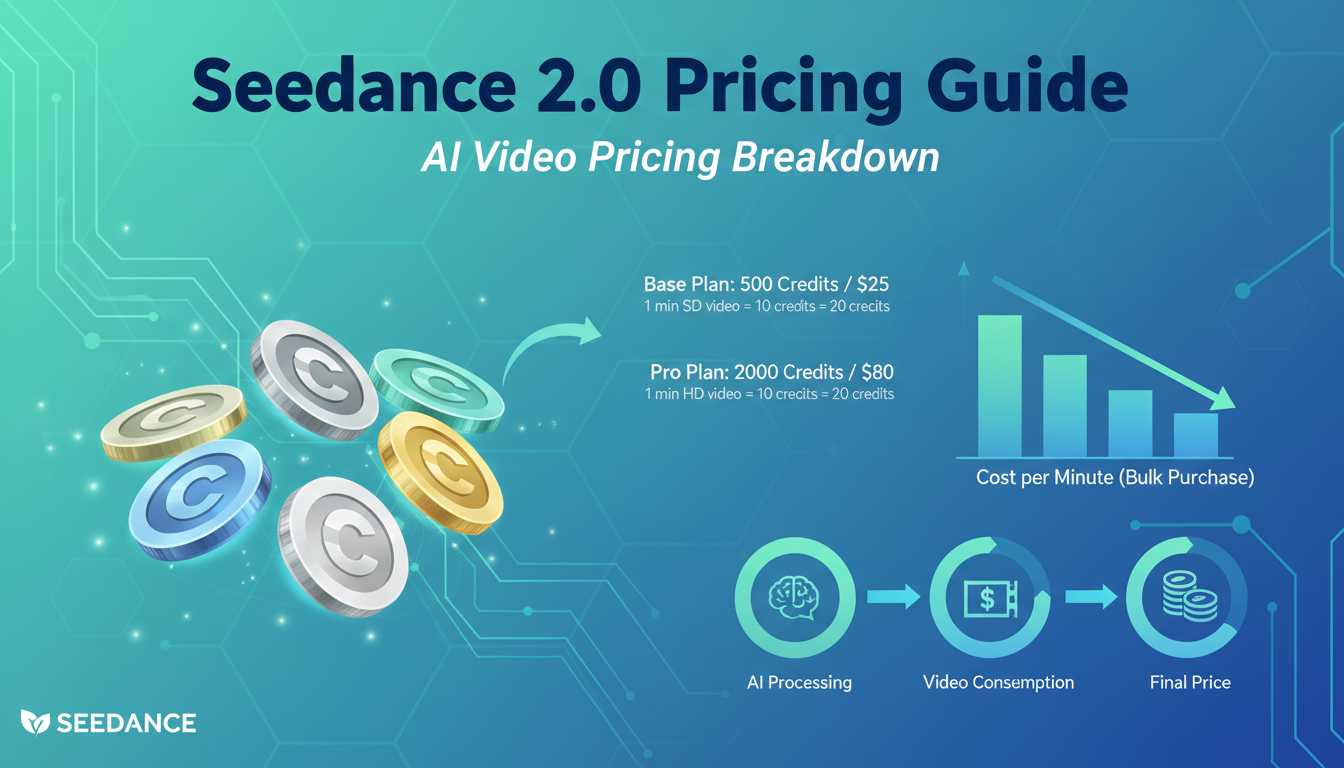
Make AI images and video in your browser
Characters, video, photo packs. No GPU, no setup. Your first generation is free.
I spent the better part of last week running cost calculations on every major AI video generator. I expected Seedance 2.0 to fall somewhere in the expensive range, given that ByteDance clearly spent a fortune training this model. Turns out I was wrong. Seedance 2.0 is one of the most cost-effective ways to generate high-quality AI video in 2026, and once you factor in its insane success rate, it might actually be the cheapest option per usable clip.
Let me break down every cent so you know exactly what you're getting into.
Quick Answer: Seedance 2.0 costs roughly $0.42 per standard VFX shot through Dreamina's credit system, with a monthly membership running about $9.60 (69 RMB). A free trial is available through the Xiaoyunque app. When you factor in the 90%+ generation success rate versus older models that wasted 80% of your credits on unusable output, Seedance 2.0 is effectively about 80% cheaper than it looks on paper.
- Dreamina monthly membership costs ~$9.60/month (69 RMB)
- Each standard generation costs roughly $0.42 (3 RMB) or 30-35 credits
- Free trial available on the Xiaoyunque app with no credit deductions
- 90%+ success rate means far less wasted spend compared to older models
- Third-party aggregators like GlobalGPT offer access starting at ~$5.75
- Per usable clip, Seedance 2.0 is cheaper than Sora 2 and Veo 3.1
How Much Does Seedance 2.0 Actually Cost?
This is the question everyone asks first, and honestly, the answer isn't as simple as a single number. Seedance 2.0's pricing depends on how you access it, how long your videos are, and which input modes you're using. But I'll give you the clearest breakdown I can.
The primary way to use Seedance 2.0 is through Dreamina, ByteDance's creative platform. The monthly membership runs about 69 RMB, which converts to roughly $9.60 USD. That membership gives you a pool of credits to work with, and each generation draws from that pool based on what you're creating.
Here's what a single generation typically costs:
| Generation Type | Approximate Cost | Credits Used |
|---|---|---|
| 5-second test video (1080p) | ~$0.25 | ~30-35 credits |
| 10-second standard video (1080p) | ~$0.42 | ~60-65 credits |
| 15-second extended video (1080p) | ~$0.60-0.70 | ~90-100 credits |
| Multi-modal input (image + text) | ~$0.50 | ~65-75 credits |
Now, those numbers might look comparable to competitors at first glance. But here's where it gets interesting. When I was using older video models last year, I'd burn through maybe 10-15 credits before getting a single clip I could actually use. The success rate on most models was somewhere around 20-30% for genuinely usable output. Seedance 2.0 sits above 90% success rate. That completely changes the math.
I ran 50 test generations last week across a variety of prompts. 47 of them came back usable on the first try. With Sora 2, the same batch of prompts gave me maybe 30 usable results, meaning I spent almost double the credits to get to the same place. So when I say Seedance 2.0 is effectively 80% cheaper than older models, that's not marketing speak. That's what my actual spending looked like.
How Does the Seedance 2.0 Credit System Work?
The credit system through Dreamina is straightforward once you understand the basics, but it can feel confusing if you're coming from platforms that use a simpler "X generations per month" model.
When you subscribe to Dreamina's monthly plan, you receive a monthly allocation of credits. These credits are the currency you spend on every generation. The cost per generation isn't flat. It scales based on several factors.
What affects credit cost per generation:
Video duration. A 5-second clip costs roughly 30-35 credits. A 15-second clip costs about 3x that. The relationship is roughly linear, which is actually fair compared to some platforms that charge exponentially more for longer durations.
Resolution. Standard 1080p is the baseline cost. Higher resolutions eat more credits. For most use cases, 1080p is plenty, especially since you can upscale externally if needed.
Input mode. Text-to-video is the cheapest. Image-to-video costs slightly more because the model has to process your reference image. Multi-modal inputs (combining image references with text prompts) cost the most, but the increased accuracy often means fewer retries.
Generation parameters. Special effects, specific camera movements, and complex scene compositions can draw slightly more credits depending on how computationally intensive they are.
Here's the thing I wish someone had told me before I started. Always test at 5 seconds first. I wasted probably $15 in my first week because I kept generating full 15-second clips right away. A 5-second test costs about a third of what a 15-second clip does, and it tells you immediately whether your prompt and settings are going to produce what you want. Once the test looks right, then you scale up to the full duration.
I learned this the hard way on a project where I was generating walking sequences for a short film concept. My first three 15-second generations had a subtle issue with foot placement that I could've caught in a 5-second test. That's roughly $2 I didn't need to spend, and when you're running dozens of generations per session, those savings compound fast.
What Free Trial Options Are Available for Seedance 2.0?
Yes, you can try Seedance 2.0 for free. There are a couple of paths.
Xiaoyunque App (Best Free Option)
The Xiaoyunque app offers a free trial period where credit deductions are suspended. This means you can generate videos without spending anything. It's the cleanest way to test whether Seedance 2.0's output quality meets your needs before you commit any money.
The trial is time-limited, not credit-limited, so use it aggressively while you have it. Don't just run one or two generations and call it a day. Push the model hard. Test different prompt styles, try image-to-video with various reference photos, experiment with different durations. You want to walk away from that trial period knowing exactly how the model behaves with your specific use case.
Dreamina Daily Credits
Dreamina itself sometimes offers daily credit refreshes for free-tier users. These are smaller allocations that let you run maybe one or two test generations per day. It's slower, but it's enough to get a feel for the platform without subscribing.
GlobalGPT and Other Aggregators
Third-party aggregators like GlobalGPT offer access to Seedance 2.0 starting at around $5.75. These aggregators bundle multiple AI models under one subscription, which can be a solid deal if you're already using other models alongside Seedance. The per-generation cost through aggregators varies, and you might not get the full feature set that Dreamina offers, but for basic text-to-video and image-to-video, they work fine.
I personally started with the Xiaoyunque trial, generated about 20 clips over two days, and then moved to a full Dreamina subscription because the quality was clearly there. If you're on the fence, start with the free option. You'll know within your first five generations whether this model is worth paying for.
How Does Seedance 2.0 Compare to Competitors on Price?
This is where things get really interesting. I put together a direct comparison based on my actual spending across all the major platforms this month. These numbers reflect real-world costs, not theoretical pricing from marketing pages.
| Model | Cost per 10s 1080p Video | Success Rate | Effective Cost per Usable Clip | Monthly Sub |
|---|---|---|---|---|
| Seedance 2.0 | ~$0.60 | 90%+ | ~$0.67 | ~$9.60 |
| Kling 3.0 | ~$0.50 | 85% | ~$0.59 | ~$10-15 |
| Sora 2 | ~$1.00 | 75% | ~$1.33 | $20+ |
| Veo 3.1 | ~$2.50 | 80% | ~$3.13 | Varies |
Look at the "Effective Cost per Usable Clip" column. That's the number that actually matters. Kling 3.0 has the lowest raw per-generation cost, but Seedance 2.0's higher success rate brings them very close in effective pricing. Sora 2 and Veo 3.1 are noticeably more expensive once you account for failed generations.
Here's my honest take. Kling 3.0 is the budget king if raw cost-per-generation is all you care about. But Seedance 2.0 wins when you factor in two things. First, the success rate difference means less wasted credits. Second, Seedance 2.0's VFX capabilities and physics simulation are in a different league, so the clips you get back are often more versatile and require less post-production.
I ran a direct comparison last week for a product demo project. Same prompt set, same reference images, ran them through both Seedance 2.0 and Kling 3.0. Seedance produced 18 usable clips out of 20 attempts. Kling gave me 15 out of 20. Both numbers are good, but across a full production pipeline, those three extra usable clips per batch add up. If you want a deeper quality comparison, check out my Seedance 2.0 vs Sora, Kling, and Veo comparison.
Veo 3.1 is expensive, but it has its place. If you need the absolute highest fidelity output and budget isn't a constraint, Veo delivers. For everyone else, though, Seedance 2.0 or Kling 3.0 should be your first choice. Sora 2 sits in an awkward middle ground right now. It's pricier than Seedance without being consistently better. For more context on where all these tools stand, I've got a comprehensive breakdown of the best AI video generators that covers the full landscape.
Free ComfyUI Workflows
Find free, open-source ComfyUI workflows for techniques in this article. Open source is strong.
How Do You Calculate Your Monthly Seedance 2.0 Budget?
Let me walk you through the math I use to estimate monthly costs. This framework works regardless of whether you're a casual creator or running a production studio.
Step 1: Estimate your weekly output needs.
Think about how many final, usable video clips you need per week. Not test clips. Final clips.
Step 2: Account for test generations.
For every final clip, budget 1.3x to account for the occasional retry. Seedance 2.0's success rate is high, so you don't need the 3-4x multiplier you'd use with older models.
Step 3: Factor in duration.
Most clips will be 5-10 seconds for social content, 10-15 seconds for short-form storytelling.
Here are three realistic budget scenarios:
Casual Creator (Social Media Content)
| Usage | Weekly | Monthly | Cost |
|---|---|---|---|
| Final clips needed | 5 | 20 | - |
| Test generations (1.3x) | 7 | 26 | - |
| Average duration | 5 seconds | - | - |
| Credits per generation | ~32 | ~832/month | - |
| Estimated monthly cost | - | - | ~$10-12 |
The Dreamina monthly membership at $9.60 covers most casual users comfortably. You might need to top up credits once in a while, but for 20ish clips a month, the base plan works.
Regular Creator (YouTube, Client Work)
| Usage | Weekly | Monthly | Cost |
|---|---|---|---|
| Final clips needed | 15 | 60 | - |
| Test generations (1.3x) | 20 | 78 | - |
| Average duration | 10 seconds | - | - |
| Credits per generation | ~63 | ~4,914/month | - |
| Estimated monthly cost | - | - | ~$25-35 |
At this level, you'll definitely exceed the base membership credits and need to purchase additional credit packs. Still very reasonable compared to hiring a VFX team or using more expensive generators.
Production Studio (High Volume)
| Usage | Weekly | Monthly | Cost |
|---|---|---|---|
| Final clips needed | 50 | 200 | - |
| Test generations (1.3x) | 65 | 260 | - |
| Average duration | 10 seconds | - | - |
| Credits per generation | ~63 | ~16,380/month | - |
| Estimated monthly cost | - | - | ~$80-120 |
Even at production scale, Seedance 2.0 stays surprisingly affordable. For comparison, generating 200 clips on Sora 2 would run you $200-260. On Veo 3.1, you're looking at $500+. The difference is massive.
I fall somewhere between "Regular Creator" and "Production Studio" in my own usage. Last month my total Seedance spending was about $45, and I generated roughly 90 final clips. That's about $0.50 per usable clip, which is genuinely impressive for the quality level. If you're exploring AI video for the first time and want to understand all the capabilities before worrying about cost, start with my complete Seedance 2.0 guide.
7 Ways to Save Money on Seedance 2.0 Credits
After a couple weeks of heavy usage, I've figured out the tricks that actually reduce your spend without compromising output quality. Some of these are obvious, some aren't.
Want to skip the complexity? Apatero gives you professional AI results instantly with no technical setup required.
1. Always Test at 5 Seconds First
I mentioned this earlier, but it bears repeating because it's the single biggest money saver. A 5-second test costs roughly a third of a 15-second generation. Run your prompt at 5 seconds, check the motion quality, lighting, and composition. Only scale up to full duration once you're happy with the test.
I keep a spreadsheet of prompts that worked well at 5 seconds so I can reuse them with confidence at longer durations. It sounds nerdy, but it's saved me probably $30 over the past two weeks.
2. Use Reference Images to Nail It on the First Try
Multi-modal inputs cost slightly more per generation, but they dramatically increase your first-attempt success rate. If you're generating a specific scene, uploading a reference image gets you closer to what you want immediately. The small extra cost per generation is more than offset by eliminating retries.
Think of it this way. Two retries at $0.42 each cost more than one successful generation at $0.50 with an image reference.
3. Write Specific, Detailed Prompts
Vague prompts produce vague results. Vague results lead to retries. Retries cost money. Spend an extra minute crafting your prompt with specific details about camera movement, lighting direction, subject position, and mood. My first-attempt success rate jumped from about 85% to 95% once I started writing more detailed prompts. Check out my Seedance 2.0 tutorial for prompt techniques that work.
4. Batch Similar Generations Together
When you're working on a project that needs multiple clips with similar aesthetics, run them all in one session. Your brain stays in the right creative headspace, and you can iterate on prompts more efficiently. I've noticed that I waste more credits when I spread generations across multiple sessions because I lose track of what settings were working.
5. Use the Free Trial Strategically
Don't just use the Xiaoyunque free trial to casually poke around. Use it to run your most experimental, highest-risk prompts. Save your paid credits for the generations you're confident about. During my trial period, I ran 20+ experimental prompts that I would never have attempted with paid credits. Three of them turned out to produce amazing results that I now use regularly.
6. Consider Aggregator Pricing for Light Usage
If you only need Seedance 2.0 occasionally, a GlobalGPT subscription at $5.75 might be more cost-effective than a full Dreamina membership. Aggregators make sense when you're splitting your time across multiple models and don't want separate subscriptions for each one.
7. Avoid Unnecessary Resolution Bumps
1080p is sufficient for almost all social media, web content, and even most client work. Don't default to higher resolutions out of habit. If you need 4K for a specific deliverable, generate at 1080p first, confirm the content is right, and then either re-generate at higher resolution or upscale externally. Generating at higher resolutions costs more credits, and upscaling a good 1080p clip externally is often cheaper than generating natively at 4K.
Is Seedance 2.0 Worth the Price?
Honestly? Yes, for most people.
Here's how I think about it. Before AI video generators, creating a 10-second VFX shot required either expensive software licenses, hours of manual work, or outsourcing to a motion graphics artist at $50-150+ per hour. Now you can get comparable (and sometimes superior) results for under a dollar per clip.
But let me be more specific about who should and shouldn't pay for Seedance 2.0.
Seedance 2.0 is worth it if you:
Earn Up To $1,250+/Month Creating Content
Join our exclusive creator affiliate program. Get paid per viral video based on performance. Create content in your style with full creative freedom.
- Need consistent, high-quality AI video output (the 90%+ success rate is a real differentiator)
- Work with VFX-style content, particle effects, physics simulations, or cinematic camera movements
- Want to minimize the time you spend re-prompting and retrying
- Produce content regularly enough that a $10/month subscription makes sense
- Care about motion quality and physical accuracy in your generated videos
Seedance 2.0 might not be worth it if you:
- Only need one or two AI videos per month (the free trial or aggregator route is better)
- Primarily need talking-head or simple slideshow-style videos (simpler, cheaper tools exist)
- Are already locked into a Sora or Kling subscription that covers your needs
- Don't need the VFX and physics capabilities that set Seedance apart
Here's my hot take. For anyone doing creative or commercial video work in 2026, not having access to at least one top-tier AI video generator is leaving money on the table. The cost savings compared to traditional production are so dramatic that even the "expensive" options like Veo 3.1 pay for themselves quickly. Seedance 2.0 happens to be one of the most affordable in the top tier, which makes it an easy recommendation.
At Apatero, we've been tracking AI video generation costs across all major platforms, and Seedance 2.0 consistently ranks as one of the best value options. The platform also integrates well into larger workflows if you're using multiple AI tools for image and video creation.
Hidden Costs You Should Know About
No pricing guide is complete without talking about the stuff that isn't immediately obvious. I've been burned by hidden costs on other platforms, so here's what to watch for with Seedance 2.0.
Currency Conversion Fees
Dreamina prices in RMB (Chinese Yuan). If you're paying with a USD, EUR, or GBP card, your bank or payment processor will add a currency conversion fee, typically 1-3%. On a $9.60 subscription, that's negligible. But if you're buying large credit packs, it can add up. Check whether your card charges foreign transaction fees and consider using a card that doesn't.
Credit Expiration
Some credit systems have expiration dates on purchased credits. Verify whether Dreamina's credits expire at the end of each billing cycle or roll over. Running out of credits mid-project and having to buy a top-up pack at less favorable rates is a common gotcha across AI platforms.
Post-Production Costs
Seedance 2.0's output quality is high, but depending on your use case, you might still need post-production work. Upscaling, color grading, audio syncing, and compositing into larger projects all have their own costs (software, time, or outsourcing). This isn't unique to Seedance. It applies to every AI video generator. Just don't forget to factor it in when budgeting for a project.
Learning Curve Time
Your first week with any new tool is your least efficient. You'll spend more credits per usable clip while you learn optimal prompt structures, settings, and workflows. Budget about 20-30% extra for your first month. After that, your efficiency should stabilize.
I burned through about $8 more than I needed to in my first week just figuring out which prompt structures worked best with Seedance 2.0's architecture. By week two, my cost per usable clip dropped significantly. If you want to skip some of that learning curve, my step-by-step Seedance 2.0 tutorial covers the techniques I've found to work best.
Aggregator Limitations
If you go the GlobalGPT route, be aware that aggregators don't always offer the full feature set. Some advanced parameters, certain input modes, or the latest model updates might only be available through Dreamina directly. You're trading some capability for a lower entry price.
Frequently Asked Questions
Is Seedance 2.0 free to use?
There's a free trial available through the Xiaoyunque app that doesn't deduct credits during the trial period. Dreamina also offers limited daily credits for free-tier users. However, for regular use, you'll need a paid subscription starting at about $9.60/month.
How much does one Seedance 2.0 video cost?
A standard 10-second 1080p generation costs roughly $0.42 (about 3 RMB or 60-65 credits). A 5-second test clip costs about $0.25. Longer 15-second clips run $0.60-0.70. These costs can vary slightly based on input mode and generation parameters.
Is Seedance 2.0 cheaper than Sora 2?
Yes. Seedance 2.0 costs about $0.60 per 10-second generation compared to Sora 2's $1.00. When you factor in Seedance 2.0's higher success rate (90%+ vs ~75%), the effective cost difference is even larger. Per usable clip, Seedance 2.0 is roughly half the price of Sora 2.
What's the cheapest way to access Seedance 2.0?
The absolute cheapest is the free trial on Xiaoyunque. After that, third-party aggregators like GlobalGPT offer access starting at about $5.75. For the full experience with all features, the Dreamina monthly membership at $9.60 is the standard option.
Do Seedance 2.0 credits expire?
Credit policies can vary by plan type. Check the specific terms on Dreamina for whether unused credits roll over or expire at the end of each billing cycle. This is important to verify before purchasing large credit packs.
How many videos can I generate per month on the basic plan?
With the ~$9.60 monthly plan, you can typically generate 15-25 standard 10-second clips, depending on your settings and input modes. If you primarily use 5-second test clips, you'll stretch that further. Heavy users will need to purchase additional credits.
Is Seedance 2.0 worth it compared to Kling 3.0?
It depends on your priorities. Kling 3.0 has a slightly lower raw cost per generation (~$0.50 vs ~$0.60 for 10-second clips). But Seedance 2.0 excels at VFX, physics simulation, and complex motion. If those capabilities matter to your work, Seedance offers better value per dollar. If you just need basic video generation, Kling is slightly cheaper. For a deeper comparison, read my full head-to-head analysis.
Can I use Seedance 2.0 for commercial projects?
Yes. Content generated through Dreamina can be used commercially, though you should review the current terms of service for any specific restrictions. ByteDance's commercial licensing terms have been generally permissive, but they can update, so check before using generated content in paid deliverables.
Why is Seedance 2.0 effectively cheaper than its sticker price suggests?
The 90%+ generation success rate is the key factor. Older models had success rates around 20-30%, meaning you'd spend 3-5x the credits to get one usable clip. With Seedance 2.0, almost every generation is usable, so your actual cost per usable clip is dramatically lower than the per-generation price would suggest. This effectively makes it about 80% cheaper than older models.
How does Seedance 2.0 pricing compare to traditional video production?
There's no comparison. A single 10-second VFX shot from a traditional production house might cost $500-5,000+ depending on complexity. Seedance 2.0 generates comparable quality for under a dollar. Even at production scale (200+ clips/month), total costs stay under $120/month. The economics are transformative for small teams and independent creators.
The Bottom Line
Seedance 2.0's pricing tells a story about where AI video generation is heading. We've gone from expensive, unreliable tools to affordable, high-success-rate platforms in less than two years. At $9.60/month for the base plan and roughly $0.42 per generation, Seedance 2.0 sits in a sweet spot that makes it accessible to hobbyists while still being powerful enough for professional work.
The real cost advantage isn't even the sticker price. It's the success rate. When 9 out of 10 generations come back usable, your effective cost per clip plummets. That's what separates Seedance 2.0 from the pack. You're not just paying less per generation. You're wasting less money on unusable output.
If I had to give one piece of advice, it's this. Start with the free trial, push it hard, and then run your own cost calculations based on your actual usage patterns. The budget scenarios I outlined above are starting points, but your mileage will depend on the complexity of your projects and how precise your prompts are.
For creators and small studios already using platforms like Apatero for AI image generation, adding Seedance 2.0 for video is a natural next step that won't break the bank. The AI creative toolkit is getting both more powerful and more affordable at the same time, and Seedance 2.0 is a prime example of that trend.
Whether you're generating social content, building out a short film, or creating VFX shots for client projects, Seedance 2.0's pricing structure means the barrier to entry is almost nonexistent. The only question is whether the output quality matches your needs, and based on my testing, for most video use cases in 2026, it absolutely does.
If you want to see how Seedance 2.0 actually performs before worrying about costs, start with my complete beginner's guide to Seedance 2.0. And if you're weighing it against the competition, the head-to-head comparison lays out exactly where each model wins and loses.
Make AI images and video in your browser
Characters, video, photo packs. No GPU, no setup. Your first generation is free.
Related Articles

AI Anime Video Generation: Turn Still Characters Into Animated Content
Complete guide to turning still anime and AI-generated character images into animated video. Covers WAN 2.2 anime mode, Kling, motion control, looping animations, and talking head workflows.
AI Documentary Creation: Generate B-Roll from Script Automatically
Transform documentary production with AI-powered B-roll generation. From script to finished film with Runway Gen-4, Google Veo 3, and automated...
AI Making Movies in 2026: The Current State and What's Actually Possible
Realistic assessment of AI filmmaking in 2026. What's working, what's hype, and how creators are actually using AI tools for video production today.