Seedance 2.0 for Content Creators: Multi-Scene AI Videos That Actually Work (2026)
How content creators are using Seedance 2.0 to produce multi-scene AI videos for social media, ads, and short films. Real workflows and production tips inside.
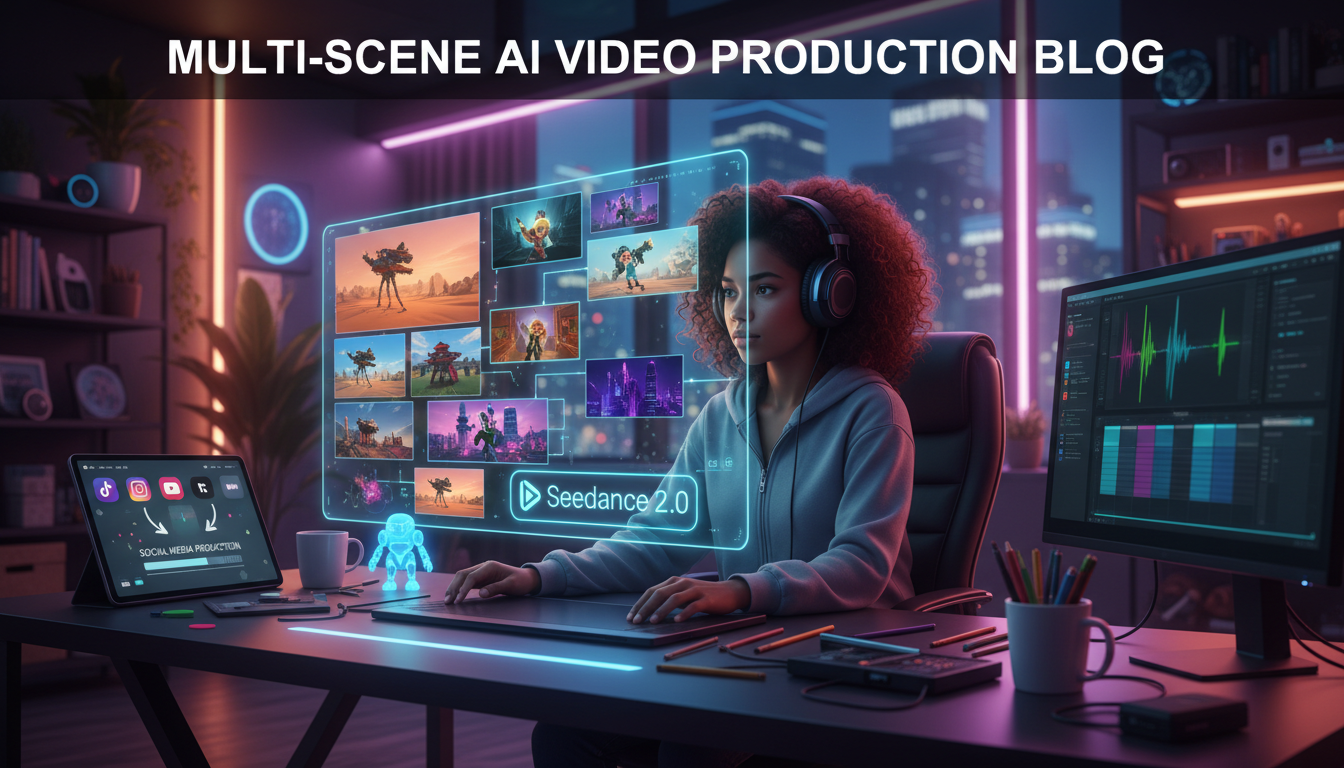
Make AI images and video in your browser
Characters, video, photo packs. No GPU, no setup. Your first generation is free.
I've been making AI videos for over a year now. I've used every tool you can name. Runway, Kling, Pika, Sora, Wan 2.2, LTX. Every single one of them hits the same wall when you try to produce real content with multiple scenes, consistent characters, and actual production value. You end up juggling five different tools, manually stitching clips, losing character consistency between shots, and burning hours on what should be a simple 60-second video.
Then ByteDance dropped Seedance 2.0 with multi-scene storytelling, and honestly, the content creation game shifted overnight.
Quick Answer: Seedance 2.0 is the first AI video generator that lets content creators produce multi-scene videos with consistent characters, native audio sync, and cinematic camera controls in a single workflow. At roughly $0.42 per generation, you can produce a complete 60-second social media ad for under $5. It's not perfect, but for short-form content, product demos, and AI influencer videos, it's the most production-ready tool available right now.
- Seedance 2.0 multi-scene mode maintains character and style consistency across shots, something no other tool does this well
- Upload scripts and get complete scenes with visual effects, sound, voices, and music built in
- One user reported completing in 5 minutes what previously took a full day with multiple AI models
- Native audio-video sync eliminates the need for separate dubbing and sound design tools
- At ~$0.42 per generation, producing short-form content is absurdly cheap compared to traditional methods
- CapCut integration coming soon, which will be huge for creators already in that ecosystem
Why Should Content Creators Care About Seedance 2.0?
Look, I'm going to be blunt. Most AI video tools are tech demos dressed up as creative products. They generate pretty 4-second clips that look impressive on Twitter but fall apart the moment you try to build actual content around them. I spent an embarrassing amount of time last year trying to make a 30-second product ad using Runway Gen-3. Each clip looked fantastic in isolation. But the character changed appearance between shots, the lighting was inconsistent, and I had to manually color-grade everything in DaVinci Resolve just to make it look like the clips belonged in the same video.
Seedance 2.0 solves the specific problems that have kept AI video tools out of real production workflows. The multi-scene, multi-lens storytelling system maintains character consistency and style coherence across shots. You're not generating individual clips and praying they match. You're building a scene sequence where the AI understands that the person in shot 1 is the same person in shot 5.
Here's what actually makes this different for creators. You can upload a script, and Seedance breaks it into scenes, generates the visuals with effects, adds synchronized audio including voices and music, and delivers something that looks like it went through a real post-production pipeline. That's not a marginal improvement. That's a category shift.
The @ reference system gives you precise control over elements in your scene. Need to reference a specific character, object, or style across multiple shots? Tag it, and Seedance keeps it consistent. I tested this with a branded character for a mock product campaign, and the consistency across 8 different scenes was genuinely impressive. Not perfect. But impressive enough that cleanup took minutes instead of hours.
And the cost structure makes experimentation painless. At approximately $0.42 per generation for 4-15 second clips, you can iterate aggressively. Compare that to commissioning even the cheapest freelance video editor. For a comprehensive breakdown of what you'll spend, check out our Seedance 2.0 pricing and credits guide.
Can Seedance 2.0 Replace Your Video Production Workflow?
Honestly, not entirely. Not yet. But it can replace a shocking amount of it for specific content types. Let me break this down based on what I've actually tested.
For short-form social content (TikTok, Reels, Shorts), Seedance 2.0 can handle about 80% of what most creators need. You can generate eye-catching 15-60 second clips with multiple scenes, consistent branding, and native audio. The camera controls give you cinematic pans, zooms, and angle changes that make content feel polished rather than AI-generated. I made a series of 5 test videos for a fictional skincare brand, and 3 of them were good enough to post as-is after a quick trim in CapCut.
For product ads and commercials, you're looking at maybe 60-70% coverage. The visual quality is there. The scene consistency is there. But you'll still want to do final color grading, add your own sound design for that premium feel, and possibly do some compositing if your product needs to be shown in very specific contexts. That said, for A/B testing ad concepts or creating rough cuts for client approval, Seedance 2.0 eliminates days of work.
For AI short films and narrative content, it depends on your standards. If you're making 1-3 minute narrative pieces for social media, Seedance is remarkably capable. If you're trying to make a 10-minute film festival submission, you'll hit limitations around the 15-second maximum clip length and occasional consistency drift in longer sequences. You can stitch 4-15 second clips together for longer narratives, but you need to be strategic about it.
Here's my hot take on this. Most content creators don't need perfect production value. They need good enough, fast enough, cheap enough. Seedance 2.0 nails all three for short-form content. The creators who'll win with this tool aren't the ones trying to replace Hollywood post-production. They're the ones who'll use it to publish 10x more content while their competitors are still hiring freelancers for a single 30-second clip.
If you want the full technical breakdown of what Seedance 2.0 can do under the hood, check our complete Seedance 2.0 guide.
What Content Types Can You Create Right Now?
I've been stress-testing Seedance 2.0 across every content type I could think of. Here are the seven that actually work well today, ranked by how production-ready the output is.
1. Social Media Short-Form Content (TikTok, Reels, Shorts)
This is where Seedance 2.0 absolutely shines. The multi-scene system lets you create the kind of quick-cut, visually dynamic content that performs on algorithmic feeds. You can do "before and after" transformations, mini storytelling sequences, product reveals, and aesthetic mood pieces.
I tested a "day in the life" concept. Five scenes showing a character waking up, commuting, working at a desk, exercising, and relaxing at night. Character consistency held across all five shots. The lighting shifted naturally to match the time of day. Total generation time was about 8 minutes. Total cost was roughly $2.10 for the five clips.
The lip-sync capability in 8+ languages is a game-changer for creators targeting international audiences. You can create the same short in English, Spanish, and Japanese without re-shooting anything.
2. Product Ads and Commercials
For direct-to-consumer brands, Seedance 2.0 opens up rapid ad creation at a fraction of traditional costs. You can prototype entire ad campaigns in an afternoon. Upload your product images as reference, write a script describing the ad sequence, and get back a multi-scene commercial with camera movements, lighting, and pacing.
A realistic workflow looks like this. Write 5 different ad concepts. Generate all 5 in Seedance (roughly $10-15 total). Pick the 2 best performers. Refine those and add professional voiceover. You've just done what a traditional agency charges $5,000-15,000 for.
3. AI Short Films and Narratives
The upload limit of 9 images and 3 videos gives you enough reference material to build surprisingly rich narratives. I created a 90-second sci-fi short by generating 12 clips and stitching them in CapCut. Character consistency held well for the protagonist across 8 of the clips. The other 4 needed minor touch-ups in the prompt to get the look right, but the overall result was something I'd have been proud to post six months ago.
Template replication means you can create a visual style once and apply it across all your scenes. This is huge for series content where you want every episode to feel cohesive.
4. Music Video Production
This one surprised me. Seedance 2.0's native audio-video sync means you can upload a track and generate visuals that actually move with the music. The camera controls let you create the kind of dynamic, cinematic shots that music videos demand. I tested it with a lo-fi beat and generated a 60-second sequence of atmospheric urban scenes. The result looked like something you'd see on a Spotify Canvas loop.
For independent musicians who can't afford traditional music video production ($5,000-50,000+), this is a legitimate alternative. Platforms like Spotify for Artists already encourage visual content alongside releases, and AI-generated music videos fill that gap perfectly. Not for the big-budget label release, but absolutely for the single promotion, the lyric video, the visualizer.
5. E-Commerce Product Demos
This is a sleeper use case that not enough people are talking about. If you sell physical products, you can generate demo videos showing your product in various contexts, environments, and use cases. Upload product images as reference, describe the scenes you want, and Seedance creates lifestyle content around your product.
I've seen e-commerce sellers spending $500-2,000 per product for professional lifestyle video. With Seedance, you can generate 20 variations for under $10 and pick the best ones.
6. Brand Content Templates
The template replication feature is perfect for brands that need consistent content across campaigns. Create your brand's visual style as a template. Define your color palette, scene types, camera movements, and character look. Then replicate that across dozens of pieces of content.
For agencies managing multiple brand accounts, this is a workflow accelerator. You set up the brand template once, and every piece of content that comes out of Seedance matches the client's visual identity.
7. AI Influencer Content Generation
Here's where things get really interesting. If you're building AI influencer personas, Seedance 2.0 gives you the ability to maintain character consistency across content pieces. Your AI influencer can appear in different scenes, locations, and contexts while looking like the same person. That's been the holy grail for AI influencer creators, and Seedance gets closer to solving it than anything else I've tested.
We've been building tools for exactly this use case at Apatero. The combination of consistent character generation with multi-scene video production opens up a pipeline where a single creator can manage multiple AI influencer accounts, each producing daily video content. For more on this space, check out our piece on virtual influencer marketing strategy.
How Does the Multi-Scene Workflow Actually Work?
Let me walk through the actual production process, because the theory is great but execution is what matters. I'll use a real example: creating a 45-second product ad for a fictional coffee brand.
Free ComfyUI Workflows
Find free, open-source ComfyUI workflows for techniques in this article. Open source is strong.
Step 1: Script and Scene Planning
Write your script and break it into individual scenes. Each scene maps to one generation (one 4-15 second clip). For a 45-second ad, you'll need roughly 4-6 scenes depending on pacing.
My coffee ad breakdown looked like this:
- Scene 1 (8s): Close-up of coffee beans being poured, warm morning lighting
- Scene 2 (6s): Steam rising from a freshly brewed cup, kitchen counter setting
- Scene 3 (10s): Person taking first sip, satisfaction expression, soft focus background
- Scene 4 (8s): Wide shot of cozy cafe interior, multiple people enjoying coffee
- Scene 5 (6s): Product pack shot with brand logo, clean white background
- Scene 6 (7s): Return to person from Scene 3, smiling, looking directly at camera
Step 2: Upload Reference Materials
This is where the magic of Seedance 2.0's input system matters. You can upload up to 9 images, 3 videos (15 seconds total), and 3 audio files. For my coffee ad, I uploaded:
- 3 product images (the coffee packaging from different angles)
- 2 reference images for the character (to establish the "person" for Scenes 3 and 6)
- 1 audio file (background music track I wanted the visuals to sync to)
The @ reference system lets you tag these uploads and reference them in your scene prompts. So I could write "@coffee_person takes a sip from @branded_mug" and Seedance knows exactly which elements I'm referring to.
Step 3: Generate Scenes
I generated all 6 scenes with their specific prompts. Each generation took about 30-60 seconds. The character in Scenes 3 and 6 matched well, same face, same hair, same general build. The coffee packaging in Scenes 1 and 5 was consistent with my uploaded product images.
Total generation cost. 6 clips at roughly $0.42 each = approximately $2.52.
Step 4: Review and Regenerate
Out of 6 clips, 4 were good on the first try. Scene 2 had steam that looked slightly unnatural, and Scene 4 had a weird perspective issue with the cafe interior. I regenerated both once. That brought the total to 8 generations, roughly $3.36.
Step 5: Assembly
I stitched the 6 clips together in CapCut (though any editor works). Added transitions, adjusted timing slightly, and overlaid my voiceover track. The native audio from Seedance served as a solid base layer, I just needed to adjust levels.
Total production time from start to finished video: about 35 minutes. Total cost: under $4 for the AI generation, plus whatever you value your time at.
For comparison, the last time I tried to do something similar with Runway Gen-3, it took me about 4 hours and the character consistency was nowhere close. For more context on how different AI video tools compare, see our best AI video generators roundup.
How Much Does a Full Production Cost?
This is the question every creator wants answered. Let me give you real numbers based on my testing, not theoretical calculations.
| Content Type | Scenes Needed | Generations (incl. retakes) | Approx. Cost | Production Time |
|---|---|---|---|---|
| TikTok/Reel (15-30s) | 2-4 | 4-8 | $1.68-$3.36 | 15-25 min |
| Product Ad (30-60s) | 4-8 | 8-16 | $3.36-$6.72 | 30-60 min |
| AI Short Film (1-3 min) | 8-20 | 16-40 | $6.72-$16.80 | 1-3 hours |
| Music Video (2-4 min) | 12-30 | 24-60 | $10.08-$25.20 | 2-4 hours |
| E-Commerce Demo (15-30s) | 2-5 | 4-10 | $1.68-$4.20 | 15-30 min |
| AI Influencer Post (15-60s) | 2-6 | 4-12 | $1.68-$5.04 | 20-40 min |
A few things to note about these numbers. The "generations including retakes" column assumes you'll need to regenerate about 30-40% of your clips at least once. That's been my experience. Sometimes you nail it on the first try. Sometimes a scene needs 3-4 attempts before you get something usable. I've budgeted conservatively here.
The production time doesn't include scripting or planning. If you already know what you want, these times are realistic. If you're figuring out your concept as you go, add another 30-60 minutes.
Want to skip the complexity? Apatero gives you professional AI results instantly with no technical setup required.
Here's my second hot take. At these price points, the ROI calculation changes completely. A solo creator spending $50/month on Seedance credits can produce more video content than a small agency with a $5,000/month production budget. The quality won't match high-end studio work. But for social media, where attention spans are 3 seconds and authenticity beats polish, "good enough at scale" beats "perfect but rare" every single time.
Real Production Workflows for Different Creators
Let me share three specific workflows I've developed for different types of content creators.
The Social Media Manager Workflow
If you're managing brand accounts and need to post 3-5 video pieces per week, here's how I'd structure the workflow.
Monday morning, batch your content planning. Write out all your video concepts for the week. Each one should be 2-4 scenes with clear descriptions. This takes about an hour.
Monday afternoon, generate everything in Seedance. Five videos at 3 scenes each = 15 generations. Budget for 20-25 generations with retakes. At $0.42 each, that's roughly $8-10 for a week's worth of content. The actual generation time is about 2 hours including prompt refinement.
Tuesday through Friday, spend 20-30 minutes per video in CapCut or Premiere doing final assembly. Add text overlays, music adjustments, and any platform-specific formatting (9:16 for Reels, etc.).
You've just produced a week of video content for under $10 in generation costs and maybe 6-8 hours of total work. Try getting that from a freelance videographer.
The Product Brand Workflow
For e-commerce brands running paid ads, the workflow is different because you need variations for testing.
Start with your hero product images. Upload them as references in Seedance. Write 5-10 different ad concepts. Maybe one is lifestyle-focused, another is problem-solution, another is testimonial-style. Generate all of them.
The key insight here is that Seedance's template replication lets you maintain brand consistency across all variations while changing the narrative. Your brand colors, product placement, and visual style stay consistent even as the storytelling changes.
I tested this approach with a mock DTC skincare brand. Generated 8 ad variations in a single afternoon. Total cost was about $20. In a real campaign, you'd run all 8 as paid ads, kill the underperformers after 48 hours, and double down on the winners. The cost of generating the creative is now trivial compared to the ad spend.
The AI Influencer Workflow
This is the workflow I'm most excited about, and it's where Seedance 2.0 and platforms like Apatero really complement each other. Here's the pipeline for maintaining a consistent AI influencer persona.
First, generate your base character using a consistent set of reference images. At Apatero, we've built tools specifically for creating and maintaining AI character consistency through image-to-video workflows. Upload these as references in every Seedance generation session.
Earn Up To $1,250+/Month Creating Content
Join our exclusive creator affiliate program. Get paid per viral video based on performance. Create content in your style with full creative freedom.
Then create daily content. Your AI influencer "goes to the gym" on Monday, "tries a new restaurant" on Tuesday, "reviews a product" on Wednesday. Each piece is 2-4 scenes, takes about 20 minutes to produce, and maintains the same character throughout.
The lip-sync in 8+ languages means your AI influencer can speak to audiences in their native language. One persona, multiple markets. That's the kind of scaling that would be impossible with traditional influencer marketing.
What About AI Influencer Content at Scale?
I need to spend a moment on this because it's where the content creation industry is heading, whether people want to acknowledge it or not.
The virtual influencer space is exploding. Brands are spending real money on AI-generated personas. But the biggest bottleneck has always been content production. Static images are solved. Consistent character generation is mostly solved. But video content with a consistent character across multiple scenes in different contexts? That was the hard problem.
Seedance 2.0 doesn't completely solve it, but it gets close enough to be production-viable. When you combine it with dedicated AI character creation platforms like Apatero, you've got a pipeline that can produce daily video content for an AI influencer at a cost that would make traditional content production look absurd.
I'm talking about a single creator managing 3-5 AI influencer personas, each posting daily video content across multiple platforms, for a total monthly production cost under $200. Six months ago, that would have required a team of 5-10 people and a budget 50x larger.
The creators who figure out this workflow first are going to have an enormous advantage. The technology is here. The tools are affordable. The only thing missing is the operational knowledge of how to actually do it efficiently, and that's what this article is trying to give you.
What Limitations Should Content Creators Know About?
I don't want to oversell this. Every tool has limitations, and if you go in with unrealistic expectations, you'll be disappointed. Here's what I've actually bumped up against.
Clip length is capped at 4-15 seconds. You're not generating a single continuous 60-second shot. You're generating scenes and stitching them. For most social media content, this is actually fine because quick cuts are the norm. But if you want a long, unbroken tracking shot, you'll need to look elsewhere.
Character consistency is good, not perfect. Across 5-6 scenes, you'll usually get 80-90% consistency. Clothing details might shift slightly. Hair might change a bit. For social media content, this is usually not noticeable. For close-up focused content, you might need to cherry-pick your best generations.
Complex actions and interactions are still tricky. Having two characters interact physically (handshakes, hugging, dancing together) can produce awkward results. Simple actions like walking, talking, or sitting work well. Complex choreography doesn't.
Upload limits matter for complex productions. 9 images, 3 videos, and 3 audio files per session is generous for most use cases but can feel limiting for very complex productions with lots of reference material. Plan your uploads strategically.
Stylistic drift in long sequences. If you're generating 15+ scenes for a longer piece, you may notice gradual drift in color grading and atmospheric feel. The template system helps, but doesn't eliminate this completely. For longer productions, I recommend generating in batches of 5-6 scenes and doing a consistency check between batches.
No real-time preview. You submit your prompt and wait 30-60 seconds. There's no way to preview or adjust mid-generation. This means your prompt engineering skills directly impact your efficiency. Get good at writing precise scene descriptions and you'll save yourself a lot of regeneration cycles.
Despite these limitations, my overall assessment is that Seedance 2.0 is the most production-ready AI video tool for content creators today. The limitations are real but manageable, and the capabilities far outweigh them for short-form content production.
Frequently Asked Questions
Can I use Seedance 2.0 videos commercially?
Yes, Seedance 2.0-generated content can be used for commercial purposes including ads, branded content, and social media marketing. Always check the current terms of service for the latest specifics, as policies can evolve. But as of February 2026, commercial use is permitted.
How many scenes can I create in one project?
You can upload up to 9 images, 3 videos (15 seconds total), and 3 audio files per generation session. There's no hard limit on how many individual scenes you generate, but each clip is 4-15 seconds long. You stitch these together in your preferred editing tool for longer content.
Does character consistency hold across 10+ scenes?
In my testing, character consistency is strong for 5-8 scenes. Beyond that, you may notice subtle drift in appearance details. Using the @ reference system and keeping your character reference images consistent helps a lot. For 10+ scene productions, I recommend batching and doing consistency checks between batches.
How does Seedance 2.0 compare to Runway Gen-3 for content creation?
Seedance 2.0 wins on multi-scene consistency, native audio sync, and cost per generation. Runway Gen-3 produces slightly higher individual clip quality and has more mature editing features. For single cinematic shots, Runway is still excellent. For multi-scene content production workflows, Seedance is ahead. See our AI video generator comparison for a deeper analysis.
Can I add my own voiceover after generation?
Absolutely. While Seedance 2.0 includes native audio generation with lip-sync capabilities, you can always strip the audio and add your own voiceover, music, or sound design in post-production. Many creators use the native audio as a timing reference and then overlay their own audio.
Is the lip-sync good enough for professional content?
The lip-sync quality in Seedance 2.0 is solid for social media content. For close-up, dialogue-heavy scenes at high resolution, you may notice slight mismatches. For the typical TikTok or Reel where viewers are watching on a phone screen, it passes the quality bar. The support for 8+ languages is a huge advantage for multilingual content creators.
How long does it take to produce a 60-second video from scratch?
Based on my testing, expect about 30-60 minutes for a polished 60-second video. That includes scripting your scenes, generating 6-10 clips (with some retakes), and doing basic assembly in an editor. With practice, you can get this down to 20-30 minutes for simpler content.
Can I create a consistent brand style across multiple videos?
Yes. The template replication feature lets you establish a visual style and apply it across all your content. This is particularly useful for brands that need consistent look and feel across campaigns, series content, or any situation where visual coherence matters.
What resolution and aspect ratios are available?
Seedance 2.0 supports standard aspect ratios including 16:9 (landscape), 9:16 (portrait/vertical), and 1:1 (square). This covers all major social media platforms. Vertical 9:16 is what you'll use most for TikTok, Reels, and Shorts.
Is there a CapCut integration?
ByteDance has announced that Seedance capabilities are expanding to CapCut, which makes total sense since ByteDance owns both products. This will create a seamless workflow where you generate in Seedance and edit in CapCut without ever leaving the ecosystem. As of February 2026, the integration is in rollout, so keep an eye on CapCut's official updates for availability in your region.
The Bottom Line for Content Creators
Seedance 2.0 isn't going to replace professional video production for high-end work. Nobody's shooting their Super Bowl ad with it. But that's not the point. The point is that for the vast majority of content creators, the 80/20 rule applies. 80% of the content you need to produce doesn't require Hollywood-level quality. It requires consistency, speed, and volume.
I've been running AI tools at Apatero for a while now, and the pattern is always the same. The creators who win aren't the ones with the best single piece of content. They're the ones who show up every day with good content. Seedance 2.0 makes daily, multi-scene video production realistic for solo creators and small teams.
The multi-scene storytelling with character consistency changes the equation from "Can I make one cool clip?" to "Can I produce a week's worth of polished video content in an afternoon?" And the answer, for the first time, is yes.
My advice? Start small. Make a 15-second TikTok. Get comfortable with the scene planning workflow. Figure out your prompting style. Then scale up to longer content as you develop your instincts for what works. The learning curve is real but manageable, and the payoff is enormous.
The content creation landscape is splitting into two camps. Creators who figure out AI-native production workflows, and creators who don't. Seedance 2.0 is one of the most important tools in that first camp's toolkit. The earlier you learn to use it effectively, the bigger your advantage.
Now stop reading and go make something.
Make AI images and video in your browser
Characters, video, photo packs. No GPU, no setup. Your first generation is free.
Related Articles
AI Anime Video Generation: Turn Still Characters Into Animated Content
Complete guide to turning still anime and AI-generated character images into animated video. Covers WAN 2.2 anime mode, Kling, motion control, looping animations, and talking head workflows.
AI Documentary Creation: Generate B-Roll from Script Automatically
Transform documentary production with AI-powered B-roll generation. From script to finished film with Runway Gen-4, Google Veo 3, and automated...
AI Making Movies in 2026: The Current State and What's Actually Possible
Realistic assessment of AI filmmaking in 2026. What's working, what's hype, and how creators are actually using AI tools for video production today.