Qwen AI for Coding: Developer's Guide to Alibaba's Programming Assistant
Complete guide to using Qwen AI models for programming and code generation. Learn setup, best practices, and how Qwen compares to other coding assistants.
Qwen models have emerged as serious contenders in AI-assisted programming, with Alibaba's Qwen 2.5 family demonstrating strong performance across coding benchmarks. For developers seeking alternatives to proprietary solutions, Qwen offers capable open-weight models that can run locally or through various APIs.
I've integrated Qwen into my development workflow and tested it across various programming tasks. This guide shares practical insights for developers wanting to use Qwen for coding.
Quick Answer: Qwen 2.5 Coder models are specifically optimized for programming, with the 32B version matching proprietary alternatives on many benchmarks. For local use, Qwen 2.5 7B or 14B provides good performance on consumer hardware. Access through Ollama, LM Studio, or direct integration for IDE-based workflows. Strength areas include Python, JavaScript, and general algorithmic tasks.
:::tip[Key Takeaways]
- Follow the step-by-step process for best results with qwen ai for coding: developer's guide to alibaba's programming assistant
- Start with the basics before attempting advanced techniques
- Common mistakes are easy to avoid with proper setup
- Practice improves results significantly over time :::
- Qwen model selection for coding tasks
- Local and API deployment options
- IDE integration approaches
- Effective prompting for code generation
- Comparison with other coding assistants
Understanding Qwen for Development
Qwen's coding capabilities come from both general models and specialized Coder variants specifically trained on programming data.
Model Options
Qwen 2.5 General Models:
- Strong general reasoning including code
- Available in multiple sizes (0.5B to 72B)
- Good for mixed tasks including coding
Qwen 2.5 Coder Models:
- Specifically optimized for programming
- Enhanced performance on coding benchmarks
- Better understanding of code structure
- Available from 1.5B to 32B parameters
For dedicated coding work, Coder variants outperform general models of equivalent size.
Language Support
Qwen handles most popular languages well:
Strong performance:
- Python (particularly strong)
- JavaScript/TypeScript
- Java
- C/C++
- Go
Decent performance:
- Rust
- PHP
- Ruby
- SQL
Variable performance:
- Niche or less common languages
- Domain-specific languages
Performance varies by training data representation.
Deployment Options
Local Deployment
Running Qwen locally provides privacy and no API costs.
Ollama (Recommended for ease):
# Install Ollama, then:
ollama pull qwen2.5-coder:14b
LM Studio:
- GUI-based management
- Easy model switching
- Built-in chat interface
vLLM/llama.cpp:
- Higher performance
- More configuration options
- Requires more setup
Hardware Requirements
Model size determines requirements:
Qwen 2.5 Coder 7B:
- Minimum: 8GB VRAM
- Runs well on mid-range GPUs
- Good balance of speed and capability
Qwen 2.5 Coder 14B:
- Minimum: 12GB VRAM
- Better quality output
- Slightly slower generation
Qwen 2.5 Coder 32B:
- Minimum: 24GB VRAM
- Near state-of-the-art quality
- Requires high-end hardware
For most developers, 7B or 14B provides excellent value.
 Qwen AI assisting with code development
API Access
Cloud API options:
Alibaba Cloud (DashScope):
- Official Qwen API access
- Various model sizes available
- Pay-per-token pricing
Together AI:
- Third-party hosting
- Multiple Qwen variants
- Competitive pricing
Self-hosted APIs:
- Deploy on cloud GPU instances
- Full control over setup
- Cost effective for heavy usage
IDE Integration
VS Code Integration
Several approaches for VS Code:
Continue extension:
- Open source
- Works with local Ollama
- Good Qwen compatibility
Setup:
- Install Continue extension
- Configure to use Ollama
- Set Qwen as the model
- Access through sidebar or shortcuts
CodeGPT extension:
- Supports multiple backends
- Works with Qwen via API
- Inline suggestions
JetBrains Integration
For IntelliJ, PyCharm, and similar:
JetBrains AI Assistant:
- Can connect to custom endpoints
- Configure Qwen API access
Third-party plugins:
- Various options with Qwen support
- Check compatibility with specific IDE
Terminal Integration
For command-line workflows:
Aider:
aider --model ollama/qwen2.5-coder:14b
Provides git-aware coding assistance.
Shell AI tools: Various CLI tools work with Ollama backend.
Effective Prompting
Code Generation
For generating new code:
Be specific about requirements:
Write a Python function that:
- Takes a list of dictionaries as input
- Filters items where 'status' equals 'active'
- Sorts by 'date' field in descending order
- Returns the top 10 items

Use type hints and include a docstring.
Provide context:
- Relevant existing code
- Libraries being used
- Coding style preferences
Code Explanation
Getting explanations:
Explain this code step by step:

[paste code]

Focus on:
1. What problem it solves
2. How the algorithm works
3. Time/space complexity
4. Any potential issues
Refactoring
For code improvement:
Refactor this code for:
- Better readability
- Performance improvement
- Following [specific conventions]

Current code:
[paste code]

Constraints: Maintain the same interface
Debugging
For finding issues:
This code produces incorrect results:

[code]

Expected behavior: [description]
Actual behavior: [description]

Help identify the bug and suggest fixes.
Practical Use Cases
Algorithm Implementation
Qwen handles algorithmic tasks well:
- Data structure implementations
- Sorting and searching algorithms
- Graph algorithms
- Dynamic programming solutions
Particularly effective for well-documented algorithms.
API Development
Strong at:
- REST endpoint design
- Request/response handling
- Authentication patterns
- Error handling
Especially good with common frameworks like FastAPI, Express.
Testing
Useful for:
- Unit test generation
- Test case identification
- Mock object creation
- Edge case discovery
May need guidance on project-specific testing conventions.
Documentation
Helpful for:
- Docstring generation
- README writing
- API documentation
- Code comments
Often produces good first drafts needing light editing.
Performance Comparison
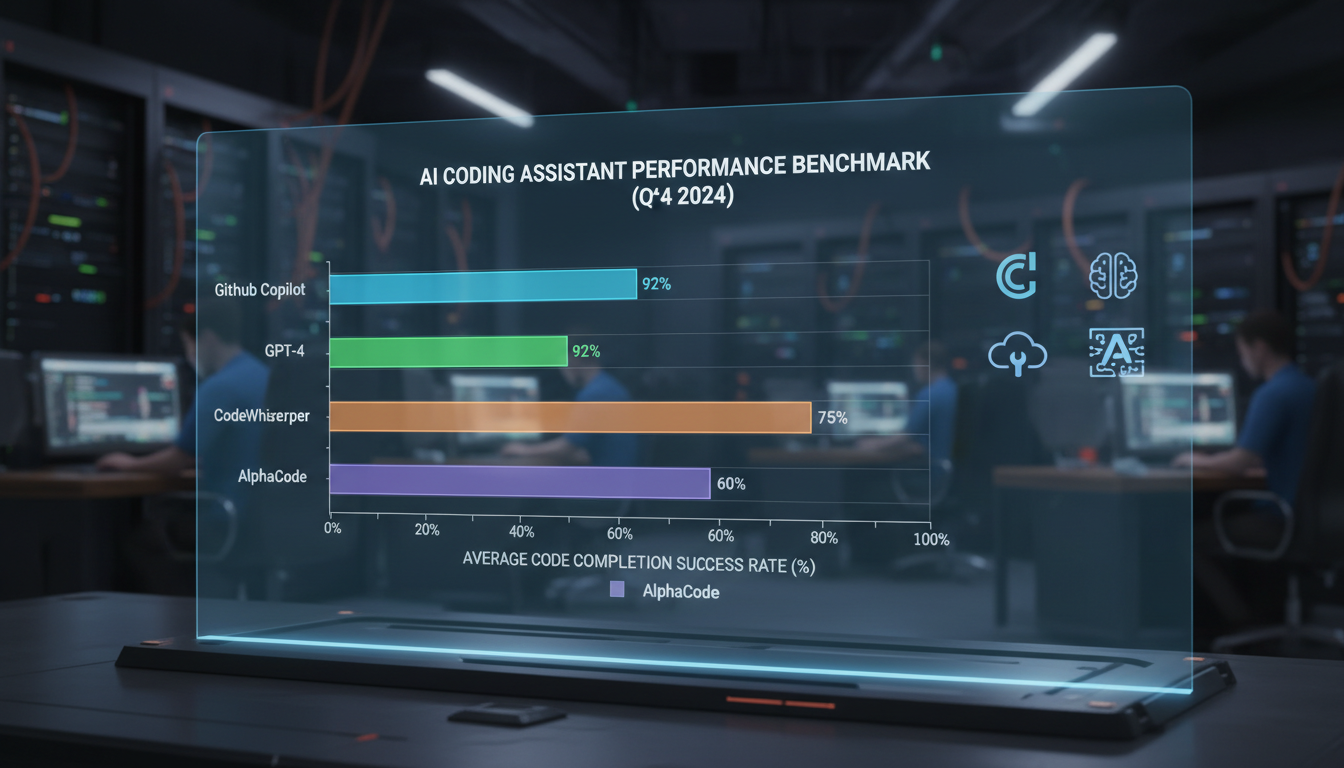
Versus GPT-4
Qwen advantages:
- Can run locally (privacy, no API cost)
- Open weights for customization
- Competitive performance on many tasks
GPT-4 advantages:
- Generally broader knowledge
- Better at complex reasoning chains
- More consistent output quality
For many common coding tasks, the gap is small.
Versus Claude
Qwen advantages:
- Local deployment option
- Open source flexibility
Claude advantages:
- Longer context windows
- Better instruction following
Both perform well for coding tasks.
Versus GitHub Copilot
Qwen advantages:
- No subscription cost (local)
- Privacy (local deployment)
- Customizable
Copilot advantages:
- Tighter IDE integration
- More refined autocomplete
- Lower setup friction
Qwen requires more setup but offers more control.
Optimization Tips
Prompt Engineering
Improve results with:
Clear structure: Organized prompts produce organized output.
Examples: Few-shot prompting helps for specific patterns.
Constraints: Specify limitations upfront.
Iteration: Build on initial outputs rather than perfect first prompts.
Performance Tuning
For faster local generation:
Quantization: Use Q4 or Q5 versions for speed.
Context length: Keep context focused, trim unnecessary code.
GPU layers: Maximize layers on GPU for speed.
Batch size: Adjust based on available memory.
Quality Improvement
For better code output:
Temperature: Lower (0.2-0.5) for predictable code.
System prompts: Define coding standards and preferences.
Review: Always review generated code before use.
Testing: Test generated code thoroughly.
Common Challenges
Context Limitations
Models have finite context windows:
Solutions:
- Summarize relevant code
- Focus on specific functions
- Use retrieval augmentation for large codebases
Hallucinations
AI may generate plausible but incorrect code:
Mitigations:
- Verify library/function existence
- Test thoroughly
- Review documentation for accuracy
- Don't assume correctness
Style Inconsistency
Output may not match your conventions:
Approaches:
- Include style examples in prompts
- Use linters post-generation
- Create project-specific system prompts
Frequently Asked Questions
Which Qwen model is best for coding?
Qwen 2.5 Coder 14B offers the best balance for most developers with 12GB+ VRAM. 7B for limited hardware, 32B for maximum quality.
Can Qwen replace GitHub Copilot?
For many use cases, yes. Setup requires more effort, but capability is competitive. Inline autocomplete less refined than Copilot.
Is Qwen good for learning programming?
Yes, explanations are generally clear and educational. Always verify accuracy of teaching content.
How does Qwen handle proprietary frameworks?
Performance varies. Well-documented frameworks work well. Niche or proprietary systems may produce less accurate suggestions.
Can I fine-tune Qwen for my codebase?
Yes, Qwen models can be fine-tuned. Requires significant compute and expertise but can improve project-specific performance.
Is Qwen code production-ready?
As ready as any AI-generated code, meaning always review and test. Don't blindly deploy generated code.
How do I keep context across sessions?
Models don't maintain state between sessions. Save important context and reinclude in prompts.
What's the future of Qwen Coder models?
Alibaba continues active development. Expect improved models and capabilities over time.
Conclusion
Qwen models provide capable, accessible coding assistance that competes well with proprietary alternatives. Local deployment offers privacy and cost benefits, while API access provides convenience. For developers willing to invest in setup, Qwen offers powerful coding capabilities.
Start with the 7B or 14B Coder model based on your hardware, integrate through Ollama or your preferred runtime, and experiment with prompting approaches that match your workflow.
For general information on Qwen 2.5 capabilities, see our Qwen 2.5 overview. For vision-based code understanding, explore Qwen 3VL.
Make AI images and video in your browser
Characters, video, photo packs. No GPU, no setup. Check your welcome allowance and the displayed cost before generating.
Related Articles

AI Art Market Statistics 2025: Industry Size, Trends, and Growth Projections
Comprehensive AI art market statistics including market size, creator earnings, platform data, and growth projections with 75+ data points.

AI Automation Tools: Transform Your Business Workflows in 2025
Discover the best AI automation tools to transform your business workflows. Learn how to automate repetitive tasks, improve efficiency, and scale operations with AI.

AI Background Remover and Generator: The Complete Guide to Replacing, Creating, and Perfecting Image Backgrounds
Master AI background removal, replacement, and generation. Compare the best tools, learn proven techniques, and transform your product photos and portraits.