AI Art Generation: Open Source unrestricted Models Guide 2026
Complete guide to AI Art generation using open source unrestricted models. SDXL fine-tunes, FLUX LoRAs, ComfyUI workflows, and ethical considerations.
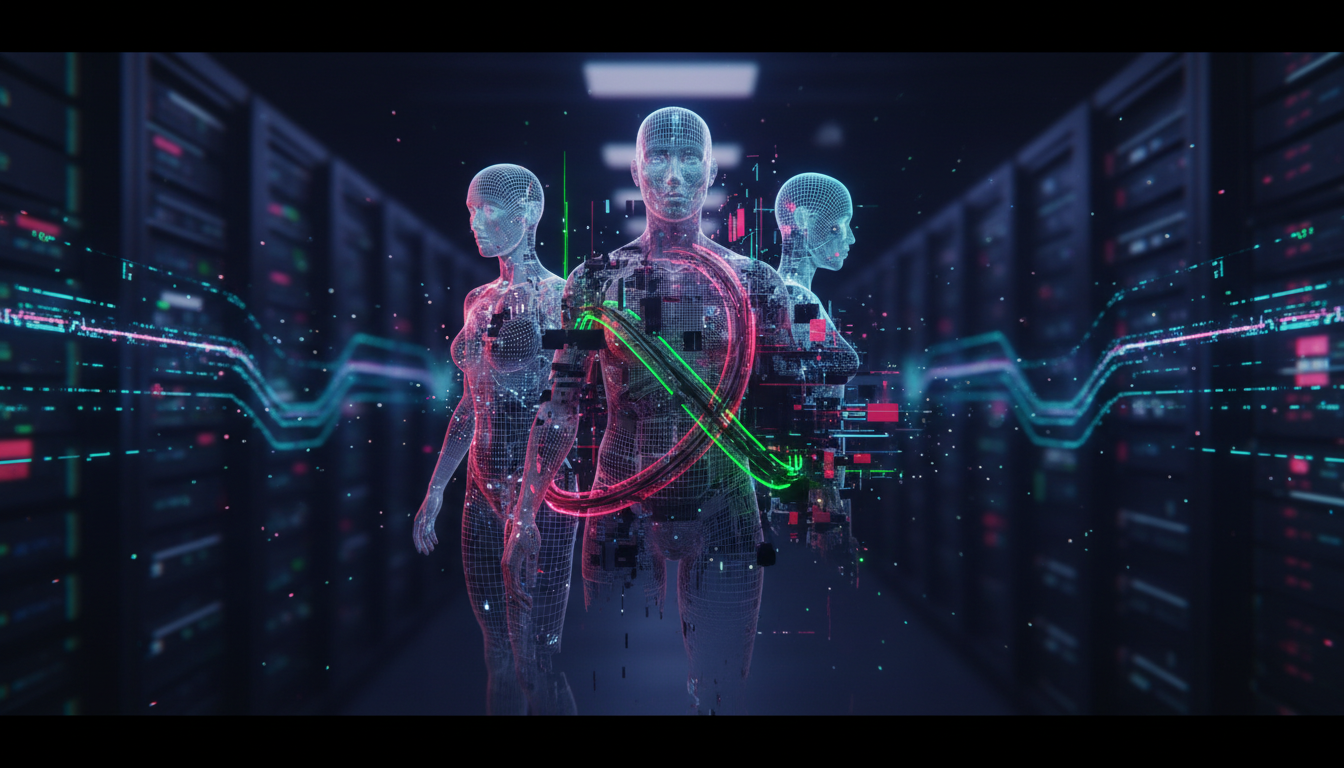
Let me be direct about what this article covers. Open source AI models run locally without any content restrictions, and a significant portion of the creative community uses them to generate adult or mature content. This is legal for adults creating content of fictional characters, it happens at massive scale, and pretending otherwise helps nobody.
What I want to give you here is a practical, honest guide to the actual landscape. Which open source models people use for unrestricted generation, how the SDXL fine-tune ecosystem works, what FLUX LoRAs bring to the table, how to set up ComfyUI workflows for mature content, and where the real ethical lines sit. I've spent a lot of time testing these systems, and there's plenty of bad information floating around forums that will waste your time or, worse, get you into genuine trouble.
Open source models like SDXL unrestricted fine-tunes and FLUX LoRAs run entirely locally with no content filters. The key models to know are PonyDiffusion XL, EasyFlux AI, and various community fine-tunes on CivitAI. You run these through ComfyUI or Automatic1111 on your own hardware. Platforms like Apatero.com also offer unrestricted generation without requiring local setup. All of this is legal for creative content featuring fictional characters, but age verification for real-person content and distribution rules vary significantly by jurisdiction.
- SDXL-based fine-tunes dominate the open source AI space, with PonyDiffusion XL being the community standard for anime and Western art styles
- FLUX models produce significantly more realistic outputs, which raises the ethical bar considerably compared to stylized SDXL work
- ComfyUI is the preferred workflow tool for serious users because of its modular node system and ability to chain models
- Safety filter bypasses work at the model level on open source tools, meaning you need to take personal responsibility for what you generate
- CivitAI remains the primary community hub for finding fine-tunes and LoRAs, though the platform requires age verification for creative content
- The ethical lines that actually matter are: no real people without consent, no minors under any circumstances, and understanding local laws around distribution
What Open Source AI Models Are Actually Available in 2026?
The open source model landscape for unrestricted content has matured considerably over the past two years. When Stable Diffusion first launched, AI Content required awkward workarounds and produced inconsistent results. Today the ecosystem has specialized tools built specifically for this use case, and the quality gap between censored commercial tools and these community models has largely closed.
The SDXL architecture continues to power most of the community's work, and it has spawned an entire sub-ecosystem of unrestricted fine-tunes. FLUX models are newer and produce strikingly realistic results, which has shifted some of the conversation around what "unrestricted" actually means in practice.
Understanding the landscape requires breaking it down by base architecture, because each has different strengths, community support structures, and hardware requirements.
SDXL-Based unrestricted Fine-Tunes
SDXL fine-tunes dominate the open source AI space for one simple reason: they've had two-plus years of community development and the results are extremely well-understood. PonyDiffusion XL is probably the most widely used checkpoint for anime-style creative content. It's trained on a massive dataset with creative tagging, which means you can use Danbooru-style tags to get very precise control over what gets generated. The model understands concepts like rating:creative, AI, and thousands of character-specific and act-specific tags that commercial tools would never support.
For Western art styles, RealVisXL and its adult-focused variants produce photorealistic results with natural human anatomy. The "anatomically correct" fine-tunes specifically address a common problem in base SDXL models where body proportions go wrong during creative generation. This is actually a meaningful technical improvement, not marketing language.
Other models worth knowing about include:
- epiCRealism XL - Photorealistic humans with good skin texture, popular for more tasteful creative art
- Dreamshaper XL - Balanced between realistic and painted styles, good all-rounder
- IllusionDiffusion XL - Artistic styles with unrestricted variants on CivitAI
- Lustify SDXL - Explicitly designed for creative content, available through age-verified CivitAI accounts
- NightVisionXL - Strong on dramatic lighting and posed characters
The primary place to find these models is CivitAI, which has become the de facto hub for community model sharing. They require age verification and account creation to access AI Content, which is the responsible way to handle distribution.
FLUX unrestricted LoRAs
FLUX represents a generational leap in image quality, and the community has moved fast to build unrestricted capabilities on top of it. Unlike SDXL where entire checkpoint fine-tunes are common, the FLUX ecosystem relies more heavily on LoRAs because the base model is so large and expensive to fine-tune from scratch.
The key thing to understand about FLUX for AI use is that FLUX.1 Dev and FLUX.1 Schnell both have content restrictions baked into the model weights themselves, not just the interface. This is different from SDXL, where the base model was relatively permissive and restrictions were mostly added at the interface level.
The community solution has been to train specialized LoRAs that steer FLUX outputs toward creative content while bypassing the embedded restrictions. These LoRAs work by overriding specific attention patterns in the model. Results are inconsistent compared to properly fine-tuned SDXL checkpoints, but when they work, the realism is significantly higher.
For more on working with FLUX LoRAs in general, my guide to FLUX 2 Pro LoRA training covers the technical foundation that applies here too.
Currently active FLUX AI LoRAs in the community include several unnamed releases that rotate through forums, but the general approach is to combine a base FLUX model with a bypass LoRA at a relatively low weight (around 0.6-0.8) and layer character or style LoRAs on top. The bypass LoRA loosens the restrictions without completely overriding the model's quality characteristics.
How Do You Actually Set Up ComfyUI for unrestricted Generation?
ComfyUI has become the tool of choice for serious open source image generation, and for good reason. Its node-based workflow system gives you far more control than Automatic1111's interface, and the ability to chain models, apply multiple LoRAs, and build automated pipelines makes it genuinely powerful for production use.

Setting up ComfyUI for AI Content is not dramatically different from standard setup, but there are a few specific considerations worth covering.
The basic hardware requirement is a GPU with at least 8GB VRAM for SDXL models. FLUX models want 12-16GB for reasonable speeds, and you can technically run them on 8GB with compromises. Apple Silicon Macs work reasonably well for SDXL through the MPS backend, though they're slower than dedicated NVIDIA cards.
Installing and Configuring ComfyUI
The installation process starts with cloning the ComfyUI repository and installing dependencies through pip. Windows users have a portable package available that simplifies setup considerably. Once installed, you drop model files into the appropriate model directories: checkpoints go in models/checkpoints/, LoRAs in models/loras/, and VAEs in models/vae/.
For unrestricted SDXL work, you also want to be aware of the VAE situation. Some SDXL checkpoints are bundled with their own VAE, but for creative content the SDXL VAE baked into the checkpoint sometimes produces color artifacts. The standard fix is to use an external VAE like sdxl_vae.safetensors from the Hugging Face SDXL repository and load it separately in your ComfyUI workflow.
Key ComfyUI nodes and extensions for advanced workflows include:
- ComfyUI-Manager - Essential for installing other custom nodes, install this first
- ComfyUI Impact Pack - Face detailer and segmentation tools, useful for fixing anatomy issues
- ComfyUI ControlNet - Pose control, depth maps, and reference images for composition
- ComfyUI AnimateDiff - Animation support if you're creating short video clips
- SDXL Prompt Styler - Easier tag management for Pony-style tagging systems
Building an SDXL Workflow for Mature Content
A basic SDXL workflow in ComfyUI looks like any other generation workflow: a checkpoint loader, a CLIP text encoder for positive and negative prompts, a KSampler, a VAE decoder, and an image save node. The only meaningful difference for AI Content is what goes into those prompt nodes.
For PonyDiffusion XL specifically, the prompting syntax is tag-based rather than natural language. You build prompts like score_9, score_8_up, rating:creative, masterpiece, 1girl, ... with quality tags at the front, content rating tags, and then descriptive tags. Negative prompts typically include quality rejection tags and content you want to avoid.
Free ComfyUI Workflows
Find free, open-source ComfyUI workflows for techniques in this article. Open source is strong.
The workflow that most users settle on for SDXL AI work involves:
- A primary generation at 1024x1024 using the main checkpoint with LoRAs attached
- A high-resolution upscale pass using either Ultimate SD Upscale or tiled diffusion
- An ADetailer or face detailer pass to fix any facial inconsistencies
- Optional inpainting pass to correct specific areas that didn't generate well
This multi-pass approach is worth the extra generation time. Single-pass SDXL at high resolutions tends to produce composition problems and anatomy errors that a refinement pass catches.
FLUX Workflows in ComfyUI
FLUX workflows are structurally different from SDXL in ComfyUI because FLUX uses a different text encoder (T5 XXL and CLIP-L together) and a different sampling approach. The workflow nodes look unfamiliar if you're coming from an SDXL background.
For FLUX with bypass LoRAs, you load the base FLUX Dev model as a UNet, attach your bypass LoRA at a lower weight than you'd use for style LoRAs, then add any character or detail LoRAs on top. FLUX responds very well to natural language prompts rather than tag-based prompting, which is a genuine improvement for usability.
What Are the Safety Bypasses and How Do They Actually Work?
This is where I want to be precise rather than vague, because a lot of information on this topic is either incomplete or actively wrong.
Commercial platforms add safety filters at multiple levels: the interface, the inference server, and sometimes the model weights. Open source models running locally bypass the first two automatically, because you're running the software yourself. Model-level restrictions are more complex.
SDXL base models from Stability AI had content restrictions in the original release, but the community quickly discovered these were implemented as trained-in biases rather than hard blocks. Fine-tuning on creative datasets effectively overwrites these biases, which is why SDXL AI fine-tunes exist and work. You are not "breaking" anything when you run a community fine-tune, you are running a different model that was trained differently.
FLUX is a different situation. The FLUX.1 models from Black Forest Labs have more deeply embedded restrictions, and the bypass LoRA approach I mentioned earlier is genuinely less reliable than the SDXL fine-tune approach. Some prompts work, many don't. The workaround is evolving as the community trains more targeted LoRAs.
For a broader look at this space and the tools that exist without local setup requirements, my guide to AI image generators without restrictions covers both local and cloud options in detail.
It's worth being honest that safety filter bypasses for local tools are not some dangerous hack. You are running open source software on your own hardware. The model weights are your responsibility to manage, and the outputs are your legal responsibility depending on your jurisdiction.
Want to skip the complexity? Apatero gives you professional AI results instantly with no technical setup required.
What Are the Ethical and Legal Considerations You Actually Need to Know?
I'd be doing you a disservice if I skipped this section or made it superficial. The ethics here are not simple, and the legal landscape varies enough by country that you genuinely need to understand your local situation.

The community has largely converged on a set of informal norms that, in my view, reflect the actual ethical lines that matter. Understanding these helps you navigate the space without causing harm or putting yourself at legal risk.
The Non-Negotiable Lines
Some things are not subject to interpretation or personal philosophy:
No content depicting minors in creative situations, ever. This is not only universally illegal in virtually every jurisdiction but morally indefensible. The fictional character argument does not apply here. If a character looks like a child, it counts. Age ambiguity is not a defense. This is the line where I have zero nuance.
Real people without consent is where it gets more legally complicated but ethically clear. Generating creative content featuring a recognizable real person without their consent is a form of creative abuse. Some jurisdictions have creative laws against synthetic intimate media (deepfakes) of real people. Others are catching up. The ethical case against it doesn't require a law to exist.
These two categories are where the actual harm in this space exists. Everything else is genuinely a matter of personal creative choice and local law.
Legal Considerations by Use Case
For fictional creative content, the legal picture looks like this in most Western jurisdictions: generating and personally viewing fictional creative content of AI characters is legal for adults. Distribution changes the picture depending on platform terms and local obscenity standards. Commercial distribution has its own set of rules.
If you're creating content for commercial use or distribution, you need to actually understand the laws where you operate. I'm not a lawyer and this isn't legal advice, but I can tell you that consulting one before building a business in this space is worth the money.
The Electronic Frontier Foundation's resource on digital rights has useful background on how free speech law applies to generated content in the US context.
Earn Up To $1,250+/Month Creating Content
Join our exclusive creator affiliate program. Get paid per viral video based on performance. Create content in your style with full creative freedom.
Platform and Distribution Ethics
If you're using generated content professionally or distributing it, the community norms around disclosure matter. Platforms like creator platform, Patreon, and subscription sites have specific policies about AI-generated content, and those policies vary. Running afoul of platform terms can result in account termination and, in some cases, chargebacks on months of subscription payments.
The digital creator Guild and similar organizations have published guidelines on AI content disclosure that are worth reading if you're monetizing in this space. Disclosure is increasingly both an ethical expectation and a practical requirement.
For a look at community model fine-tunes and how the SD ecosystem has developed overall, my deep dive on Stable Diffusion 3.5 community fine-tunes covers the broader ecosystem that feeds into the AI space as well.
Apatero.com takes a responsible approach to this space by providing unrestricted generation capabilities with proper age verification and without the hardware requirements of local setup. If you want the generation quality of local open source models without the technical overhead, it's worth exploring.
Prompt Engineering Tips for unrestricted Models
Getting good results from AI fine-tunes requires understanding how these models were trained, because the prompting conventions are quite different from commercial tools.
Prompting for PonyDiffusion XL and similar tag-trained models works best when you treat the prompt like a Danbooru search query. Quality tags come first, then rating tags, then scene description, then character details. The model has been trained to respond to this ordering. Reversing it or using natural language sentences produces noticeably worse results.
For FLUX-based generation, the opposite is true. FLUX responds to descriptive prose because it was trained on captioned datasets rather than tag databases. "A confident woman in a dimly lit room" works better than a long tag string. The natural language approach feels more intuitive for people coming from Midjourney or DALL-E.
A few specific tips that actually move the needle:
Negative prompts matter differently in SDXL vs FLUX. SDXL negative prompts actively steer the generation away from concepts. FLUX handles negative prompts less reliably, and many experienced users find that FLUX guidance through positive prompting alone often beats a complex negative. Test this yourself.
Anatomy correction in SDXL is a persistent challenge. The community has developed specific negative prompt phrases for common issues: bad anatomy, extra limbs, missing fingers, fused fingers, mutated hands are standard inclusions. ADetailer in ComfyUI handles face correction automatically in a post-process pass.
LoRA weight balancing takes practice. Running a bypass LoRA at 1.0 weight alongside a character LoRA at 1.0 often produces over-saturated or degraded results. Typical ranges are bypass LoRAs at 0.5-0.7 and style/character LoRAs at 0.6-0.9. Start lower and increase if the effect isn't showing.
Sampler and scheduler choices affect the look more than people realize. DPM++ 2M Karras at 20-25 steps is a solid default for SDXL. FLUX responds well to its native Euler scheduler. Experimenting with DDIM or Heun can produce interesting variations, but don't overthink this until you have a baseline you're happy with.
Resolution and aspect ratio impact quality in ways that aren't always obvious. SDXL models were trained primarily on square images at 1024x1024. Extreme aspect ratios like 9:16 mobile portrait formats can introduce composition artifacts. If you need a tall portrait, generate at a wider aspect ratio and crop, or use the tiled upscale approach.
Frequently Asked Questions

Is generating AI Art illegal?
In most Western countries, generating fictional creative content of AI characters as an adult is legal. The critical exceptions are any content depicting minors and, in some jurisdictions, synthetic intimate images of real people without consent. Laws vary significantly by country and are changing rapidly. Distribution adds another layer of legal complexity distinct from personal generation.
Do I need expensive hardware to run these models locally?
For SDXL fine-tunes, a GPU with 8GB VRAM is workable. 12-16GB VRAM gives you faster generation and the ability to run larger batches. FLUX models are more demanding and want at least 12GB for reasonable speeds. Apple Silicon Macs (M2 and newer) can run SDXL through the MPS backend but slower than dedicated NVIDIA. CPU generation is possible but impractically slow.
What's the difference between a checkpoint fine-tune and a LoRA?
A checkpoint fine-tune replaces the base model's weights with a version trained on different data. It affects everything the model produces. A LoRA is a smaller set of weights that modifies specific behaviors of an existing model without replacing it. LoRAs are much smaller files (typically 50-300MB vs 4-7GB for checkpoints) and can be combined in a single generation. Most AI FLUX content uses LoRAs because full FLUX fine-tunes are expensive to train.
Can I use these models for commercial content?
It depends heavily on the model's license and your jurisdiction. Many community models on CivitAI have licenses that prohibit commercial use. Others allow it with conditions. SDXL's base license allows commercial use with restrictions. You need to read the specific license for any model you use commercially, and consult a lawyer if you're building a business around this.
Where is the best community for open source AI Art?
CivitAI has the largest concentration of models and a growing community forum. Reddit communities like r/StableDiffusion discuss the technical side without being explicitly AI focused, though members regularly share knowledge about unrestricted workflows. Dedicated Discord servers exist for specific model communities and are often the fastest place to get help with specific technical problems.
How do I fix bad anatomy in generated images?
The most effective approach is the ADetailer extension in ComfyUI, which automatically detects faces and bodies and runs a focused inpainting pass to improve them. For hands specifically, training yourself to use ControlNet with an OpenPose reference image gives far better results than prompt-based fixes alone. For general anatomy, the high-resolution upscale and refinement pass catches many problems that appear in the initial generation.
Are there cloud-based options that don't require local setup?
Yes. Apatero.com provides unrestricted generation without requiring local hardware or technical setup. Several other platforms offer similar services with age verification. The tradeoff versus local setup is cost per image versus hardware investment, and convenience versus complete control over your environment.
What negative prompts should I always use for SDXL AI Models?
A standard baseline negative prompt for SDXL AI work includes quality rejection tags, anatomy correction terms, and watermark removal. For PonyDiffusion XL specifically, negative quality tags like score_1, score_2, score_3 and anatomy terms like bad anatomy, extra limbs, missing fingers, fused fingers, blurry face, bad proportions are standard starting points. Most community fine-tunes have recommended negative prompts in their model descriptions on CivitAI.
How do FLUX AI LoRAs compare to SDXL fine-tunes in quality?
Honestly, inconsistently. When FLUX bypass LoRAs work, the realism is better than SDXL because FLUX's base quality is higher. But SDXL fine-tunes are more reliable and predictable because the full model weights have been trained on the target content type. For anime and stylized content, SDXL fine-tunes are still clearly superior. For photorealistic content, FLUX with a good LoRA stack can be stunning but requires more prompt iteration.
What should I do if my ComfyUI workflow produces blank or black images?
Black images almost always indicate a VAE mismatch or VRAM overflow. Try loading an external VAE and reconnecting it in your workflow. If that doesn't help, reduce batch size to 1 and lower resolution. Blank or gray images often indicate a conditioning problem, usually an incompatibility between the clip model and the checkpoint you're using. Make sure your CLIP model matches the architecture of your checkpoint.
Ready to Create Your AI Influencer?
Join 115 students mastering ComfyUI and AI influencer marketing in our complete 51-lesson course.
Related Articles

10 Best AI Influencer Generator Tools Compared (2025)
Comprehensive comparison of the top AI influencer generator tools in 2025. Features, pricing, quality, and best use cases for each platform reviewed.

5 Proven AI Influencer Niches That Actually Make Money in 2025
Discover the most profitable niches for AI influencers in 2025. Real data on monetization potential, audience engagement, and growth strategies for virtual content creators.

AI Action Figure Generator: How to Create Your Own Viral Toy Box Portrait in 2026
Complete guide to the AI action figure generator trend. Learn how to turn yourself into a collectible figure in blister pack packaging using ChatGPT, Flux, and more.