AI Photo to 3D Model: Best Free Conversion Tools Compared in 2026
Complete comparison of free AI tools that convert photos to 3D models. Covers NeRF, Gaussian Splatting, TripoSR, and multi-view reconstruction with real test results and practical workflows.
Make AI images and video in your browser
Characters, video, photo packs. No GPU, no setup. Your first generation is free.
Turning a flat photograph into a 3D model used to require expensive scanning hardware, a degree in computer vision, or at least a week of fiddling with photogrammetry software that crashed every time you looked at it wrong. I know because I spent most of 2023 doing exactly that. I was trying to digitize a collection of handmade ceramic pieces for an online store, and the traditional photogrammetry pipeline made me want to throw my laptop out the window. Dozens of carefully positioned photos, hours of processing in Meshroom, and the final result still looked like a melted candle.
Fast forward to 2026, and the landscape is unrecognizable. AI-powered photo to 3D model conversion has gone from a research curiosity to something you can do in your browser for free. The quality is not perfect for every use case, but for prototyping, game assets, AR previews, and creative projects, these tools are genuinely useful right now.
Quick Answer: The best free AI photo to 3D conversion tools in 2026 are TripoSR and Trellis for single-image reconstruction, Luma AI and Polycam for multi-image captures, and Nerfstudio for high-quality NeRF-based scenes. For Gaussian Splatting, which offers the best speed-to-quality ratio, try Postshot or the open-source gsplat library. If you want to integrate 3D generation into broader creative workflows alongside image generation, Apatero supports pipelines that combine 2D AI tools with 3D conversion steps.
- Single-image 3D reconstruction (TripoSR, Trellis) works well for quick prototypes but struggles with back-side detail
- Multi-image approaches (photogrammetry, NeRF) produce far more accurate models but require 20-100 photos
- Gaussian Splatting is the breakout technology of 2025-2026, offering NeRF-quality results 10-50x faster
- Free tools have reached "good enough" quality for game assets, AR previews, and 3D printing prototypes
- The biggest bottleneck is no longer the AI, it is getting clean, well-lit input photos
- Export formats vary wildly between tools, so check compatibility with your target platform before committing
How Does AI Convert a Photo Into a 3D Model?
Before I get into the specific tools, it helps to understand what is actually happening under the hood. The core challenge of photo-to-3D conversion is what researchers call the "inverse rendering problem." You have a 2D image, which is the result of projecting a 3D scene onto a flat surface, and you need to work backwards to figure out the 3D geometry that produced that image. It is mathematically ill-posed, meaning there are infinite possible 3D scenes that could produce the same 2D photograph.
Traditional photogrammetry solved this by using dozens or hundreds of overlapping photos taken from different angles. Software like Meshroom or Agisoft Metashape would identify matching features between images, triangulate camera positions, and build a point cloud that gets turned into a mesh. This approach works and produces excellent results, but it is slow, demanding, and unforgiving of bad input data.
AI approaches flip the script. Instead of relying purely on geometric computation, they use neural networks trained on massive datasets of 3D objects and scenes. These networks have learned statistical priors about how the world works. They understand that chairs have four legs, that cups are hollow, that faces have a certain structure. This learned knowledge lets them make educated guesses about the parts of an object they cannot see. When you feed a single front-facing photo into TripoSR, it does not just extrude the image into 3D. It actually predicts what the back, sides, and bottom probably look like based on millions of similar objects it has seen during training.
There are four main approaches you will encounter in 2026.
Neural Radiance Fields (NeRF): Introduced in 2020, NeRF represents a scene as a continuous volumetric function that maps 3D coordinates to color and density values. You train a neural network on multiple views of a scene, and it learns to synthesize novel viewpoints. The results can be photorealistic, but training takes time and the output is not a traditional mesh.
Gaussian Splatting: This newer approach, which really hit its stride in 2025, represents scenes as collections of 3D Gaussian primitives. Think of it like millions of tiny colored blobs arranged in space. It produces quality comparable to NeRF but renders 10-50x faster and trains in minutes instead of hours. I consider this the most practically useful technology on this list right now.
Single-Image Reconstruction: Models like TripoSR, One-2-3-45, and Trellis take a single photograph and directly predict a 3D mesh. They use large transformer architectures trained on enormous datasets of 3D objects. The results are fast (under 10 seconds in many cases) but limited to the information contained in one viewpoint.
Multi-View Diffusion + Reconstruction: The latest hybrid approaches first use a diffusion model to generate multiple synthetic views of your object from different angles, then feed those generated views into a traditional multi-view reconstruction pipeline. Tools like Zero123++ and SV3D fall into this category.
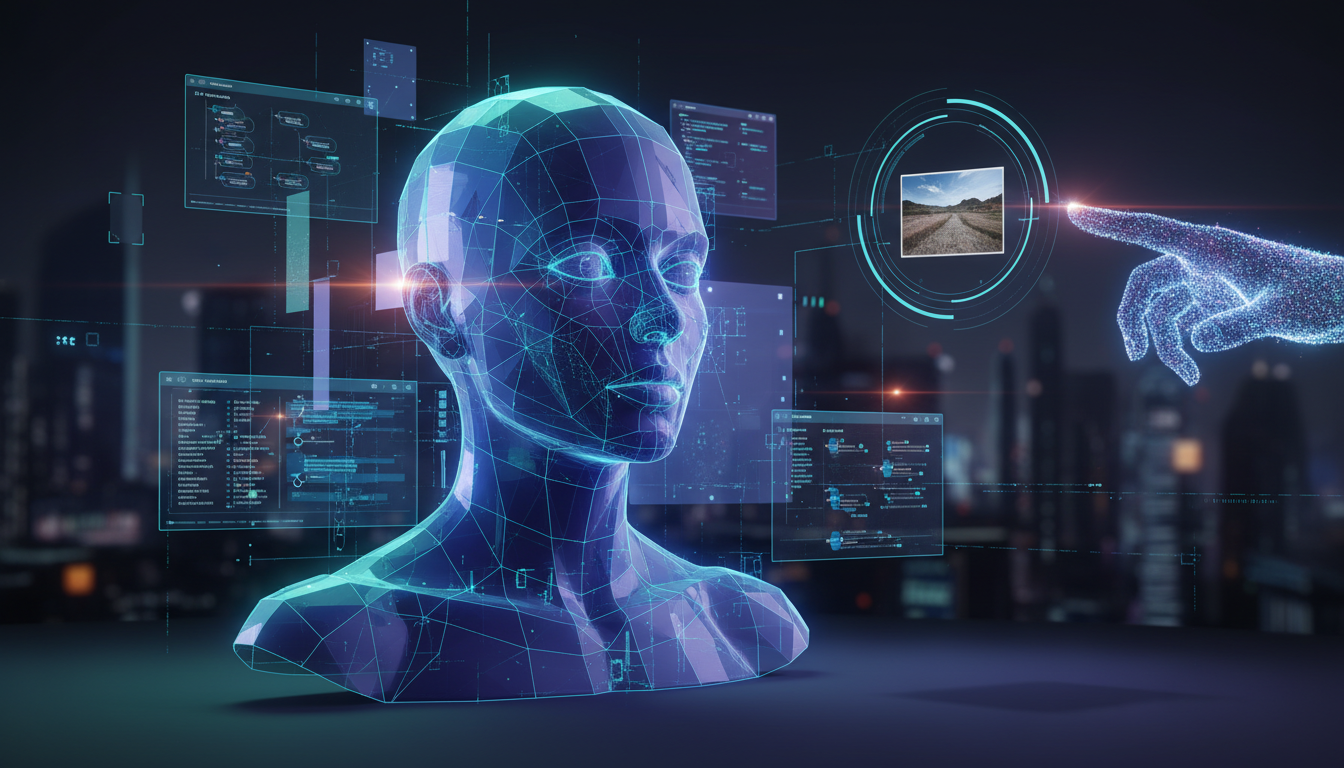
The four main approaches to AI photo-to-3D conversion, each with different tradeoffs in speed, quality, and input requirements.
What Are the Best Free Single-Image 3D Tools?
Single-image reconstruction is where most people start because the barrier to entry is zero. You upload one photo, and you get a 3D model back. No multi-angle photography setup, no calibration, no waiting around. I have tested every major option in this category and here is what actually works.
TripoSR
TripoSR, developed by Stability AI and Tripo, remains one of the most reliable single-image to 3D tools. I have run probably 200+ objects through it at this point, and I consistently get usable results. The speed is remarkable. You get a textured mesh in about 5-8 seconds on a decent GPU, and the free online demo works without any login.
The quality is best for objects with clear silhouettes and predictable geometry. Product shots, furniture, vehicles, and simple characters all work well. Where TripoSR struggles is with thin structures (like plant stems or chair legs), highly reflective surfaces, and anything where the back side is radically different from the front.
I had a funny experience testing this. I uploaded a photo of my coffee mug, and TripoSR nailed the shape perfectly. Then I uploaded a photo of my desk plant, and the output looked like a green blob on a stick. Same tool, wildly different results based on the input subject. That taught me a lot about which objects are "3D-friendly" and which are not.
Pros: Extremely fast, free to use, good mesh quality for simple objects, exports to OBJ and GLB.
Cons: Back-side predictions can be inaccurate, struggles with thin geometry, textures are approximate.
Trellis (Microsoft)
Trellis is the newer kid on the block, and honestly it has become my go-to for single-image 3D work. Microsoft released it in late 2025, and the quality jump over earlier single-image methods is noticeable. It uses a structured latent representation that seems to handle complex geometry better than pure feed-forward approaches.
What sets Trellis apart is its handling of texture detail. Where TripoSR gives you a rough color approximation, Trellis produces textures that actually look like they belong on the model. I tested it with a photo of a weathered leather boot, and the texture mapped correctly around the curves and wrinkles of the leather. That is not something I have seen from other single-image tools.
The downside is that Trellis is more computationally demanding. The free demo processes one image at a time and can have a queue during peak hours. If you are doing batch work, you will want to run it locally, which requires a GPU with at least 16GB VRAM.
One-2-3-45++ and Zero123++
These tools take a hybrid approach. Instead of directly predicting a 3D mesh, they first use a diffusion model to generate multiple synthetic views of your object, then reconstruct a mesh from those generated views. The idea is clever because it leverages the visual understanding of large image generation models to "imagine" what your object looks like from angles the original photo does not show.
In practice, I find these tools hit-or-miss. When they work, the results are impressively consistent across viewpoints. When they fail, they fail in bizarre ways, like generating a completely different object for the back view. I uploaded a photo of a toy robot and got a front that matched perfectly, but the back view the model generated showed what looked like a completely different toy. Still, for organic shapes and common objects, the results are quite good.
Is Gaussian Splatting Worth Learning in 2026?
Here is my first hot take: Gaussian Splatting is the most underappreciated technology in the 3D toolbox right now, and if you are doing any kind of 3D work, you should learn it today rather than waiting until everyone else catches on.
I know that sounds dramatic, but let me explain with a concrete example. Last month, I needed to capture a detailed 3D model of a friend's custom motorcycle for a project. Using traditional photogrammetry in Meshroom, the process took about 4 hours total, from photographing to processing. With Nerfstudio's NeRF implementation, the training alone took 45 minutes, plus I had to figure out how to convert the NeRF output to a usable mesh. When I tried the same set of 60 photos in a Gaussian Splatting pipeline using gsplat, the total processing time was under 8 minutes, and the visual quality was virtually identical to the NeRF result.
That 8-minute number is not a typo. Gaussian Splatting achieves similar quality to NeRF in a fraction of the time because it uses an creative representation (actual 3D primitives) rather than trying to bake a scene into neural network weights. The training process optimizes the position, size, color, and opacity of millions of small Gaussian blobs to reproduce the input views. Because there is no neural network inference at render time, you can view the result in real-time as it trains.
Free Gaussian Splatting Tools
Postshot: This is the most user-friendly option for Gaussian Splatting. You upload your photos or video, and Postshot handles everything from camera estimation to splat optimization. The free tier gives you a handful of captures per month, and the results are genuinely impressive. I used it to capture my home office for a VR project and the detail was staggering, right down to the text on book spines.
gsplat (open source): If you are comfortable with Python and have a CUDA-capable GPU, gsplat is the research-grade option. It is maintained by the Nerfstudio team and implements the latest Gaussian Splatting improvements as they come out of research papers. Installation requires some patience, but the results are at the current research frontier.
Free ComfyUI Workflows
Find free, open-source ComfyUI workflows for techniques in this article. Open source is strong.
Luma AI: Luma has been around since the NeRF days, and they have pivoted aggressively to Gaussian Splatting. Their free mobile app lets you capture objects by walking around them with your phone. The processing happens in the cloud, and you get a shareable 3D scene within minutes. For casual 3D capture, this is probably the lowest-friction option that exists.
KIRI Engine: Another mobile option that deserves mention. KIRI focuses specifically on turning phone photos into 3D scans, and they have integrated Gaussian Splatting into their processing pipeline. The free tier is more limited than Luma, but the mesh export options are more flexible.
Side-by-side comparison of the same object captured three ways. Gaussian Splatting (right) achieves quality comparable to NeRF (center) in a fraction of the processing time.
How Do Multi-Image AI Tools Compare to Traditional Photogrammetry?
Multi-image 3D reconstruction is where AI has made the most dramatic improvements over the past year. Traditional photogrammetry software like Meshroom and Agisoft Metashape relies on feature matching algorithms (SIFT, SuperPoint) and bundle adjustment to compute camera poses and build point clouds. These tools work well, but they are sensitive to image quality, lighting consistency, and the number of input photos.
AI-enhanced multi-image tools take the same general approach but use neural networks to improve every step of the pipeline. Better feature detection, more robust camera pose estimation, learned depth prediction to fill in gaps, and neural rendering for final output. The practical result is that you can get good 3D models from fewer photos, worse photos, and in less time.
I did a controlled test last month that really drove this home. I photographed a ceramic vase from 30 angles, deliberately including some blurry shots and uneven lighting. Traditional Meshroom failed to align about a third of the images and produced a model with visible holes. The AI-enhanced pipeline in Luma AI used all 30 images successfully and produced a clean, complete model. The difference was not subtle.
Polycam
Polycam started as a LiDAR scanning app but has evolved into a full multi-image 3D capture platform. Their AI processing pipeline handles everything from photo alignment to mesh generation, and the results are consistently good. What I like about Polycam is the guided capture experience. The app shows you where to move your phone to ensure complete coverage, which drastically reduces the chance of getting a model with missing chunks.
The free tier gives you limited exports, but for evaluating the technology, it is generous enough. I have used it for everything from scanning furniture to capturing architectural details on old buildings.
Meshroom (Open Source Photogrammetry)
I would be remiss not to mention Meshroom, even in an article focused on AI tools. Meshroom is the open-source photogrammetry workhorse built on the AliceVision framework. It is free, it runs locally, and it produces excellent results when you feed it quality input. The reason I mention it here is that recent versions have added neural network-based depth estimation and feature matching, blurring the line between traditional and AI-powered photogrammetry.
The learning curve is steeper than the app-based tools, and processing times are longer. But if you want full control over every parameter and do not want to depend on a cloud service, Meshroom is hard to beat. I always keep it as my fallback when other tools produce weird artifacts.
What Quality Can You Actually Expect From Free Tools?
Let me set realistic expectations because I think a lot of content about 3D AI tools oversells the results. Here is my honest assessment after testing dozens of objects across multiple tools.

Want to skip the complexity? Apatero gives you professional AI results instantly with no technical setup required.
Single-image tools (TripoSR, Trellis): Think of these as "80% models." The front and visible sides will be pretty accurate, but the back and occluded areas are educated guesses. Good for quick prototypes, game asset starting points, and conceptual work. Not production-ready for 3D printing or professional visualization without manual cleanup.
Gaussian Splatting (Luma, Postshot): These produce visually stunning results that look photorealistic when viewed as splat renders. However, converting Gaussian splats to traditional meshes (which you need for most practical applications) introduces quality loss. The mesh extraction process is getting better, but it is still a compromise.
Multi-image AI reconstruction (Polycam, enhanced Meshroom): This is where you get the most production-ready results from free tools. With 40-60 well-shot photos, you can get models suitable for AR experiences, game environments, and even 3D printing of larger objects. Fine details like text and thin edges are still challenging.
Here is my second hot take: for most practical purposes, a quick Gaussian Splatting capture followed by 30 minutes of manual cleanup in Blender will outperform spending 3 hours trying to get a perfect result from an automated pipeline. The AI tools are best treated as starting points, not finished products.
I learned this working on a project where I needed 3D models of vintage electronics for a retro game environment. I initially spent days trying to get TripoSR to produce perfect models from single photos. The results were never quite right. Then I switched to a workflow where I did a quick 30-photo capture, ran it through Gaussian Splatting, exported a rough mesh, and cleaned it up manually. Each object took about 45 minutes total, and the results were dramatically better. If you are building game assets like this, combining these 3D capture tools with AI game art generators for texturing can speed up the whole pipeline significantly.
Which Approach Should You Choose for Your Project?
The right tool depends entirely on your use case, and I think a lot of people waste time with the wrong approach because they do not think through their requirements first.
Quick Prototyping and Concept Work
If you just need a rough 3D representation to communicate an idea or test a layout, go with single-image tools every time. Upload your reference photo to TripoSR or Trellis, get a mesh in seconds, and move on. Do not waste time on multi-image captures for throwaway prototypes.
I use this approach constantly when planning scenes for AI design projects. A quick 3D blockout from a reference photo gives me a spatial understanding that no amount of 2D mood boards can match.
Game Assets and AR Content
For game-ready assets, you want either multi-image capture or Gaussian Splatting with mesh export. The extra effort of photographing from multiple angles pays for itself in mesh quality. Pair the capture with retopology in Blender (the Quad Remesher add-on is worth every penny) and you get clean, low-poly meshes with good UV maps.
One workflow I have been using lately combines 3D capture with AI texture generation. I capture the object geometry with Gaussian Splatting, export a clean mesh, and then use an AI texture generator to create consistent, tileable material maps. This hybrid approach gives you geometry accuracy from the real object and texture quality from the AI. Resources like our guide on AI 3D model generation cover the texturing side of this pipeline in more detail.
Architectural and Real Estate Visualization
For spaces rather than objects, Gaussian Splatting is the clear winner. Nothing else captures the feel of a real space with the same fidelity. Luma AI and Polycam both handle room-scale captures well, and the output can be viewed in any web browser. Several real estate platforms have started accepting Gaussian Splat files directly for property listings.
3D Printing
If your end goal is a physical print, you need the cleanest mesh possible. Multi-image photogrammetry with manual cleanup is still the gold standard here. AI single-image tools produce meshes that are technically printable but often have hidden issues like non-manifold geometry, intersecting faces, and inconsistent normals that will cause slicing problems.
Earn Up To $1,250+/Month Creating Content
Join our exclusive creator affiliate program. Get paid per viral video based on performance. Create content in your style with full creative freedom.
I printed a TripoSR-generated model once without checking the mesh first. The slicer choked on it, and the resulting print had a massive hole in the base that was not visible in the preview. Lesson learned. Always run free AI meshes through a repair tool like Meshmixer before sending them to a printer.
Choosing the right 3D conversion approach depends on your input material, time budget, and quality requirements.
What Tips Actually Improve Photo-to-3D Quality?
After running hundreds of conversions across every tool I could get my hands on, I have accumulated a list of practical tips that make a real difference in output quality. Some of these seem obvious, but I have watched people ignore them and then blame the AI for bad results.
Lighting matters more than camera quality. Even, diffuse lighting without harsh shadows produces dramatically better 3D reconstructions. I get my best results on overcast days or with a simple two-light softbox setup indoors. Direct sunlight creates sharp shadows that confuse depth estimation and produce artifacts in the mesh.
Background contrast is your friend. Place your subject on a contrasting background. A dark object on a dark surface gives multi-image tools nothing to work with when trying to separate the subject from the ground. I keep a few sheets of colored poster board around specifically for 3D captures.
More photos is not always better. For multi-image approaches, there is a sweet spot. Too few photos (under 20) leave gaps. Too many photos (over 100) slow processing without meaningful quality improvements and can actually introduce more noise. I aim for 40-60 photos with consistent overlap for most objects.
Avoid transparent and reflective objects. Glass, chrome, and mirror surfaces break every 3D reconstruction method, including AI-powered ones. If you need to scan a glass bottle, coat it with a matte spray (removable chalk spray works great) before photographing. I wasted an entire afternoon trying to scan a crystal decanter before accepting this reality.
Check your mesh before celebrating. Always import the output into Blender or MeshLab and inspect it before declaring success. Many AI tools produce meshes that look great in their viewer but have issues like disconnected components, inverted normals, or wildly inconsistent face sizes that cause problems downstream.
For getting the best reference photos to feed into these tools, it helps to understand how AI-generated photos work in general, since many of the same lighting and composition principles apply.
What Does the Future Look Like for Photo-to-3D AI?
I am going to give you my third hot take here: within two years, real-time photo-to-3D conversion from a single smartphone camera will be as common and unremarkable as panoramic photos are today. The trajectory is clear. We have gone from days of processing to hours to minutes to seconds. The quality gap between AI-predicted 3D and ground-truth 3D scans is closing fast.
Several trends are converging that make me confident about this prediction. Large foundation models for 3D are getting funded and developed by every major tech company. Apple, Google, and Meta all need better 3D understanding for their AR and VR platforms. The Apatero.com team has been tracking these developments, and the pace of improvement in the open-source 3D generation space is staggering.
The combination of Gaussian Splatting for capture with large reconstruction models for mesh extraction is particularly promising. I expect to see tools that let you wave your phone around an object once, and have a clean, textured, game-ready mesh within seconds. Some early prototypes of this workflow already exist in research labs.
Another area to watch is video-to-3D. Rather than taking discrete photos, you just record a short video clip walking around an object, and the tool automatically selects the best frames and reconstructs a 3D model. Luma AI and KIRI Engine are already heading in this direction, and the results improve with every update.
For creative professionals who use platforms like Apatero for AI-powered content creation, the integration of 3D capture into existing 2D image generation workflows is going to be transformative. Imagine generating a character in 2D, converting it to 3D, posing it in a scene, and rendering new 2D images from any angle. That loop is almost closed today, and in 2026 it is getting smoother every month.
Free Tool Comparison Table
Here is a straightforward comparison of the tools I have tested most extensively. Note that pricing and features change frequently, so verify the current state before committing to a workflow.
| Tool | Approach | Input | Speed | Mesh Export | Best For |
|---|---|---|---|---|---|
| TripoSR | Single-image | 1 photo | 5-8 sec | OBJ, GLB | Quick prototypes |
| Trellis | Single-image | 1 photo | 15-30 sec | OBJ, GLB | Detailed single-image |
| One-2-3-45++ | Multi-view diffusion | 1 photo | 30-60 sec | OBJ | Complex objects |
| Luma AI | Gaussian Splatting | 30+ photos/video | 5-15 min | PLY, OBJ | Room-scale scenes |
| Postshot | Gaussian Splatting | 20+ photos | 5-10 min | PLY, OBJ | Object capture |
| Polycam | Multi-image AI | 20+ photos | 5-20 min | OBJ, FBX, USDZ | AR content |
| Meshroom | Photogrammetry + AI | 30+ photos | 30-120 min | OBJ | Maximum control |
| gsplat | Gaussian Splatting | 30+ photos | 3-8 min | PLY | Research/custom pipelines |
| KIRI Engine | Multi-image AI | 20+ photos/video | 10-30 min | OBJ, STL | 3D printing prep |
Frequently Asked Questions
Can I Really Convert a Single Photo to a 3D Model for Free?
Yes. Tools like TripoSR and Trellis let you upload a single photograph and get a 3D mesh back in seconds, completely free. The quality will not match multi-image approaches, but for prototyping and concept work, the results are surprisingly usable. Expect good accuracy on the visible side and approximate guesses on the hidden side.
Which Is Better for Photo-to-3D: NeRF or Gaussian Splatting?
In 2026, Gaussian Splatting is the better choice for most practical applications. It produces visual quality comparable to NeRF while being 10-50x faster to process. NeRF still has slight advantages in certain edge cases, like scenes with lots of specular reflections, but for everyday use, Gaussian Splatting wins on speed without meaningfully sacrificing quality.
How Many Photos Do I Need for a Good 3D Model?
For multi-image approaches, I recommend 40-60 photos for a typical object. Cover all angles with consistent overlap between shots. Larger or more complex objects may need more. For room-scale captures, 100-200 photos is common. The key is even coverage rather than sheer quantity. Forty well-placed photos beats 200 poorly planned ones every time.
Can AI Photo-to-3D Tools Replace Professional 3D Scanning?
Not yet, but they are closing the gap fast. Professional structured-light and laser scanners still produce higher-precision models, which matters for applications like quality control, dental work, and heritage preservation. For creative work, game development, AR content, and general visualization, free AI tools produce results that are more than adequate.
What File Formats Do Free 3D Conversion Tools Support?
Most tools export OBJ (with MTL for textures), GLB/GLTF (web-ready format), and PLY (for point clouds and splats). Some also support FBX, USDZ (for Apple AR), and STL (for 3D printing). Always check the export options before starting a project, as some free tiers restrict format options.
Do I Need a Powerful GPU to Run These Tools?
For browser-based and mobile tools (Luma AI, Polycam, TripoSR demo), no GPU is needed on your end since processing happens in the cloud. For running tools locally (Nerfstudio, gsplat, Trellis), you will want an NVIDIA GPU with at least 8GB VRAM, and 16GB or more is recommended for complex scenes. AMD GPU support is improving but still spotty across most tools.
Can I Use AI-Generated 3D Models Commercially?
This varies by tool. TripoSR uses an MIT license, so commercial use is allowed. Luma AI's free tier has some restrictions on commercial usage. Meshroom is open source under the MPL2 license. Always check the specific terms of service for each tool, especially if you plan to sell models or use them in commercial products.
How Do I Improve the Quality of Single-Image 3D Conversion?
Start with a high-resolution photo taken in even, diffuse lighting. Use a clean background that contrasts with your subject. Make sure the object fills most of the frame. Avoid extreme angles, and shoot from a slightly elevated perspective (about 20-30 degrees) so the AI can see some of the top surface. Remove any background clutter that might confuse the reconstruction.
What Is the Difference Between a Gaussian Splat and a Regular 3D Mesh?
A Gaussian Splat represents a scene as millions of small, semi-transparent 3D blobs (Gaussians) rather than as triangles and vertices. Splats render beautifully and capture fine details like fur, foliage, and transparent materials better than meshes. However, they cannot be directly used in most game engines or 3D printing software. You need to convert splats to meshes for those workflows, which introduces some quality loss.
Are There Any AI Tools That Do Video-to-3D Conversion?
Yes. Luma AI and KIRI Engine both accept video input and automatically extract frames for 3D reconstruction. You record a short video walking around your subject, and the tool handles frame selection, camera estimation, and 3D reconstruction. This is often easier than manually taking individual photos, though the quality can be slightly lower since video frames have lower resolution than dedicated photographs.
Final Thoughts
The photo-to-3D space is moving faster than almost any other area of AI-powered creative tools. What required expensive hardware and deep expertise two years ago is now free and accessible in a browser. That does not mean the results are perfect. You will still need to understand the strengths and limitations of each approach, choose the right tool for your specific project, and expect to do some manual cleanup on the output.
My recommendation for anyone getting started is simple. Install TripoSR or bookmark the Trellis demo for quick single-image work. Download Luma AI on your phone for multi-image captures. And if you have a decent GPU and enjoy tinkering, set up gsplat for the absolute best Gaussian Splatting results. Between those three options, you will be covered for pretty much any photo-to-3D need that comes up.
The most exciting part is not where these tools are today, but where they are heading. Every month brings new research papers, new model releases, and new free tools that push the quality bar higher. If you are already working with AI image generation through tools on Apatero.com, adding 3D conversion to your toolkit is a natural next step that opens up entirely new creative possibilities.
Make AI images and video in your browser
Characters, video, photo packs. No GPU, no setup. Your first generation is free.
Related Articles
AI 3D Model Generation: Text to 3D Objects Complete Guide 2026
Complete guide to AI 3D model generation from text prompts. Covers Point-E, Shap-E, Meshy, TripoSR, and the best 2026 tools for game assets, 3D printing, and prototyping.
TRELLIS.2 in ComfyUI: Image to 3D in Seconds
Microsoft's TRELLIS.2 generates high-fidelity 3D models with PBR materials from single images. Complete ComfyUI setup guide with workflows and settings.