Why Your AI Images Keep Getting Rejected (And How to Fix It)
AI keeps rejecting your image prompts? Understand the real reasons behind content violations and find platforms that actually work.
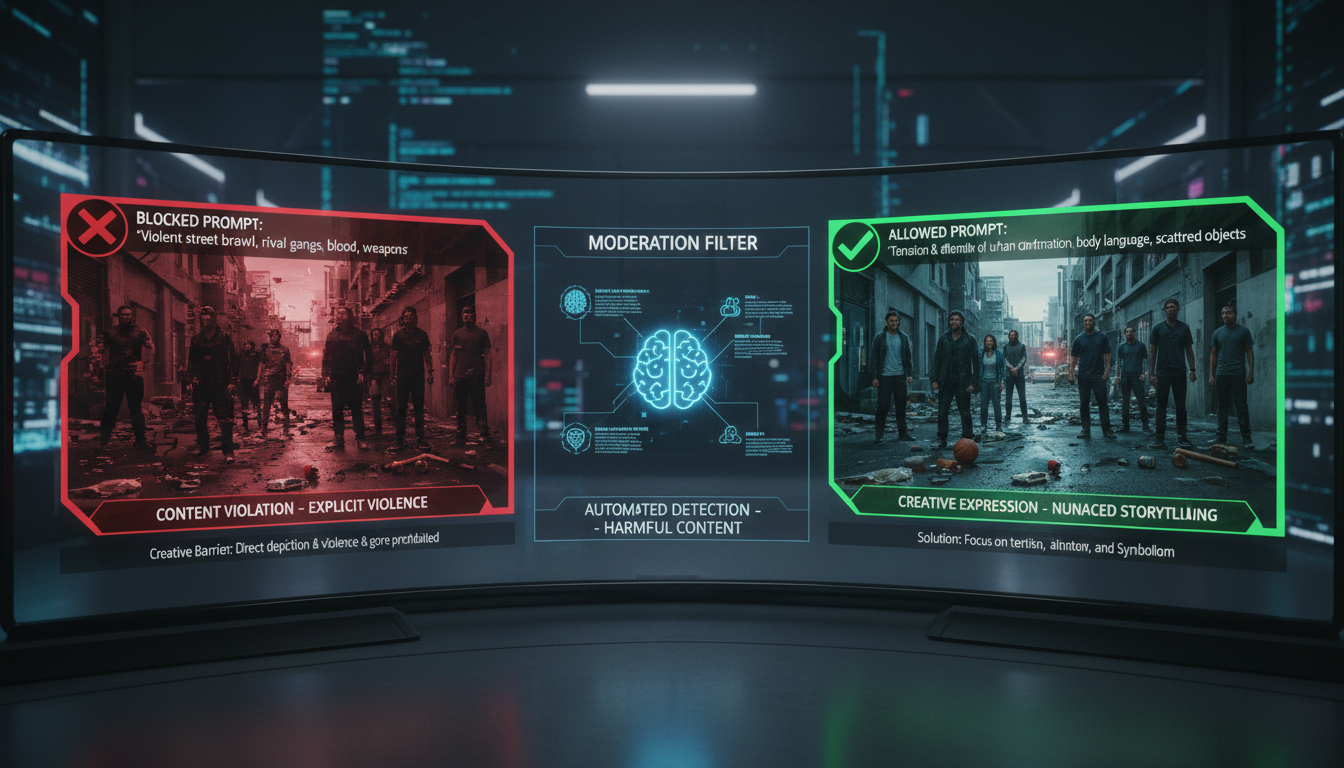
Another rejection. "This prompt violates our content policy." You've tried rewording it five times. Nothing inappropriate, just a simple creative concept. Yet the AI refuses to generate your image.
Let's diagnose why this happens and actually fix it.
Quick Answer: Rejections usually come from keyword triggers, not actual policy violations. Solutions: reword using synonyms, use style-first prompting, or switch to platforms with minimal filtering like Apatero or Perchance where the same prompts work fine.
:::tip[Key Takeaways]
- Follow the step-by-step process for best results with why your ai images keep getting rejected (and how to fix it)
- Start with the basics before attempting advanced techniques
- Common mistakes are easy to avoid with proper setup
- Practice improves results significantly over time :::
- Keyword triggers (innocent words on blacklists)
- AI misinterpretation of intent
- Combination triggers (safe words that flag together)
- Inconsistent enforcement (same prompt works sometimes)
The 5 Real Reasons Your Prompts Get Rejected
1. Keyword Blacklists
Platforms maintain lists of banned words. Problem: many innocent words are included.
Commonly blocked innocent words:
- "Young" (blocks "young adult," "young artist")
- "Body" (blocks "body of water," "body armor")
- "Bare" (blocks "bare minimum," "bare branches")
- "Flesh" (blocks "flesh tones," art terminology)
- "Blood" (blocks "blood moon," "blood orange")
The fix: Use synonyms or rephrase completely.
2. AI Intent Detection
Some platforms use AI to analyze what you "really" want. This creates:
- False positives on innocent prompts
- Inconsistent results
- Inexplicable rejections
The fix: Add clarifying context or switch platforms.
3. Combination Triggers
Safe words become problematic together:
- "Woman" + "swimsuit" → often blocked
- "Child" + almost anything → frequently blocked
- "Fantasy" + "dark" → sometimes blocked
The fix: Separate concepts or use different framing.
4. Reference Detection
Names and references trigger blocks:
- Celebrity names
- Copyrighted characters
- Brand names
- Real locations (sometimes)
The fix: Use descriptions instead of names.
5. Random Enforcement
The frustrating truth: enforcement is inconsistent.
- Same prompt works one day, blocked the next
- Different accounts get different results
- Time of day affects filtering
The fix: Try again later or switch platforms.
Quick Fixes That Actually Work
Synonym Substitution
| Blocked | Try Instead |
|---|---|
| Blood | Crimson, scarlet, red |
| Young | Youthful, early-career |
| Body | Figure, form, physique |
| Weapon | Tool, implement, artifact |
| Dark | Shadowy, dim, moody |
| Bare | Exposed, uncovered, natural |
Style-First Prompting
Instead of: "A warrior with bloody sword" Try: "Oil painting, dramatic lighting, medieval soldier, crimson-stained blade"
Leading with artistic style context often bypasses filters.
Negative Prompt Strategy
Adding negatives can paradoxically help:
- "no violence, peaceful scene" + action concept
- "tasteful, artistic" + figure concept
Historical/Artistic Framing
- "Renaissance painting depicting..."
- "Classical sculpture of..."
- "Museum piece showing..."
When Workarounds Fail: Switch Platforms
If you're constantly fighting filters, the platform isn't for you.
Platforms With Minimal Filtering
Apatero
- Minimal keyword blocks
- No aggressive AI detection
- Professional quality
- Video generation included
Perchance
- Minimal prompt filtering
- 100% free
- No signup required
- Unlimited generation
Tensor.Art
- Relaxed policies
- Anime-appropriate content
- Large model library
Local Stable Diffusion
- You control everything
- No external filtering
- Requires setup
Comparison of Filter Strictness
| Platform | Keyword Blocks | AI Detection | False Positives |
|---|---|---|---|
| DALL-E | Extensive | Aggressive | High |
| Midjourney | Extensive | Moderate | High |
| Adobe Firefly | Extensive | Aggressive | Moderate |
| Leonardo AI | Moderate | Some | Some |
| SeaArt | Some | Limited | Low |
| Apatero | Minimal | Minimal | Rare |
| Perchance | None | None | None |
Troubleshooting Specific Rejection Types
"Content Policy Violation"
Most likely: Keyword trigger Fix: Identify and replace the triggering word
"Unable to Process This Request"
Most likely: AI detection flagged intent Fix: Add context, reframe concept, or switch platforms
"This Type of Content Is Not Allowed"
Most likely: Category block (violence, gore, celebrity likeness, brand logos) Fix: Use artistic framing or switch to a platform with looser keyword filters
"Please Modify Your Prompt"
Most likely: Combination trigger Fix: Separate elements into multiple generations
Random/Intermittent Rejection
Most likely: Inconsistent enforcement Fix: Try again later or different platform
The Real Solution: Choose Better Tools
Workarounds are exhausting. The sustainable solution is using platforms that respect creative intent:
For Professional Work
Apatero - Clean interface, minimal filtering, video capabilities
For Free Experimentation
Perchance - Zero cost, zero filtering, zero signup
For Anime Art
Tensor.Art - Anime-appropriate policies, large model library
For Maximum Control
Local Stable Diffusion - Complete freedom, requires setup
Testing Your Prompts
Before committing to a platform, test problematic prompts:
- Try Perchance (free, no signup)
- If it works there, the prompt is fine
- If blocked elsewhere, it's the platform, not you
This confirms whether you have a prompt problem or a platform problem.
Frequently Asked Questions
Why do different platforms block different things?
Each company makes independent decisions about acceptable content based on their legal/business concerns.
Am I doing something wrong?
Probably not. False positives are extremely common on filtered platforms.
Can I appeal rejections?
Some platforms allow appeals, but success rates are low and the process is slow.
Will workarounds always work?
No. Filters evolve. Permanent solution is using less-filtered platforms.
Is it worth paying for less-filtered platforms?
If you're losing significant time to rejections, yes. Apatero at $0.03-0.05/image beats hours of workaround attempts.
What if I need features from filtered platforms?
Use filtered platforms for safe content, unrestricted platforms for creative work.
The Bottom Line
Your prompts probably aren't the problem. Overzealous filtering is.
Short-term: Use synonyms, style-first prompting, artistic framing Long-term: Switch to platforms like Apatero or Perchance that won't fight your creativity
Stop adapting to broken tools. Find tools that work for you.
Make AI images and video in your browser
Characters, video, photo packs. No GPU, no setup. Check your welcome allowance and the displayed cost before generating.
Related Articles

AI Art Market Statistics 2025: Industry Size, Trends, and Growth Projections
Comprehensive AI art market statistics including market size, creator earnings, platform data, and growth projections with 75+ data points.

AI Automation Tools: Transform Your Business Workflows in 2025
Discover the best AI automation tools to transform your business workflows. Learn how to automate repetitive tasks, improve efficiency, and scale operations with AI.

AI Background Remover and Generator: The Complete Guide to Replacing, Creating, and Perfecting Image Backgrounds
Master AI background removal, replacement, and generation. Compare the best tools, learn proven techniques, and transform your product photos and portraits.