SVI 2.0 PRO for Wan 2.2: Generate Infinite-Length AI Videos Without Quality Loss
Master Stable Video Infinity 2.0 PRO with Wan 2.2 for unlimited video length generation. No more ping-pong artifacts or quality degradation.

I just generated a 3-minute AI video. Single continuous shot. No quality degradation. No weird color shifts. No ping-pong artifacts. Six months ago, this would have been impossible. SVI 2.0 PRO changed everything.
Quick Answer: Stable Video Infinity (SVI) 2.0 PRO with Wan 2.2 enables infinite-length video generation through clip-by-clip causality with error recycling. It maintains temporal consistency across arbitrary video lengths without the quality degradation that plagued earlier approaches.
- SVI 2.0 PRO generates videos of any length without inherent limits
- Uses Wan 2.2 base model for superior motion quality
- Only requires LoRA fine-tuning (efficient, anyone can train)
- Different seeds per clip is critical for quality
- 480p resolution with LightX2V prevents slow motion issues
What Is Stable Video Infinity?
SVI stands for Stable Video Infinity. It's a technique developed by researchers at EPFL that solves the fundamental problem of AI video generation: length limitations.
Traditional video generators produce clips of 5-10 seconds. Want longer? You extend, and the quality degrades. Colors drift. Motion slows. Artifacts accumulate. By the time you hit 30 seconds, the video looks nothing like where it started.
SVI fixes this through a clever architecture:
- Clip-by-clip causality: Each new clip is generated based on the previous one
- Bidirectional attention within clips: Full quality within each segment
- Error recycling: Prevents accumulated errors from degrading quality
- LoRA-based adaptation: Only small adapters are trained, making it efficient
The result? Generate 8-minute Tom and Jerry episodes. Create multi-scene short films. Build continuous single-shot videos that maintain quality throughout.
Why SVI 2.0 PRO Matters
 SVI connects video clips smoothly, maintaining temporal consistency across any length
The original SVI worked with Wan 2.1. SVI 2.0 PRO upgraded to Wan 2.2, and the improvements are substantial:
Better dynamics: Wan 2.2's improved motion model translates to more natural movement in extended videos.
Cross-clip consistency: Character identity and scene elements remain stable across multiple clips.
Reduced color drift: The 1-minute stress tests show minimal to no color shifting.
Multi-shot support: Beyond single continuous shots, you can now create multi-scene narratives.
The community has been pushing the boundaries. People are generating promotional videos with lip sync, animated storytelling sequences, and documentary-style content that would have required traditional video editing just months ago.
Setting Up SVI 2.0 PRO in ComfyUI
The installation process follows standard ComfyUI patterns:
Step 1: Get the Repository
git clone https://github.com/vita-epfl/Stable-Video-Infinity.git
cd Stable-Video-Infinity
git checkout svi_wan22
Note the branch checkout. The main branch is for Wan 2.1. The svi_wan22 branch contains the Wan 2.2 specific workflows.
Step 2: Download the Models
You need:
- Wan 2.2 I2V A14B base model
- SVI 2.0 PRO LoRA (HIGH or LOW version)
The LoRA models are available on Hugging Face at vita-video-gen/svi-model.
HIGH Version: Better quality and detail, slightly slower LOW Version: Faster generation, still good quality
Step 3: Load the Official Workflow
Use workflows from Stable-Video-Infinity/comfyui_workflow. The official workflows include proper padding settings that are critical.
Important: SVI LoRA cannot directly use standard Wan workflows. The padding settings are different. Using the wrong workflow is the most common cause of problems.
The Critical Settings
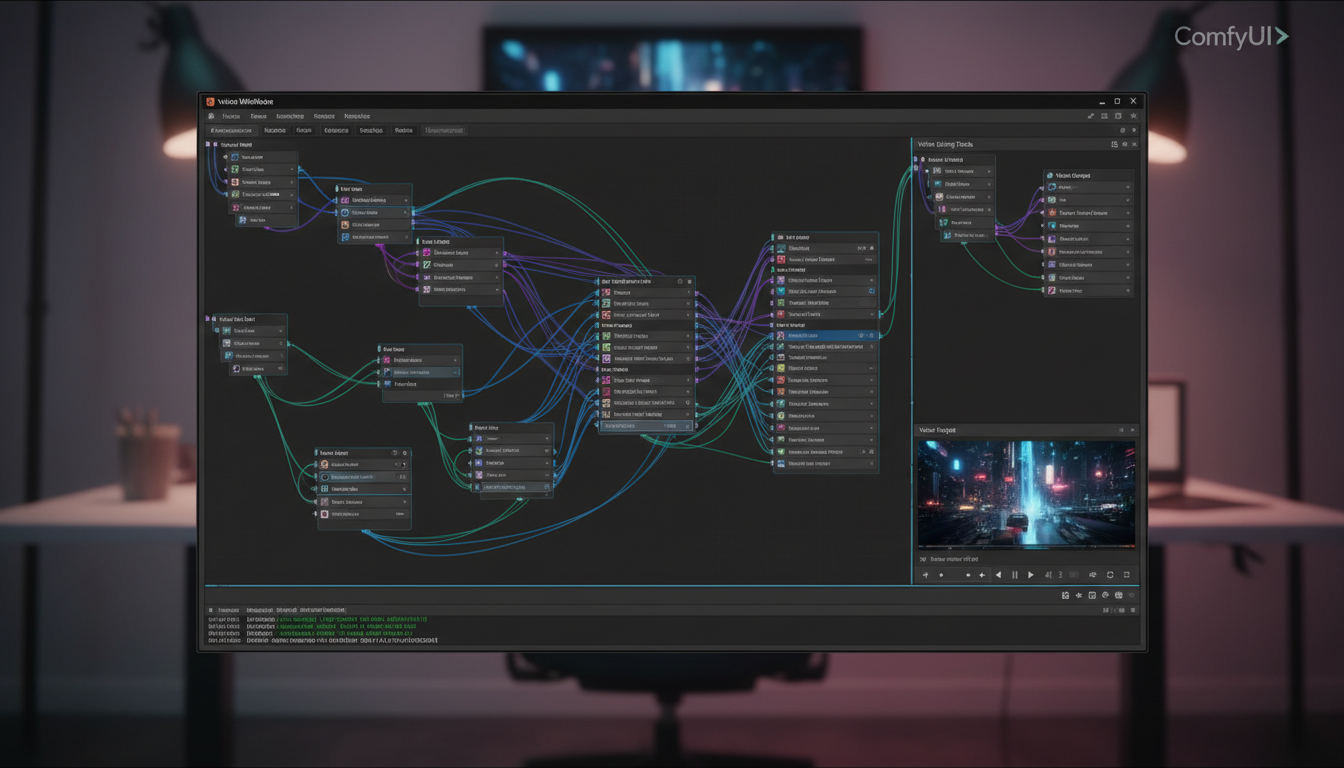 The SVI workflow in ComfyUI requires specific node configurations
Here's what actually matters for quality output:
Different Seeds Per Clip
This is the single most important tip. Use different seeds for each video clip. Same seed across clips causes pattern repetition and reduces the natural variation that makes videos look good.
Resolution Matters
480p is optimal for most use cases when combined with LightX2V. Higher resolutions can cause:
- Slow motion artifacts
- Color drift over time
- Increased VRAM requirements
If you need 720p output, generate at 480p and upscale afterward.
LightX2V Usage
LightX2V is a lighter model variant. Here's the tradeoff:
- With LightX2V: Faster, 1-minute videos without noticeable color drift at 480p
- Without LightX2V: Higher base quality but more prone to drift in longer videos
For videos over 30 seconds, LightX2V at 480p is the reliable choice.
Prompt Enhancement
Each clip can have different prompts. This enables storytelling:
Clip 1: "A woman walks through a forest, morning light"
Clip 2: "She discovers an ancient stone structure"
Clip 3: "She approaches the structure cautiously"
The transitions remain easy while the narrative progresses.
Common Problems and Fixes
Flickering or Quality Degradation
Cause: Wrong workflow or incorrect padding settings Fix: Use official workflows from the repository, not generic Wan workflows
Slow Motion Effect
Cause: Resolution too high or improper LightX2V configuration Fix: Drop to 480p, reduce step count, check LightX2V settings
Color Drift Over Time
Cause: Same seeds across clips or prolonged generation without LightX2V Fix: Unique seeds per clip, use LightX2V for videos over 30 seconds
Inconsistent Character Identity
Cause: Prompts changing too dramatically between clips Fix: Maintain consistent character descriptions, only vary action/scene elements
My Workflow for Long Videos
After experimenting extensively, here's what works:
Phase 1: Planning
- Write out the full narrative
- Break into 5-second clip segments
- Write prompts for each segment
- Identify which elements must remain consistent
Phase 2: Generation
- Generate first clip with careful prompt
- Review and regenerate if needed
- Continue with unique seeds per subsequent clip
- Check transitions between every 3-4 clips
Phase 3: Post-Processing
- Concatenate clips
- Apply light color grading for consistency
- Add audio (MMAudio or manual)
- Final export
This process has produced 2-3 minute videos with professional-looking results.
Integration with Other Tools
SVI 2.0 PRO works well in pipelines with other AI video tools:
With WanGP WebUI: Generate initial clips on low VRAM, extend with SVI
With Wan 2.2 I2V: Create strong first frames, then extend infinitely
With VACE ControlNet: Pose-guided generation for character consistency across clips
With InfiniteTalk: Add lip sync to generated faces for speaking characters
What's Coming Next
The developers have announced Wan 2.2 Animate SVI as the next release. This will support skeleton-based animation video generation. Their testing shows that tuning with only 1k samples unlocks infinite-length generation for animated content.
The performance is reportedly "far better" than the original SVI-Dance based on UniAnimate-DiT. This means character animation with consistent motion across unlimited length.
Practical Applications
Promotional Videos
Generate product showcases with continuous camera movement. No cuts needed.
Music Videos
Create visual accompaniment that flows naturally through a full song.
Documentary Style
Build narrative sequences with scene transitions that feel intentional.
Social Media Content
Produce longer-form content that stands out from typical short clips.
Animation Projects
Combine with character LoRAs for consistent animated storytelling.
Frequently Asked Questions
How long can videos actually be?
There's no inherent limit. The 10-minute Tom and Jerry demo proves extended generation works. Practical limits are compute time and storage.
Does it work with Wan 2.1?
Yes, the main branch supports Wan 2.1 with SVI 1.0 and 2.0. Use svi_wan22 branch for Wan 2.2.
What VRAM do I need?
Standard Wan 2.2 requirements apply. With optimizations, 12GB works. 24GB is comfortable.
Can I use custom LoRAs alongside SVI?
Yes, but test carefully. Some LoRAs may interact unexpectedly with SVI's temporal mechanisms.
Is training my own SVI LoRA possible?
Yes, the training scripts are open-sourced. The process is efficient since only LoRA adapters are tuned.
How does this compare to Runway or Kling extensions?
SVI is open-source and local. Quality is competitive, and you have full control over the generation process.
Can I generate multi-shot videos?
Yes, SVI 2.0 PRO supports both single-scene continuous shots and multi-shot narratives with scene transitions.
What causes the ping-pong artifacts in other methods?
Bidirectional extension methods (extend forward, then backward) create overlapping artifacts. SVI uses unidirectional causality with error recycling to avoid this.
Do I need the HIGH or LOW LoRA version?
Start with LOW for experimentation. Use HIGH for final production when quality matters more than speed.
Why different seeds per clip?
Same seeds create repetitive patterns. Different seeds introduce natural variation while the SVI architecture maintains consistency.
Wrapping Up
SVI 2.0 PRO represents a genuine leap in AI video capability. The ability to generate videos of arbitrary length without quality degradation opens creative possibilities that didn't exist before.
The setup requires attention to detail—right branch, right workflow, right settings. But once configured, it's remarkably stable. The community workflows and tutorials make the learning curve manageable.
If you've been frustrated by the 5-second limitation of AI video generators, SVI 2.0 PRO is the solution. Clone the repo, grab the LoRA, and start generating videos that actually tell stories.
Some models you cannot download at any VRAM
Veo, Kling and Nano Banana have closed weights. There is no local build, no quantization, no 24GB workaround. Run them in the browser instead. Check current model access and generation costs in the app.
Related Articles
AI Video Denoising and Restoration: Complete Guide to Fixing Noisy Footage (2025)
Master AI video denoising and restoration techniques. Fix grainy footage, remove artifacts, restore old videos, and enhance AI-generated content with professional tools.
AI Video Multi-Clip Editing: Complete Workflow for Smooth Transitions (2025)
Master multi-clip AI video editing workflows. Learn to combine LTX-2, WAN, and Hunyuan clips into cohesive videos with smooth transitions and consistent style.

LTX-2 on 8GB VRAM: Complete Optimization Guide for Low-End GPUs (2025)
Run LTX-2 video generation on 8GB VRAM GPUs. Complete guide to memory optimization, FP8 quantization, tile processing, and settings for RTX 3070, 3060, and similar cards.