Multilingual Prompts for Z-Image: Translate and Enhance Without Extra Workflow Complexity
Use Z-Image with prompts in any language. Built-in bilingual support, LLM enhancement, and simplified translation workflows explained.

I write prompts in English. My friend writes in Chinese. Another collaborator prefers Spanish. We all use Z-Image. None of us should need complex translation workflows cluttering our node graphs. Here's how to make multilingual prompting work smoothly.
Quick Answer: Z-Image Utilities provides built-in bilingual support for Chinese and English with automatic detection. For other languages, lightweight translation nodes like ComfyUI-Translator or the Helsinki NLP-based kkTranslator handle conversion without API dependencies. LLM-powered enhancement can simultaneously translate and improve your prompts.
- Z-Image Utilities auto-detects Chinese/English with no extra nodes
- LLM enhancement can translate AND improve prompts in one step
- Offline translation options exist (no API keys needed)
- Single-node solutions replace multi-node translation chains
- The Qwen encoder in Z-Image handles multilingual concepts well
The Multilingual Challenge in AI Image Generation
Most AI image models are trained primarily on English data. Even when the underlying text encoder supports multiple languages, prompts in English typically produce better results. This creates a barrier for non-English speakers.
Traditional solutions involve:
- Translate prompt externally
- Copy translated text into ComfyUI
- Generate image
- Repeat for every change
Or worse:
- Add translation node
- Add language detection node
- Add conditional routing
- Connect everything
- Debug why it's not working
Neither approach is acceptable. Prompt iteration should be fast and frictionless.
Z-Image's Built-In Bilingual Support
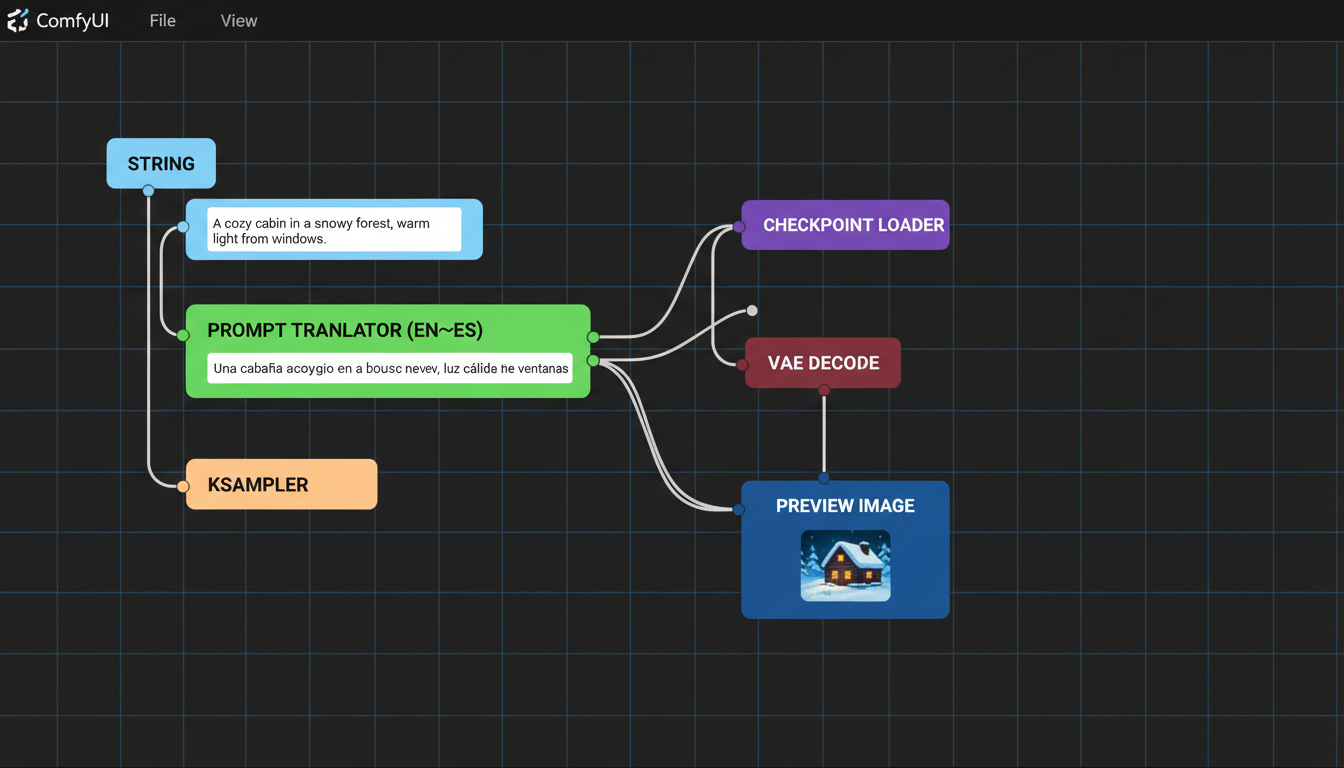 Minimal node setup achieves multilingual support without workflow complexity
Z-Image Utilities, specifically designed for the Z-Image Turbo model, includes native bilingual handling:
Automatic Language Detection
The prompt enhancer node detects whether you're writing in Chinese or English and adjusts automatically. No language selection dropdown. No manual switching.
Input: "一个女孩在樱花树下"
Output: Enhanced English prompt suitable for Z-Image
Input: "a girl under cherry blossoms"
Output: Enhanced English prompt suitable for Z-Image
Both produce optimized prompts without you specifying the source language.
How It Works
The Z-Image Prompt Enhancer uses an LLM backend (OpenRouter, local Ollama, or direct HuggingFace loading) to process your input. The official Z-Image system prompt handles the translation and enhancement simultaneously.
This means:
- Chinese prompts get translated to English
- Simple prompts get enhanced with detail
- Both happen in one node, one inference call
Setup Requirements
Option 1: OpenRouter (Easiest)
- Free API key from OpenRouter
- Uses cloud models like
qwen/qwen3-235b-a22b:free - No local compute needed
Option 2: Local Ollama
- Install Ollama locally
- Pull a model:
ollama pull qwen2.5:14b - No API keys, runs offline
Option 3: Direct HuggingFace
- Downloads models to your machine
- Supports 4-bit/8-bit quantization
- Runs entirely local
Beyond Chinese/English: Other Languages
Z-Image Utilities handles Chinese and English natively. For other languages, you have options:
ComfyUI-Translator (Google API)
Automatic translation from any language to English:
[Your Prompt in Spanish] → [Translator Node] → [CLIP Encode]
Pros:
- Supports virtually all languages
- Automatic source detection
- Simple one-node solution
Cons:
- Requires internet
- Uses Google Translate API
ComfyUI_kkTranslator (Offline)
Helsinki NLP-based translation that runs locally:
[Your Prompt in French] → [kkTranslator] → [CLIP Encode]
Pros:
- Completely offline
- No API keys
- Fast inference
Cons:
- Limited to supported language pairs
- Model download required
M2M-100 TranslationNode
Facebook's multilingual model supporting 100 languages:
Pros:
- Extensive language support
- Offline operation
- Single model handles many pairs
Cons:
- Larger model size
- Slightly slower
The Enhancement Advantage
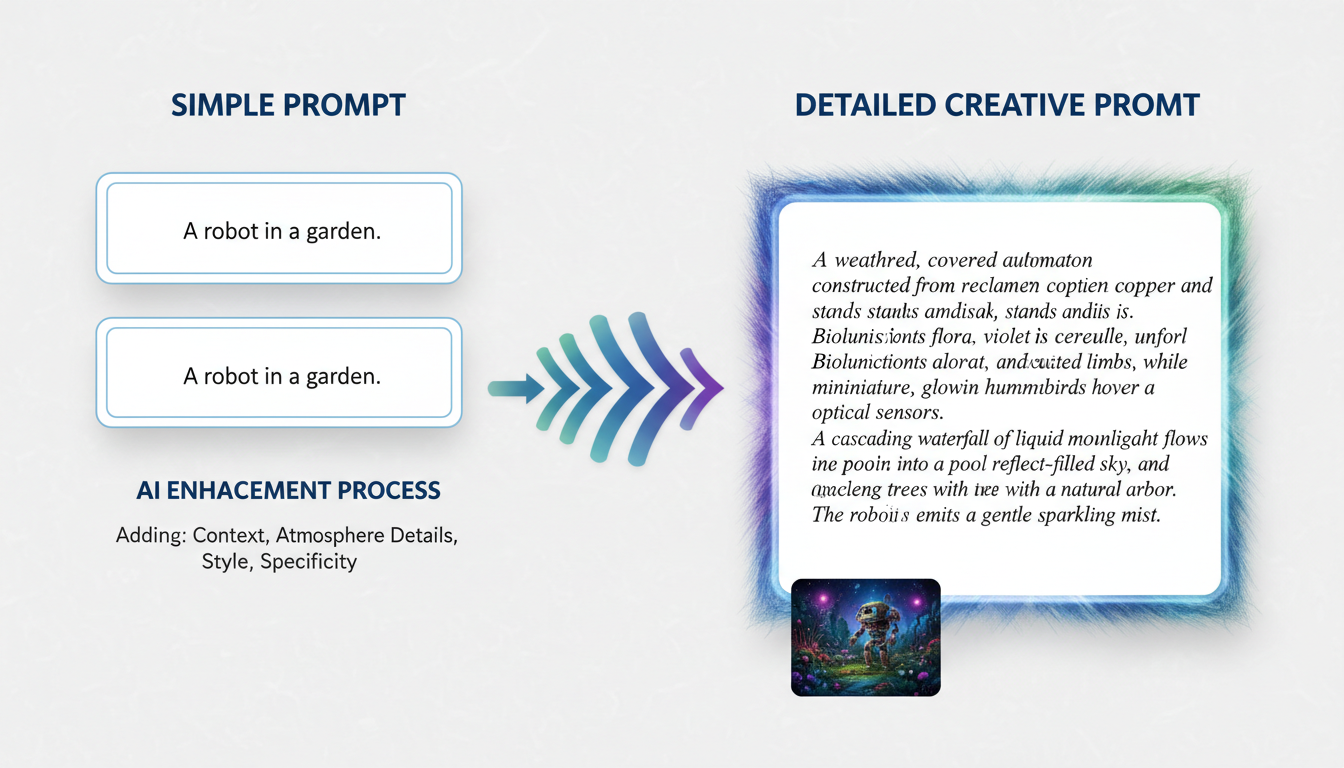 LLM enhancement transforms simple concepts into rich, detailed prompts
Translation alone isn't enough. Simple prompts produce simple results. The real power comes from combining translation with enhancement.
What Enhancement Does
Your input:
森林中的城堡
After translation only:
castle in the forest
After translation + enhancement:
majestic medieval castle emerging from an ancient enchanted forest,
moss-covered stone walls, towering spires reaching through the canopy,
morning mist swirling around the base, dappled sunlight filtering
through leaves, mysterious and ethereal atmosphere, fantasy architecture
with Gothic elements, detailed stonework, climbing ivy...
The enhanced version gives Z-Image vastly more to work with.
How Enhancement Works
The Z-Image system prompt instructs the LLM to:
- Understand the core concept
- Add visual details (lighting, atmosphere, textures)
- Include artistic style guidance
- Maintain the original intent
- Output in English regardless of input language
This happens transparently. You write in your language, you get optimized English output.
Practical Workflow Setups
Minimal: Just Enhancement
If you primarily write in Chinese or English:
[Z-Image API Config] → [Z-Image Prompt Enhancer + CLIP] → [KSampler]
Three nodes. That's it. The Enhancer + CLIP node outputs conditioning directly, skipping the separate CLIP encode step.
With Other Languages
Add a single translation node before enhancement:
[Translator] → [Z-Image Prompt Enhancer + CLIP] → [KSampler]
Four nodes total. Translation and enhancement are separated but still faster.
All-In-One
For maximum simplicity, the Integrated KSampler node combines everything:
[Checkpoint Loader] → [Z-Image Integrated KSampler]
This single node handles:
- Prompt enhancement (with optional LLM)
- CLIP encoding
- Sampling
- VAE decode
All with multilingual input support.
Performance Considerations
LLM Latency
Enhancement adds inference time. Expect:
- OpenRouter: 1-3 seconds depending on model and load
- Local Ollama: 2-5 seconds depending on hardware
- Direct 4-bit: 3-8 seconds on consumer GPUs
For rapid iteration, you might skip enhancement until final generation.
Caching
Z-Image Utilities caches loaded models by default. First generation is slower; subsequent generations reuse the model.
Quantization
When using direct HuggingFace loading:
- 4-bit: Fits larger models in limited VRAM, slight quality reduction
- 8-bit: Better quality, higher memory use
- None: Full precision, requires significant VRAM
For most users, 4-bit quantization of a 7B model works well.
Tips for Better Multilingual Results
Be Specific in Any Language
Vague prompts produce vague results regardless of language:
Bad: 漂亮的风景 (pretty scenery)
Better: 日落时分的海边悬崖,金色光芒,戏剧性云彩
(seaside cliffs at sunset, golden light, dramatic clouds)
Let Enhancement Add Details, Not Replace Concepts
The LLM adds artistic details. Your prompt should establish:
- Core subject
- Setting/environment
- Mood/atmosphere
- Any specific requirements
Enhancement fills in technical and artistic details.
Test Translation Quality
Before building a full workflow, test your language pair:
- Input a test prompt
- Check the translated/enhanced output
- Verify meaning is preserved
- Adjust if concepts are misinterpreted
Use Session Management
The Prompt Enhancer supports multi-turn conversations. Use this to refine:
Turn 1: "a dragon"
Turn 2: "make it more menacing"
Turn 3: "add a volcanic background"
Each turn builds on previous context.
Troubleshooting Common Issues
Translation Loses Nuance
Some concepts don't translate well. Solutions:
- Add English keywords alongside native text
- Use more creative descriptions
- Test with different translation backends
Enhancement Changes Meaning
If the LLM interprets too freely:
- Increase specificity in your prompt
- Use the
custom_system_promptoption - Lower the temperature for more literal outputs
Slow First Generation
Normal. Model loading takes time. Solutions:
- Enable
keep_model_loaded(default on) - Use smaller quantized models
- Consider OpenRouter for zero-load latency
API Rate Limits
OpenRouter free tier has limits. Solutions:
- Wait and retry (automatic with retry_count setting)
- Upgrade to paid tier
- Switch to local backend for heavy use
Integration with Existing Workflows
Adding to Your Z-Image Setup
If you already have a working Z-Image workflow, adding multilingual support is straightforward:
- Install Z-Image Utilities from GitHub
- Replace CLIP Text Encode with Z-Image Prompt Enhancer + CLIP
- Configure your preferred backend
- Start writing prompts in any supported language
Combining with LoRAs
Multilingual prompting works with LoRAs. The enhanced prompt passes through normal CLIP encoding, so LoRA integration remains unchanged.
Batch Processing
For generating multiple images from multilingual prompts:
- Prepare prompts in any language
- Enhancement runs on each
- Output maintains consistency since the same LLM processes all
Frequently Asked Questions
Does Z-Image itself support multilingual prompts?
Z-Image uses a Qwen-based text encoder which handles Chinese well. The Utilities nodes extend this to smooth bilingual workflow with enhancement.
Which languages work best?
Chinese and English are first-class. Other major languages (Spanish, French, German, Japanese, Korean) work well with translation nodes.
Can I skip enhancement and just translate?
Yes. The translation nodes work independently. Just route translated output to standard CLIP encode.
Does translation quality affect image quality?
Significantly. Bad translation produces prompts that confuse the model. Test your translation pipeline before production use.
Are there any free options for all languages?
ComfyUI_kkTranslator and M2M-100 TranslationNode are offline and free. Quality varies by language pair.
How do I know if translation preserved my meaning?
Enable debug output. Both translated and enhanced text are available for inspection.
Can I train the enhancement to my style?
The LLM backend is configurable. Use custom system prompts to adjust enhancement style without retraining.
Does this work with other models besides Z-Image?
The translation nodes work universally. Enhancement is optimized for Z-Image but produces good prompts for any model.
What about right-to-left languages?
Supported by the translation backends. The output is always left-to-right English for the image model.
Is my data sent to external servers?
Depends on backend. OpenRouter: yes. Local Ollama or Direct: no, everything stays on your machine.
Wrapping Up
Multilingual AI image generation shouldn't require workflow gymnastics. With Z-Image Utilities' built-in bilingual support and lightweight translation options for other languages, you can write prompts naturally in your preferred language.
The combination of translation and LLM enhancement means you're not just converting languages—you're getting optimized prompts automatically. Three to four nodes handle what used to require complex translation chains.
Write in Chinese, Spanish, French, or any supported language. Let the tooling handle conversion. Focus on the creative work, not the technical plumbing.
Some models you cannot download at any VRAM
Veo, Kling and Nano Banana have closed weights. There is no local build, no quantization, no 24GB workaround. Run them in the browser instead. Check current model access and generation costs in the app.
Related Articles

5 Proven AI Influencer Niches That Actually Make Money in 2025
Discover the most profitable niches for AI influencers in 2025. Real data on monetization potential, audience engagement, and growth strategies for virtual content creators.

AI Background Replacement: Professional Guide 2025
Master AI background replacement for professional results. Learn rembg, BiRefNet, and ComfyUI workflows for smooth background removal and replacement.

AI Character Consistency: How to Maintain Virtual Persona Identity Across Content
Learn techniques for maintaining AI character consistency across hundreds of images. Master the art of creating recognizable virtual personas with consistent visual identity.