Image-to-Image AI Transformation: Apatero vs The Competition in 2025
Compare image-to-image capabilities across AI platforms. Style transfer, inpainting, upscaling, and outpainting features analyzed.

You have an image. You want to transform it—change the style, fix a section, expand the canvas, or enhance the resolution. Every AI platform claims image-to-image capabilities, but they're not equal. Some excel at style transfer. Others specialize in inpainting. Many lack features entirely.
Here's how the major platforms compare for image-to-image work in 2025.
Quick Answer: Apatero offers comprehensive img2img features including style transfer, inpainting, and upscaling with pay-per-use pricing. Leonardo AI and SeaArt have strong img2img tools on subscription tiers. Midjourney's img2img is limited. Local Stable Diffusion provides the most control for technical users.
:::tip[Key Takeaways]
- Key options include Leonardo AI and Apatero
- Pricing varies significantly - consider your volume and feature needs
- Test free tiers before committing to paid plans
- Your specific workflow requirements should drive the final choice :::
- Style transfer - Transform image aesthetic while preserving content
- Inpainting - Edit specific regions of an image
- Outpainting - Expand beyond original borders
- Upscaling - Increase resolution intelligently
Understanding Image-to-Image Modes
Before comparing platforms, let's clarify what each img2img mode actually does.
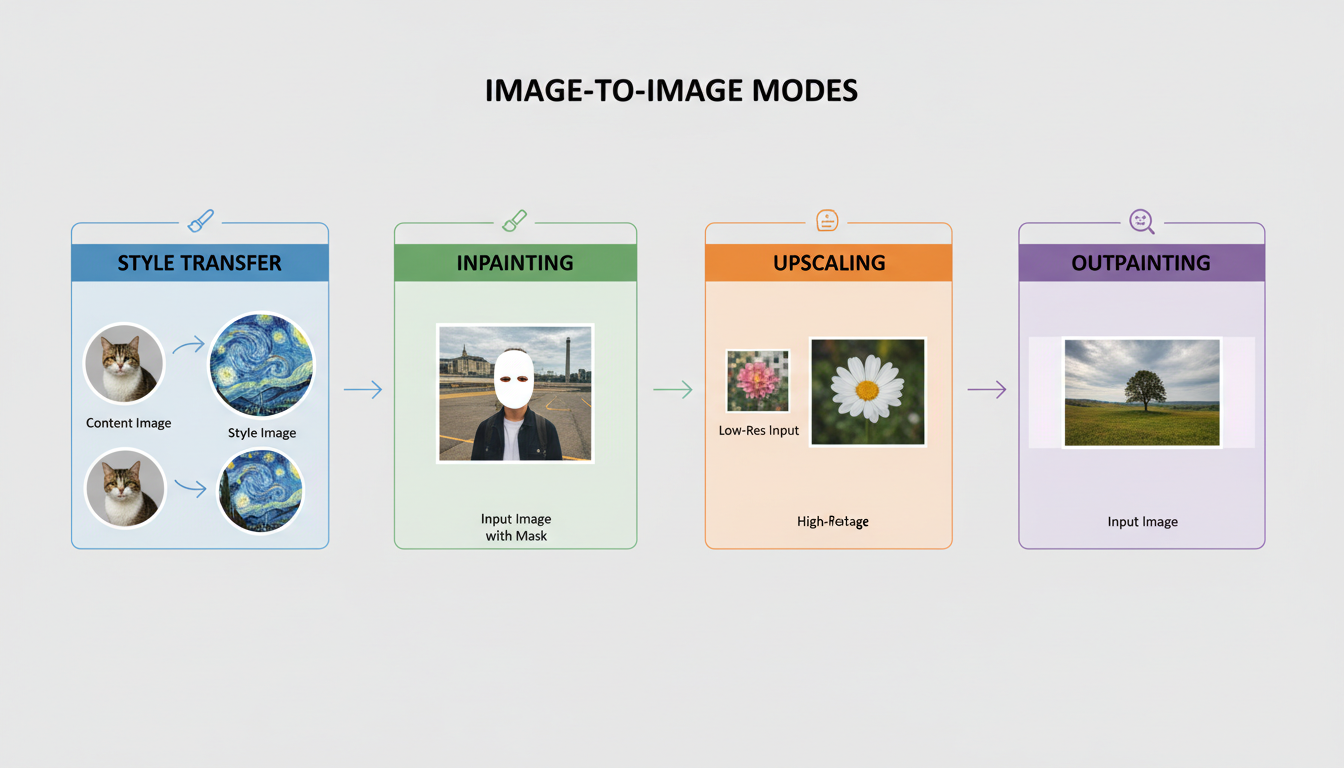 The four main image-to-image transformation modes
Style Transfer
What it does: Takes your image's composition and content, applies a different visual style.
Use cases:
- Transform photos into artwork
- Apply artistic styles to product shots
- Create consistent aesthetics across varied images
- Convert sketches to rendered artwork
Technical aspect: "Denoising strength" controls how much the original is preserved (0.3 = keep most, 0.9 = heavy transformation).
Inpainting
What it does: Replaces selected portions of an image while keeping the rest intact.
Use cases:
- Remove unwanted objects
- Change clothing or accessories
- Fix faces or hands
- Replace backgrounds selectively
Technical aspect: Requires masking the area to edit. Quality depends on context understanding.
Outpainting
What it does: Extends images beyond their original boundaries with coherent content.
Use cases:
- Expand horizontal images to vertical (or vice versa)
- Add more background to cropped photos
- Create panoramic versions
- Extend compositions for different formats
Technical aspect: AI must understand perspective and context to extend believably.
Upscaling
What it does: Increases image resolution while adding detail (not just stretching pixels).
Use cases:
- Prepare low-res images for print
- Enhance small generated images
- Restore old or compressed photos
- Create high-resolution versions for large displays
Technical aspect: AI models add plausible detail. Different from simple interpolation.
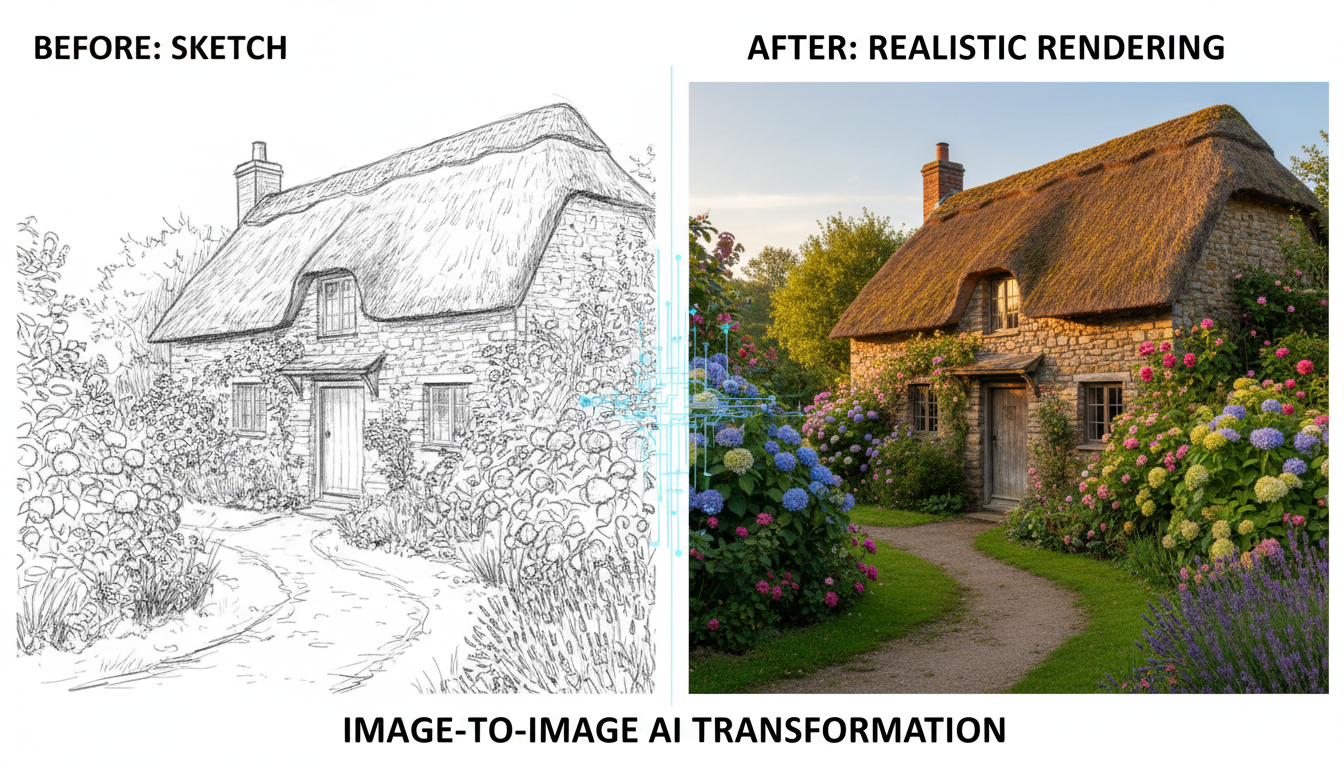 Image-to-image can transform sketches into rendered artwork
Platform Comparison
Apatero
Apatero provides image-to-image transformations with their pay-per-use model.
Available img2img features:
- ✅ Style transfer
- ✅ Inpainting
- ✅ Upscaling
- ✅ ControlNet modes
Strengths:
- No subscription required for img2img
- Quality matches text-to-image output
- Video generation also available
- Pay only for what you use
Limitations:
- Newer platform, still expanding features
- Per-generation cost adds up for heavy iteration
Best for: Users wanting flexible img2img without subscriptions.
Leonardo AI
Leonardo offers comprehensive img2img tools, especially on paid tiers.
Available img2img features:
- ✅ Style transfer (Image Guidance)
- ✅ Inpainting
- ✅ Upscaling (Alchemy Upscaler)
- ✅ Outpainting
Strengths:
- Strong inpainting quality
- Multiple upscaling options
- Canvas editor for precise work
- Extensive model selection
Limitations:
- Free tier limits img2img access
- Some features require higher subscription tiers
- Complex interface for beginners
Best for: Power users needing full img2img suite on subscription.
SeaArt
SeaArt provides solid img2img capabilities with their credit system.
Available img2img features:
- ✅ Style transfer
- ✅ Inpainting
- ✅ Upscaling
- ✅ ControlNet modes
Strengths:
- Generous free tier includes img2img
- Good ControlNet implementation
- Community model support
- Reasonable pricing
Limitations:
- Can be slow during peak times
- Interface less polished than competitors
- Some advanced features restricted
Best for: Budget-conscious users wanting decent img2img access.
Tensor.Art
Tensor.Art offers img2img primarily focused on anime/stylized content.
Available img2img features:
- ✅ Style transfer
- ✅ Inpainting
- ✅ Upscaling
- ✅ ControlNet
Strengths:
- Excellent for anime style transfer
- Strong community model ecosystem
- Good inpainting quality
- Free tier access
Limitations:
- Struggles with photorealism
- Premium needed for best features
- Smaller than some competitors
Best for: Anime and stylized img2img work.
Midjourney
Midjourney's img2img capabilities are more limited than dedicated platforms.
Available img2img features:
- ⚠️ Style transfer (via image prompts)
- ❌ True inpainting (vary region only)
- ❌ Outpainting
- ⚠️ Upscaling (built-in, limited)
Strengths:
- High quality output when it works
- Distinctive aesthetic
- Simple image prompting
Limitations:
- No true inpainting
- No outpainting
- Can't easily preserve specific elements
- Limited control over transformation strength
Best for: Users who just need style reference, not precise transformation.
Local Stable Diffusion
Running SD locally provides the most comprehensive img2img toolkit.
Available img2img features:
- ✅ Style transfer (full control)
- ✅ Inpainting (multiple methods)
- ✅ Outpainting
- ✅ Upscaling (various models)
- ✅ ControlNet (all modes)
- ✅ Regional conditioning
Strengths:
- Complete feature access
- Fine-grained control
- No per-use costs
- Privacy preserved
Limitations:
- Technical setup required
- GPU investment needed
- Learning curve steeper
- You manage everything
Best for: Technical users wanting maximum control.
Feature Comparison Table
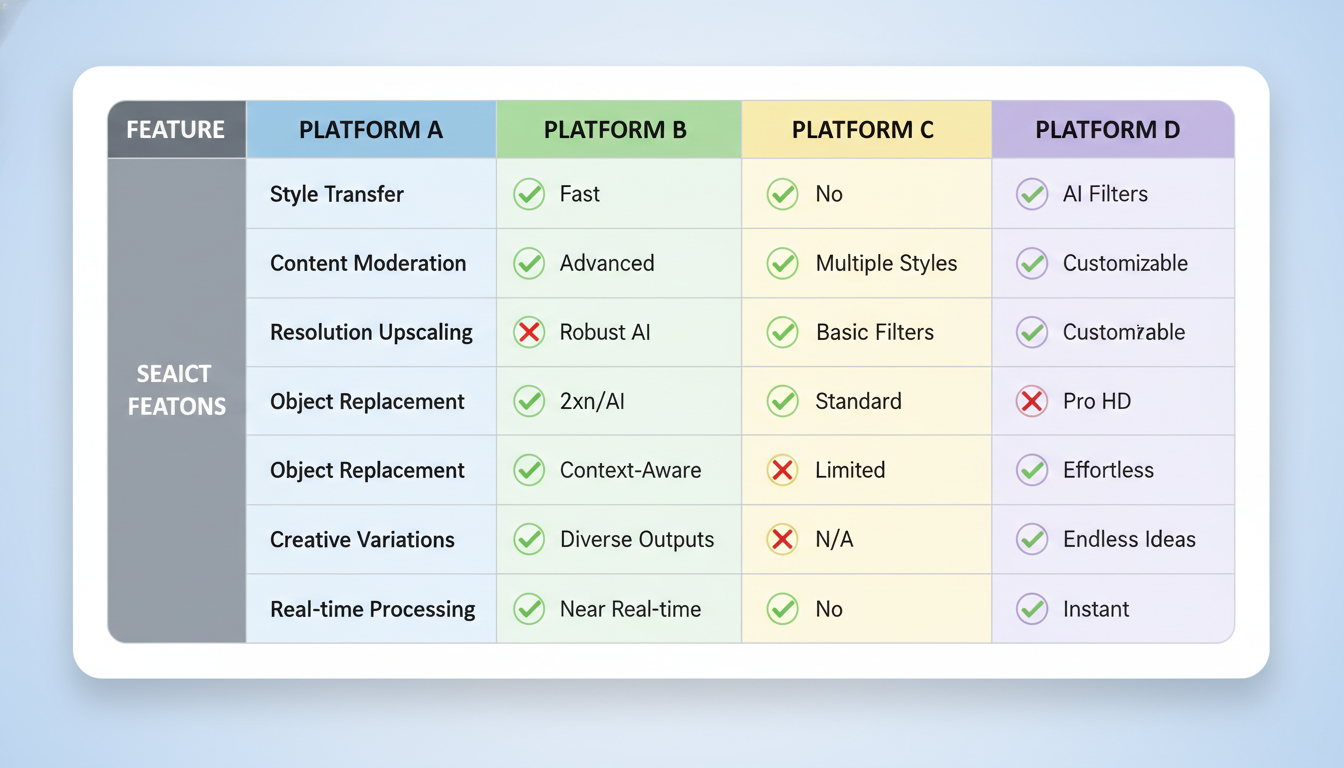 Side-by-side platform capabilities for img2img features
| Feature | Apatero | Leonardo | SeaArt | Tensor | Midjourney | Local SD |
|---|---|---|---|---|---|---|
| Style Transfer | ✅ | ✅ | ✅ | ✅ | ⚠️ | ✅ |
| Inpainting | ✅ | ✅ | ✅ | ✅ | ❌ | ✅ |
| Outpainting | ⚠️ | ✅ | ⚠️ | ⚠️ | ❌ | ✅ |
| Upscaling | ✅ | ✅ | ✅ | ✅ | ⚠️ | ✅ |
| ControlNet | ✅ | ✅ | ✅ | ✅ | ❌ | ✅ |
| Denoising Control | ✅ | ✅ | ✅ | ✅ | ❌ | ✅ |
| Batch Processing | ⚠️ | ✅ | ⚠️ | ⚠️ | ❌ | ✅ |
Legend: ✅ Full support | ⚠️ Partial/Limited | ❌ Not available
Best Platform by Use Case
Photo to Artwork Conversion
Best options:
- Leonardo AI - Multiple style modes, high quality
- Apatero - Simple, pay-per-use
- SeaArt - Good free tier access
Object Removal/Replacement
Best options:
- Leonardo AI - Best inpainting canvas
- Local SD - Most control
- SeaArt - Decent free access
Resolution Enhancement
Best options:
- Leonardo AI - Alchemy Upscaler is excellent
- Local SD - Multiple upscaling models
- Apatero - Simple upscaling workflow
Sketch to Render
Best options:
- Tensor.Art - Great for stylized
- Leonardo AI - Good for realism
- Local SD - ControlNet scribble mode
Canvas Expansion
Best options:
- Leonardo AI - Best outpainting
- Local SD - Full control
- SeaArt - Basic outpainting
Cost Analysis
Per-Image Img2Img Costs
| Platform | Style Transfer | Inpainting | Upscaling |
|---|---|---|---|
| Apatero | ~$0.04-0.06 | ~$0.04-0.06 | ~$0.02-0.04 |
| Leonardo Free | 5-10 tokens | 5-10 tokens | 5-10 tokens |
| Leonardo Paid | Included | Included | Included |
| SeaArt Free | 10-15 credits | 10-15 credits | 5-10 credits |
| Midjourney | N/A | N/A | Included |
| Local SD | Electricity | Electricity | Electricity |
Monthly Cost Scenarios
Light use (50 img2img/month):
- Apatero: ~$3
- Leonardo Free: Works within limits
- SeaArt Free: Works within limits
- Local SD: ~$5 electricity
Moderate use (200 img2img/month):
- Apatero: ~$12
- Leonardo Apprentice: $12/mo
- SeaArt Standard: $9.99/mo
- Local SD: ~$10 electricity
Heavy use (1000+ img2img/month):
- Apatero: ~$50+
- Leonardo Artisan: $24/mo
- SeaArt Premium: Variable
- Local SD: ~$20 electricity
Tips for Better Img2Img Results
Denoising Strength Guidelines
For style transfer:
- 0.3-0.5: Subtle style change, preserves original closely
- 0.5-0.7: Moderate transformation, recognizable source
- 0.7-0.9: Heavy stylization, source less obvious
For inpainting:
- 0.6-0.8: Best for most edits
- Higher values: For more dramatic changes
- Lower values: For subtle fixes
Image Preparation
- Start with highest resolution available
- Remove compression artifacts first if possible
- Crop to focus on relevant content
- Consider aspect ratio for your platform
Prompt Strategy
Img2img prompts differ from txt2img:
- Describe the transformation, not just the result
- Include style descriptors relevant to change
- Negative prompts for what to avoid
- Reference the source image qualities to keep
Frequently Asked Questions
Which platform has the best inpainting?
Leonardo AI for cloud platforms. Local Stable Diffusion for maximum control.
Can I use img2img on any image?
Yes, but copyrighted images may have legal implications for commercial use.
Is img2img faster than text-to-image?
Usually similar or slightly faster, depending on platform and settings.
How do I preserve more of the original?
Lower denoising strength. Use ControlNet modes for structure preservation.
Can img2img fix AI artifacts?
Sometimes. Inpainting can fix specific areas. Results vary.
Is local SD worth it for img2img specifically?
Yes, if you do heavy img2img work. The control and iteration speed is unmatched.
Which platform for quick style transfer?
Apatero for pay-per-use simplicity. Leonardo for subscription users.
The Bottom Line
Image-to-image capabilities vary significantly across platforms:
For comprehensive img2img: Leonardo AI offers the most complete toolset on subscription.
For flexible pricing: Apatero provides solid img2img without subscription commitment.
For anime/stylized: Tensor.Art excels at stylized transformations.
For maximum control: Local Stable Diffusion remains unmatched.
For light use: SeaArt's free tier handles basic img2img needs.
Avoid for img2img: Midjourney lacks true inpainting and transformation controls.
Choose based on your primary img2img use case, volume needs, and willingness to learn more complex tools. Most users will find Leonardo or Apatero covers their needs well.
Upscale it without the setup
Image and video upscaling that runs in your browser. Check your welcome allowance and the displayed cost before generating.
Related Articles

AI Art Market Statistics 2025: Industry Size, Trends, and Growth Projections
Comprehensive AI art market statistics including market size, creator earnings, platform data, and growth projections with 75+ data points.

AI Automation Tools: Transform Your Business Workflows in 2025
Discover the best AI automation tools to transform your business workflows. Learn how to automate repetitive tasks, improve efficiency, and scale operations with AI.

AI Background Remover and Generator: The Complete Guide to Replacing, Creating, and Perfecting Image Backgrounds
Master AI background removal, replacement, and generation. Compare the best tools, learn proven techniques, and transform your product photos and portraits.