FLUX 2 Kontext Pro: Multi-Reference Image Generation Deep Dive
Master FLUX 2 Kontext Pro's multi-reference system to generate consistent characters, transfer styles, and create branded content using up to 8 reference images simultaneously.
FLUX 2 Kontext Pro has changed the way I think about reference-based image generation. Before this model, I was juggling LoRA training, IP-Adapter pipelines, and a dozen other workarounds just to keep a character looking consistent across a batch of images. Now I can feed the model up to eight reference images at once and get results that feel like they actually understand what I'm going for. It's not magic, but it's closer to magic than anything else I've tested in the last two years.
The multi-reference capability in FLUX 2 Kontext Pro isn't just a gimmick bolted onto the side of an existing model. Black Forest Labs built it into the architecture from the ground up, and that makes a real difference in how the references interact with each other and with your text prompt. I've spent the last several weeks pushing this system to its limits, and I want to share everything I've learned about getting the best results.
Quick Answer: FLUX 2 Kontext Pro supports up to 8 simultaneous reference images, allowing you to control character identity, style, composition, and branding in a single generation pass. The key to great results is selecting diverse, high-quality references that each contribute a distinct element to the final output. Most users see the best results with 3-5 well-chosen references rather than maxing out at 8.
- FLUX 2 Kontext Pro accepts up to 8 reference images per generation, each weighted independently
- Multi-reference works best when each image contributes a different aspect (face, pose, style, setting)
- Reference quality matters more than quantity. Three excellent references outperform eight mediocre ones
- The system excels at character consistency, style transfer, and branded content creation
- Combining multi-reference with precise text prompts gives you the most control over output
- Platforms like Apatero.com integrate FLUX 2 Kontext Pro for streamlined multi-reference workflows
What Makes FLUX 2 Kontext Pro's Multi-Reference Different?
If you've worked with previous reference-based systems, you're probably used to the limitations. IP-Adapter gives you one reference at a time. LoRA training locks you into a specific character but requires hours of preparation. Face-swap tools handle faces but ignore everything else. FLUX 2 Kontext Pro takes a fundamentally different approach by treating multiple references as a cohesive input set rather than individual overrides.
The technical innovation here is how the model processes reference images through its attention mechanism. Instead of treating each reference as a separate conditioning signal that gets averaged or blended, FLUX 2 Kontext Pro uses cross-reference attention layers that let the model understand relationships between your references. If you provide a face reference and a style reference, the model doesn't just blend them. It understands that the face should maintain its identity while adopting the visual style from the other reference.
I first noticed this when I was testing character consistency for a project on Apatero.com. I fed the model a front-facing portrait, a three-quarter view, and a full-body shot of the same character, along with two style references from a specific art direction. The output didn't just look like the character. It looked like a professional photographer had captured that exact character in the style I wanted. Previous tools would have given me either a good likeness with wrong style, or the right style with a drifted face. Getting both simultaneously was a genuine breakthrough moment for me.
A typical multi-reference setup with character references on the left, style references in the middle, and the generated output on the right.
How Does Multi-Reference Image Generation Actually Work?
Understanding the mechanics helps you make better creative decisions. Here's what happens under the hood when you submit multiple references to FLUX 2 Kontext Pro.
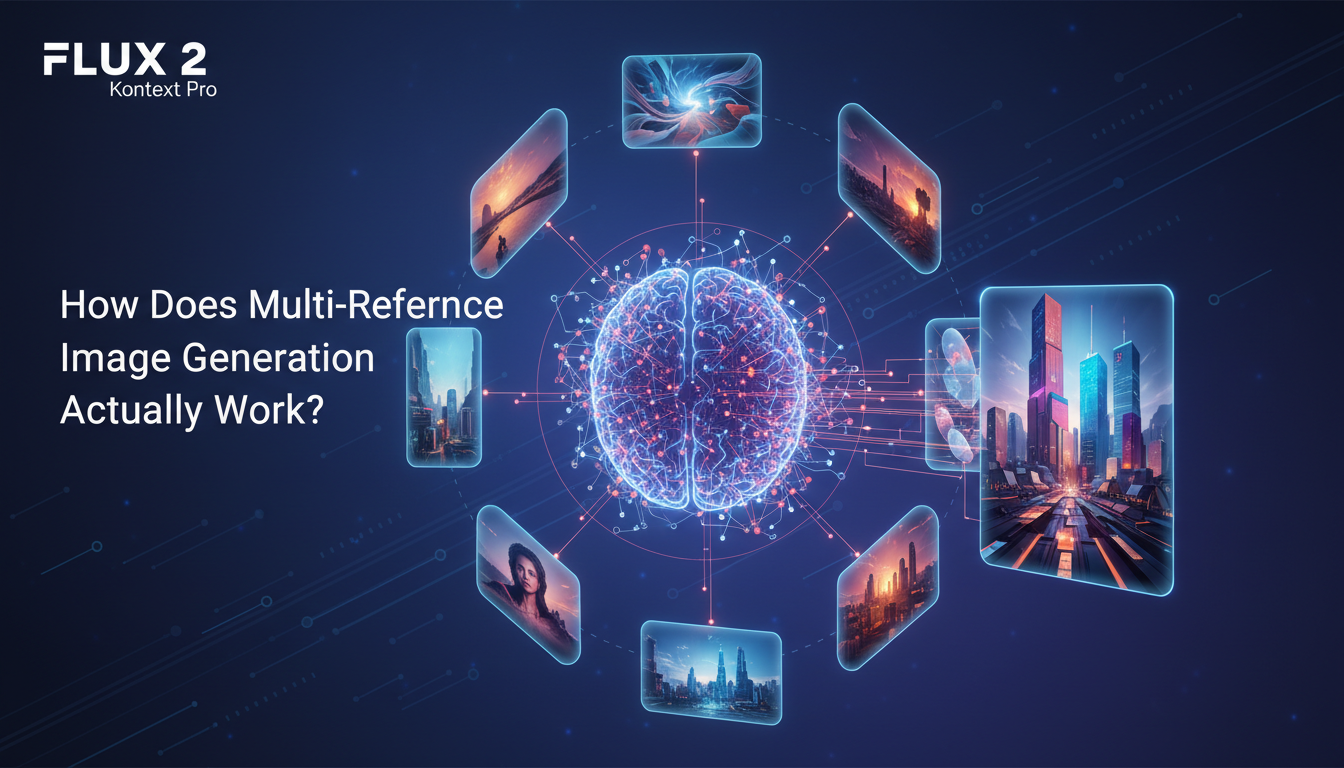
The model processes each reference image through its vision encoder independently first. This creates a set of feature representations that capture different aspects of each image, from low-level textures and colors to high-level concepts like facial structure, pose, and composition. These feature sets then enter the cross-reference attention module, where the model builds a unified understanding of what you're asking for.
Each reference image receives a weight parameter (defaulting to 1.0) that controls how strongly it influences the output. This is where the system becomes genuinely powerful. You can tell the model to heavily prioritize the face from reference one, moderately follow the pose from reference three, and lightly incorporate the color palette from reference five. That level of granular control simply didn't exist before.
The Reference Processing Pipeline
Here's the step-by-step flow:
- Image Encoding: Each reference passes through FLUX 2's vision transformer to create dense feature embeddings
- Feature Extraction: The model identifies what type of information each reference provides (face, style, composition, object, etc.)
- Cross-Reference Attention: Features from all references interact through specialized attention layers
- Text-Reference Fusion: Your text prompt merges with the multi-reference representation
- Guided Diffusion: The combined signal guides the denoising process to create the final image
The cross-reference attention step is what sets this apart from simpler approaches. It allows the model to resolve conflicts between references intelligently. If one reference shows a character facing left and another shows them facing right, the model uses your text prompt as a tiebreaker rather than producing a blurry average.
I ran into this exact scenario during testing. I provided two character references with different head angles and a text prompt specifying "looking over her left shoulder." The model correctly followed the prompt for the head angle while maintaining the facial identity from both references. With older systems, this would have been a coin flip at best.
How Many Reference Images Should You Actually Use?
Here's my hot take: most people are going to use too many references. Just because you can use eight doesn't mean you should. In my testing, the sweet spot sits around three to five references for most use cases. Going beyond that introduces diminishing returns and can actually degrade quality if your references contain conflicting signals.
Think of it like cooking. A dish with three or four complementary spices can be incredible. A dish with eight spices risks becoming a muddled mess where nothing stands out. The same principle applies to reference images.
Reference Count Guidelines
Here's what I've found works best for different scenarios:
- Simple character consistency: 2-3 references (different angles of the same face)
- Character in a specific style: 3-4 references (2 character shots + 1-2 style references)
- Complex branded content: 4-5 references (character + style + brand elements + composition guide)
- Maximum control scenarios: 6-8 references (only when each reference serves a unique, non-overlapping purpose)
The critical rule is that every reference should earn its spot. Before adding a fourth or fifth reference, ask yourself: "What does this image tell the model that the other references don't?" If you can't answer that clearly, leave it out. The model performs best when each reference contributes distinct information rather than redundant signals.
I learned this the hard way during a batch generation session last month. I was trying to create a series of lifestyle images for a character and loaded up seven references: three face shots, two outfit references, a background reference, and a lighting reference. The results were technically good but somehow felt flat and overprocessed. When I cut back to four references (one face, one outfit, one background, one style reference that covered lighting), the outputs immediately became more natural and dynamic. The model had more room to be creative when I wasn't micromanaging every aspect through references.
What Are the Best Practices for Reference Image Selection?
Selecting the right references is arguably more important than any other parameter you set. I've seen people with perfect prompts and perfect settings get terrible results because their reference images were poorly chosen. Let me walk you through the principles I've developed after hundreds of test generations.
Resolution and Quality
Start with the basics. Every reference image should be at least 1024x1024 pixels. FLUX 2 Kontext Pro downscales references internally, but starting with higher resolution gives the encoder more information to work with. Blurry, low-resolution, or heavily compressed references produce blurry, low-quality features, and those propagate through to your output.
Clean backgrounds also help significantly, especially for character references. A face reference with a cluttered background forces the model to spend some of its "attention budget" on irrelevant background details instead of focusing on the facial features you care about. When possible, use references with simple or neutral backgrounds for character identity.
Diversity Within References
This is the principle that most people miss. Your reference set should be internally diverse in the ways that matter. For character consistency, provide references with:
- Different angles (front, three-quarter, profile)
- Different expressions (neutral, smiling, serious)
- Different lighting conditions (if you want the character to work in various lighting)
- Consistent identity markers (same face, same key features)
For style references, choose images that share the aesthetic you want but differ in subject matter. If you only provide style references of landscapes, the model might struggle to apply that style to a portrait. Include style references that cover different subjects to help the model extract the style itself rather than copying content.
High-quality, diverse references (top row) produce dramatically better results than low-resolution or redundant references (bottom row).
The Reference Weight System
Each reference in FLUX 2 Kontext Pro can receive a weight between 0.0 and 2.0. The default is 1.0, and I recommend staying between 0.5 and 1.5 for most cases. Here's how I think about weights:
- 0.3 to 0.5: Light influence. Good for color palette or mood references where you want a subtle touch.
- 0.7 to 1.0: Standard influence. Use this for your primary character and style references.
- 1.0 to 1.5: Strong influence. Reserve this for the most important reference, usually your character identity.
- 1.5 to 2.0: Dominant influence. Use sparingly. This essentially tells the model to prioritize this reference above all others, including your text prompt in some cases.
I typically set my primary face reference to 1.2, secondary character references to 0.8, style references to 0.7, and composition or background references to 0.5. This hierarchy ensures the model knows what matters most without completely ignoring the supporting references.
How Can You Use Multi-Reference for Character Consistency?
Character consistency is the killer application for multi-reference generation, and it's where FLUX 2 Kontext Pro absolutely shines. The improvement over FLUX 1's single-reference approach is dramatic. With FLUX 1, maintaining character identity across poses and settings required careful LoRA training or extensive prompt engineering. With FLUX 2 Kontext Pro, you just provide multiple views of your character and the model handles the rest.
Here's my typical workflow for character consistency:
- Start with 3 high-quality reference images of your character (front, three-quarter, slight profile)
- Set the front-facing reference to weight 1.2 and the others to 0.9
- Write your text prompt describing the new scene, pose, and setting
- Generate at batch of 4 outputs and pick the best one as a new reference for future generations
The fourth step is what really compounds quality over time. As you generate more images of your character, you build a library of high-quality references that cover more angles, expressions, and contexts. After a dozen generations, you'll have references covering so many variations that the model can place your character in virtually any scenario while maintaining rock-solid identity.
I've been using this approach for AI character consistency projects on Apatero.com, and the results speak for themselves. Characters that would have taken days of LoRA training to get right now take about twenty minutes of iterative generation. The consistency isn't perfect on every single output, but the hit rate is dramatically higher than any previous method I've used.
Handling Tricky Consistency Scenarios
Some scenarios still challenge the system. Extreme angle changes (front face to full profile) can cause identity drift if your references don't cover that range. Full body shots where the face is small in the frame sometimes lose fine facial details. And characters with subtle distinguishing features (small moles, specific ear shapes) may not always carry through.
My workaround for these edge cases is to use specialized references. If I know I'll need a profile view, I generate or find a profile reference specifically for that character and add it to my reference set. For full-body shots, I increase the face reference weight to 1.4 or even 1.5 to compensate for the model's natural tendency to deprioritize small facial regions.
Another technique that works surprisingly well is including a close-up eye or facial detail reference at low weight (0.3 to 0.4). This doesn't overpower the composition but gives the model extra signal about specific facial features that matter for recognition. I stumbled onto this trick accidentally when I included a cropped face reference alongside full portraits, and the consistency improvement was noticeable enough that I now include it routinely.
How Does Style Transfer Work With Multiple References?
Style transfer with multi-reference is where things get really creative. Instead of being limited to one style reference, you can blend elements from multiple artistic styles, creating combinations that would be impossible to describe in text alone.
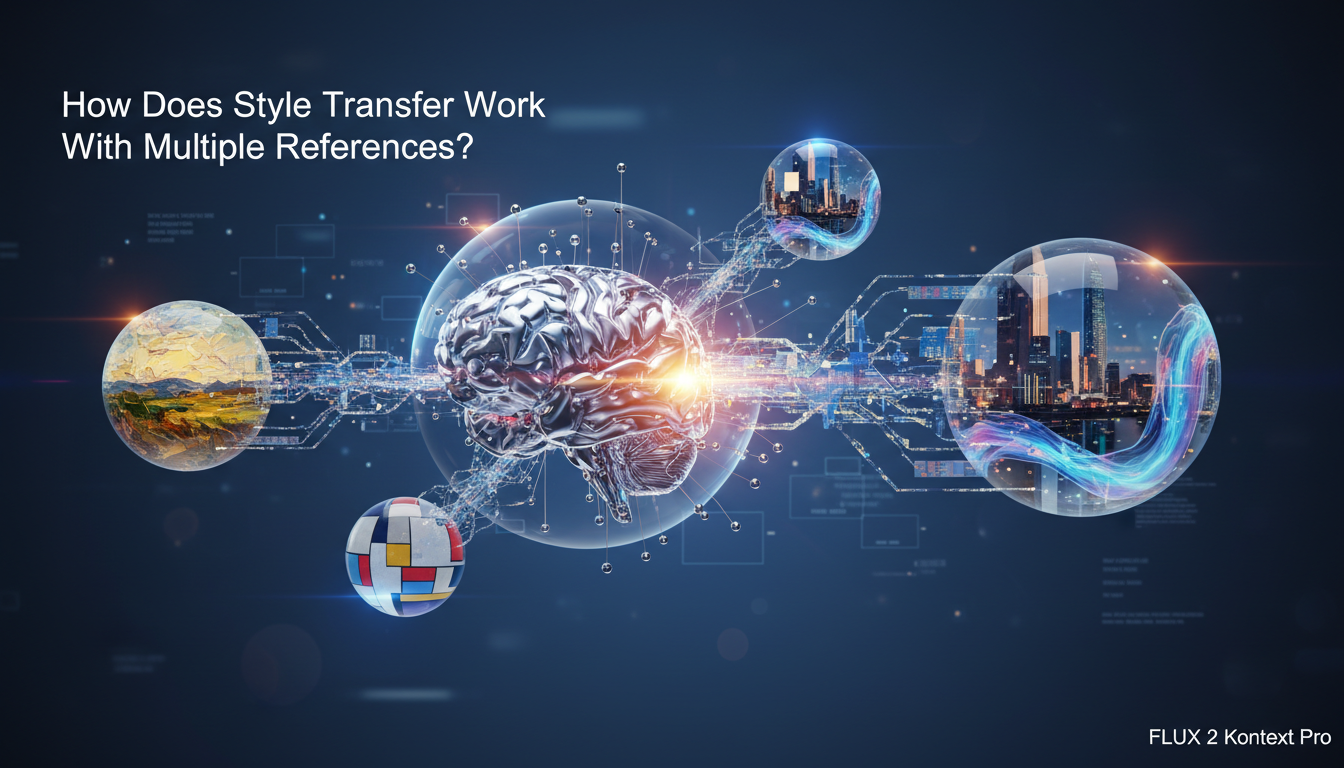
The approach I've found most effective is to separate style into components and provide dedicated references for each:
- Color palette reference: An image with the specific color scheme you want
- Texture/technique reference: An image showing the brushwork, line quality, or rendering technique
- Composition reference: An image with the layout and framing you're after
- Mood/lighting reference: An image that captures the atmosphere
You don't always need all four. Sometimes a single strong style reference covers multiple aspects. But when you're after something specific, breaking style into components and providing targeted references gives you precision that text prompts alone can't achieve.
Here's a hot take that might be controversial: multi-reference style transfer in FLUX 2 Kontext Pro has made LoRA-based style training largely obsolete for most use cases. LoRAs still have their place for extremely specific styles that need pixel-perfect replication, but for the 90% of style transfer work where you want to evoke a particular aesthetic rather than clone it exactly, multi-reference is faster, more flexible, and produces more natural results. I know some people in the Stable Diffusion community will disagree with me here, but after months of testing, I'm confident in this assessment.
Practical Style Transfer Workflow
Here's a workflow I used recently for a project that needed images in a cinematic noir style with modern color grading:
- Selected 2 film noir stills with strong shadow work and composition
- Added 1 modern photography image with the color grading I wanted (teal and orange palette)
- Set noir references to weight 0.8 and color reference to 0.6
- Combined with character references (weight 1.1) and text prompt describing the scene
- Generated a batch and used the best outputs as future style references
The result was a consistent character appearing in scenes that felt genuinely cinematic, blending classic noir framing with contemporary color science. Achieving this with text prompts alone would have required paragraphs of description and still wouldn't have been this precise. Achieving it with a single style reference would have produced either pure noir or pure modern, not the blend.
Creating Branded Content With Multi-Reference
Commercial applications might be where FLUX 2 Kontext Pro's multi-reference system delivers the most tangible value. Creating branded content that maintains character identity, follows brand guidelines, and looks professionally consistent across a campaign is exactly what this tool was built for.
I recently worked on a project where I needed to generate 30+ images of a virtual brand ambassador across different scenarios, all maintaining brand colors, logo placement style, and character identity. In the past, this would have been a multi-day project involving LoRA training, extensive prompt engineering, and lots of manual curation. With FLUX 2 Kontext Pro, I completed it in an afternoon.
The reference setup for branded content typically looks like this:
- References 1-2: Character identity (front and three-quarter view)
- Reference 3: Brand style guide or existing branded image showing color scheme and aesthetic
- Reference 4: Composition template showing desired layout style
- Reference 5 (optional): Product or logo reference if it needs to appear in the image
Weighting for branded content is a balancing act. You need the character to be recognizable, the brand style to be clear, and the composition to feel professional. I typically weight character references at 1.1, brand style at 0.9, and composition at 0.6. The composition reference gets the lowest weight because you want it to inform layout loosely rather than force a rigid template.
For anyone working on AI influencer projects with face consistency requirements, multi-reference branded content generation is a game changer. You can produce an entire month's worth of social media content in a single session while maintaining the kind of visual consistency that makes a virtual influencer look professional and real.
A branded content series generated using FLUX 2 Kontext Pro multi-reference, showing the same character maintaining identity and brand style across diverse scenarios.
Common Mistakes and How to Avoid Them
After weeks of working with multi-reference generation, I've identified the mistakes that trip people up most often. Learning from my failures will save you time and credits.
Mistake 1: Conflicting References
The most common issue is providing references that fight each other. If one reference shows warm, golden lighting and another shows cool, blue lighting, the model has to resolve that conflict. Sometimes it picks one, sometimes it averages them into muddy neutrality, and sometimes it produces artifacts. Before running a generation, review your reference set as a whole and look for contradictions.
Mistake 2: Over-Referencing
I've already touched on this, but it bears repeating. Using all eight reference slots because they're available is like using every instrument in the orchestra for every bar of music. Sometimes restraint produces better art. Start with fewer references and add more only when you see specific gaps in the output.
Mistake 3: Ignoring the Text Prompt
Multi-reference is powerful, but it works best in partnership with a well-crafted text prompt. I've seen people upload excellent references and then write a three-word prompt like "generate an image." The text prompt provides context that references can't: what action is happening, what emotion to convey, what time of day it is. Treat the prompt and references as complementary tools, not alternatives.
Mistake 4: Using References From Different Models
This one surprised me. References generated by different AI models can confuse FLUX 2 Kontext Pro because each model has its own "visual language" or style tendencies. When possible, use references that were either photographed, illustrated traditionally, or generated by the same model family. Mixing a Midjourney reference with a DALL-E reference with a Stable Diffusion reference is a recipe for incoherent output.
Mistake 5: Neglecting Reference Cropping
How you crop your references matters more than you might think. A full-body shot used as a face reference wastes most of the image on information the model doesn't need for face matching. Crop your references to emphasize the relevant content. Face references should be tightly cropped around the face and shoulders. Style references should show the style clearly without distracting elements. Composition references should have clear, readable layouts.
Advanced Techniques for Power Users
Once you've mastered the basics, there are several advanced techniques that can push your results further.
Progressive Reference Building
Instead of starting with a fixed set of references, build your reference library progressively. Start with 2-3 references and generate a batch. Select the best outputs and add them to your reference pool. Repeat this process, and within 5-10 cycles you'll have a rich reference library that captures your character from every conceivable angle and in every relevant style.
This technique works because each generation cycle allows the model to "extrapolate" your character into new variations that become reference material for future generations. It's a virtuous cycle that produces increasingly consistent and versatile results.
Reference Swapping for Series Work
When creating a series of images (like a comic strip or social media campaign), keep your core character references constant but swap supporting references between generations. This maintains character identity while introducing visual variety. For a travel-themed series, you might keep the same 2 face references but swap background and style references for each "location."
Negative References
An underutilized feature is FLUX 2 Kontext Pro's support for negative references. These are images showing what you don't want. If your character keeps getting generated with a particular expression you dislike, include that image as a negative reference. The model will actively steer away from those visual features. I've found negative references particularly useful for avoiding specific color casts or lighting patterns that the model tends to default to.
Combining Multi-Reference With Inpainting
For maximum control, generate your base image using multi-reference, then use FLUX 2's inpainting capabilities to refine specific regions. This two-pass approach lets you get the overall composition and character right in the first pass, then fix details like hand poses, background elements, or accessory placement in the second pass. It's more work than single-shot generation, but the quality ceiling is significantly higher.
Performance and Cost Considerations
Multi-reference generation is more computationally expensive than single-reference or text-only generation. Each additional reference adds processing time and, on most platforms, cost. Here's what to expect.

Generation time scales roughly linearly with reference count. A single-reference generation might take 8-12 seconds on a fast API. Adding three more references pushes that to 15-25 seconds. Maxing out at eight references can push generation time to 30-45 seconds, depending on the provider and queue depth.
Cost varies by platform, but expect multi-reference generations to cost 1.5x to 3x the price of standard generations. Platforms like Apatero.com that offer FLUX 2 Kontext Pro access often bundle reference processing into their per-image pricing, which can be more economical than raw API access if you're doing high-volume work.
The cost-benefit calculation usually favors multi-reference even at higher per-image prices because your hit rate goes up dramatically. If you're generating 20 images to get 3 good ones with single-reference, but generating 8 images to get 3 good ones with multi-reference, the multi-reference approach is cheaper per usable output despite the higher per-generation cost.
Optimization Tips for Cost Efficiency
- Use fewer references for simple tasks (character in a new pose doesn't need 8 references)
- Cache and reuse your best reference sets rather than rebuilding from scratch each session
- Generate at lower resolution first to test reference combinations, then scale up for final outputs
- Batch similar generations together so you can reuse the same reference set without re-uploading
What Does the Future Hold for Multi-Reference Generation?
This is where I'll share another hot take: multi-reference image generation is going to become the default way people interact with AI image tools within the next year. Text-only prompting will feel as primitive as command-line interfaces feel to someone used to graphical UIs. The ability to show the model what you want, rather than describe it in words, is fundamentally more intuitive and more precise.
Black Forest Labs is already hinting at FLUX 2 Pro Ultra, which reportedly will support up to 16 references with improved cross-reference attention. Other labs are racing to build competing multi-reference systems. The competitive landscape between FLUX 2 and FLUX 1 is just the beginning of a broader shift in how these tools work.
I also expect multi-reference to become a standard feature in consumer apps, not just developer APIs. Imagine a photo editing app where you drag in a few inspiration images, type a description, and get exactly what you envisioned. That future is closer than most people realize, and FLUX 2 Kontext Pro is the technology making it possible.
For creators and businesses already working with AI-generated imagery, my advice is to start building your reference libraries now. The images you generate and curate today become the inputs that produce even better outputs tomorrow. Whether you're building virtual personas, creating marketing content, or exploring artistic possibilities, multi-reference is the most powerful tool currently available, and it's only going to get better.
Frequently Asked Questions
How many reference images does FLUX 2 Kontext Pro support?
FLUX 2 Kontext Pro supports up to 8 reference images per generation. Each reference can be independently weighted from 0.0 to 2.0 to control how strongly it influences the output. However, most use cases produce optimal results with 3-5 references.
Does multi-reference work for character consistency across different poses?
Yes, character consistency across poses is one of the strongest use cases for multi-reference. Provide 2-3 references of your character from different angles, and the model maintains facial identity while generating new poses described in your text prompt. This represents a significant improvement over single-reference approaches.
Can I mix photographs and illustrations as references?
You can mix media types, but results are best when your references share a consistent visual language. Mixing a photorealistic reference with a cartoon reference can produce hybrid outputs that don't fully commit to either style. If you want a specific style, use references that consistently represent that style.
What image formats and sizes work best for references?
PNG and high-quality JPEG work well. Aim for at least 1024x1024 pixel resolution per reference. Larger images are fine because the model downscales internally, but smaller images may lose important detail during encoding. Avoid heavily compressed images or screenshots with interface elements.
How do reference weights affect the output?
Weights control how much each reference influences the final image. A weight of 1.0 is standard. Higher weights (1.2 to 1.5) increase that reference's influence, while lower weights (0.5 to 0.8) reduce it. Set your most important reference (usually character identity) to the highest weight and supporting references to lower weights.
Is multi-reference more expensive than single-reference generation?
Generally yes. Multi-reference typically costs 1.5x to 3x more than single-reference generation due to increased computational requirements. However, the higher hit rate (more usable outputs per batch) often makes multi-reference more cost-effective per usable image. Platforms like Apatero.com may offer bundled pricing that reduces the per-image cost.
Can I use negative references to avoid certain visual elements?
Yes, FLUX 2 Kontext Pro supports negative references that tell the model what to avoid. This is useful for steering away from unwanted color casts, expressions, or stylistic elements. Use negative references sparingly, as adding too many constraints can limit the model's creative space.
How does multi-reference compare to LoRA training for character consistency?
Multi-reference offers faster setup (minutes vs. hours), more flexibility (easy to swap references), and good-enough consistency for most applications. LoRA training still produces tighter consistency for characters that need pixel-level precision across thousands of images, but the gap is narrowing. For most creators, multi-reference has replaced LoRA as the preferred approach.
What happens when references conflict with the text prompt?
When references and text prompts conflict, the model generally prioritizes based on reference weights and the specificity of the prompt. Highly weighted references tend to win for visual style, while the text prompt dominates for action, composition, and context. Writing clear, specific prompts reduces conflicts and produces better results.
Can I save and reuse reference sets across sessions?
The FLUX 2 Kontext Pro API doesn't natively save reference sets, but you can organize your reference images locally and re-upload them for each session. Many platforms and wrapper tools provide reference set management features. Building and maintaining organized reference libraries is one of the best investments you can make for consistent, efficient generation.
Reuse a character reference
Save a character as a Soul and put them in any scene, image or video, without retraining anything. Check your welcome allowance and the displayed cost before generating.
Related Articles

5 Proven AI Influencer Niches That Actually Make Money in 2025
Discover the most profitable niches for AI influencers in 2025. Real data on monetization potential, audience engagement, and growth strategies for virtual content creators.

AI Background Replacement: Professional Guide 2025
Master AI background replacement for professional results. Learn rembg, BiRefNet, and ComfyUI workflows for smooth background removal and replacement.

AI Character Consistency: How to Maintain Virtual Persona Identity Across Content
Learn techniques for maintaining AI character consistency across hundreds of images. Master the art of creating recognizable virtual personas with consistent visual identity.