AI Influencer Prompt Engineering: Create Better Images Every Time
Master prompt engineering for AI influencer image generation. Learn the techniques, vocabulary, and structures that produce consistent, high-quality character images.
Make AI images and video in your browser
Characters, video, photo packs. No GPU, no setup. Your first generation is free.
The difference between amateur and professional AI influencer content often comes down to prompts. Same tool, same model, dramatically different results. Prompt engineering is the skill that transforms generic outputs into stunning, consistent character images that build real audiences.
I spent months generating mediocre images before understanding prompt engineering principles. Generic prompts like "beautiful woman in city" produced random, inconsistent results. Learning structured prompt writing transformed my workflow. Suddenly, images matched my vision, character stayed consistent, and quality jumped noticeably.
This guide teaches prompt engineering specifically for AI influencer creation. While general prompt principles apply, influencer-specific needs around consistency, character identity, and social media aesthetics require targeted approaches.
Quick Answer: Effective AI influencer prompts follow a structured format: subject description, pose and action, setting, lighting, composition, and quality modifiers. Be specific rather than vague. Use photography terminology for professional results. Maintain consistency through detailed character descriptions saved and reused. Negative prompts remove unwanted elements. Testing and iteration refine results over time.
:::tip[Key Takeaways]
- AI Influencer Prompt Engineering: Create Better Images Every Time represents an important development in its field
- Multiple approaches exist depending on your goals
- Staying informed helps you make better decisions
- Hands-on experience is the best way to learn :::
- Prompt structure fundamentals
- Vocabulary that produces better results
- Character consistency techniques
- Lighting and composition prompting
- Common mistakes and how to fix them
Prompt Structure Fundamentals
Every effective prompt follows a logical structure. Understanding this structure helps you build prompts systematically rather than randomly.
The Layered Approach
Think of prompts as layers building on each other. Each layer adds specificity and control. Missing layers leave gaps the AI fills unpredictably.
Layer 1: Subject Who or what is the main focus? For AI influencers, this is your character with defining features.
Layer 2: Action/Pose What is the subject doing? Static pose, action, expression, body language.
Layer 3: Setting/Environment Where is this happening? Location, background, context.
Layer 4: Lighting How is the scene lit? Type, direction, quality of light.
Layer 5: Composition How is the frame structured? Camera angle, framing, perspective.
Layer 6: Style/Quality What aesthetic qualities? Resolution, style references, quality modifiers.
Specificity Spectrum
Prompts exist on a spectrum from vague to specific. More specificity generally produces more controlled results.
Vague: "Woman in city" Better: "Young woman with brown hair standing on city street" Specific: "25-year-old woman with shoulder-length wavy brown hair, wearing cream sweater and jeans, standing on busy Manhattan street corner, afternoon golden hour lighting, shot on 85mm lens, shallow depth of field"
The specific prompt gives the AI clear instructions. Vague prompts force the AI to make choices that may not match your vision.
Word Order Matters
Most AI image generators weight earlier words more heavily than later ones. Front-load your most important elements.
Optimal order:
- Subject and key features (highest priority)
- Action and expression
- Setting and environment
- Lighting and atmosphere
- Technical and style specifications
- Quality modifiers
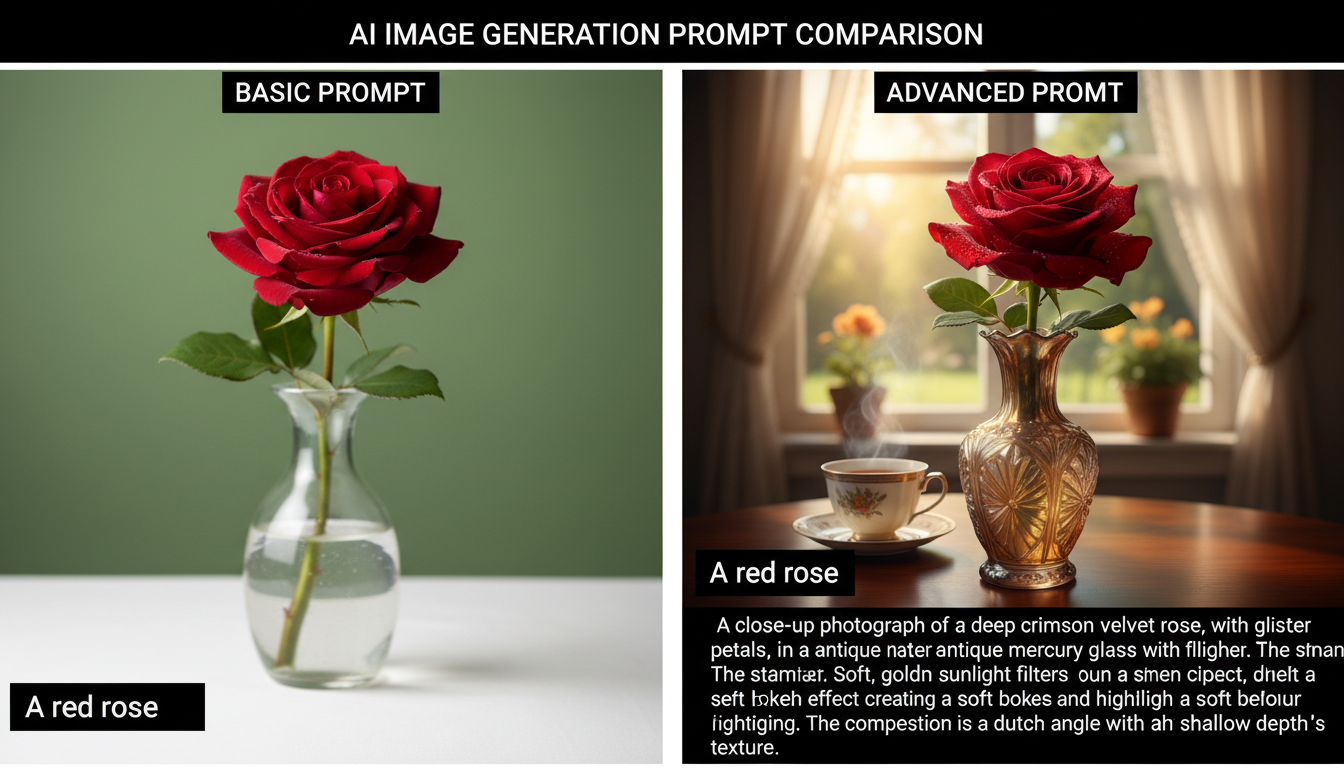 Advanced prompts with proper structure produce dramatically better results than basic descriptions.
Building Your Character Prompt
The foundation of AI influencer work is a consistent character. Your character prompt becomes your most important asset.
Physical Description Components
Create detailed specifications for every physical element:
Face structure:
- Face shape (oval, heart, square, round)
- Distinctive features (high cheekbones, defined jawline)
- Nose shape and size
- Lip shape and fullness
- Eyebrow shape and thickness
Eyes:
- Color with specificity (deep brown, hazel with gold flecks)
- Shape (almond, round, hooded)
- Size relative to face
- Lashes (length, fullness)
Hair:
- Color (natural or styled)
- Length (specific measurement or description)
- Texture (straight, wavy, curly, coily)
- Style (how it's typically worn)
- Volume and movement
Body:
- Height (tall, average, petite)
- Build (athletic, slim, curvy, muscular)
- Proportions if distinctive
- Posture tendencies
Creating Your Base Prompt
Combine elements into a reusable base prompt:
Example base prompt: "22-year-old woman, oval face with high cheekbones and defined jawline, deep brown almond eyes with thick lashes, full natural lips, long wavy dark brown hair past shoulders, athletic fit build, confident natural posture"
This base prompt describes the character consistently. You'll add it to every image generation.
Saving and Standardizing
With Apatero, save your character prompt for reuse:
- Store in character settings or notes
- Copy exactly each time
- Never paraphrase or summarize
- Add to beginning of every prompt
Consistency requires identical description language. Even small wording changes can shift character appearance.
Pose and Expression Prompting
Beyond static character description, poses and expressions bring your influencer to life.
Pose Vocabulary
Learn terms that produce specific poses:
Standing poses:
- "Confident stance, weight on one hip"
- "Relaxed casual standing pose"
- "Fashion pose with hand on hip"
- "Three-quarter turn looking over shoulder"
Sitting poses:
- "Casual sitting on couch, legs crossed"
- "Sitting on floor, legs extended"
- "Perched on stool, back straight"
- "Relaxed lounge position"
Action poses:
- "Walking toward camera"
- "Mid-stride movement"
- "Reaching for something"
- "Adjusting clothing or hair"
Expression Specificity
Vague expressions like "happy" produce generic results. Specific expression descriptions create personality.
Instead of "happy":
- "Genuine warm smile with slight eye crinkle"
- "Confident closed-mouth smile"
- "Laughing naturally, eyes bright"
- "Subtle knowing smile"
Instead of "serious":
- "Thoughtful contemplative expression"
- "Focused determined gaze"
- "Cool composed expression"
- "Pensive slight frown"
Combining Pose and Expression
Poses and expressions should work together:
Example combinations:
Free ComfyUI Workflows
Find free, open-source ComfyUI workflows for techniques in this article. Open source is strong.
- "Casual relaxed stance, genuine warm smile, looking directly at camera"
- "Fashion pose hand on hip, confident closed-mouth smile, chin slightly raised"
- "Leaning against wall, thoughtful expression, looking off to side"
- "Walking toward camera, bright laughing expression, natural movement"
Setting and Environment
Where your influencer appears shapes content context and variety.
Location Specificity
Generic locations produce generic backgrounds. Specific locations produce intentional settings.
Instead of "city":
- "Modern Manhattan rooftop with city skyline"
- "Cobblestone European alley"
- "Trendy Brooklyn coffee shop interior"
- "High-rise apartment with floor-to-ceiling windows"
Instead of "beach":
- "Secluded tropical beach with palm trees"
- "Rocky coastal cliff overlooking ocean"
- "Luxury beach club with white lounge chairs"
- "Sunset on empty sandy beach, golden light"
Environmental Details
Add details that enhance setting authenticity:
Urban environments:
- Time of day and weather
- Architectural style
- Street activity level
- Specific fixtures (cafe tables, street lamps)
Indoor environments:
- Design style (modern, bohemian, minimalist)
- Furnishings
- Window light sources
- Decorative elements
Background Relationship
Consider how background relates to subject:
Separation techniques:
- "Shallow depth of field, blurred background"
- "Subject clearly separated from busy background"
- "Clean minimal background"
Integration techniques:
- "Subject interacting with environment"
- "Environmental context supporting subject story"
- "Location as character in the image"
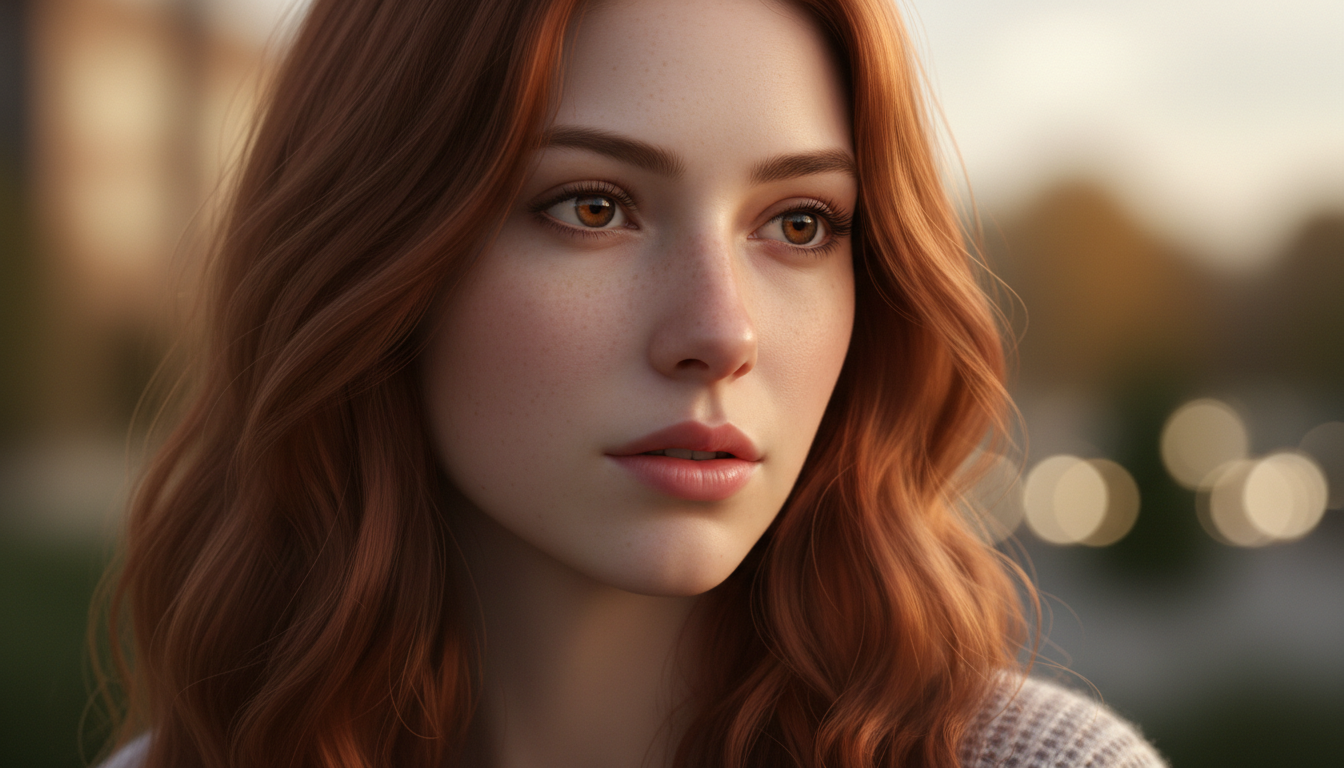 Proper lighting and composition prompts create professional-quality results.
Lighting Prompts
Lighting dramatically affects image quality and mood. Photography lighting vocabulary produces best results.
Natural Light Terms
Golden hour: "Warm golden hour sunlight, soft shadows" "Late afternoon golden light, warm tones" "Early morning golden light from side"
Soft natural light: "Soft diffused natural light" "Overcast soft lighting, no harsh shadows" "Open shade natural light"
Window light: "Soft window light from left" "Side window light creating gentle shadows" "Backlit by window, rim lighting effect"
Bright daylight: "Bright midday sun, high-key lighting" "Full sun lighting with defined shadows" "Dappled sunlight through trees"
Studio Light Terms
Soft box: "Soft box studio lighting, even illumination" "Professional beauty lighting, no harsh shadows" "Three-point lighting setup"
Ring light: "Ring light, circular catch lights in eyes" "Even frontal ring light illumination"
Want to skip the complexity? Apatero gives you professional AI results instantly with no technical setup required.
Dramatic: "Single light source, dramatic shadows" "Rembrandt lighting, triangle under eye" "Chiaroscuro lighting, high contrast"
Colored and Specialty Lighting
Neon and colored: "Neon pink and blue lighting" "Warm amber color temperature" "Cool blue lighting, night atmosphere"
Backlight: "Strong backlight, rim lighting effect" "Silhouette with backlight" "Hair light from behind"
Lighting Direction
Specify where light comes from:
- "Key light from upper left"
- "Side lighting from right"
- "Frontal lighting, minimal shadows"
- "45-degree lighting, classic portrait"
Composition and Camera Terms
Photography and cinematography vocabulary controls framing and perspective.
Shot Types
Close-up: "Close-up portrait, face filling frame" "Extreme close-up, eyes and partial face" "Beauty shot, face and shoulders"
Medium shots: "Medium shot from waist up" "Three-quarter body shot" "American shot, mid-thigh up"
Full body: "Full body shot, head to toe" "Environmental portrait, full body with setting" "Wide shot showing complete figure and surroundings"
Camera Angles
Eye level: "Eye level angle, direct engagement" "Straight-on perspective"
High angle: "Slightly high angle looking down" "Bird's eye perspective"
Low angle: "Low angle looking up, powerful feel" "Ground level perspective"
Lens Simulation
Reference lens effects for specific looks:
Portrait lenses: "85mm portrait lens, shallow depth of field" "50mm natural perspective" "135mm compression, creamy bokeh"
Wide lenses: "35mm environmental portrait" "Wide angle capturing setting context"
Specialty: "Macro lens, extreme detail" "Telephoto compression effect"
Composition Rules
Reference composition principles:
"Rule of thirds composition, subject on right third" "Centered symmetrical composition" "Leading lines toward subject" "Negative space for text overlay"
Quality and Style Modifiers
The final layer adds polish and controls output quality.
Earn Up To $1,250+/Month Creating Content
Join our exclusive creator affiliate program. Get paid per viral video based on performance. Create content in your style with full creative freedom.
Quality Terms
High quality indicators:
- "8K resolution, highly detailed"
- "Professional photography quality"
- "Studio quality image"
- "High definition, sharp details"
Technical quality:
- "Sharp focus on subject"
- "Perfect exposure"
- "Rich accurate colors"
- "Low noise, clean image"
Style References
Photography styles:
- "Editorial fashion photography style"
- "Lifestyle photography aesthetic"
- "Street photography candid feel"
- "High fashion magazine quality"
Aesthetic modifiers:
- "Clean minimalist aesthetic"
- "Warm cozy atmosphere"
- "Modern sleek look"
- "Vintage film photography style"
Avoiding Style Terms
Some terms to use carefully or avoid:
Often problematic:
- "Photorealistic" (can trigger uncanny valley)
- "Hyperrealistic" (similar issues)
- Specific artist names (copyright concerns)
- Specific celebrity names (likeness issues)
Negative Prompts
Negative prompts tell the AI what to avoid. They're essential for consistent results.
Common Negative Prompt Elements
Quality issues:
- "blurry, low quality, pixelated"
- "noise, grain, artifacts"
- "overexposed, underexposed"
- "bad lighting, harsh shadows"
Physical issues:
- "deformed, disfigured, mutated"
- "extra fingers, missing fingers"
- "bad anatomy, disproportionate"
- "cross-eyed, unfocused eyes"
Style avoidance:
- "cartoon, illustration, drawing"
- "3D render, CGI"
- "anime, manga style"
- "watermark, text, logo"
Negative Prompt Strategy
Build a standard negative prompt for your workflow:
Example standard negative: "blurry, low quality, bad anatomy, deformed face, extra fingers, disfigured, cartoon, illustration, watermark, text, ugly, mutation, distorted features, unnatural pose"
Use this consistently across generations for predictable results.
Iteration and Testing
Prompt engineering requires testing and refinement. No prompt works perfectly on first attempt.
Systematic Testing
Variable isolation: Change one element at a time to understand its effect. If you change multiple elements, you won't know which caused the difference.
Documentation: Keep notes on what works. Track prompts and their results. Build prompt library over time.
Version control: When a prompt works well, save exact wording. Small changes can produce different results.
Troubleshooting Common Issues
Inconsistent faces:
- More detailed facial description
- Same exact wording each time
- Use reference images if available in platform
Wrong lighting:
- Be more specific about light type
- Add direction and quality descriptions
- Use negative prompt for unwanted lighting
Bad poses:
- Describe pose in detail
- Reference specific positions
- Use multiple descriptors
Wrong setting:
- More specific location description
- Add environmental details
- Separate subject from background with depth of field
Your Prompt Engineering Practice Plan
Build prompt skills systematically:
Week 1: Character foundation
- Create detailed base character prompt
- Generate 20+ images with base prompt only
- Refine base prompt based on results
- Save final base prompt
Week 2: Pose and expression
- Test different pose descriptions with base prompt
- Document which pose terms work best
- Build pose prompt library
- Practice expression specificity
Week 3: Settings and lighting
- Test various environment descriptions
- Learn lighting vocabulary effects
- Match lighting to settings
- Build setting prompt library
Week 4: Integration and style
- Combine all elements effectively
- Add quality and style modifiers
- Develop consistent workflow
- Create prompt templates for content types
Ongoing:
- Continuous testing and refinement
- Update prompts as models improve
- Build comprehensive prompt library
- Share learnings with community
Prompt engineering separates successful AI influencer creators from those who struggle with consistency and quality. The investment in learning structured prompting pays dividends through better Apatero results, more efficient workflows, and content that stands out in crowded feeds.
FAQ
How long should my prompts be?
Longer prompts with more detail generally produce better results than short vague prompts. Most effective prompts are 50-150 words. Extremely long prompts may have diminishing returns.
Does word order really matter?
Yes, most AI models weight earlier words more heavily. Put your most important elements first.
Should I use the same prompt every time?
Your base character description should stay identical. Other elements (pose, setting, lighting) should vary for content diversity.
How do I maintain character consistency?
Use identical character description language every time. Save your base prompt and copy exactly. Never paraphrase or summarize.
What if my prompts aren't working?
Troubleshoot systematically. Simplify to base elements, then add complexity. Change one variable at a time to identify issues.
Do different AI models need different prompts?
Yes, models respond differently to prompts. What works in one may need adjustment in another. Test and adapt your prompts for each platform.
Make AI images and video in your browser
Characters, video, photo packs. No GPU, no setup. Your first generation is free.
Related Articles

10 Best AI Influencer Generator Tools Compared (2025)
Comprehensive comparison of the top AI influencer generator tools in 2025. Features, pricing, quality, and best use cases for each platform reviewed.

5 Proven AI Influencer Niches That Actually Make Money in 2025
Discover the most profitable niches for AI influencers in 2025. Real data on monetization potential, audience engagement, and growth strategies for virtual content creators.

AI Action Figure Generator: How to Create Your Own Viral Toy Box Portrait in 2026
Complete guide to the AI action figure generator trend. Learn how to turn yourself into a collectible figure in blister pack packaging using ChatGPT, Flux, and more.