AI Influencer Photography Tips: Composition and Lighting for Better Content
Master photography principles for AI influencer content. Learn composition rules, lighting techniques, and visual strategies that make your generated images stand out.
Make AI images and video in your browser
Characters, video, photo packs. No GPU, no setup. Your first generation is free.
Understanding photography principles transformed my AI influencer content quality. Early on, I generated images that looked fine individually but lacked visual sophistication. Once I learned composition rules and lighting techniques, my Apatero prompts became more intentional, and the results looked genuinely professional.
The advantage AI influencer creators have is control. Unlike traditional photography where you work with available light and positioning constraints, AI generation lets you specify exactly what you want. But that control is only valuable if you know what to ask for.
This guide teaches photography fundamentals applied to AI image generation. You'll learn the composition rules that make images visually compelling and the lighting techniques that create professional-quality content.
Quick Answer: Apply photography principles to AI influencer prompts by specifying composition (rule of thirds, leading lines, symmetry), lighting type (natural, studio, golden hour), and visual framing. Include terms like "rule of thirds composition," "soft natural lighting," or "professional portrait lighting" in your prompts. Understanding these principles elevates content from amateur to professional.
:::tip[Key Takeaways]
- Small optimizations can significantly improve your ai influencer photography tips: composition and lighting for better content results
- Consistency in applying these tips matters more than perfection
- Start with the highest-impact changes first
- Track your improvements to stay motivated :::
- Essential composition rules for AI influencer content
- Lighting types and when to use each
- How to apply photography terms in AI prompts
- Creating visual variety while maintaining quality
- Common photography mistakes and how to avoid them
The Foundation: Why Photography Principles Matter
AI image generators create what they're trained on: photographs. They understand photography language because they learned from millions of real photos. Using photography terminology in prompts produces better results than vague descriptions.
When you ask for "good lighting," the AI interprets this generically. When you ask for "soft golden hour lighting with warm tones," the AI has specific visual reference. Photography vocabulary becomes your communication tool with the AI system.
Beyond prompt improvement, understanding photography helps you evaluate generated images. You'll recognize when composition works and when it doesn't. You'll spot lighting issues that make images feel amateur. This critical eye improves content quality through better selection and regeneration decisions.
Composition Rules That Transform Content
Composition determines how elements arrange within your image. Strong composition guides viewer attention and creates visual satisfaction.
Rule of Thirds
The most fundamental composition principle divides the frame into a 3x3 grid. Place important elements along grid lines or at intersection points rather than dead center.
For AI influencer content:
- Position your character's face at upper-third intersection
- Place the body along a vertical third line
- Leave breathing room in the direction character faces
Prompt inclusion: "rule of thirds composition, subject positioned on right third"
Leading Lines
Lines within the image guide viewer attention toward your subject. Roads, walls, furniture edges, and architectural elements can all serve as leading lines.
For AI influencer content:
- Use environmental lines pointing toward your character
- Perspective lines of rooms or streets create depth
- Natural lines like paths or fences add visual interest
Prompt inclusion: "leading lines toward subject, perspective depth"
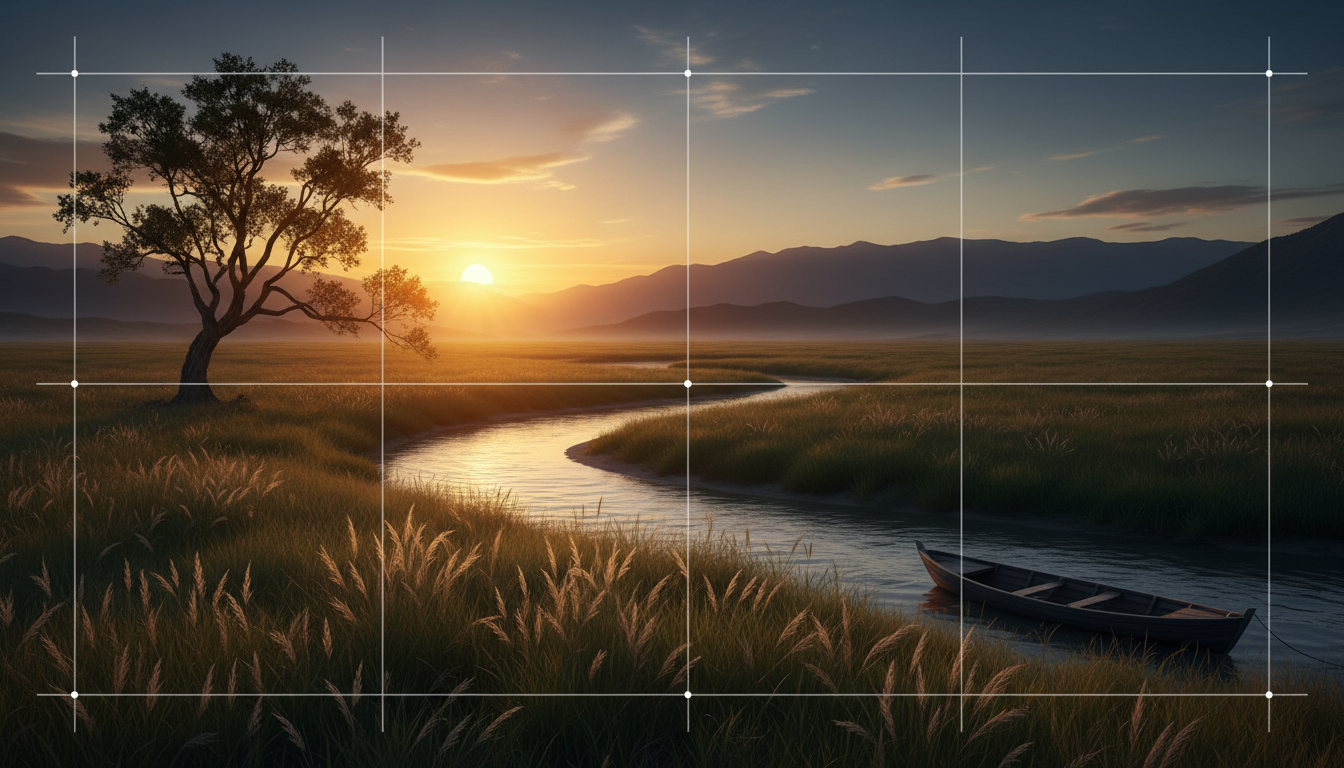 Strong composition guides viewer attention and creates professional-looking content.
Symmetry and Patterns
Symmetrical composition creates balance and visual satisfaction. Works especially well for fashion, beauty, and aesthetic content.
For AI influencer content:
- Center your character with symmetrical background elements
- Mirror image effects for artistic content
- Pattern backgrounds that complement without overwhelming
Prompt inclusion: "symmetrical composition, centered subject, balanced framing"
Negative Space
Empty space around your subject emphasizes the focal point and creates sophisticated visuals.
For AI influencer content:
- Simple backgrounds that don't compete with character
- Space for text overlays in story content
- Clean, uncluttered aesthetics
Prompt inclusion: "negative space composition, minimal background, clean aesthetic"
Framing
Using environmental elements to frame your subject within the image adds depth and focuses attention.
For AI influencer content:
- Doorways, windows, arches as natural frames
- Foliage or architectural elements around edges
- Light and shadow creating frame effect
Prompt inclusion: "natural framing, subject framed by [element], depth through framing"
Lighting Types and Applications
Lighting dramatically affects image mood, quality, and professionalism. Understanding lighting types helps you request appropriate lighting for different content purposes.
Natural Light
Sunlight in various conditions creates different moods and effects.
Golden hour: Warm, soft light shortly after sunrise or before sunset
- Best for: Romantic content, lifestyle, warm aesthetic
- Prompt terms: "golden hour lighting, warm sunset tones, soft natural light"
Midday sun: Harsh, direct overhead light
- Best for: High-energy content, summer vibes
- Challenge: Can create unflattering shadows
- Prompt terms: "bright midday sun, high-key lighting, summer daylight"
Overcast: Soft, diffused light from cloudy skies
- Best for: Even lighting without harsh shadows, beauty content
- Prompt terms: "soft overcast light, diffused natural light, cloudy day lighting"
Window light: Natural light filtered through windows
Free ComfyUI Workflows
Find free, open-source ComfyUI workflows for techniques in this article. Open source is strong.
- Best for: Indoor lifestyle, home content, intimate settings
- Prompt terms: "soft window light, natural indoor lighting, side window lighting"
Studio Lighting
Controlled artificial lighting for professional results.
Soft box lighting: Even, flattering light commonly used in fashion and portrait photography
- Best for: Fashion, beauty, professional headshots
- Prompt terms: "soft box lighting, professional studio light, even flattering light"
Ring light: Circular light creating even facial illumination with distinctive catch lights
- Best for: Beauty content, selfie style shots
- Prompt terms: "ring light, circular catch lights, beauty lighting"
Dramatic lighting: High contrast lighting with strong shadows
- Best for: Artistic content, mood pieces, editorial style
- Prompt terms: "dramatic lighting, chiaroscuro, high contrast shadows"
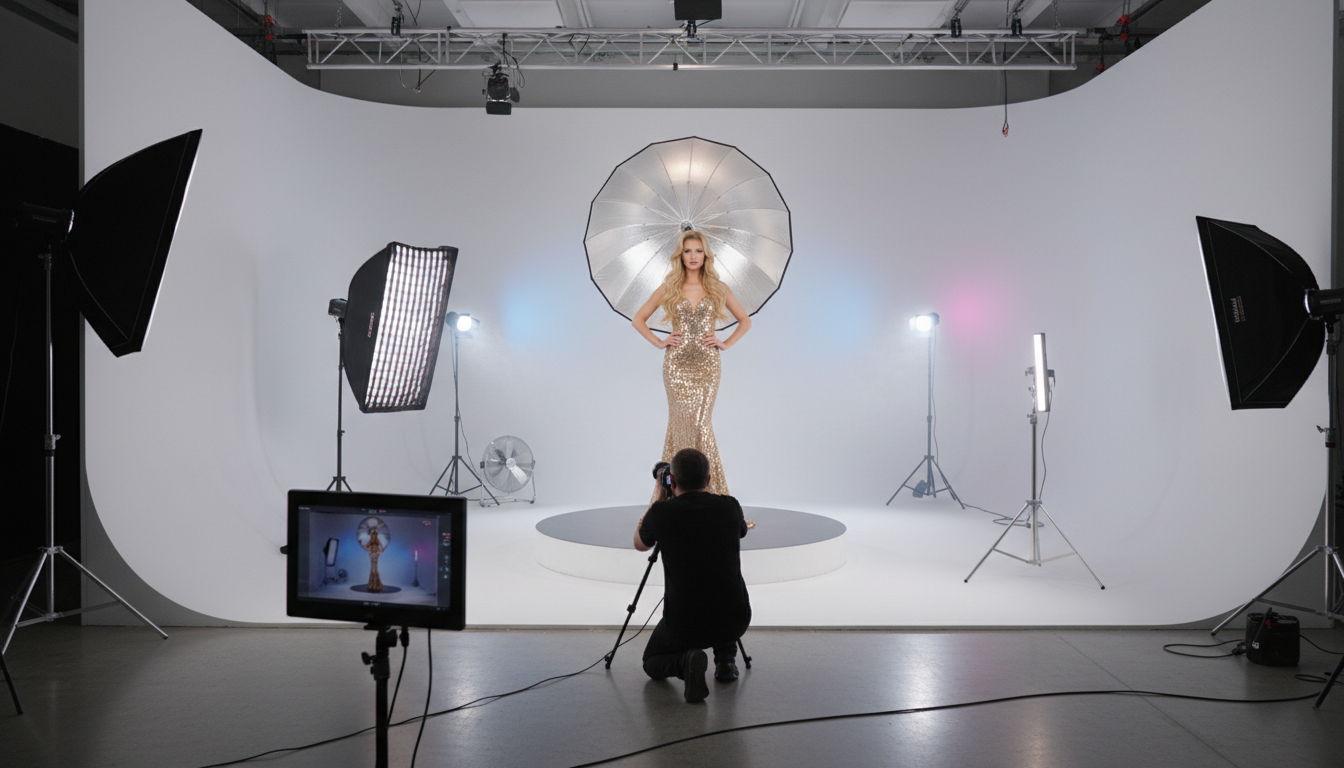 Understanding lighting techniques helps create professional-quality AI influencer content.
Specialty Lighting
Neon/colored lighting: Vibrant colored lights for editorial or nightlife content
- Prompt terms: "neon lighting, colored lights, vibrant pink lighting"
Backlight: Light from behind subject creating silhouettes or rim lighting
- Prompt terms: "backlit, rim lighting, silhouette effect"
Low key: Predominantly dark image with selective lighting
- Prompt terms: "low key lighting, dark mood, selective highlights"
Applying Photography to AI Prompts
Translating photography knowledge into effective prompts requires specific approaches.
Prompt Structure for Visual Quality
Layer your prompt:
- Subject description (your AI influencer character)
- Activity or pose
- Setting/environment
- Composition specification
- Lighting specification
- Quality modifiers
Example prompt: "[Character name], confident pose, modern urban rooftop, rule of thirds composition with subject on left third, golden hour lighting with warm tones, professional photography, high quality, detailed"
Lighting-Specific Prompt Modifiers
Add these terms for better lighting results:
For soft, flattering light: "soft lighting, diffused light, even illumination, flattering shadows"
For dramatic effect: "dramatic lighting, strong shadows, high contrast, moody atmosphere"
Want to skip the complexity? Apatero gives you professional AI results instantly with no technical setup required.
For professional quality: "professional studio lighting, commercial photography lighting, well-lit"
Composition-Specific Modifiers
For dynamic composition: "dynamic angle, interesting perspective, compelling composition"
For clean aesthetics: "clean composition, uncluttered, minimalist framing"
For depth: "depth of field, background blur, bokeh, foreground interest"
Creating Visual Variety
Consistent quality with variety prevents content fatigue.
Varying Composition
Create content variety through different compositions:
Week rotation example:
- Monday: Rule of thirds, outdoor setting
- Tuesday: Centered, symmetrical indoor shot
- Wednesday: Creative angle, unique perspective
- Thursday: Wide shot with negative space
- Friday: Close-up, detail-focused
- Weekend: Lifestyle, casual composition
Varying Lighting
Match lighting to content mood:
Content type to lighting:
- Motivational: Bright, high-energy lighting
- Relaxed lifestyle: Soft, warm natural light
- Professional: Clean studio lighting
- Evening content: Warm, cozy indoor lighting
- Aesthetic: Dramatic or artistic lighting
Setting Variety
Rotate through different environments:
Location categories:
- Indoor home settings
- Outdoor urban environments
- Nature and parks
- Professional settings (gym, office, studio)
- Social settings (cafe, restaurant)
Each location benefits from appropriate lighting and composition choices.
Common Photography Mistakes
Avoid these errors that make content look amateur:
Mistake 1: Centered Everything
Placing subject dead center in every image looks static and unprofessional.
Earn Up To $1,250+/Month Creating Content
Join our exclusive creator affiliate program. Get paid per viral video based on performance. Create content in your style with full creative freedom.
Fix: Apply rule of thirds. Vary subject placement across your content.
Mistake 2: Ignoring Lighting Quality
Not specifying lighting results in generic, unflattering illumination.
Fix: Always include lighting terms in prompts. Be specific about the quality and direction of light you want.
Mistake 3: Cluttered Backgrounds
Busy backgrounds compete with your subject for attention.
Fix: Specify clean backgrounds or depth of field to blur distractions.
Mistake 4: Inconsistent Quality
Mixing high-quality and low-quality images damages brand perception.
Fix: Establish quality standards and regenerate images that don't meet them.
Mistake 5: No Visual Interest
Safe, boring compositions fail to capture attention.
Fix: Experiment with angles, perspectives, and creative compositions.
Quality Control Checklist
Before using any generated image, check:
Composition:
- Subject positioned intentionally, not randomly
- Clear focal point established
- Background supports rather than competes
- Framing appropriate for content use
Lighting:
- Lighting matches intended mood
- No harsh unflattering shadows on face
- Consistent lighting direction
- Quality matches professional standards
Technical:
- No obvious generation artifacts
- Hands and details render correctly
- Face consistent with character
- Resolution sufficient for intended use
Your Photography Improvement Plan
Apply these principles systematically:
Week 1: Composition Focus
- Study rule of thirds in successful content
- Modify all prompts to include composition terms
- Compare centered vs. composed versions
Week 2: Lighting Experimentation
- Test different lighting types in prompts
- Match lighting to content mood intentionally
- Document which lighting terms produce best results
Week 3: Integration
- Combine composition and lighting specifications
- Create variety templates with pre-written prompt elements
- Build personal prompt library
Ongoing:
- Regular content quality audits
- Continued learning about photography
- Testing new techniques and prompt approaches
Understanding photography elevates AI influencer content from adequate to professional. The visual sophistication shows in engagement rates, brand opportunities, and overall account quality. Invest in learning these principles, and your Apatero generations will consistently outperform generic prompts.
FAQ
How specific should I be about lighting in prompts?
More specific is generally better. "Soft golden hour lighting from the left" produces better results than just "good lighting."
Do these rules apply to all AI image generators?
Yes, photography terminology is understood by most quality AI image generators because they're trained on real photographs.
Should I always follow composition rules?
Rules provide framework, not restrictions. Once you understand them, intentional rule-breaking can create compelling images. Learn the rules first, then break them purposefully.
How do I improve my photography knowledge?
Study professional photography, analyze images you find compelling, take basic photography courses online. The knowledge transfers directly to AI prompt writing.
What if the AI doesn't respond to specific photography terms?
Some terms work better than others. Experiment with synonyms and related terms. Build a personal vocabulary of prompt words that produce desired results.
How important is photography knowledge compared to other skills?
Very important for visual content quality. Photography principles are foundational to creating content that looks professional rather than amateur.
Make AI images and video in your browser
Characters, video, photo packs. No GPU, no setup. Your first generation is free.
Related Articles

10 Best AI Influencer Generator Tools Compared (2025)
Comprehensive comparison of the top AI influencer generator tools in 2025. Features, pricing, quality, and best use cases for each platform reviewed.

5 Proven AI Influencer Niches That Actually Make Money in 2025
Discover the most profitable niches for AI influencers in 2025. Real data on monetization potential, audience engagement, and growth strategies for virtual content creators.

AI Action Figure Generator: How to Create Your Own Viral Toy Box Portrait in 2026
Complete guide to the AI action figure generator trend. Learn how to turn yourself into a collectible figure in blister pack packaging using ChatGPT, Flux, and more.