Apple SHARP in ComfyUI: 3D Gaussian Splatting from a Single Image
Apple's SHARP model creates photorealistic 3D scenes from single images in under one second. Complete ComfyUI setup guide with workflows and practical applications.
Apple just dropped SHARP in December 2025, and it's absurd. One image goes in. A complete 3D Gaussian splat comes out. In under one second. On a standard GPU.
I've been obsessively testing 3D reconstruction tools, and nothing comes close to this speed-to-quality ratio. Most methods need dozens of images and minutes of processing. SHARP needs one image and one second.
Quick Answer: SHARP (SHarp monoculAR sPlatting) is Apple's open-source model that converts a single photograph into a photorealistic 3D Gaussian representation in under one second. ComfyUI-Sharp provides native integration with automatic model downloading and EXIF-based focal length calculation.
- Sub-second 3D scene generation from a single image
- 25-34% better LPIPS than previous state-of-the-art
- Three orders of magnitude faster than prior methods
- Outputs compatible with standard 3DGS renderers
- Auto-calculates focal length from EXIF data
Why SHARP Is Different
Traditional 3D Gaussian Splatting requires multiple viewpoints. You take 20, 50, sometimes 100 photos of a scene from different angles. The algorithm triangulates 3D points from the overlapping views.
SHARP needs one photo.
The model was trained to infer depth, geometry, and appearance from monocular cues alone—the same visual understanding humans use to perceive 3D from 2D photographs. Shadows imply shape. Perspective implies distance. Texture gradients imply surface orientation.
Apple's paper showed dramatic improvements:
- LPIPS reduced 25-34% versus best prior model
- DISTS reduced 21-43%
- Generation time: three orders of magnitude faster
That's not incremental. That's generational.
ComfyUI-Sharp Setup
The ComfyUI wrapper by PozzettiAndrea makes integration smooth.
Installation
cd ComfyUI/custom_nodes
git clone https://github.com/PozzettiAndrea/ComfyUI-Sharp
pip install -r ComfyUI-Sharp/requirements.txt
Restart ComfyUI after installation.
Dependencies
You'll also need ComfyUI-GeometryPack for the Gaussian Viewer node:
git clone https://github.com/WASasquatch/ComfyUI-GeometryPack
Model Downloads
Models auto-download on first run. For offline use, manually place sharp_2572gikvuh.pt in ComfyUI/models/sharp/.
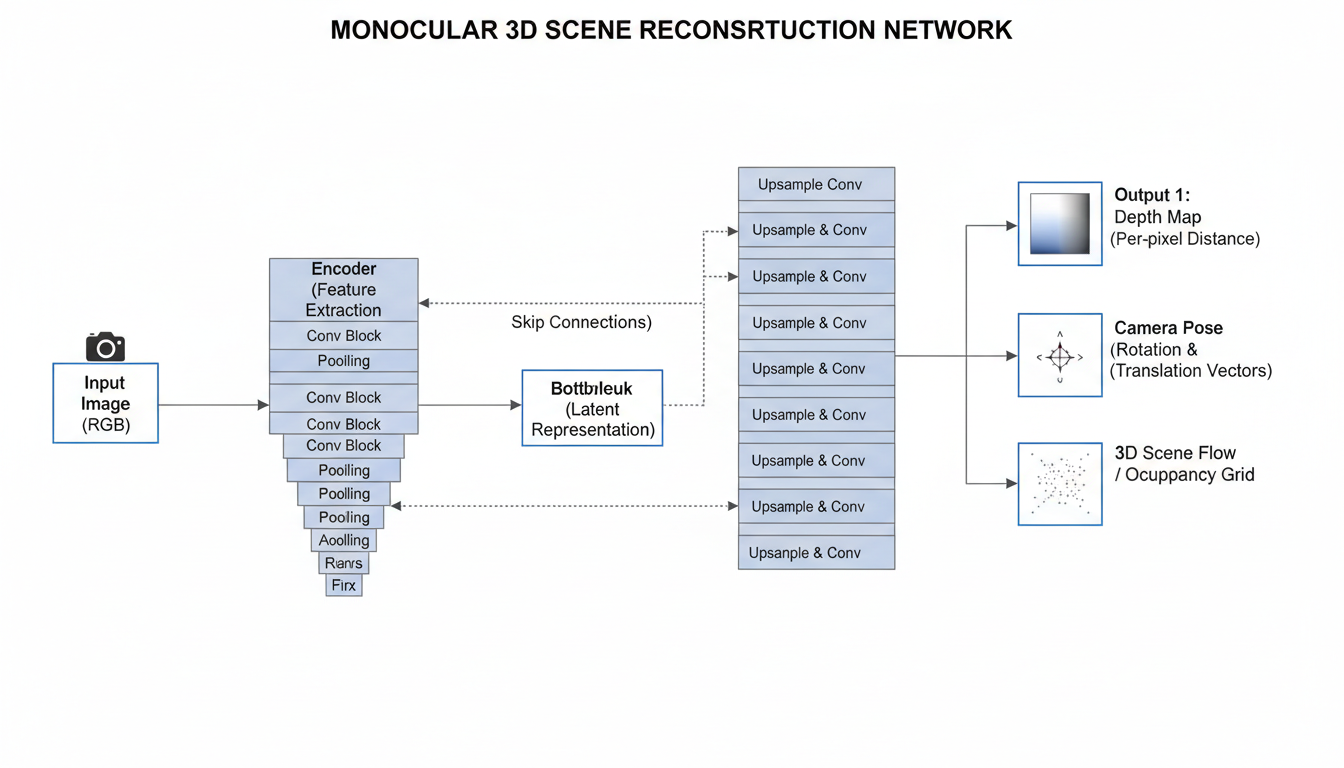 SHARP infers 3D Gaussian parameters directly from single-image features
Understanding the Workflows
ComfyUI-Sharp provides two primary workflows:
Workflow 1: Standard/User Input Focal Length
Use this when you know the camera's focal length or want to specify it manually. Connect:
- Load Image → Image input
- SHARP CheckpointLoader → Loads the model
- SHARP Inference → Generates Gaussians
- Gaussian Viewer (optional) → Preview in ComfyUI
Set focal length manually in the SHARP Inference node. For most smartphone photos, 26-28mm equivalent is reasonable. DSLR varies by lens.
Workflow 2: EXIF Focal Length Extraction
The smarter approach. Use the "Load Image with EXIF" node, which automatically extracts focal length from image metadata.
Most modern cameras embed focal length in EXIF. This gives the model accurate geometric information without manual input.
Connection flow:
- Load Image with EXIF → Extracts image + focal length
- SHARP CheckpointLoader → Model
- SHARP Inference → Uses extracted focal length automatically
- Gaussian Viewer → Preview
This is my default workflow. More accurate, less guessing.
Output Formats
SHARP outputs 3D Gaussian splats in .ply format. These are compatible with:
- Standard 3DGS renderers: SuperSplat, GaussianSplats3D
- Unity/Unreal plugins: Various community integrations
- Web viewers: Browser-based splat viewers
- NeRF Studio: Import and refine
The output folder contains the generated PLY files. Import them into your preferred 3D viewer or game engine.
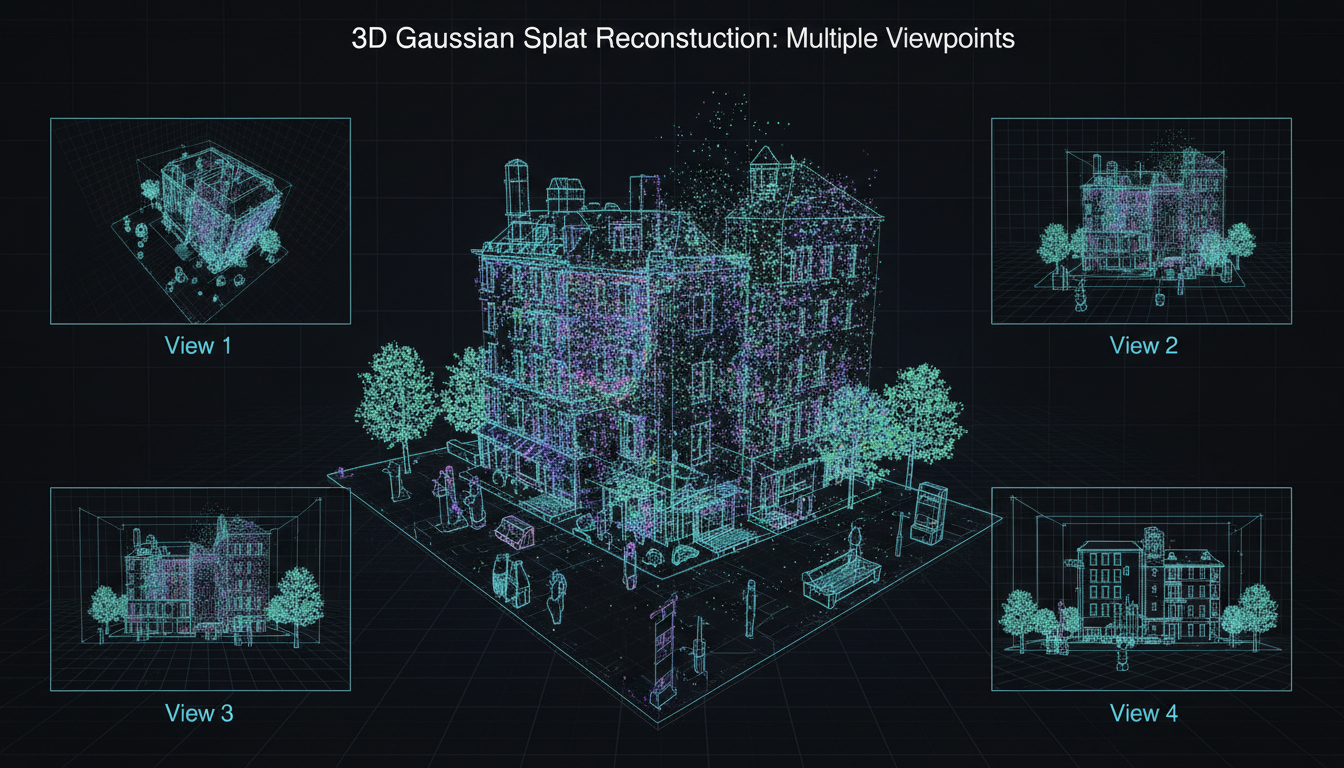 Generated 3DGS can be viewed from novel angles and integrated into 3D applications
Practical Applications
Product Photography to 3D
Turn existing product photos into 3D assets. One good product shot becomes an explorable 3D model. Perfect for e-commerce, AR previews, or 3D catalogs.
Scene Reconstruction for Games
Convert concept art or reference photos into rough 3D scenes. SHARP outputs aren't game-ready geometry, but they provide excellent spatial reference for 3D artists.
Archival Photography
Historical photos of buildings, interiors, or objects can be reconstructed in 3D. The single-image requirement means existing archives become usable.
Combine with Trellis 2
SHARP creates 3DGS; Trellis creates meshes. Different output formats for different purposes. Use both depending on whether you need splats (visualization) or meshes (geometry).
Quality Factors
What affects SHARP output quality:
Image Quality: Higher resolution input = more detail in output. Start with at least 1024px on the short edge.
Focal Length Accuracy: Wrong focal length = wrong geometry. Use EXIF extraction when possible.
Scene Complexity: Single objects work best. Complex multi-object scenes are harder to reconstruct accurately.
Lighting Conditions: Even lighting produces cleaner results. Strong shadows can confuse depth estimation.
Occlusion: SHARP infers hidden geometry, but heavy occlusion limits accuracy. What the camera can't see, the model can only guess.
Hardware Requirements
Gaussian Prediction: Works on CUDA, MPS (Apple Silicon), and CPU. The model is efficient enough for all platforms.
Video Rendering: Currently requires CUDA GPU. The --render option for generating novel view videos needs NVIDIA hardware.
For Mac users: prediction works on M1/M2/M3/M4, but video output needs a CUDA box or cloud GPU.
Comparison to Other Methods
| Method | Images Required | Time | Output Quality |
|---|---|---|---|
| SHARP | 1 | <1 second | Excellent |
| Instant-NGP | 10-100 | Minutes | Excellent |
| COLMAP + 3DGS | 50+ | Hours | Maximum |
| DreamGaussian | 1 | ~10 minutes | Good |
| LGM | 4+ | ~30 seconds | Good |
SHARP dominates the single-image speed category. If you need maximum fidelity and have multiple views, traditional multi-view methods still win. But for speed and convenience, SHARP is unmatched.
Integration Ideas
With AI Image Generation
Generate an image with FLUX or Stable Diffusion, then immediately convert to 3D with SHARP. One workflow from prompt to 3D scene.
With ControlNet
Use SHARP output as ControlNet depth reference. The 3D structure provides accurate depth maps for consistent multi-view generation.
With Video Generation
Generate a base image, create 3DGS with SHARP, render camera paths, use frames as references for video AI like WAN 2.2.
iOS Integration: Spatial Scenes
Apple commercialized related technology in iOS 26 as "Spatial Scenes." The research that produced SHARP is the foundation for consumer 3D photo features.
This means SHARP-style reconstruction is heading to mainstream devices. Understanding the technology now prepares you for where consumer tools are going.
Troubleshooting
Model not loading: Ensure you have enough VRAM (4GB+ recommended). Check model file isn't corrupted.
Wrong geometry: Focal length is probably incorrect. Try EXIF extraction or adjust manually.
Missing GeometryPack: The Gaussian Viewer requires ComfyUI-GeometryPack. Install it separately.
CUDA errors on render: Video rendering needs CUDA. Use CUDA machine or skip video output.
Low detail output: Input image resolution matters. Use higher resolution source images.
FAQ
Does SHARP work on CPU? Prediction works on CPU but is significantly slower. GPU recommended.
Can I use SHARP for animation? The output is static 3DGS. You can animate the camera around it, not the scene itself.
Is SHARP open source? Yes, Apple released it under standard research license. Check GitHub for specifics.
How does this compare to Apple's Vision Pro spatial photos? Vision Pro uses stereo cameras. SHARP works with single images—fundamentally different approaches.
Can I import SHARP output into Blender? Yes, via community 3DGS import plugins. The PLY format is standard.
What about video input? SHARP is image-only. For video reconstruction, look at DUS4 or similar temporal methods.
Does it work with AI-generated images? Yes, and results are often excellent since AI images have clean, predictable structure.
The Bigger Picture
SHARP represents a shift in how we think about 3D creation. The bottleneck has always been capture—getting enough angles, enough lighting, enough data.
Single-image reconstruction removes the capture bottleneck. Any existing photograph becomes a potential 3D asset. Every AI-generated image can be spatially explored.
For Apatero.com, we're exploring how this changes creative workflows. When 3D is as easy as 2D, new applications become practical. AR product previews, immersive storytelling, spatial content at scale.
Apple open-sourcing this signals their belief in democratizing 3D. The tools are here. The question is what we build with them.
Some models you cannot download at any VRAM
Veo, Kling and Nano Banana have closed weights. There is no local build, no quantization, no 24GB workaround. Run them in the browser instead. Check current model access and generation costs in the app.
Related Articles

25 ComfyUI Workflow Tips: Settings and Review
Explore ComfyUI workflow organization, settings and output review, with a blank worksheet for comparing performance on your own setup.
7 ComfyUI Custom Nodes That Should Be Built-In (And How to Get Them)
Essential ComfyUI custom nodes every user needs in 2025. Complete installation guide for WAS Node Suite, Impact Pack, IPAdapter Plus, and more...
ADetailer Single Character Focus - How to Target Specific Faces in Multi-Character Images 2025
Master ADetailer and FaceDetailer to focus on single characters in multi-person images. Complete guide to targeting specific faces with different prompts in ComfyUI.