AI Influencer Instagram Grid Aesthetic: Plan Your Perfect Feed
Create a stunning, cohesive Instagram grid for your AI influencer. Learn color coordination, layout patterns, and visual planning strategies that make profiles stand out.
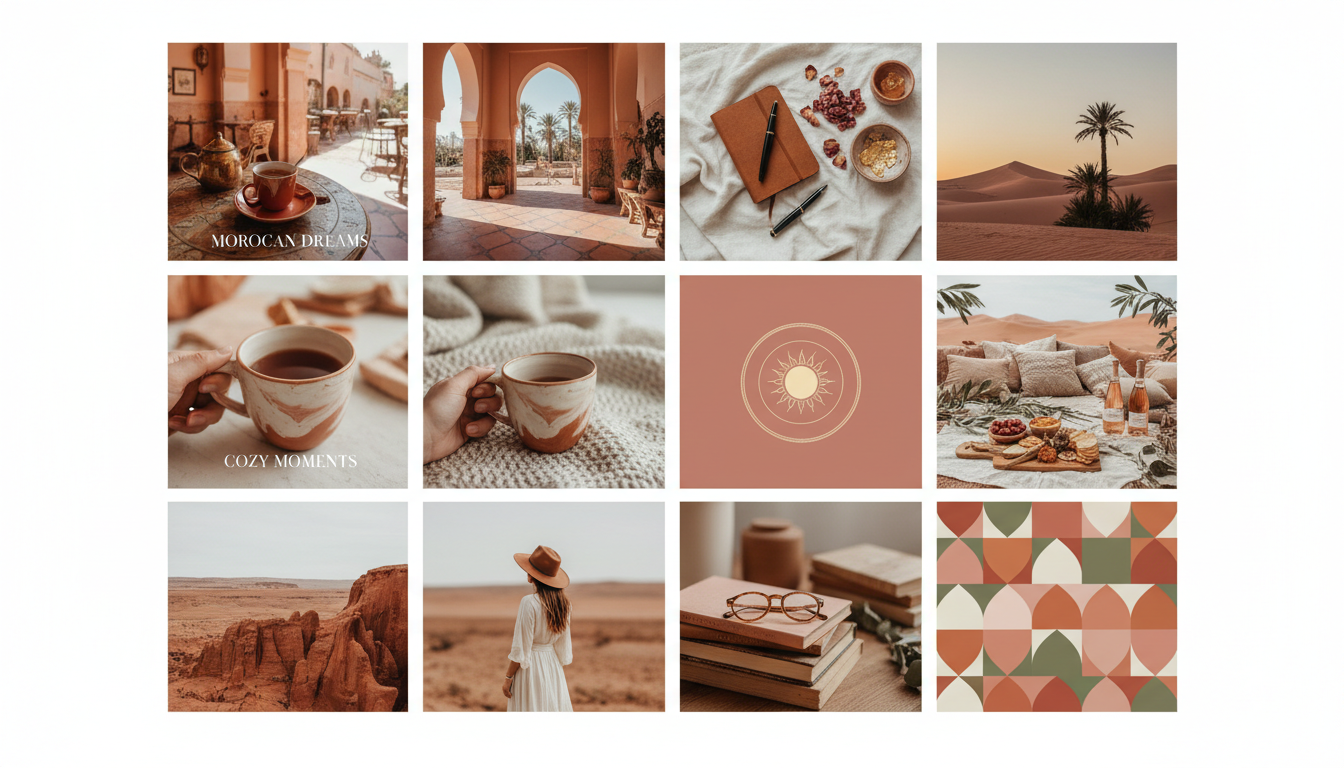
First impressions happen on your grid. When someone visits your AI influencer profile, they see nine posts at once. That collective impression takes less than three seconds to form. Either the grid looks intentional and professional, or it looks random and amateur. The difference significantly impacts follow rates.
I used to post whatever looked good individually without considering how posts appeared together. My grid looked like a collage of unrelated images. Strong individual posts got lost in visual chaos. When I started planning my grid aesthetic, follower conversion from profile visits increased noticeably.
For AI influencers, grid planning offers a unique advantage. Unlike human influencers constrained by real-world photography, you control every visual element. Color palette, lighting, composition, backgrounds, everything can be specified in your Apatero prompts. This control makes stunning, cohesive grids achievable.
Quick Answer: Create a cohesive Instagram grid by choosing a consistent color palette (3-5 colors), maintaining similar lighting across posts, using a content pattern (alternating types or colors), and previewing posts before publishing. Plan at least 9 posts ahead to see how they'll appear together. AI influencer advantage: specify consistent aesthetic elements in generation prompts for effortless cohesion.
:::tip[Key Takeaways]
- AI Influencer Instagram Grid Aesthetic: Plan Your Perfect Feed represents an important development in its field
- Multiple approaches exist depending on your goals
- Staying informed helps you make better decisions
- Hands-on experience is the best way to learn :::
- Why grid aesthetic matters for growth
- Choosing and maintaining a color palette
- Grid layout patterns that work
- Planning tools and preview techniques
- Balancing aesthetic with content variety
Why Grid Aesthetic Matters
Understanding the impact of grid appearance motivates the planning effort.
The Profile Visit Moment
When users discover your content and visit your profile, they're making a decision. The grid preview shows them what following you means. A cohesive, attractive grid signals:
Professional quality: This creator takes their work seriously Consistent experience: Future posts will match expectations Clear identity: There's a defined aesthetic and personality Worth following: This feed will enhance my scroll experience
Random, inconsistent grids signal the opposite.
The Scroll Factor
Instagram users scroll through their feeds quickly. Cohesive aesthetics create recognition. When your post appears among dozens of others, consistent visual identity makes it instantly recognizable as yours. This recognition builds brand awareness and engagement.
The Competition Reality
AI influencer space grows more competitive daily. When users compare similar accounts, the one with the more polished, intentional grid wins. It's not fair, but visual first impressions heavily influence following decisions.
Building Your Color Palette
Color creates the foundation of grid cohesion.
Choosing Your Colors
Select 3-5 colors that work together and reflect your character:
Primary color: Appears most frequently, defines overall vibe Secondary color: Complements primary, adds variation Accent color: Used sparingly for emphasis and interest Neutral color: Backgrounds, negative space
Color selection approaches:
Mood-based: What feeling should your grid evoke? Warm and energetic? Cool and calm? Moody and dramatic?
Character-based: What colors fit your AI influencer's personality? Bold colors for bold personalities, soft tones for approachable characters.
Niche-based: What colors associate with your content area? Fitness often uses energetic colors, wellness uses calm tones.
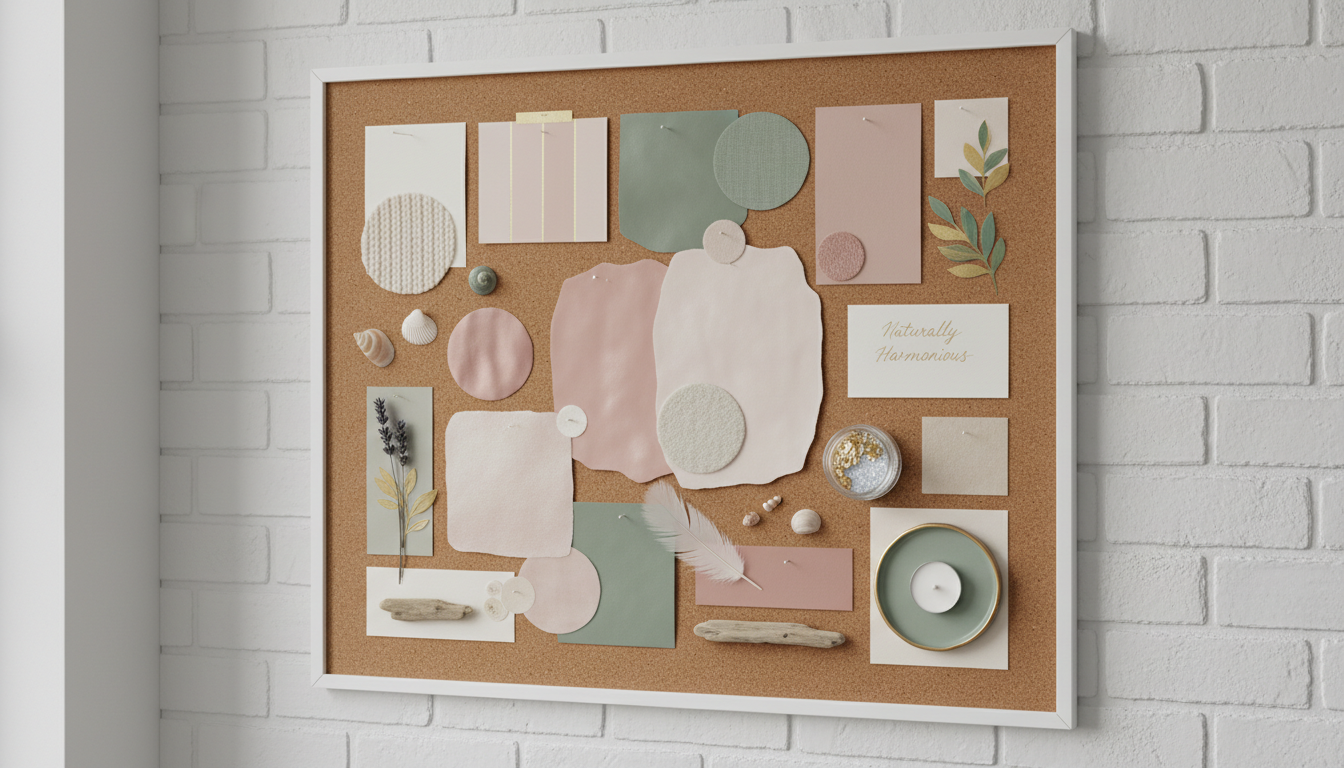 A defined color palette creates automatic cohesion across your entire feed.
Implementing Color Consistency
Once you've chosen colors, implement them in content:
In generation prompts: Specify color elements in your Apatero prompts: "wearing cream-colored outfit in warm-toned room with terracotta accents"
In editing: Apply consistent color grading in post-processing. Use presets that enhance your palette colors.
In backgrounds: Request backgrounds in your palette colors or with complementary tones.
In clothing: Keep character outfits within palette range.
Common Color Palette Types
Warm palette: Oranges, yellows, warm browns, terracotta Cool palette: Blues, greens, silver, lavender Neutral palette: Whites, creams, tans, blacks, grays Vibrant palette: Bold saturated colors with high energy Muted palette: Desaturated, sophisticated tones Monochromatic: Variations of single color family
Choose based on desired mood and character personality.
Grid Layout Patterns
Beyond color, how you arrange content types matters.
The Row Pattern
Plan content in horizontal rows of three:
Example: Row 1: Quote, Photo, Photo Row 2: Carousel, Photo, Quote Row 3: Photo, Carousel, Photo
This creates visual rhythm as people scroll down.
The Checkerboard Pattern
Alternate between two content types or color tones:
Dark, Light, Dark Light, Dark, Light Dark, Light, Dark
Creates strong visual contrast and recognition.
The Color Block Pattern
Group same-colored posts together:
Three warm-toned posts Three cool-toned posts Three warm-toned posts
Creates dramatic color sections in grid view.
The Diagonal Pattern
Create diagonal lines of similar content:
Position similar elements (quotes, certain colors, content types) diagonally across the grid.
The Rainbow Pattern
Gradually shift colors across posts:
Pink → Orange → Yellow → Green → Blue (across rows)
Creates gradient effect when viewing full grid.
The Free Flow Pattern
Less structured but still cohesive:
Maintain color palette and visual quality without strict positioning. Works when individual post quality is consistently high.
Planning Your Grid
Effective planning prevents regret.
Grid Preview Tools
Before posting, see how content fits your existing grid:
Later: Visual grid planner built into scheduling Planoly: Dedicated Instagram planning tool Preview: Simple grid visualization app UNUM: Popular grid planning app Native phone: Screenshot current grid, add new post in photo editor
Never post without checking grid appearance first.
Planning Horizon
How far ahead to plan:
Minimum: Next 3 posts (complete row) Recommended: Next 9 posts (full visible grid) Ideal: Next 12-15 posts (buffer for adjustments)
Longer planning allows better content arrangement.
The Flexibility Balance
Grid planning doesn't mean rigid inflexibility:
Plan the framework: Know your color palette, general pattern Allow variation: Individual posts can differ while maintaining cohesion Build in buffers: Have extra content to rearrange if needed Accept imperfection: Obsessive grid perfection leads to content paralysis
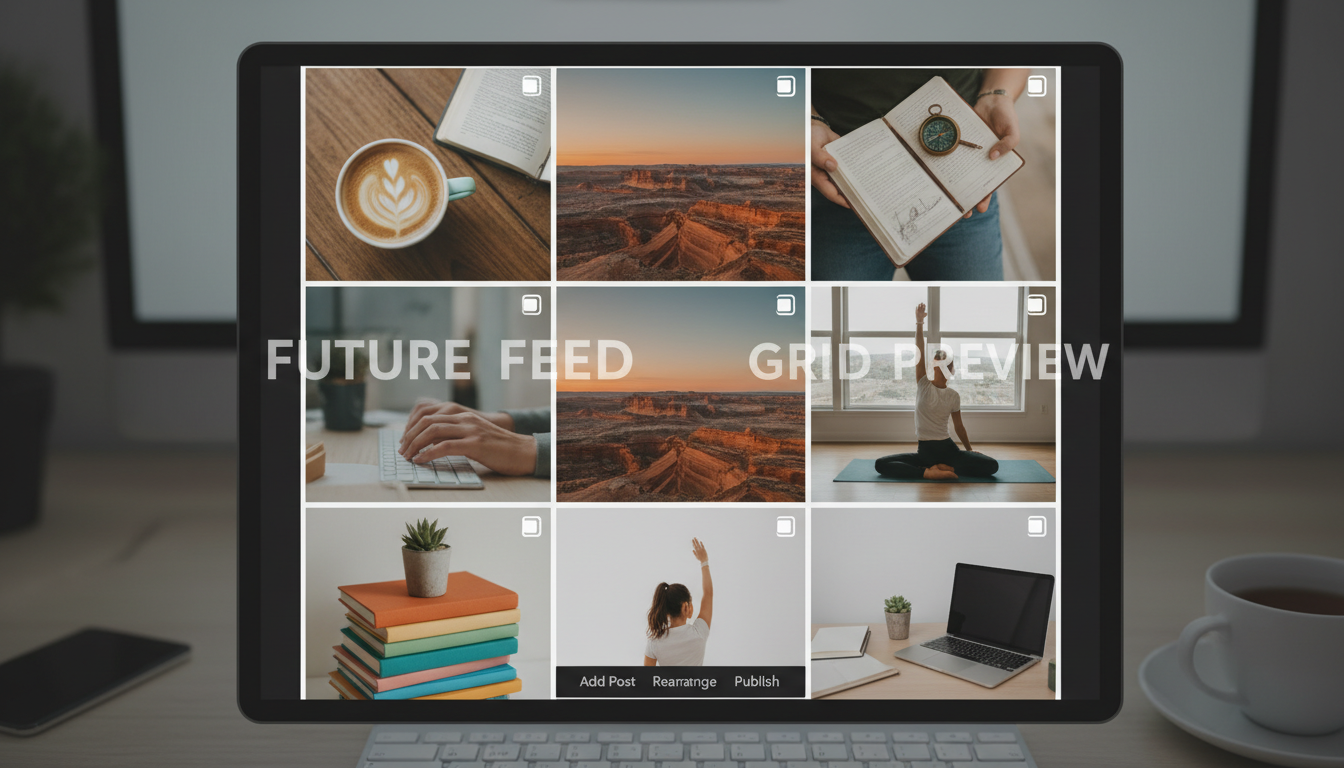 Preview tools let you visualize posts before they go live.
AI Influencer Grid Advantages
AI generation offers unique grid planning benefits.
Consistent Element Control
In every prompt, specify consistent elements:
Lighting style: "soft natural lighting" or "studio lighting" Color temperature: "warm tones" or "cool tones" Background style: "minimal backgrounds" or "urban settings" Clothing palette: "neutral earth tones" or "pastel colors"
This built-in consistency makes cohesive grids easier than traditional photography.
Regeneration Flexibility
When a generated image doesn't fit your grid, simply regenerate. Try different prompts, settings, or compositions until you get an image that works. Traditional photographers don't have this luxury.
Batch Color Coordination
During Apatero batch sessions, generate all images with the same color palette in mind. Similar prompts produce naturally coordinated results.
Perfect Control Over Variables
Unlike real photography where environment, lighting, and conditions vary:
Weather doesn't matter: Always get perfect conditions Time of day is controlled: Generate any lighting scenario Location is unlimited: Any background you can describe Outfit changes are instant: No actual wardrobe needed
Balancing Aesthetic with Variety
Cohesive doesn't mean monotonous.
Types of Variety
Within your cohesive framework, vary:
Composition: Different angles, crops, framing Distance: Close-ups, medium shots, wide shots Setting: Different locations within your palette Activities: Various poses, actions, contexts Content type: Photos, carousels, quotes
The Sameness Trap
Grids that are too uniform become boring:
Problem signs:
- Every post looks nearly identical
- Followers confuse one post for another
- Feed feels static and unchanging
- Engagement drops from familiarity fatigue
Solutions:
- Vary composition while keeping colors consistent
- Include different content types regularly
- Change settings and backgrounds
- Add visual interest through variety
The Chaos Trap
Too much variety destroys cohesion:
Problem signs:
- No visual connection between posts
- Colors clash across grid
- No recognizable aesthetic identity
- Profile looks like multiple accounts mixed
Solutions:
- Return to color palette discipline
- Check grid preview before posting
- Edit posts for consistent processing
- Consider removing off-brand posts
Special Grid Techniques
Advanced approaches for visual impact.
The Split Image
One image split across 3 or 6 posts:
Creates dramatic effect when viewed on grid but each piece should work independently too. Plan carefully and post simultaneously.
The Puzzle Grid
Create images that connect visually:
Adjacent posts have complementary edges or connecting elements. Complex to execute but visually striking.
Theme Rows
Each row tells a story:
Row 1: Morning routine (3 posts) Row 2: Workout content (3 posts) Row 3: Evening content (3 posts)
Creates horizontal narrative while maintaining vertical cohesion.
Seasonal Transitions
Gradually shift aesthetic with seasons:
Move from summer brights to autumn warmth naturally over multiple posts. Viewers experience seasonal progression.
Managing Grid Disruption
What to do when posts don't fit.
Archive Strategically
If a post disrupts your grid:
Option 1: Archive the disruptive post Option 2: Post additional content to shift its position Option 3: Accept the disruption and move forward
Instagram allows archiving posts without deleting them.
The Cover Image Strategy
For Reels and videos that might not fit your feed aesthetic:
Use custom cover images that match your grid. The cover displays on your profile while the video plays in feed.
Timing Disruptions
Sometimes trending or timely content doesn't match your aesthetic:
Options:
- Skip the trend if it doesn't fit
- Adapt the trend to your aesthetic
- Post it anyway and accept temporary disruption
- Post to Stories instead of feed
Grid Planning Workflow
Integrate grid planning into content workflow.
During Content Planning
Before generation:
- Check current grid appearance
- Identify what content types needed next
- Note color balance needs
- Plan generation prompts accordingly
During Content Creation
While generating in Apatero:
- Keep color palette visible for reference
- Check generated images against palette
- Regenerate if colors don't match
- Save images with grid position in mind
Before Scheduling
Before finalizing post schedule:
- Preview all scheduled posts on grid
- Rearrange if needed for better flow
- Regenerate any posts that don't fit
- Confirm final appearance
Regular Grid Audits
Periodically review:
- Screenshot and analyze full grid
- Check if aesthetic has drifted
- Identify any disruptive posts to archive
- Plan corrections for upcoming content
Your Grid Aesthetic Action Plan
Build your perfect grid:
Week 1: Foundation
- Analyze your current grid honestly
- Choose your color palette (3-5 colors)
- Select a grid pattern approach
- Set up grid preview tool
Week 2: Implementation
- Generate new content following palette
- Preview every post before publishing
- Begin establishing visual pattern
- Edit existing posts for consistency if possible
Week 3: Refinement
- Review how new grid looks
- Adjust palette or pattern if needed
- Consider archiving disruptive old posts
- Build content buffer following aesthetic
Week 4: Maintenance
- Establish grid check as standard process
- Create prompt templates for consistent generation
- Document your aesthetic guidelines
- Plan seasonal evolution if desired
A cohesive grid elevates your AI influencer from amateur to professional. The investment in planning pays off through better first impressions, higher follow rates, and stronger brand recognition. With Apatero's generation control, achieving stunning grid aesthetics is more achievable than ever.
FAQ
How strict should my grid aesthetic be?
Consistent enough to be recognizable, flexible enough to stay interesting. Aim for 80% cohesion with 20% variation.
What if my existing grid is a mess?
Start fresh from today. Consider archiving old posts that don't fit. Focus on building cohesion forward.
How do I choose between patterns?
Start simple with color consistency. Add pattern complexity as you become comfortable with planning.
Should I delete posts that don't fit?
Archive rather than delete. You may want to restore them later or they may have engagement value.
How do I maintain aesthetic while posting Reels?
Use custom cover images for Reels that match your feed aesthetic. The cover appears on your grid.
What if I get bored with my aesthetic?
Evolve gradually rather than changing suddenly. Small shifts over time maintain audience while allowing growth.
Reuse a character reference
Save a character as a Soul and put them in any scene, image or video, without retraining anything. Check your welcome allowance and the displayed cost before generating.
Related Articles

5 Proven AI Influencer Niches That Actually Make Money in 2025
Discover the most profitable niches for AI influencers in 2025. Real data on monetization potential, audience engagement, and growth strategies for virtual content creators.

AI Background Replacement: Professional Guide 2025
Master AI background replacement for professional results. Learn rembg, BiRefNet, and ComfyUI workflows for smooth background removal and replacement.

AI Character Consistency: How to Maintain Virtual Persona Identity Across Content
Learn techniques for maintaining AI character consistency across hundreds of images. Master the art of creating recognizable virtual personas with consistent visual identity.